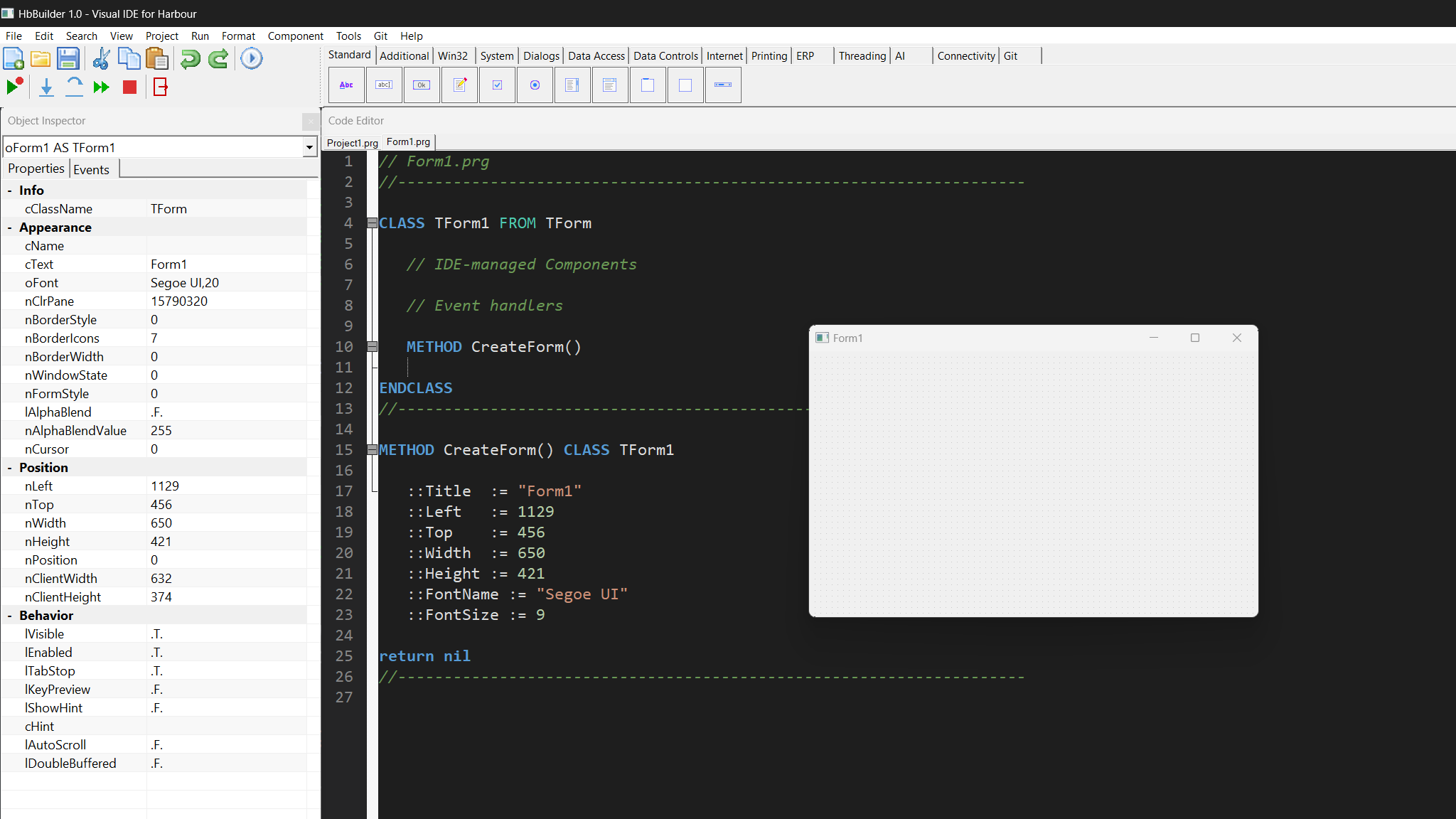
Drop controls, set properties, write event handlers. Your app compiles to a native binary on Windows, macOS and Linux β no theming, no electron, no runtime.
HarbourBuilder is a modern visual IDE that generates Harbour/xBase code. The designer, the inspector and the editor stay in sync β edit one and the others update instantly. Forms are just Harbour classes; the code is yours.
// Form1.prg
#include "hbbuilder.ch"
function Main()
local oForm, oBtn
DEFINE FORM oForm ;
TITLE "Hello World" ;
SIZE 400, 300
@ 120, 140 BUTTON oBtn ;
PROMPT "Click Me!" ;
OF oForm SIZE 120, 32
oBtn:OnClick := { || MsgInfo( "Hi!" ) }
ACTIVATE FORM oForm CENTERED
return nil
CLASS TForm1 FROM TForm
DATA oBtn1 // TButton
METHOD CreateForm()
ENDCLASS
METHOD CreateForm() CLASS TForm1
::Title := "Hello World"
::Width := 400
::Height := 300
@ 120, 140 BUTTON ::oBtn1 ;
PROMPT "Click Me!" ;
OF Self SIZE 120, 32
return nil
From drag-and-drop design to AI pair-programming, all natively integrated.
130 controls across 16 palette tabs. Snap-to-grid, rubber-band selection, resize handles, two-way sync with code.
Properties, events, and component tree. Specialized editors for colors, fonts, files, arrays, hierarchies.
Harbour syntax highlighting, tabs, find/replace dialog, autocomplete, bracket matching, dark theme.
Watch, call stack, locals, breakpoints, step in/over/out β all inside the IDE, no external tools.
The designer updates code; the code updates the designer. Live, debounced, loss-free. Works both ways.
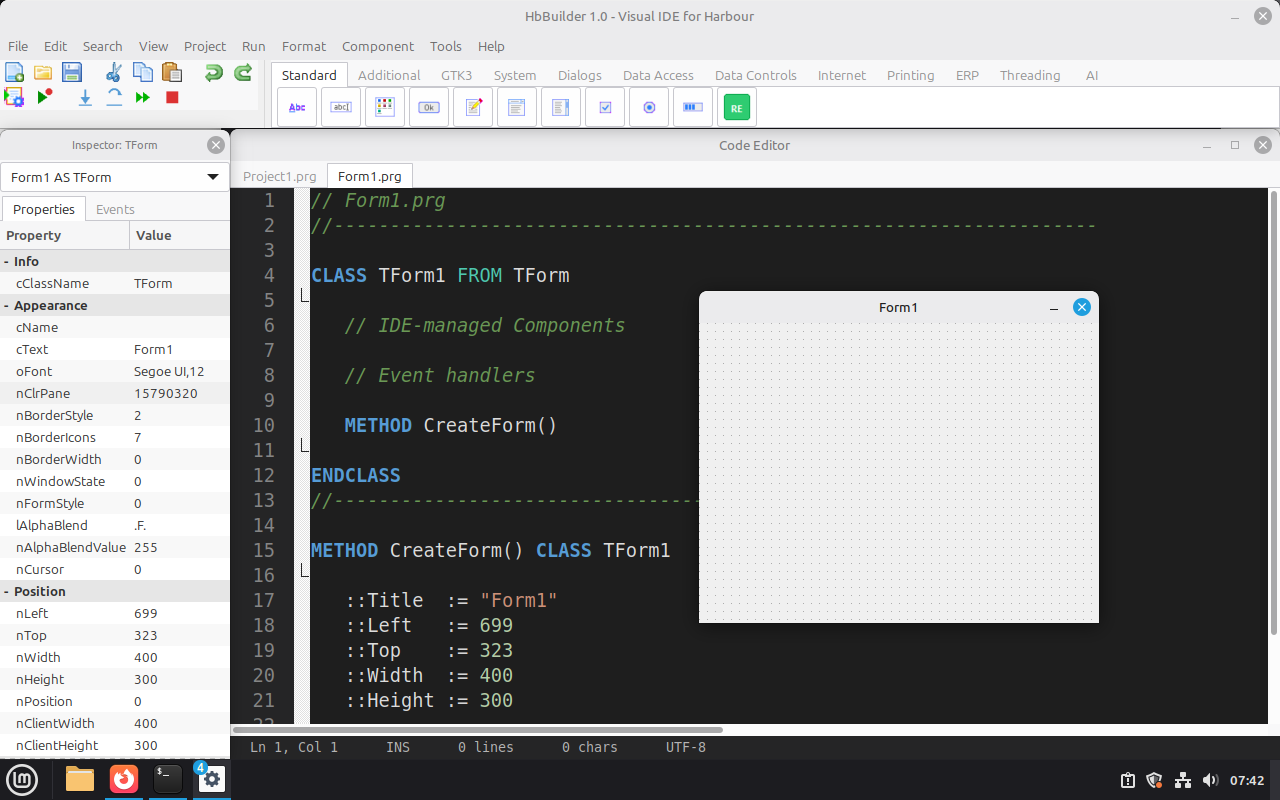
Win32, Cocoa, GTK3 backends. Real native controls on each platform β not themed widgets or a browser.
TBrowse, DBGrid, DBNavigator. DBF, MySQL, MariaDB, PostgreSQL, SQLite, Firebird, SQL Server, Oracle, MongoDB.
OpenAI, Gemini, Claude, DeepSeek, Grok, Ollama, Whisper, Embeddings, Transformers β all as drop-in components.
TPython (in-process via dlopen), TNode, TLua, TRuby, TGo, TRust, TSwift, TJava, TDotNet.
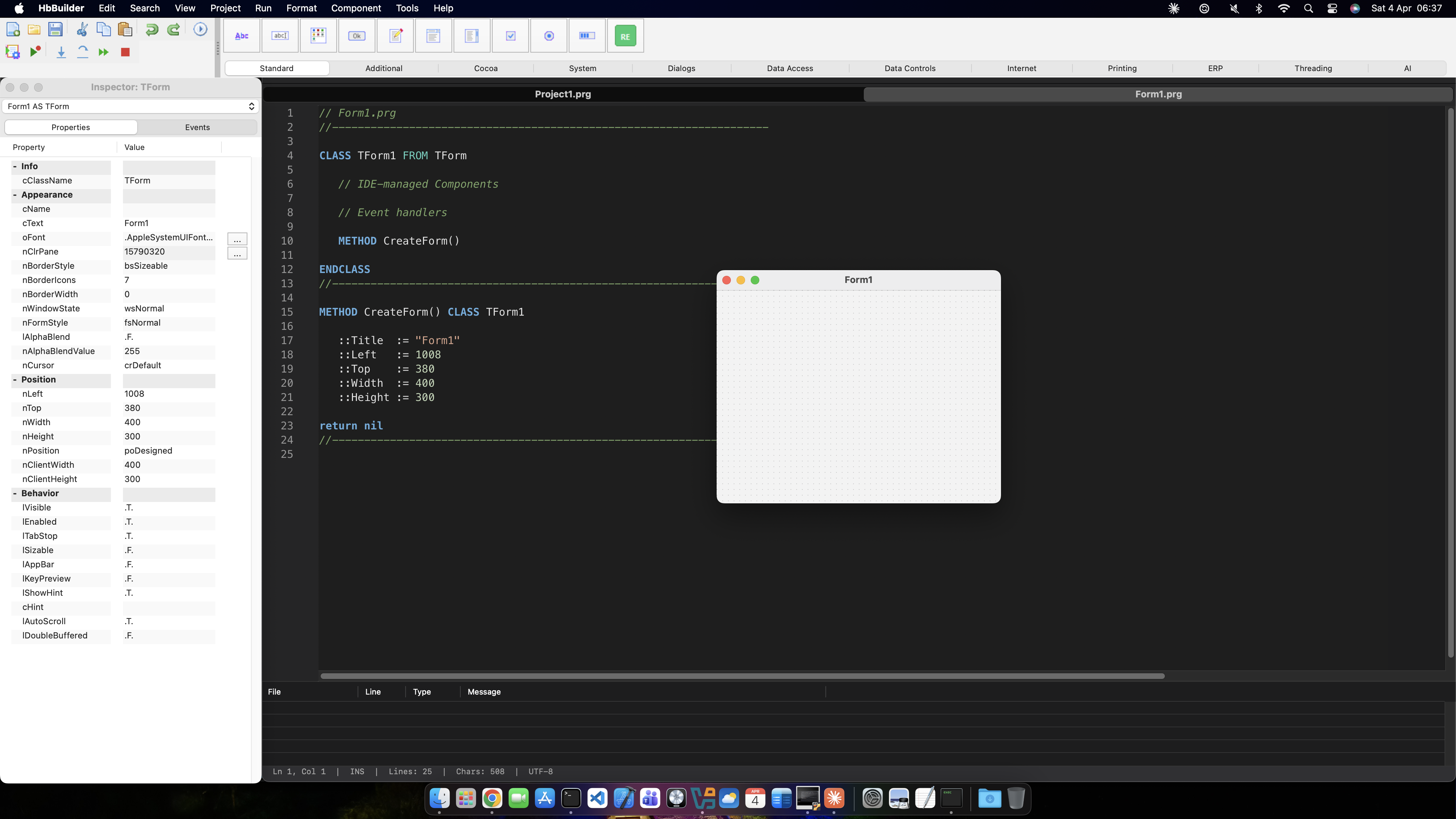
Same Harbour source, same .hbp project β different native backend per OS. No compromises.
Drop controls on the form designer. Hit Run. See your app running on a real device or simulator β with native widgets on Android and iOS. Same Harbour code, now on your pocket.
The same architecture that made HarbourBuilder native on three desktops β now extended to two more.
Your .prg ββ DEFINE FORM ... BUTTON ...
β
βΌ
classes.prg ββ calls UI_FormNew(), UI_ButtonNew() ...
β
ββββΆ hbbridge.cpp β Win32 (CreateWindowEx)
ββββΆ cocoa_core.m β macOS (NSView hierarchy)
ββββΆ gtk3_core.c β Linux (GtkWidget)
ββββΆ android_core.c β Android (JNI β android.widget.*) βββ NEW
ββββΆ ios_core.m β iOS (UIKit / UIView) βββ NEW
No web view. No skinned UI. Real android.widget.Button, real UIButton β real native feel on both platforms.
Form-designer coordinates scale by device density β consistent on any screen size.
Menu Run β Run on Android/iOS. Fully automated: harbour β clang β link β sign. Android (8-step) or iOS (4-step).
The same .prg that targets Windows, macOS and Linux now also produces a signed APK or .app for mobile.
Clone the repo and build from source. Pre-built binaries are distributed via GitHub Releases.
MSYS2 / MinGW build. Ships a native Win32 IDE.
Universal Cocoa build. Apple Silicon + Intel.
GTK3 build. Tested on Ubuntu, Fedora, Arch.
The full source is MIT-licensed. Build it, fork it, ship it.
$ git clone https://github.com/FiveTechSoft/HarbourBuilder.git
$ cd HarbourBuilder
$ ./build_mac.sh # or build_linux.sh / build_win.bat
$ ./bin/HbBuilder
20+ pages covering every control, every event, every platform β in three languages.