

Hello
Ejemplo de como podemos aplicar filtro HUE, Saturacion y luminosidad a una imagen
exe: http://www.sitasoft.net/fivewin/samples/filter.zip
original

filter test
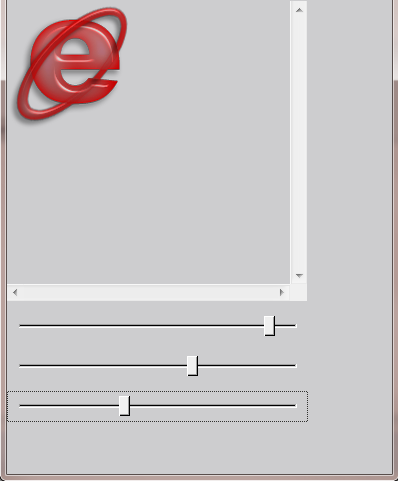
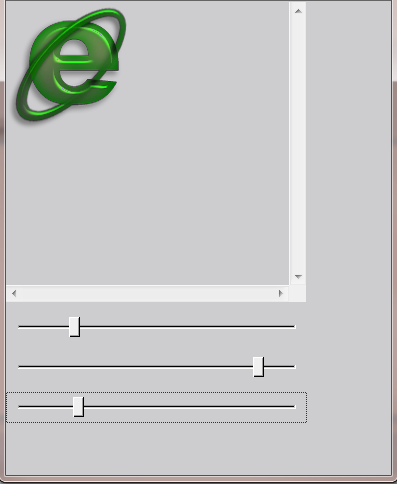
original
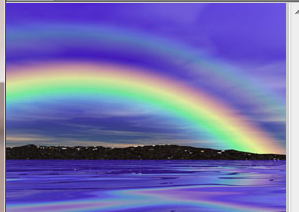
filter test
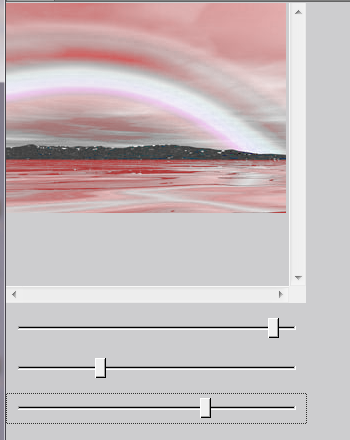
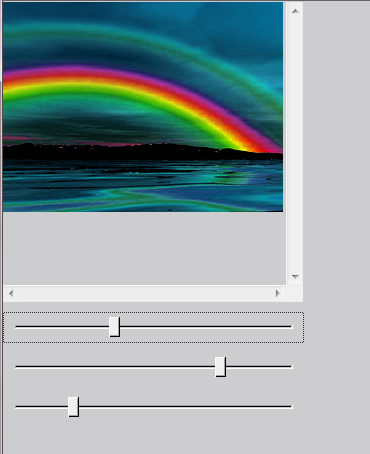
Ejemplo de como podemos aplicar filtro HUE, Saturacion y luminosidad a una imagen
#include "FiveWin.ch"
#include "slider.ch"

FUNCTION Main()
   local oBar, oWnd
   local cFile
   local nHue := 0, nSat := 0, nLig := 0
   local hBmpOrg, oBmp, oSHue, oSSat, oSLig

   DEFINE WINDOW oWnd FROM 0,0 TO 35,50 TITLE "Filter HUE, Saturation and LIghtness"

   define buttonbar oBar of oWnd size 48,48

   define button prompt "File" of oBar action( If( IsGdiObject( hBmpOrg ), DeleteObject( hBmpOrg ), ),;
                                               oBmp:LoadBMP( cFile := cGetFile( "*.bmp" ) ), ;
                                               hBmpOrg := DuplicateBitmap( oBmp:hBitmap ),;
                                               nSat:=nLig:=nHue:=0, ;
                                               oSHue:Set( nHue ),;
                                               oSSat:Set( nSat ),;
                                               oSLig:Set( nLig ),;
                                               oWnd:Update() )

   @ 50,0 BITMAP oBmp FILENAME cFile OF oWnd PIXEL SIZE 300, 300 NOBORDER SCROLL

   @ 360, 0 SLIDER oSHue VAR nHue HORIZONTAL RANGE -180, 180 ;
            PIXEL SIZE 300, 30 UPDATE;
            ON CHANGE( ApplySetFilter( oBmp, hBmpOrg, cFile, nSat, nLig, nHue ) )

   @ 400, 0 SLIDER oSSat VAR nSat HORIZONTAL RANGE -100, 100 ;
            PIXEL SIZE 300, 30 UPDATE;
            ON CHANGE( ApplySetFilter( oBmp, hBmpOrg, cFile, nSat, nLig, nHue ) )

   @ 440, 0 SLIDER oSLig VAR nLig HORIZONTAL RANGE -100, 100 ;
            PIXEL SIZE 300, 30 UPDATE;
            ON CHANGE( ApplySetFilter( oBmp, hBmpOrg, cFile, nSat, nLig, nHue ) )

   WndCenter(oWnd:hWnd)

   ACTIVATE WINDOW oWnd

   DeleteObject( hBmpOrg )

RETURN ( nil )

function ApplySetFilter( oBmp, hBmpOrg, cFile, nSat, nLig, nHue )

   DeleteObject( oBmp:hBitmap )
   oBmp:hBitmap = DuplicateBitmap( hBmpOrg )
   nHue += 360
   SetFilter( oBmp:GetDC(), oBmp:hBitmap, nSat, nLig, nHue )
   oBmp:Refresh()
   oBmp:ReleaseDC()

return nil


#pragma BEGINDUMP
#include <windows.h>
#include <hbapi.h>


BITMAPINFOHEADER PrepareInfoHeader( WORD, WORD );

void SetFilter( HDC hDC, HBITMAP hBmp, DOUBLE _saturation, DOUBLE _lightness, DOUBLE _hue )
{
   HBITMAP hBmpSrc, hOldSrc; // source bitmap
   HBITMAP hOldOrg;          // original bitmap
   HDC hDCSrc;
   HDC hDCDes;
   BITMAP bm;
   BITMAPINFOHEADER bmiS; // Source bitmap
   BYTE *lpSrcBits;
   INT j, i;
   DOUBLE R, G, B;
   DOUBLE H, S, L, H1;
   DOUBLE min, max, dif, sum;
   DOUBLE f1, f2;
   DOUBLE v1, v2, v3;
   DOUBLE sat =  127.0 * _saturation / 100.0;
   DOUBLE lum = 127.0 * _lightness / 100.0;
   DOUBLE c1o60  = 1.0 / 60.0;
   DOUBLE c1o255 = 1.0 / 255.0;
   hDCSrc  = CreateCompatibleDC( hDC );
   hDCDes  = CreateCompatibleDC( hDC );

   // Get Bitmap Info
   GetObject( hBmp, sizeof( BITMAP ), &bm );

   // create dibsection to get byte from original bitmap
   bmiS = PrepareInfoHeader( bm.bmWidth, bm.bmHeight );

   hBmpSrc = CreateDIBSection ( hDCSrc, ( LPBITMAPINFO )&bmiS,
       DIB_RGB_COLORS, ( void ** )&lpSrcBits, 0, 0 );

   hOldSrc = SelectObject( hDCSrc, hBmpSrc );

   //Now we can fill the bits from original bitmap
   hOldOrg = SelectObject( hDCDes, hBmp );

   BitBlt( hDCSrc, 0, 0, bm.bmWidth, bm.bmHeight, hDCDes, 0, 0, SRCCOPY );

   //apply filter
   for( j = 0; j < bm.bmHeight ; ++j )
    {
       LPBYTE pbDestRGB = ( LPBYTE )&( ( DWORD * ) lpSrcBits )[ j * bm.bmWidth ];

       for( i = 0; i != bm.bmWidth; ++i )
       {
          R = ( DOUBLE ) pbDestRGB[ 2 ];
          G = ( DOUBLE ) pbDestRGB[ 1 ];
          B = ( DOUBLE ) pbDestRGB[ 0 ];

//          'Conversion to HSL space.
          min = R;
          if(G < min)
             min = G;
          if(B < min)
             min = B;
          max = R;
          f1 = 0.0;
          f2 = G - B;
          if(G > max)
          {
             max = G;
             f1 = 120.0;
             f2 = B - R;
          }
          if(B > max)
          {
             max = B;
             f1 = 240.0;
             f2 = R - G;
          }
          dif = max - min;
          sum = max + min;
          L = 0.5 * sum;
          if(dif == 0)
          {
             H = 0.0;
             S = 0.0;
          }else
          {
             if(L < 127.5)
                S = 255.0 * dif / sum;
             else
                S = 255.0 * dif / (510.0 - sum);

             H = (f1 + 60.0 * f2 / dif);
             if( H < 0.0 )
                H += 360.0;

             if( H >= 360.0 )
                H -= 360.0;
          }
//          'Apply transformation.
          H = H + _hue;
          if( H >= 360.0 )
             H = H - 360.0;
          S = S + sat;
          if( S < 0.0 )
             S = 0.0;
          if( S > 255.0 )
             S = 255.0;
          L = L + lum;
          if( L < 0.0 )
             L = 0.0;
          if( L > 255.0 )
             L = 255.0;
//          'Conversion back to RGB space.
          if(S == 0)
          {
             R = L;
             G = L;
             B = L;
          }else
          {
             if(L < 127.5)
                v2 = c1o255 * L * (255 + S);
             else
                v2 = L + S - c1o255 * S * L;

             v1 = 2 * L - v2;
             v3 = v2 - v1;
             H1 = H + 120.0;

             if(H1 >= 360.0)
                H1 -= 360.0;
             if(H1 < 60.0)
                R = v1 + v3 * H1 * c1o60;
             else if(H1 < 180.0)
                R = v2;
             else if (H1 < 240.0)
                R = v1 + v3 * (4 - H1 * c1o60);
             else
                R = v1;

             H1 = H;
             if(H1 < 60.0)
                G = v1 + v3 * H1 * c1o60;
             else if (H1 < 180.0)
                G = v2;
             else if(H1 < 240.0)
                G = v1 + v3 * (4 - H1 * c1o60);
             else
                G = v1;

             H1 = H - 120.0;
             if (H1 < 0.0)
                H1 += 360.0;
             if (H1 < 60.0)
                B = v1 + v3 * H1 * c1o60;
             else if (H1 < 180.0)
                B = v2;
             else if (H1 < 240.0)
                B = v1 + v3 * (4 - H1 * c1o60);
             else
                B = v1;
          }
//          'Save new values.
          pbDestRGB[ 2 ] = ( BYTE )R;
          pbDestRGB[ 1 ] = ( BYTE )G;
          pbDestRGB[ 0 ] = ( BYTE )B;
          pbDestRGB += 4;
       }
   }

   // now we change the original bitmap

   BitBlt( hDCDes, 0, 0, bm.bmWidth, bm.bmHeight, hDCSrc, 0, 0, SRCCOPY );


   SelectObject( hDCSrc, hOldSrc );
   DeleteObject( hBmpSrc );

   SelectObject( hDCDes, hOldOrg );

   DeleteDC( hDCSrc );
   DeleteDC( hDCDes );

}

HB_FUNC( SETFILTER )
{
    SetFilter( ( HDC ) hb_parnl( 1 ),
                  ( HBITMAP ) hb_parnl( 2 ),
                  ( DOUBLE ) hb_parnd( 3 ),
                  ( DOUBLE ) hb_parnd( 4 ),
                  ( DOUBLE ) hb_parnd( 5 ) ) ;
}
exe: http://www.sitasoft.net/fivewin/samples/filter.zip
original
filter test
original
filter test
our best documentation is the source code
Isla de Margarita Venezuela.
danielgarciagil@gmail.com
http://tdolphin.blogspot.com/
https://www.dropbox.com/referrals/NTI5Njk4MDc1OQ?src=global9
Isla de Margarita Venezuela.
danielgarciagil@gmail.com
http://tdolphin.blogspot.com/
https://www.dropbox.com/referrals/NTI5Njk4MDc1OQ?src=global9

