Otto,
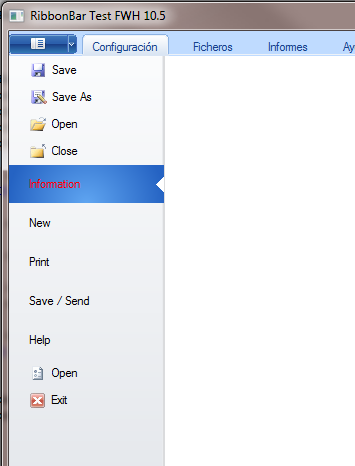
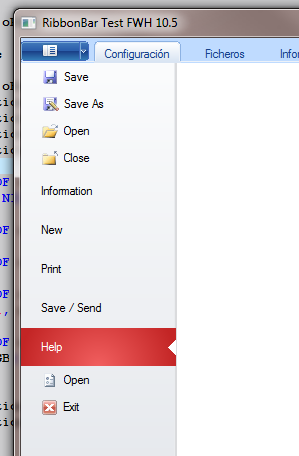
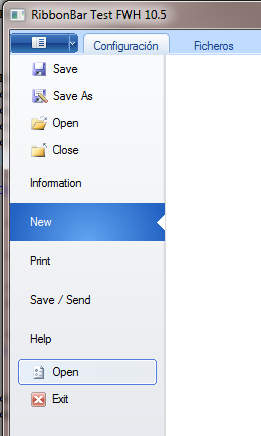
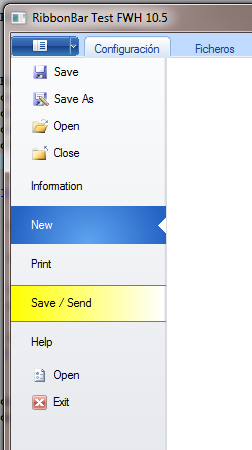
We have started the implementation of the BackStage. We have a new DATA oBackStage which it becomes a TPanel:
DATA oBackStage // panel to be used as the backstage
And a new Method BackStage() that creates it or shows it when called:
METHOD BackStage() CLASS TRibbonBar

   if ::oBackStage == nil
      ::oBackStage = TPanel():New( ::nTopMargin, 0,;
                                   GetClientRect( ::oWnd:hWnd )[ 3 ] - ::nTopMargin,;
                                   ::nWidth, ::oWnd )
      ::oBackStage:SetColor( "N/W*" )
   else
      ::oBackStage:Show()
   endif

   AEval( ::aDialogs, { | o | o:Hide() } )

return nil
when another tab is selected, then the oBackStage is hidden:
METHOD LButtonDown( nRow, nCol, nFlags ) CLASS TRibbonBar

   local n := ::nOffset, nPos := TXTLPAD  // 5

   if ::lDrag
      return Super:LButtonDown( nRow, nCol, nFlags )
   else
      if ( n := ::nOverPrompt( nRow, ncol ) ) > 0
         if n == ::nOption
            if ::oBackStage != nil .and. IsWindowVisible( ::oBackStage:hWnd )
               ::oBackStage:Hide()
               ::aDialogs[ ::nOption ]:Show()
            endif
            return nil
         endif
         if ::aEnable[ n ] .and. ::aVisible[ n ]
            ::nLastOver := n
            ::SetOption( n )
         endif
//         ::lOver := .t.
      endif
   endif

return nil
Method SetOption() also checks now if the oBackStage is visible and hides it:
METHOD SetOption( nOption ) CLASS TRibbonBar

   local nOldOption := ::nOption

   if ::oBackStage != nil .and. IsWindowVisible( ::oBackStage:hWnd )
      ::oBackStage:Hide()
   endif

   ...
Our plan is to provide another additional method that will create a sort of folder, with left tabs, if called too. So the user has the freedom to use the Microsoft style or implement a different one, if desired.
I send you the modified Class TRibbonBar and samples\ribbon.prg so you can test how we are implementing it