

Please, where I cand download the latest source to test it?.
Thank you.
FWH 11.11, Harbour 3.1 and Borland C++ 5.82
Please, where I cand download the latest source to test it?.
Thank you.
in this post
for the method METHOD RButtonDown( nRow, nCol, nKeyFlags ) I made
someone Know How insert check to menu popup please ?
Silvio wrote:For all :
New two methods to insert to CLASS TCalEx
METHOD RButtonDown( nRow, nCol, nKeyFlags )
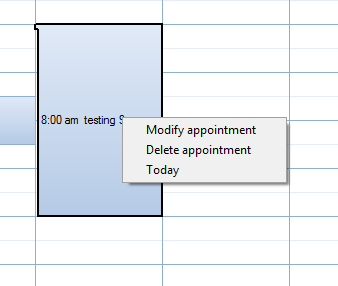
it create a simply menu popup with these operation
call a function to insert or modifiy a record
Set a date
Go to a date
set Interval
as you can see on this picture
Write YOur impressions!!
  METHOD RButtonDown( nRow, nCol, nKeyFlags )  CLASS TCalEx

     Local oMenu
     Local oThis  := self

     if ::Classname() != "TDAYVIEW" .or. ::Classname() != "TWEEKVIEW"

 if ::bRClicked != nil
   return Eval( ::bRClicked, nRow, nCol, nKeyFlags, Self )
endif


MENU oMenu POPUP
MENUITEM "New appointment" ACTION msginfo("New Record")
MENUITEM "Today"           ACTION (::SetDate( date() )   ,::oDayView:refresh())
MENUITEM "Go to date "     ACTION (::GotoDate(nRow, nCol) ,::oDayView:refresh())

MENUITEM "Interval"
MENU
   MENUITEM "5 minutes"   ACTION (::oDayView:SetInterval( 5 )  ,::oDayView:refresh())
   MENUITEM "10 minutes"  ACTION (::oDayView:SetInterval( 10 ) ,::oDayView:refresh())
   MENUITEM "15 minutes"  ACTION (::oDayView:SetInterval( 15 ) ,::oDayView:refresh())
   MENUITEM "20 minutes"  ACTION (::oDayView:SetInterval( 20 ) ,::oDayView:refresh())
   MENUITEM "30 minutes"  ACTION (::oDayView:SetInterval( 30 ) ,::oDayView:refresh())
   MENUITEM "60 minutes"  ACTION (::oDayView:SetInterval( 60 ) ,::oDayView:refresh())
   ENDMENU
ENDMENU
ACTIVATE POPUP oMenu OF oThis AT nRow, nCol
ENDIF

return nil

#include "dtpicker.ch"

 METHOD GotoDate()   CLASS TCalEx     //add by silvio
   LOCAL oDlg, oGet, lChg:=.F. ,oBut[2]
   LOCAL dDate:=Date()
   DEFINE DIALOG oDlg SIZE 210,80  TITLE "Go to a date"
   @ 0.8,2  DTPICKER  oGet VAR dDate  OF oDlg  SIZE 80,10;
                    ON CHANGE oGet:Refresh()
     @ 0.2, 2 SAY "Select a new date"   OF oDlg  SIZE 80,7
     @  28,    2 BUTTON oBut[1]   Prompt "&Confirm"   SIZE  30,  10 PIXEL OF oDlg ACTION (lChg:=.T.,oDlg:End())
     @  28,  35 BUTTON oBut[2]   Prompt "Ca&ncel"   SIZE  30,  10 PIXEL OF oDlg ACTION (lChg:=.F.,oDlg:End()) CANCEL
   ACTIVATE DIALOG oDlg CENTER
   IF lChg
      ::SetDate(dDate)
   ENDIF
   RETURN (NIL)
 if ::bRClicked != nil
   return Eval( ::bRClicked, nRow, nCol, nKeyFlags, Self )
endifok Daniel
it was only a test If you see Microsoft Outlook and go to a day view click on r button you can see a popup
I think we can leave "the setinterval menu", gotodate, set date
Important first - Can you found a solution for insert and modify a record and the possibility to select from x time to y time with mouse
#xcommand DEFINE CALEX <oCalex>;
          [ <of: OF, WINDOW, DIALOG, PANEL> <oWnd> ];
          [ FIRST_DATE <nFirst> ];
       => ;
           [ Calex_SetFirstDate( <nFirst> ) ];;
           <oCalex> := TCalex():New( <oWnd> )

#xcommand DEFINE MONTH [ VIEW ] <of: OF, CALEX> <oCalex>;
          [ ON SELECT VIEW <uSelectView> ] ;
          [ ON SELECT DAY <uSelected> ] ;
          [ ON SELECT WEEK <uWeek> ] ;
          [ ON NEXT <uNext> ] ;
          [ ON PREV <uPrev> ] ;
          [ ON DELETE <uDelete> ];
          [ START HOUR <nStart> ];
          [ END HOUR <nEnd> ];
          [ <lActivate: ACTIVATE> ];
       => ;
          WITH OBJECT <oCalex>;;
             [ :oMonthView:bSelectView   := \{ | Self, oLast| <uSelectView> \} ] ;;
             [ :oMonthView:bSelected     := \{ | Self, dDate| <uSelected> \} ] ;;
             [ :oMonthView:bSelectedWeek := \{ | Self, nWeek, dDate | <uWeek> \} ] ;;
             [ :oMonthView:bOnNext       := \{ | Self, dDate| <uNext> \} ] ;;
             [ :oMonthView:bOnPrev       := \{ | Self, dDate| <uPrev> \} ] ;;
             [ :oMonthView:bOnDelete     := \{ | Self, nIdx | <uDelete> \} ] ;;
             [ :oMonthView:nStartHour    := <nStart> ] ;;
             [ :oMonthView:nEndHour      := <nEnd> ];;
             [ If( <.lActivate.>, :SetMonthView(), ) ];;
          END <oCalex>

#xcommand DEFINE DAY [ VIEW ] <of: OF, CALEX> <oCalex>;
          [ ON SELECT VIEW <uSelectView> ] ;
          [ ON LEFT CLICK <uSelected> ] ;
          [ ON RIGHT CLICK <uRSelected> ];
          [ ON NEXT <uNext> ] ;
          [ ON DELETE <uDelete> ];
          [ ON PREV <uPrev> ] ;
          [ START HOUR <nStart> ];
          [ END HOUR <nEnd> ];
          [ INTERVAL <nInterval> ];
          [ AMPM <lAmPm> ];
          [ <lActivate: ACTIVATE> ];
       => ;
          WITH OBJECT <oCalex>;;
             [ :oDayView:bSelected     := \{ | nRow, nCol, Self, dDateFrom, nTimeFrom, nTimeTo | <uSelected> \} ] ;;
             [ :oDayView:bSelectView   := \{ | Self, oLast| <uSelectView> \} ] ;;
             [ :oDayView:bOnNext       := \{ | Self, dDate| <uNext> \} ] ;;
             [ :oDayView:bOnPrev       := \{ | Self, dDate| <uPrev> \} ] ;;
             [ :oDayView:bOnDelete   := \{ | Self, nIdx | <uDelete> \} ] ;;
             [ :oDayView:bRSelected    := \{ | nRow, nCol, Self, dDateFrom, dDateTo, nTimeFrom, nTimeTo | <uRSelected> \} ] ;;
             [ :oDayView:nStartHour    := <nStart> ] ;;
             [ :oDayView:nEndHour      := <nEnd> ];;
             [ :oDayView:SetInterval( <nInterval> ) ];;
             [ :oDayView:lAmPm         := <.lAmPm.> ];;
             [ If( <.lActivate.>, :SetDayView(), ) ];;
          END <oCalex>


#xcommand DEFINE WEEK [ VIEW ] <of: OF, CALEX> <oCalex>;
          [ ON SELECT VIEW <uSelectView> ] ;
          [ ON LEFT CLICK <uSelected> ] ;
          [ ON RIGHT CLICK <uRSelected> ];
          [ ON NEXT <uNext> ] ;
          [ ON PREV <uPrev> ] ;
          [ ON DELETE <uDelete> ];
          [ START HOUR <nStart> ];
          [ END HOUR <nEnd> ];
          [ INTERVAL <nInterval> ];
          [ AMPM <lAmPm> ];
          [ <lActivate: ACTIVATE> ];
       => ;
          WITH OBJECT <oCalex>;;
             [ :oWeekView:bSelected     := \{ | nRow, nCol, Self, dDateFrom, dDateTo, nTimeFrom, nTimeTo | <uSelected> \} ] ;;
             [ :oWeekView:bSelectView   := \{ | Self, oLast | <uSelectView> \} ] ;;
             [ :oWeekView:bOnNext       := \{ | Self, dDate | <uNext> \} ] ;;
             [ :oWeekView:bOnPrev       := \{ | Self, dDate | <uPrev> \} ] ;;
             [ :oWeekView:bRSelected    := \{ | nRow, nCol, Self, dDateFrom, dDateTo, nTimeFrom, nTimeTo | <uRSelected> \} ] ;;
             [ :oWeekView:bOnDelete     := \{ | Self, nIdx | <uDelete> \} ] ;;
             [ :oWeekView:nStartHour    := <nStart> ] ;;
             [ :oWeekView:nEndHour      := <nEnd> ];;
             [ :oWeekView:SetInterval( <nInterval> ) ];;
             [ :oWeekView:lAmPm         := <.lAmPm.> ];;
             [ If( <.lActivate.>, ( :SetWeekView(), :Resize() ), ) ];;
          END <oCalex>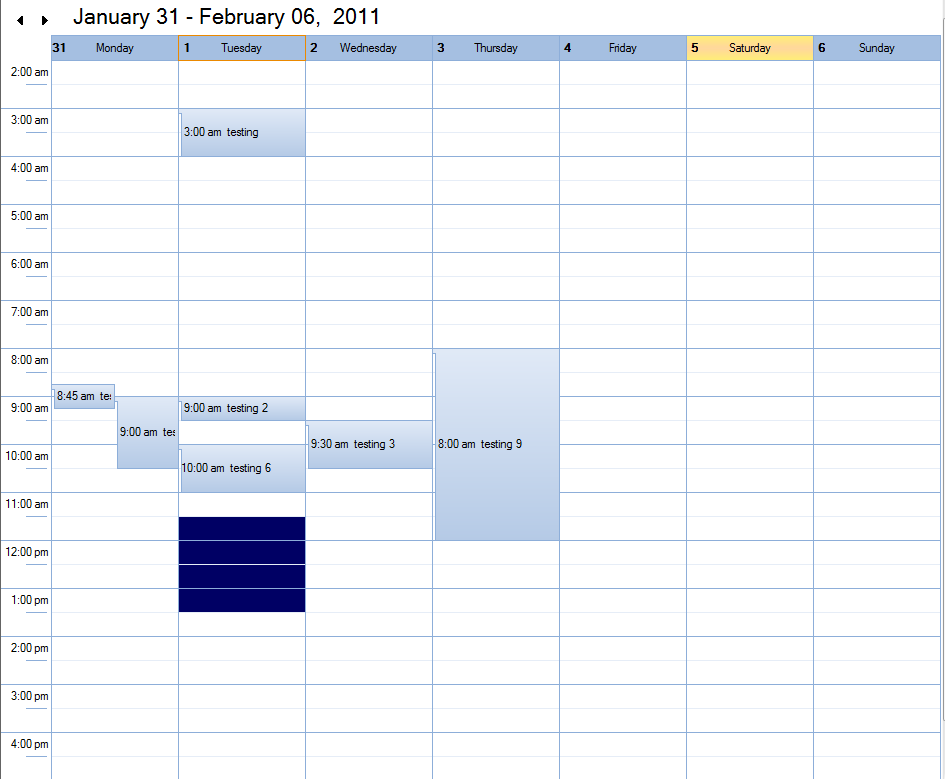
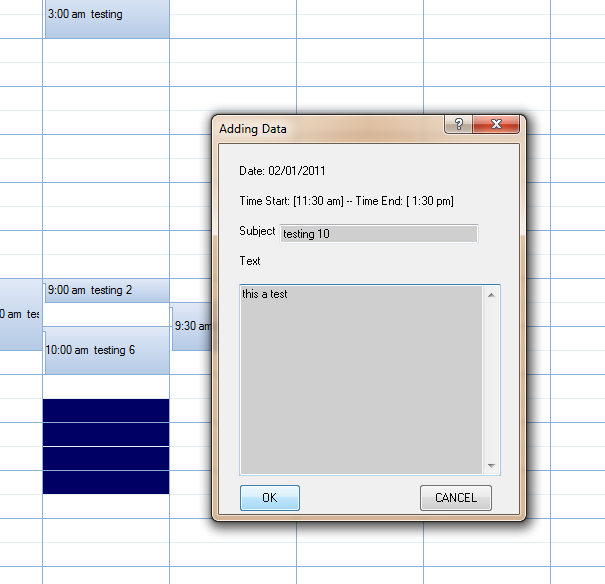
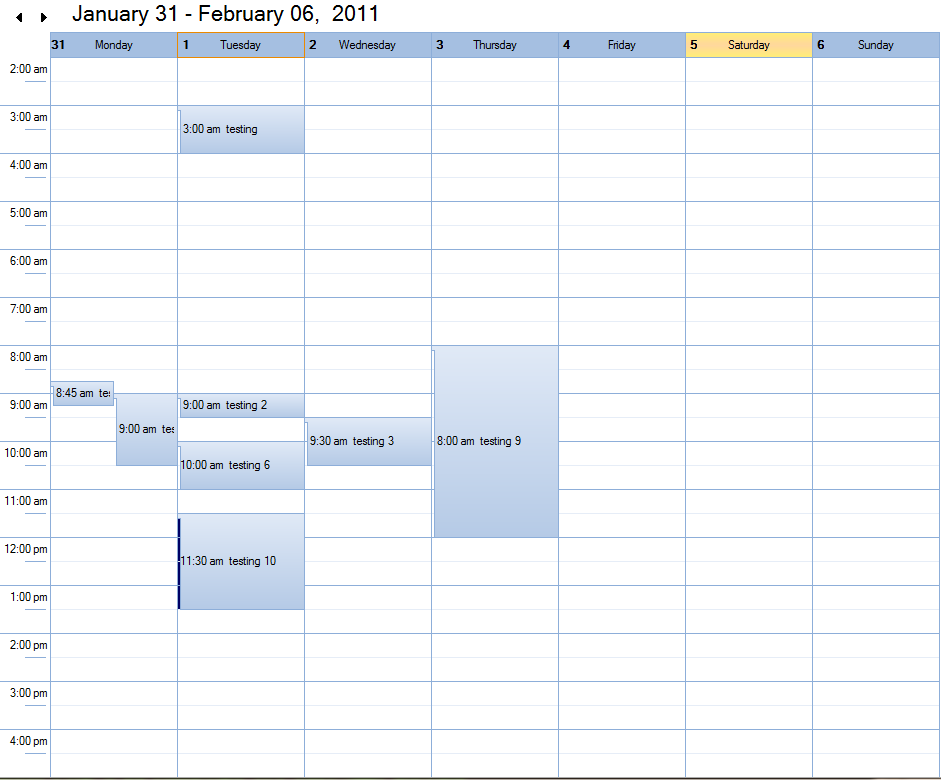
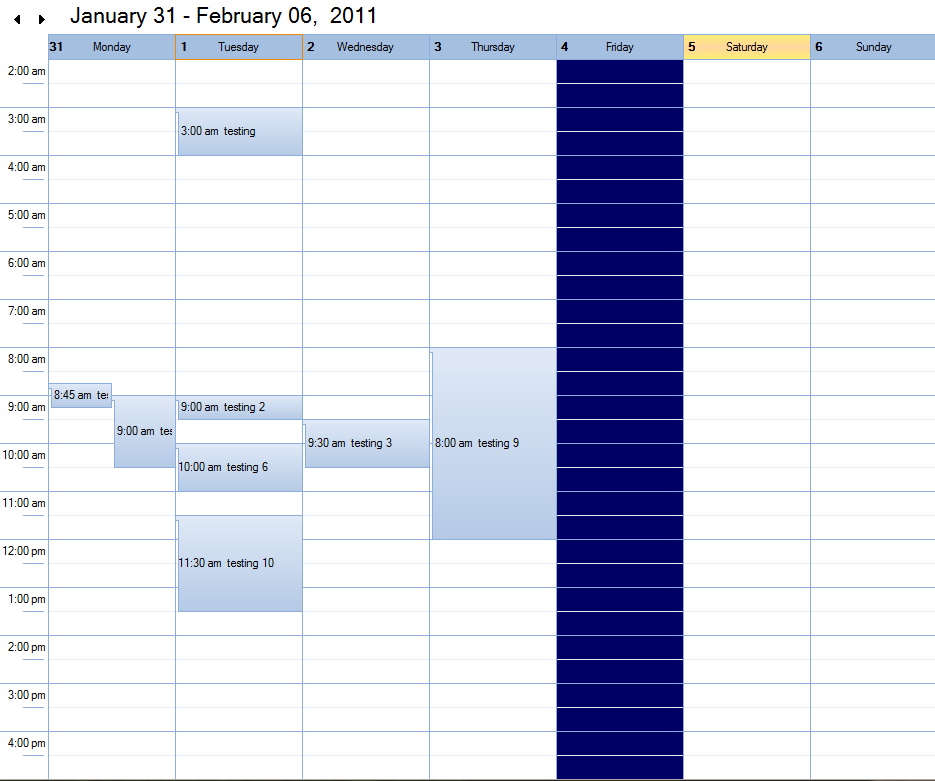
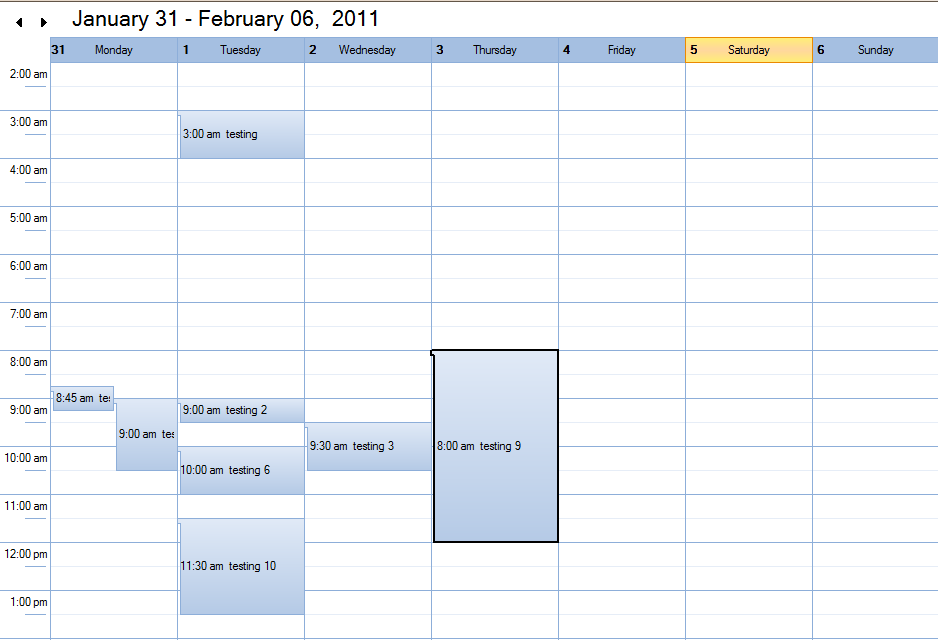
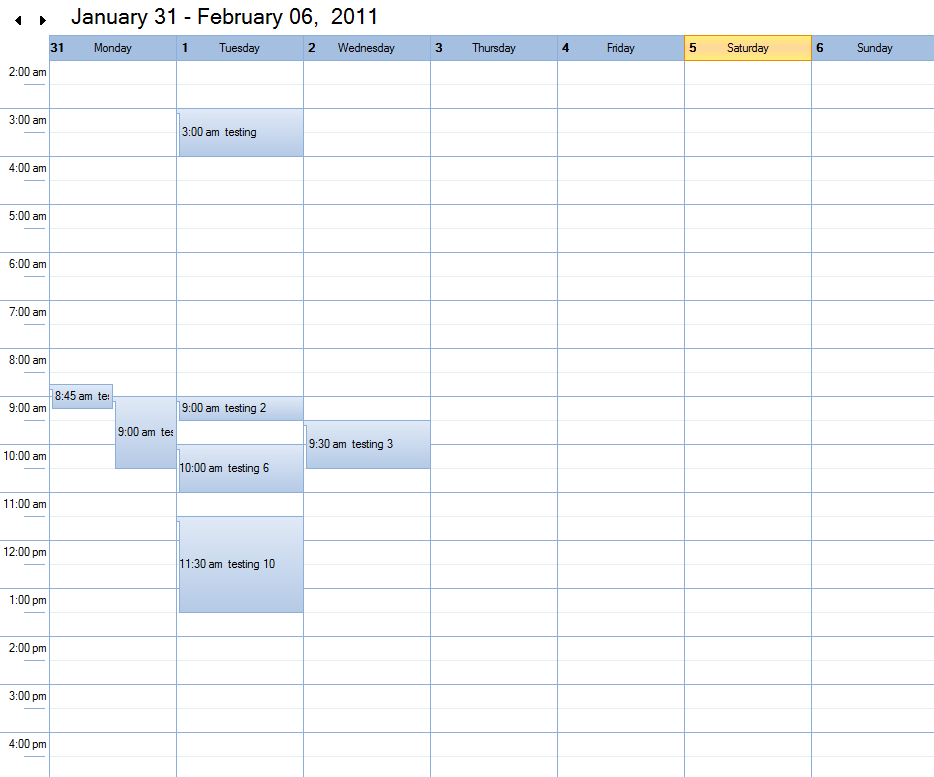
fantastic !!!
on zip there is not the sources of classes modified!!!!!!!
Daniel Garcia-Gil wrote:i will post a new sample (without source code)
Daniel,
Do you sell the source or it will be included in FW?
Thank you.
#xcommand DEFINE CALEX <oCalex>;
          [ <of: OF, WINDOW, DIALOG, PANEL> <oWnd> ];
          [ FIRST_DATE <nFirst> ];
       => ;
           [ Calex_SetFirstDate( <nFirst> ) ];;
<oCalex> := TCalex():New( <oWnd> )Andres...
Calex_SetFirstDate( nFirst ) is not a method is a function to set first date of week, only work to calex project
How I can translate the names of the days and mounths ?
Daniel,
with xharbour not run
Progetto: main, Ambiente: xFive_Pelles:
[1]:iLink32.Exe -Gn -aa -Tpe -s @main.bcl
Turbo Incremental Link 5.69 Copyright (c) 1997-2005 Borland
Error: Unresolved external '_HB_FUN___CLSLOCKDEF' referenced from C:\WORK\PRG\AGENDA\LIB\CALEXX.LIB|tcalex
Error: Unresolved external '_HB_FUN_HB_HASH' referenced from C:\WORK\PRG\AGENDA\LIB\CALEXX.LIB|tcalex
Error: Unresolved external '_HB_FUN___CLSUNLOCKDEF' referenced from C:\WORK\PRG\AGENDA\LIB\CALEXX.LIB|tcalex
Error: Unresolved external '_HB_FUN_HB_HHASKEY' referenced from C:\WORK\PRG\AGENDA\LIB\CALEXX.LIB|tmonthv
Error: Unresolved external '_HB_FUN_HB_HGET' referenced from C:\WORK\PRG\AGENDA\LIB\CALEXX.LIB|tmonthv
Error: Unresolved external '_HB_FUN_HB_HSET' referenced from C:\WORK\PRG\AGENDA\LIB\CALEXX.LIB|tmonthv
Error: Unresolved external '_HB_FUN_FW_GT' referenced from C:\WORK\PRG\AGENDA\LIB\CALEXX.LIB|tmonthv
Error: Unresolved external '_HB_FUN_HB_HDEL' referenced from C:\WORK\PRG\AGENDA\LIB\CALEXX.LIB|tcalex
Error: Unresolved external '_HB_FUN_HB_HEVAL' referenced from C:\WORK\PRG\AGENDA\LIB\CALEXX.LIB|tcalex
Silvio
Link fixed... download again


