FiveTech Support Forums

FiveWin / Harbour / xBase community
Board index FiveWin for Harbour/xHarbour FiveWin Web Interface
Posts: 566
Joined: Thu Aug 30, 2007 03:40 PM
Re: FiveWin Web Interface
Posted: Sun Oct 16, 2011 01:46 PM

dont work on my windows phone 7.5 mango too ( this use ie9), only open dialog in options.

I'm wrong, or firefox, safari and chrome browsers are more vulnerable and "patched". why we don't focus on IE9, since he is fully focused on the html5 and base to new windows 8 , metro ui, windows phone 7.5 and 8.

Posts: 581
Joined: Tue Oct 11, 2005 11:28 AM
Re: FiveWin Web Interface
Posted: Sun Oct 16, 2011 02:26 PM
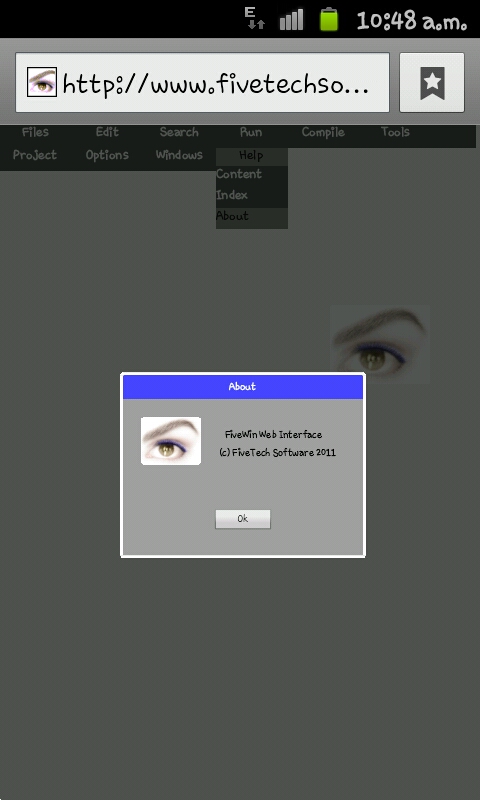
Antonio Linares wrote:Using images:

Please select "About" from the main menu:
http://www.fivetechsoft.com/fiveweb

As easy as:
Code (fw): Select all Collapse
   function About()
  {
      oDlg = new Dialog( "About", 400, 300 );
      
      Image( 70, 30, "images/fivetech.bmp", oDlg );
      
      Say(  90, 170, "FiveWin Web Interface", oDlg );
      Say( 120, 160, "(c) FiveTech Software 2011", oDlg );

      Button( 220, 150, "Ok", oDlg, 100, 40, "oDlg.End()" );  
  }


Antonio,

In firefox does not show the image of ABOUT.
Kleyber Derick


FWH / xHb / xDevStudio / SQLLIB
Posts: 581
Joined: Tue Oct 11, 2005 11:28 AM
Re: FiveWin Web Interface
Posted: Sun Oct 16, 2011 02:28 PM
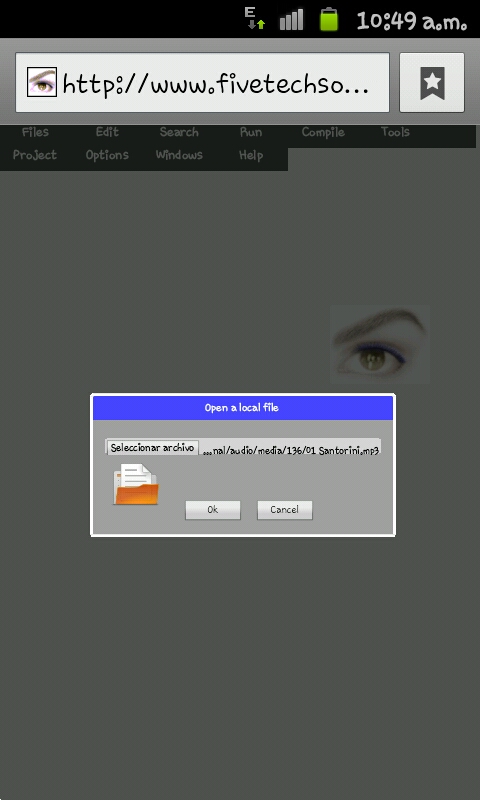
Antonio Linares wrote:Opening a local file:

Please select "Open" from the menu:
http://www.fivetechsoft.com/fiveweb

As easy as:
Code (fw): Select all Collapse
   function Open()
  {
      oDlg = new Dialog( "Open a local file", 500, 230 );
      
      oBtn = BtnOpen( 70, 20, "*.prg", oDlg, 460, 26 );

      Image( 110, 30, "images/openfile.png", oDlg, 80, 80 );

      Button( 170, 150, "Ok", oDlg, 100, 40, "MsgInfo( oBtn.value )" );  
      Button( 170, 270, "Cancel", oDlg, 100, 40, "oDlg.End()" );  
  }


In firefox only show the dialog without asking for any file.
Kleyber Derick


FWH / xHb / xDevStudio / SQLLIB
Posts: 2365
Joined: Wed Nov 02, 2005 11:46 PM
Re: FiveWin Web Interface
Posted: Sun Oct 16, 2011 03:53 PM
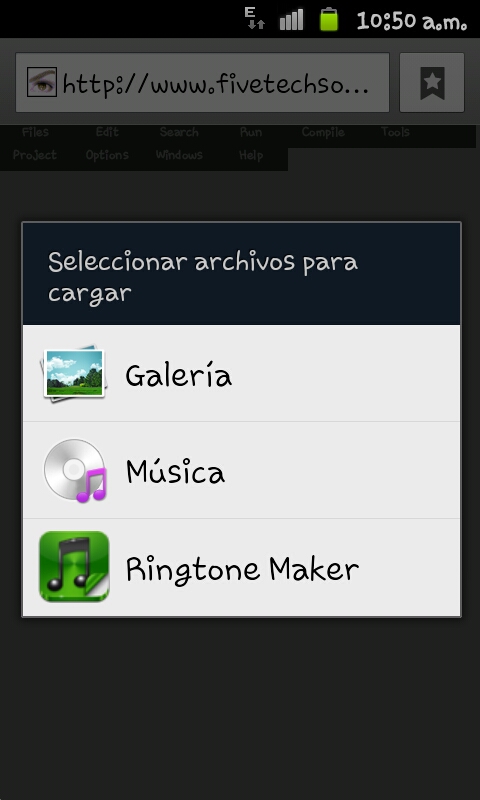
Some screenshots from my phone, galaxy S II


Posts: 44158
Joined: Thu Oct 06, 2005 05:47 PM
Re: FiveWin Web Interface
Posted: Sun Oct 16, 2011 03:58 PM

We are working to make it IE compatible... :-)

regards, saludos

Antonio Linares
www.fivetechsoft.com
Posts: 2706
Joined: Fri Oct 07, 2005 01:50 PM
Re: FiveWin Web Interface
Posted: Sun Oct 16, 2011 04:02 PM

Antonio

I confirm .. Firefox 7.01 does not show any pictures nor detail other than the dialog box. .. However I am sure this is only a small hurdle ..

I like where you are going !! eventually ( possibly, may be, kinda ?? ) I would like to be able to have movable dialogs and pop up validation, and grids .. Ajax like and to be able to manipulate data ..perhaps in some jason java call ( could never understand that ).

Just a wish list for now .. I plan on putting those requests in my Christmas letter to Santa :D :D

Rick Lipkin

Posts: 883
Joined: Thu Dec 24, 2009 12:46 AM
Re: FiveWin Web Interface
Posted: Sun Oct 16, 2011 04:23 PM
Antonio,

this example works correctly in IE9 and Chrome when ran without using FiveWeb Server, but it does not with it...

Default1.html
Code (fw): Select all Collapse
<!DOCTYPE HTML PUBLIC "-//W3C//DTD HTML 4.0 Transitional//EN" 
    "http://www.w3.org/TR/html4/loose.dtd">

<html lang="en"> 
 
  <head> 
    <meta charset="utf-8"> 
    <meta name="author" content="Raphael Goetter">
    <meta name="description" content="animated dropdown menu in HTML5 / CSS3 using :hover, inline-block, opacity, transitions, gradients, border-radius"> 
    <title>Animated dropdown menu in HTML5 / CSS3</title> 
    <link rel="stylesheet" href="styles1.css">
    
    <!--[if lte IE 8]>
      <script src="http://html5shiv.googlecode.com/svn/trunk/html5.js"></script>
    <![endif]--> 
    <style>

    
    </style>
  </head> 
 
  <body> 
  
  <nav role="navigation">
  <ul id="nav"> 
    <li tabindex="0"><h2><a href="#">Home</a></h2></li><!--
    --><li tabindex="0"><h2><a href="#">About</a></h2>
      <ul class="submenu" tabindex="0"> 
        <li tabindex="0"><a href="#">General overview</a></li>
        <li tabindex="0"><a href="#">Who we are</a></li> 
        <li tabindex="0"><a href="#">What we do</a></li>
        <li tabindex="0"><a href="#">Company history</a></li> 
        <li tabindex="0"><a href="#">Executive directory</a></li> 
      </ul>
    </li><!--
    --><li tabindex="0"><h2><a href="#">Careers</a></h2>
      <ul class="submenu" tabindex="0"> 
        <li><a href="#">Europe</a></li>
        <li><a href="#">North America</a></li>
        <li><a href="#">Asia</a></li> 
      </ul>
    </li> 
  </ul>
  </nav>

  <h1>Animated dropdown menu in HTML5 / CSS3</h1>
  <p>Using :hover, inline-block, opacity, transitions, gradients, border-radius</p>
  <p>OK on Firefox 3+, Safari 3+, Chrome 4+, Opera 10+, IE7+<br />Actually no animation nor gradients on FF, Opera and IE</p>
  <p>Author : <a href="http://www.goetter.fr" hreflang="fr">Raphael Goetter</a>, design : <a href="http://www.deaxon.com" hreflang="en">Benjamin De Cock</a></p>
    
  </body> 
 
</html>


Styles1.css
Code (fw): Select all Collapse
    body {
        margin: 0; padding: 0;
        background:#fff;
        font: 80% "lucida grande", "lucida sans", "luxi sans", "lucida sans unicode", arial, sans-serif;
    }
    ul, li, h2 {
        list-style-type: none;
        margin: 0; padding: 0;
    }
    h1 {     
     margin: 50px 0 10px 50px;
   font-size: 1.3em;
  }
    h2 {     
    font-size: 1em;
  }
  p {
    margin-left: 50px;
  }
    
    #nav {
        font:.9em;
    background:#e3e3e3;
    background:-moz-linear-gradient(#f5f5f5, #e3e3e3);
    background:-webkit-gradient(
    linear,
    0 0,
    0 100%,
    color-stop(0, #f5f5f5),
    color-stop(0.98, #e3e3e3),
    color-stop(1, #fff));
    border-bottom: 1px solid #ccc;
    }
    #nav > li {
    position: relative;
    display: inline-block;
    vertical-align: top;
    border-right: 1px solid #eee;  
    
    /* for IE6/7 */
    *display: inline;
    zoom:1; 
    }
    #nav a {
    display: block;
    padding: 0 5px;
        color: #000;
        text-decoration: none;
    }
    #nav a:hover, #nav a:focus {
        background: #eee;
    }
    #nav h2 a { 
    display: block;
    padding: 8px 10px;
    border-right: 1px solid #ccc;
    background: none;
    text-decoration: none;
    }
    #nav h2 a:hover, #nav h2 a:focus {
       text-decoration: underline;
    }
    .submenu {
    position: absolute;
    left: -2px; 
    z-index: 0;
    opacity: 0;
    filter:alpha(opacity=0);
        white-space: nowrap;
        background: #fff;
        -webkit-border-radius: 5px;
    -moz-border-radius: 5px;
    border-radius: 5px;
    -moz-border-radius: 0 0 5px 5px; 
    -webkit-border-radius: 0 0 5px 5px; 
    border-radius: 0 0 5px 5px;         
    -webkit-border-bottom-left-radius: 5px; /* for Chrome */ 
    -webkit-border-bottom-right-radius: 5px; /* for Chrome */  
    border: 2px solid #eee;
    border-top: 1px solid #ccc;
    }
     .submenu li {
      height: 0;
    line-height: 25px;
    background:#fff;
    -webkit-transition: all 0.3s;
    -moz-transition: all 0.3s;
    transition: all 0.3s;
    }
  #nav > li:hover .submenu, #nav > li.focus .submenu {
    z-index: 10;
    opacity: 1;
    filter:alpha(opacity=100);
  }
    #nav > li:hover .submenu li, #nav > li.focus .submenu li {
    height: 25px;
  }


Just something for you to take a look to...

=====>

Bayron Landaverry
xBasePHP.com
(215)2226600 Philadelphia,PA, USA
MayaBuilders@gMail.com
Guatemala

FWH25.06--Harbour 3.0.0--BCC7.7--UEstudio 10.10
Windows 10

FiveWin, One line of code and it's done...

Posts: 44158
Joined: Thu Oct 06, 2005 05:47 PM
Re: FiveWin Web Interface
Posted: Sun Oct 16, 2011 05:57 PM

Bayron,

This is the line that makes the difference:

<!DOCTYPE HTML PUBLIC "-//W3C//DTD HTML 4.0 Transitional//EN"
"http://www.w3.org/TR/html4/loose.dtd">

Anyhow, it partially gets IE working (menu is fine but dialogs offsets need to be fixed) and break Chrome...

regards, saludos

Antonio Linares
www.fivetechsoft.com
Posts: 883
Joined: Thu Dec 24, 2009 12:46 AM
Re: FiveWin Web Interface
Posted: Sun Oct 16, 2011 08:26 PM
Code (fw): Select all Collapse
<!--[if lte IE 8]>


This line detects if you are using IE, maybe can be used conditionally to be used only on IE... and not in Chrome...

Same for using two different .CSS files...

Code (fw): Select all Collapse
<!--[if lte IE 9]>
<!DOCTYPE HTML PUBLIC "-//W3C//DTD HTML 4.0 Transitional//EN" 
    "http://www.w3.org/TR/html4/loose.dtd">

<![endif]-->


Now we have to activate Compativility View automatically...

I tried with a Meta tag but it does not work...

Code (fw): Select all Collapse
<meta http-equiv="X-UA-Compatible" content="IE=7.5" > <!-- IE7 mode -->

=====>

Bayron Landaverry
xBasePHP.com
(215)2226600 Philadelphia,PA, USA
MayaBuilders@gMail.com
Guatemala

FWH25.06--Harbour 3.0.0--BCC7.7--UEstudio 10.10
Windows 10

FiveWin, One line of code and it's done...

Posts: 883
Joined: Thu Dec 24, 2009 12:46 AM
Re: FiveWin Web Interface
Posted: Sun Oct 16, 2011 08:39 PM
Antonio, Try this:

Code (fw): Select all Collapse
<!--[if lte IE 9]>
<!DOCTYPE HTML PUBLIC "-//W3C//DTD HTML 4.0 Transitional//EN" 
    "http://www.w3.org/TR/html4/loose.dtd">
<meta http-equiv="X-UA-Compatible" content="IE=EmulateIE7" >    


<![endif]-->


It's working fine for me on IE9, but the position of the dialogs is wrong.....

=====>

Bayron Landaverry
xBasePHP.com
(215)2226600 Philadelphia,PA, USA
MayaBuilders@gMail.com
Guatemala

FWH25.06--Harbour 3.0.0--BCC7.7--UEstudio 10.10
Windows 10

FiveWin, One line of code and it's done...

Posts: 44158
Joined: Thu Oct 06, 2005 05:47 PM
Re: FiveWin Web Interface
Posted: Sun Oct 16, 2011 10:55 PM
IE 9 working almost fine :-)

http://www.fivetechsoft.com/fiveweb
regards, saludos

Antonio Linares
www.fivetechsoft.com
Posts: 182
Joined: Tue Oct 18, 2005 10:01 AM
Re: FiveWin Web Interface
Posted: Sun Oct 16, 2011 11:51 PM

Hi Antonio.

For me still not working. Windows 7 32 bits on a Sony Vaio I5 and IE 9.0.8112

Regards,

Toninho.

Posts: 566
Joined: Thu Aug 30, 2007 03:40 PM
Re: FiveWin Web Interface
Posted: Sun Oct 16, 2011 11:57 PM

now working in my windows 7 pro 64 , ie 9.

Posts: 44158
Joined: Thu Oct 06, 2005 05:47 PM
Re: FiveWin Web Interface
Posted: Mon Oct 17, 2011 12:01 AM

Toninho,

Please try it again, thanks :-)

regards, saludos

Antonio Linares
www.fivetechsoft.com
Posts: 566
Joined: Thu Aug 30, 2007 03:40 PM
Re: FiveWin Web Interface
Posted: Mon Oct 17, 2011 12:14 AM

Antonio, windows 7 install ie9 in 32 and 64 bits, works in both, but in 64 show fivetech´s logo (picture) in 32 dont.