FiveTech Support Forums

FiveWin / Harbour / xBase community
Board index FiveWin for Harbour/xHarbour Open windows folder
Posts: 1091
Joined: Thu Nov 17, 2005 11:08 AM
Open windows folder
Posted: Wed Nov 13, 2013 01:37 PM
Hi,
in this way I Open a windows folder from a written by me xharbour/fivewin application
Code (fw): Select all Collapse
 
MENUITEM "Images"     SHELLEXECUTE( 0, 0, cPath + "\Images"    , 0, 0, 1 )

Is it possible to force folder view settings for this specific folder? Directly from my program?

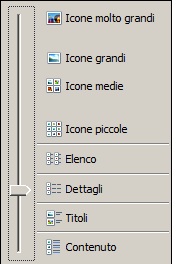
These folders contains jpg files and I want to set as preview and not details or list or little icons.

Many thanks
Marco
Marco Boschi
info@marcoboschi.it
Posts: 4043
Joined: Wed Dec 19, 2007 06:40 PM
Re: Open windows folder
Posted: Wed Nov 13, 2013 01:59 PM
Marco,

I do it, filling a xBrowse with images from a defined directory.
A image cell can be zoomed.

Maybe a solution for You using the parts :
browse the directory and zoom a selected image ?


Best regards
Uwe :-)
Since 1995 ( the first release of FW 1.9 )

i work with FW.

If you have any questions about special functions, maybe i can help.
Posts: 1091
Joined: Thu Nov 17, 2005 11:08 AM
Re: Open windows folder
Posted: Wed Nov 13, 2013 02:06 PM

Uwe,
no,
but thanks anyway :)
From the application I open the folder
In this way users can copy, move, delete pictures and so on.
I'm searching ....
Bye

Marco Boschi
info@marcoboschi.it
Posts: 1091
Joined: Thu Nov 17, 2005 11:08 AM
Re: Open windows folder
Posted: Wed Nov 13, 2013 02:45 PM
Marco Boschi
info@marcoboschi.it
Posts: 4840
Joined: Fri Nov 18, 2005 04:52 PM
Re: Open windows folder
Posted: Wed Nov 13, 2013 04:45 PM

Marco,

You might look for a hidden config file in the directory. If you find one you might be able to modify it.

Alternately, the folder view might be stored in the windows registry. Try searching for that.

Regards,
James

FWH 18.05/xHarbour 1.2.3/BCC7/Windows 10
Posts: 933
Joined: Sun Oct 09, 2005 01:05 PM
Re: Open windows folder
Posted: Thu Nov 14, 2013 12:54 AM

Have a look here: http://support.microsoft.com/kb/812003

Scroll down to the troubleshooting section ... it mentions registry entries that control folder view settings. Maybe this has something that can help???

Thanks,

Jeff Barnes


(FWH 16.11, xHarbour 1.2.3, Bcc730)
Posts: 1091
Joined: Thu Nov 17, 2005 11:08 AM
Re: Open windows folder
Posted: Thu Nov 14, 2013 05:19 PM

It would be nice if you could put in these folders in the file hidden files desktop.ini
with a parameter that prevents changing the display type

Now I try to understand if it is possible
Many thanks

:)

Marco Boschi
info@marcoboschi.it
Posts: 1335
Joined: Fri Jun 13, 2008 11:04 AM
Re: Open windows folder
Posted: Sat Nov 16, 2013 05:15 AM
Instead of
Code (fw): Select all Collapse
MENUITEM "Images"     SHELLEXECUTE( 0, 0, cPath + "\Images"    , 0, 0, 1 )

Try
Code (fw): Select all Collapse
MENUITEM "Images"     WinExec("Explorer.exe /root,D:\Camera")


Regards
Anser
Posts: 1091
Joined: Thu Nov 17, 2005 11:08 AM
Re: Open windows folder
Posted: Sat Nov 16, 2013 05:50 PM

Anser,
In this way folder is opened in the setting changed from explorer

 WinExec("Explorer.exe /root,C:\cdx\Documenti\7529\Immages")

Many thanks
Marco

Marco Boschi
info@marcoboschi.it
Posts: 1091
Joined: Thu Nov 17, 2005 11:08 AM
Re: Open windows folder
Posted: Mon Nov 18, 2013 02:41 PM
Anser,
If I open from my application a folder in this way

WinExec("Explorer.exe /root,D:\Camera")

If I modify from explorer setting view


Next time I open the folder is opened in the new setting
Marco Boschi
info@marcoboschi.it
Posts: 1335
Joined: Fri Jun 13, 2008 11:04 AM
Re: Open windows folder
Posted: Wed Nov 20, 2013 04:33 AM
Here it is working fine. Tested only on Windows 7 PC

I re-checked it again. This time I tried a different folder

1. First I opened the folder manually and changed the view to "Details"


2. Then I closed that folder manually
3. Then I opened the folder manually once again to ensure that the folder view settings has not changed
4. I tried to open the folder using my below given prg code and then it displayed in Medium Icon view mode.


5. After quitting my program I opened the folder manually to check whether the folder view settings has changed or not. It hasn't changed ie the "Details" view was still active.

Code (fw): Select all Collapse
#Include "FiveWin.ch"
Function Main()
   WinExec("Explorer.exe /root,E:\BijuB S2 Camera\Camera")
Return NIL


Regards
Anser
Posts: 1091
Joined: Thu Nov 17, 2005 11:08 AM
Re: Open windows folder
Posted: Thu Nov 21, 2013 09:51 AM
Anser,
the same (in another path) does not mantain the setting view

Code (fw): Select all Collapse
#Include "FiveWin.ch"
Function Main()
//    WinExec("Explorer.exe /root,E:\BijuB S2 Camera\Camera")

   WinExec("Explorer.exe /root,C:\Camera")
Return NIL
Marco Boschi
info@marcoboschi.it

Continue the discussion