FiveTech Support Forums

FiveWin / Harbour / xBase community
Board index FiveWin for Harbour/xHarbour DBF to SQL script tool
Posts: 1387
Joined: Fri May 23, 2008 01:33 PM
Re: DBF to SQL script tool
Posted: Thu Jul 10, 2014 02:44 PM
nageswaragunupudi wrote:This example shows
1. Connect to MS Sql server
2. Create a new Database (Catalog) by name FWH
3. Export c:\fwh\samples\customer.dbf to the Server in the Catalog (database) FWH
4. Open CUSTOMER table and browse.

Code (fw): Select all Collapse
#include "fivewin.ch"
#include "adofuncs.ch"

//----------------------------------------------------------------------------//

function Main()

   local oCn, oRs

   //----------------------------------------------------------------------------//
   // Check if Database cInitCat exists on the server
   // and create if does not exist
   //----------------------------------------------------------------------------//

   ? "Connect to Server"
   oCn   := FW_OpenAdoConnection( "MSSQL,SQLEXPRESS,,SA,Secret", .t. )
   if oCn == nil
      ? "Connect Fail"
      QUIT
   endif
   ? "Check and create database " + cInitCat + " if needed"
   oRs   := oCn:OpenSchema( 1, cInitCat )
   if oRs == nil
      ? "Error"
      QUIT
   endif
   if oRs:RecordCount() > 0
      ? "DataBase " + cInitCat + "Exists"
   else
      oCn:Execute( "CREATE DATABASE " + cInitCat )
      ? "Database " + cInitCat + " Created"
   endif
   oRs:Close()
   oCn:Close()

   //----------------------------------------------------------------------------//
   // Connect to the sever / Database, Export Data and Browse exported data
   //----------------------------------------------------------------------------//

   ? "Connect to Server Database " + cInitCat
   oCn   := FW_OpenAdoConnection( "MSSQL,SQLEXPRESS,FWH,SA,Secret", .t. )
   if oCn == nil
      ? "Connect Fail"
      QUIT
   endif

   ? "Importing Customer.dbf"
   FW_AdoImportFromDBF( oCn, "c:\fwh\samples\customer.dbf", "CUSTOMER" )

   ? "Imported. Opening CUSTOMER table on the MSSQL server"
   oRs      := FW_OpenRecordSet( oCn, "CUSTOMER" )
   XBROWSER oRs

   oRs:Close()
   oCn:Close()
   ? "Done"

return nil

In the function FW_OpenAdoConnection:
Please replace
SQLEXPRES with your Server name
FWH with the Database name you want
Secret with your password

Next release of FWH includes TRecSet class.
This will be fully compatible with ADO syntax and also TData/TDatabase syntax.
Existing applications will run without any change. Just replace
oRs := TOleAuto():New( "ADODB.RecordSet" )
with
oRs := TRecSet():New()
Advantages are :
a) We can use oRs:Fields( "HireDate" ):Value or oRs:HireDate
b) We need not check if record set is empty before using MoveFirst(), etc.
We can safely use MoveFirst() or GoTop() etc everywhere. Error checking is builtin
c) Field Access and Assign provide for padding/trimming/null values/ and other necessary conversions and error checking. Also takes care of differences between different databases.


Hi,

Is this code valid for MySQL?

Thanks
Regards,


Hakan ONEMLI


Harbour & MSVC 2022 & FWH 23.06
Posts: 3022
Joined: Fri Oct 07, 2005 01:45 PM
Re: DBF to SQL script tool
Posted: Thu Jul 10, 2014 03:51 PM

Email:

Tim (at) GTSTONE.com

Thanks.

Tim Stone
http://www.MasterLinkSoftware.com
http://www.autoshopwriter.com
timstone@masterlinksoftware.com
Using: FWH 23.10 with Harbour 3.2.0 / Microsoft Visual Studio Community 2022-24 32/64 bit
Posts: 708
Joined: Fri Oct 28, 2005 09:53 AM
Re: DBF to SQL script tool
Posted: Thu Jul 10, 2014 05:26 PM

Hi Tim,

I just sent you PRG.

Sincerely,

*~*~*~*~*~*~*~*~*~*
Darrell Ortiz
CDM Software Solutions, Inc.
https://www.cdmsoft.com
Posts: 3022
Joined: Fri Oct 07, 2005 01:45 PM
Re: DBF to SQL script tool
Posted: Thu Jul 10, 2014 06:52 PM

Darrell,

Thank you for the updated function file. The conversion now works perfectly.

Mr. Rao,

If you would like someone to test your new tRecSet( ) functions, I would be happy to do so. I now have a successful conversion of all 108 data files to SQL, and my application is being built with FWH / Harbour / MS Visual Studio 2013. It will be a slow process in rebuilding this app, but that is not a problem.

Tim

Tim Stone
http://www.MasterLinkSoftware.com
http://www.autoshopwriter.com
timstone@masterlinksoftware.com
Using: FWH 23.10 with Harbour 3.2.0 / Microsoft Visual Studio Community 2022-24 32/64 bit
Posts: 708
Joined: Fri Oct 28, 2005 09:53 AM
Re: DBF to SQL script tool
Posted: Thu Jul 10, 2014 07:06 PM

Dear Mr. Rao,

I am willing to test as well. We are converting a very large application to MS SQL.

Sincerely,

*~*~*~*~*~*~*~*~*~*
Darrell Ortiz
CDM Software Solutions, Inc.
https://www.cdmsoft.com
Posts: 10733
Joined: Sun Nov 19, 2006 05:22 AM
Re: DBF to SQL script tool
Posted: Fri Jul 11, 2014 01:37 AM

Mr Hakan ONEMLI

FWH Ado functions work for Access, MS Sql, MySql, Oracle and SQLite3.

Regards


G. N. Rao.

Hyderabad, India
Posts: 10733
Joined: Sun Nov 19, 2006 05:22 AM
Re: DBF to SQL script tool
Posted: Fri Jul 11, 2014 01:43 AM

Mr Tim and Mr Ortiz

In the next version, we propose to include export function based on bulk inserts which are ten times faster than the present export function. To start with they will work for text only data for MySql and MSSql only. While you may test the present functions, you may wait for a few days and check the new functions for your production software.

It is also a good idea that these functions and TRecSet are beta tested before release. I shall inform you in a few days.

Regards


G. N. Rao.

Hyderabad, India
Posts: 3022
Joined: Fri Oct 07, 2005 01:45 PM
Re: DBF to SQL script tool
Posted: Fri Jul 11, 2014 02:54 AM

Mr. Rao,

I will only be using MS SQL at this time. I realize that different versions have variants in the commands.

The function to import the DBF files to an MSSQL database worked perfectly. I am looking forward to the additional functions.

Tim

Tim Stone
http://www.MasterLinkSoftware.com
http://www.autoshopwriter.com
timstone@masterlinksoftware.com
Using: FWH 23.10 with Harbour 3.2.0 / Microsoft Visual Studio Community 2022-24 32/64 bit
Posts: 3022
Joined: Fri Oct 07, 2005 01:45 PM
Re: DBF to SQL script tool
Posted: Thu Jul 24, 2014 04:45 PM

Mr. Rao,

Any progress on test versions of this capability ?

Thanks.

Tim Stone

Tim Stone
http://www.MasterLinkSoftware.com
http://www.autoshopwriter.com
timstone@masterlinksoftware.com
Using: FWH 23.10 with Harbour 3.2.0 / Microsoft Visual Studio Community 2022-24 32/64 bit
Posts: 1387
Joined: Fri May 23, 2008 01:33 PM
Re: DBF to SQL script tool
Posted: Wed Jul 30, 2014 02:29 PM
Hi Mr. Rao,

I trying to connect MySql. I have installed mysql-installer-community-5.6.19.0 with developer edition.

My code :
Code (fw): Select all Collapse
   ? "Connect to Server Database " + cInitCat
   oCn   := FW_OpenAdoConnection( "MYSQL,localhost,,root,1111", .t. )
   if oCn == nil
      ? "Connect Fail"
      QUIT
   endif


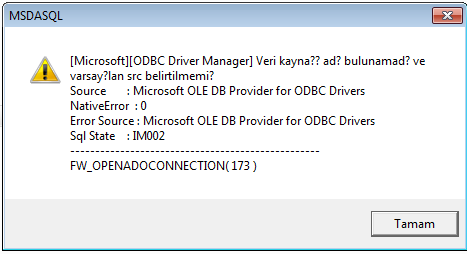
I could not connect to mysql.


Can you help me?

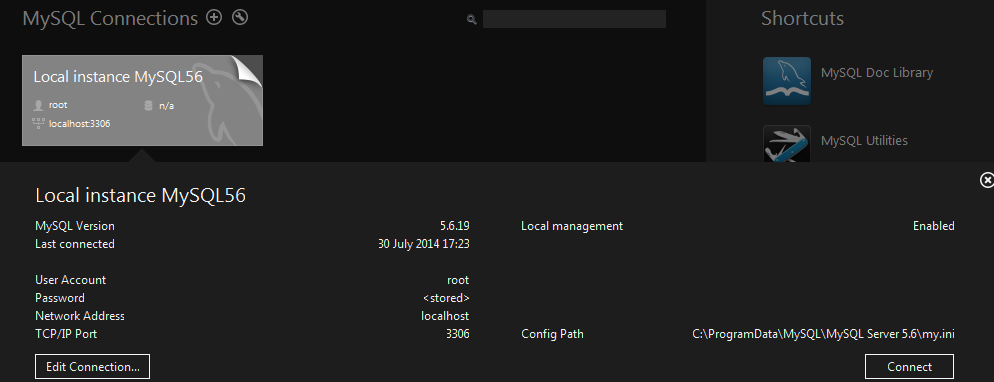
MySql information:


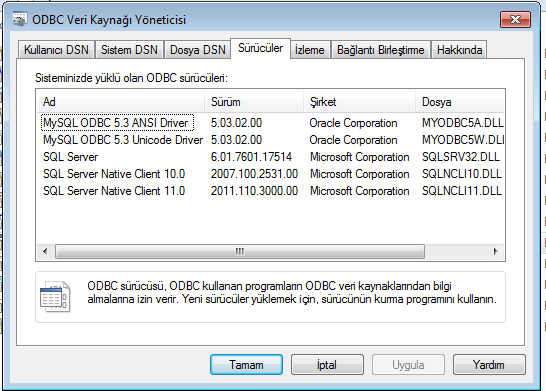
My ODBC window.
Regards,


Hakan ONEMLI


Harbour & MSVC 2022 & FWH 23.06
Posts: 10733
Joined: Sun Nov 19, 2006 05:22 AM
Re: DBF to SQL script tool
Posted: Wed Jul 30, 2014 04:21 PM
Version 5.3 support was not there.

Please open adofuncs.prg and modify the part of static saProviders array relating to MYSQL
Present line:
Code (fw): Select all Collapse
{ "MYSQL",    "ODBC",  { "Driver={MySQL ODBC 5.1 Driver}", "Driver={MySQL ODBC 3.51 Driver}" }, "Option=3" }, ;

Please replace this line with the following:
Code (fw): Select all Collapse
{ "MYSQL",    "ODBC",  { "Driver={MySQL ODBC 5.3 ANSI Driver}", ;
                         "Driver={MySQL ODBC 5.2 ANSI Driver}", ;
                         "Driver={MySQL ODBC 5.1 Driver}", ;
                         "Driver={MySQL ODBC 3.51 Driver}" }, "Option=3" }, ;

Please compile adofuncs.prg with this modification and link with your application.
Regards


G. N. Rao.

Hyderabad, India
Posts: 1387
Joined: Fri May 23, 2008 01:33 PM
Re: DBF to SQL script tool
Posted: Wed Jul 30, 2014 04:47 PM

Hi Mr. Rao,

I have added and no change. It still does not connect.

Regards,


Hakan ONEMLI


Harbour & MSVC 2022 & FWH 23.06
Posts: 1387
Joined: Fri May 23, 2008 01:33 PM
Re: DBF to SQL script tool
Posted: Thu Jul 31, 2014 08:07 AM

I was installed 64 bit connector. instead I have installed 32 bit connector again.
It connects now.

But there is a cInitCat variable in the sample. what should it be?

Regards,


Hakan ONEMLI


Harbour & MSVC 2022 & FWH 23.06
Posts: 1387
Joined: Fri May 23, 2008 01:33 PM
Re: DBF to SQL script tool
Posted: Mon Aug 04, 2014 12:52 PM
Horizon wrote:I was installed 64 bit connector. instead I have installed 32 bit connector again.
It connects now.

But there is a cInitCat variable in the sample. what should it be?


up
Regards,


Hakan ONEMLI


Harbour & MSVC 2022 & FWH 23.06
Posts: 1387
Joined: Fri May 23, 2008 01:33 PM
Re: DBF to SQL script tool
Posted: Tue Aug 05, 2014 10:50 AM

:(

Regards,


Hakan ONEMLI


Harbour & MSVC 2022 & FWH 23.06