FiveTech Support Forums

FiveWin / Harbour / xBase community
Board index FiveWin for Harbour/xHarbour TGRAPH Technical Question
Posts: 729
Joined: Tue Oct 18, 2005 06:49 PM
TGRAPH Technical Question
Posted: Sun Dec 21, 2014 05:37 PM
Hi,
I would like to display "tool tips" in a graph created with FW Tgraph class. See below a graph sample, created with a different software tool, to illustrate my request.
Here the mouse is over May 2010 Wires Bar.
[url]
By moving the mouse over a BAR the tooltip would display the information related to that series (ex. information with the X Legend and Y Value associated to it)
I did some testing by integrating the following method into TGRAPH class.
Code (fw): Select all Collapse
METHOD MouseMove( nRow, nCol, nKeyFlags ) CLASS TGraph
   if ::lDrag
      return ::Super:MouseMove( nRow, nCol, nKeyFlags )
   else
      ::oWnd:SetMsg( ::cMsg )        // Many thanks to HMP
      if ::oCursor != nil
         SetCursor( ::oCursor:hCursor )
      else
         CursorIBeam()
      endif

        // Testing
        msginfo(::aSeries[2,1])

      if ::bMMoved != nil
         return Eval( ::bMMoved, nRow, nCol, nKeyFlags )
      endif

//      if ::oBtn != nil
//         ::Refresh()
//      endif

   endif

return nil

However the tool tip is displayed as soon the mouse is inside in any position of Graph control.

How can we know when the mouse is over a specific Bar?

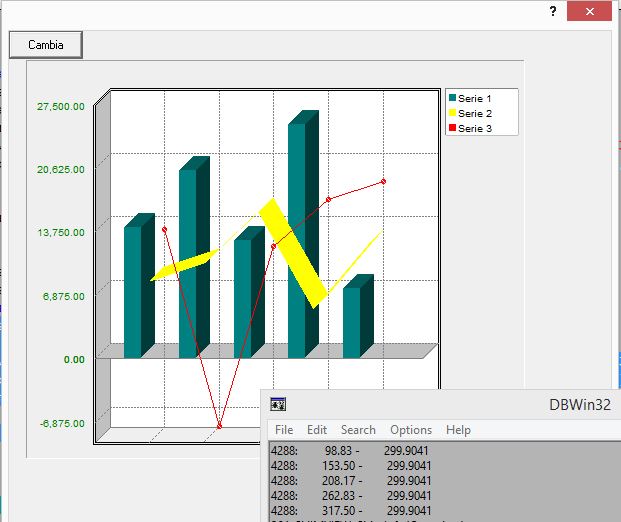
The graph below is using Fivewin TGRAPH Class
[url]

Any ideas?

Regards,

George
Posts: 44158
Joined: Thu Oct 06, 2005 05:47 PM
Re: TGRAPH Technical Question
Posted: Mon Dec 22, 2014 07:02 AM
George,

If you review Class TGrap Method Paint() you find this code to paint the bars:

Code (fw): Select all Collapse
   // Bars
   //
   nWBar:=0
   IF Len(::aData[1])=1
      nWide:=nWide*2
      nWBar := (nWide / ( Len(::aSeries) + 1 )) - ::nBarSep
      nPos  := nLeft + ::nBarSep - nDeep + (nWBar/2)
      FOR nJ=1 TO Len( ::aSeries )
         if Len( ::aSeries[nJ] ) > 2
            IF (::aSeries[nJ][3]==NIL .AND. ::nType==GRAPH_TYPE_BAR) .OR.  ::aSeries[nJ][3]==GRAPH_TYPE_BAR
               ::DrawBar(nPos,nZero,::aData[nJ,1]/nMin+nDeep,nWBar,nDeep,::aSeries[nJ][2],1,nJ,::aSeries[nJ][4])
            ENDIF
         endif
         nPos += nWBar + ::nBarSep
      NEXT nJ
   ELSE
      nWBar := nWide - ::nBarSep
      nPos  := nLeft + ::nBarSep - nDeep + (nWBar/2) + 1
      nWBar := ( nWBar / Len(::aSeries) ) - 1
      FOR nI=1 TO Len( ::aData[1] )
         FOR nJ=1 TO Len( ::aSeries )
            IF (::aSeries[nJ][3]==NIL .AND. ::nType==GRAPH_TYPE_BAR) .OR.  ::aSeries[nJ][3]==GRAPH_TYPE_BAR
               ::DrawBar(nPos,nZero,::aData[nJ,nI]/nMin+nDeep,nWBar,nDeep,::aSeries[nJ][2],nI,nJ,::aSeries[nJ][4])
            ENDIF
            nPos += nWBar + 1
         NEXT nJ
         nPos += ::nBarSep
      NEXT nI
   ENDIF


So it seems as nPos and nZero are the coordinates for each bar. You could save nPos and nZero into an array and then check if the mouse is on each bar.

See the definition for Method Drawbar():

METHOD DrawBar( nY, nX, nHigh, nWidth, nDeep, nColor, nI, nJ, l3D )
regards, saludos

Antonio Linares
www.fivetechsoft.com
Posts: 44158
Joined: Thu Oct 06, 2005 05:47 PM
Re: TGRAPH Technical Question
Posted: Mon Dec 22, 2014 07:52 AM
I have placed a trace in this code:

Code (fw): Select all Collapse
      FOR nI=1 TO Len( ::aData[1] )
         FOR nJ=1 TO Len( ::aSeries )
            IF (::aSeries[nJ][3]==NIL .AND. ::nType==GRAPH_TYPE_BAR) .OR.  ::aSeries[nJ][3]==GRAPH_TYPE_BAR
               ::DrawBar(nPos,nZero,::aData[nJ,nI]/nMin+nDeep,nWBar,nDeep,::aSeries[nJ][2],nI,nJ,::aSeries[nJ][4])
               OutputDebugString( Str( nPos ) + " - " + Str( nZero ) + CRLF )  // to review nPos and nZero values
            ENDIF
            nPos += nWBar + 1
         NEXT nJ
         nPos += ::nBarSep
      NEXT nI


and see what I get:


What I don't understand is how nPos is changing in that loop
regards, saludos

Antonio Linares
www.fivetechsoft.com
Posts: 44158
Joined: Thu Oct 06, 2005 05:47 PM
Re: TGRAPH Technical Question
Posted: Mon Dec 22, 2014 08:00 AM
It was in front of my eyes and I was not seeing it :-)

Code (fw): Select all Collapse
      FOR nI=1 TO Len( ::aData[1] )
         FOR nJ=1 TO Len( ::aSeries )
            IF (::aSeries[nJ][3]==NIL .AND. ::nType==GRAPH_TYPE_BAR) .OR.  ::aSeries[nJ][3]==GRAPH_TYPE_BAR
               ::DrawBar(nPos,nZero,::aData[nJ,nI]/nMin+nDeep,nWBar,nDeep,::aSeries[nJ][2],nI,nJ,::aSeries[nJ][4])
            ENDIF
            nPos += nWBar + 1
         NEXT nJ
         nPos += ::nBarSep   // it changes here! :-)
      NEXT nI
regards, saludos

Antonio Linares
www.fivetechsoft.com
Posts: 729
Joined: Tue Oct 18, 2005 06:49 PM
Re: TGRAPH Technical Question
Posted: Mon Dec 22, 2014 05:55 PM

Antonio,
I think that a possible solution would be to create an array, in the BAR type case, with the BAR four corner position. Then if the mouse is inside that rectangle display the tooltip.
Do you have any other suggestion?

Regards,

George

Posts: 44158
Joined: Thu Oct 06, 2005 05:47 PM
Re: TGRAPH Technical Question
Posted: Mon Dec 22, 2014 06:09 PM

George,

yes, that would be the way to go.

You want to show a tooltip when the mouse is over a bar, right ?

I don't remember right now if we can place the tooltip at a certain location. We need to check that.

regards, saludos

Antonio Linares
www.fivetechsoft.com
Posts: 729
Joined: Tue Oct 18, 2005 06:49 PM
Re: TGRAPH Technical Question
Posted: Mon Dec 22, 2014 06:59 PM
You want to show a tooltip when the mouse is over a bar, right ?
Yes Antonio. That would be great as the user could see the exact numeric data associated with that bar

Regards,

George
Posts: 44158
Joined: Thu Oct 06, 2005 05:47 PM
Re: TGRAPH Technical Question
Posted: Tue Dec 23, 2014 07:07 AM

George,

I just checked Class TWindow method ShowToolTip( nRow, nCol, cToolTip ) and it supports row and column, so it seems as we have all that we need :-)

Today I have to go out of the office, but I will review it later today.

regards, saludos

Antonio Linares
www.fivetechsoft.com
Posts: 44158
Joined: Thu Oct 06, 2005 05:47 PM
Re: TGRAPH Technical Question
Posted: Wed Dec 24, 2014 07:50 AM
George,

This is an initial version that you may start testing:

In Method Paint these changes are required:
Code (fw): Select all Collapse
   // Bars
   //
   nWBar:=0
   ::aBarCoors = {}   // new !!!
   IF Len(::aData[1])=1
      nWide:=nWide*2
      nWBar := (nWide / ( Len(::aSeries) + 1 )) - ::nBarSep
      nPos  := nLeft + ::nBarSep - nDeep + (nWBar/2)
      FOR nJ=1 TO Len( ::aSeries )
         if Len( ::aSeries[nJ] ) > 2
            IF (::aSeries[nJ][3]==NIL .AND. ::nType==GRAPH_TYPE_BAR) .OR.  ::aSeries[nJ][3]==GRAPH_TYPE_BAR
               ::DrawBar(nPos,nZero,::aData[nJ,1]/nMin+nDeep,nWBar,nDeep,::aSeries[nJ][2],1,nJ,::aSeries[nJ][4])
               AAdd( ::aBarCoors, { nPos, nZero, ::aData[ nJ, 1 ] / nMin + nDeep, nWBar } )  // New !!!
            ENDIF
         endif
         nPos += nWBar + ::nBarSep
      NEXT nJ
   ELSE
      nWBar := nWide - ::nBarSep
      nPos  := nLeft + ::nBarSep - nDeep + (nWBar/2) + 1
      nWBar := ( nWBar / Len(::aSeries) ) - 1
      FOR nI=1 TO Len( ::aData[1] )
         FOR nJ=1 TO Len( ::aSeries )
            IF (::aSeries[nJ][3]==NIL .AND. ::nType==GRAPH_TYPE_BAR) .OR.  ::aSeries[nJ][3]==GRAPH_TYPE_BAR
               ::DrawBar(nPos,nZero,::aData[nJ,nI]/nMin+nDeep,nWBar,nDeep,::aSeries[nJ][2],nI,nJ,::aSeries[nJ][4])
               AAdd( ::aBarCoors, { nPos, nZero, ::aData[ nJ, nI ] / nMin + nDeep, nWBar } )  // New !!!
            ENDIF
            nPos += nWBar + 1
         NEXT nJ
         nPos += ::nBarSep
      NEXT nI
   ENDIF


And add this Method MouseMove()
Code (fw): Select all Collapse
METHOD MouseMove( nRow, nCol, nFlags ) CLASS TGraph

   local nAt := 0

   if ! Empty( ::aBarCoors )
      nAt = AScan( ::aBarCoors,;
         { | aCoors | nRow <= aCoors[ 2 ] .and. ;
                      nRow >= aCoors[ 2 ] - aCoors[ 3 ] .and. ;
                      nCol >= aCoors[ 1 ] .and. ;
                      nCol <= aCoors[ 1 ] + aCoors[ 4 ] } )
      if nAt != 0
         ::ShowToolTip( nRow, nCol, Str( nAt ) )
      else 
         ::DestroyTooltip()   
      endif   
   endif                   
                                 
return nil
regards, saludos

Antonio Linares
www.fivetechsoft.com
Posts: 729
Joined: Tue Oct 18, 2005 06:49 PM
Re: TGRAPH Technical Question
Posted: Thu Dec 25, 2014 03:47 PM
Thanks Antonio for your help.
The changes that you did are working fine.
The tooltips, with the nAT variable, are being displayed correctly after adding DATA aBarCoors.
[url]
The issue now is how to relate each series with their respective value in aBarCoors array as this array containing all values of each series.
I mean if Series “A” has 12 Value and Series ”B” has 12 Value then aBarCoors array will have 24 values.

Regards,

George
Posts: 44158
Joined: Thu Oct 06, 2005 05:47 PM
Re: TGRAPH Technical Question
Posted: Thu Dec 25, 2014 03:59 PM

George,

In your posted screenshot, instead of 14 what value should be shown ?

regards, saludos

Antonio Linares
www.fivetechsoft.com
Posts: 729
Joined: Tue Oct 18, 2005 06:49 PM
Re: TGRAPH Technical Question
Posted: Thu Dec 25, 2014 06:00 PM
Antonio,
The value displayed "14", using your modified code, belong to nAt variable in METHOD MouseMove.
That is helping me to find a solution to my particular case (see graph below).
[url]

Regards

George
Posts: 44158
Joined: Thu Oct 06, 2005 05:47 PM
Re: TGRAPH Technical Question
Posted: Thu Dec 25, 2014 08:10 PM

George,

If you post the source code that you are using to build the graph that will help me to implement it :-)

Thanks

regards, saludos

Antonio Linares
www.fivetechsoft.com
Posts: 729
Joined: Tue Oct 18, 2005 06:49 PM
Re: TGRAPH Technical Question
Posted: Fri Dec 26, 2014 02:58 AM
Antonio,
This is the code that I am using to display tooltips in my particular case of two series values.
I hope that you can develop a general code that can be integrated into TGRAPH.

Regards,

George

Code (fw): Select all Collapse
//---------------------------------------------------
// Data added to display tootips using two series
//---------------------------------------------------
DATA aBarCoors    // Array with Bars coords. added by Antonio Linares
DATA aSeries1     // Array containing Series 1 Value
DATA aSeries2     // Array containing Series 2 Value
DATA cLabelSerie1 // Serie 1 Label
DATA cLabelSerie2 // Serie 2 Label

//------------------------------------------------------------------------------------
METHOD AddSerie( aDat, cLegend, nColor, nType, l3D ) CLASS TGraph
    LOCAL nI
    DEFAULT nType := NIL, ;
        l3D   := NIL

    AAdd( ::aSeries, { cLegend, nColor, nType, l3D } )
    AAdd( ::aData , aDat )
    AAdd( ::aSTemp , { cLegend, nColor, nType, l3D } )
    AAdd( ::aDTemp, aDat )


    //-------------------------------------------------------------
    // Below is the code added to display tootips using two series
    //--------------------------------------------------------------
    IF len( ::aSeries ) = 1   // Series 1
        // Wires Sent
        FOR nX := 1 TO  LEN(aDat)
            aadd(::aSeries1, transform(int(aDat[nX]),  "@B 999,999" ) )
        NEXT
        ::LabelSerie1 := ::aSeries[len( ::aSeries )] [1]
    ELSE  // Series 2
        // Amount Sent
        FOR nX := 1 TO  LEN(aDat)
            // The AMOUNT series (second serie of values in my particular case) was divided by 100
            // in order to be in range of Wires Y Value.
            // Now to display the correct value in the tooltip we need X 100.
            // If we could add other Y Scale value (new TGRAPH feature), to the right of the graph representing the AMOUNT,
            // we don't need to divide the values of serie 2.
            aadd(::aSeries2, transform(int(aDat[nX]*100),  "@B 999,999,999" ))
        NEXT
        ::LabelSerie2 := ::aSeries[len( ::aSeries )] [1]
    ENDIF

RETURN Len( ::aSeries )

//------------------------------------------------------------------------------------
METHOD MouseMove( nRow, nCol, nFlags ) CLASS TGraph // Add by Antonio Linares
    local nAt := 0, nI := 0
    if ! Empty( ::aBarCoors )
        nAt = AScan( ::aBarCoors,;
            { | aCoors | nRow <= aCoors[ 2 ] .and. ;
            nRow >= aCoors[ 2 ] - aCoors[ 3 ] .and. ;
            nCol >= aCoors[ 1 ] .and. ;
            nCol <= aCoors[ 1 ] + aCoors[ 4 ] } )

    //--------------------------------------------------------------
    // Below is the code added to display tootips using two series
    //---------------------------------------------------------------
        if nAt != 0
            //::ShowToolTip( nRow, nCol, Str( nAt ) ) // Added by AL
            if nAt/2 - int(nAt/2) = 0
                // Even
                nI := nAt/2
                ::ShowToolTip( nRow, nCol, ::aYVals[nI] + CRLF+ ::cLabelSerie2 + " = $"+ ::aSeries2[nI]   )
            else
                // Odd
                nI := int(nAt/2)+1
                ::ShowToolTip( nRow, nCol, ::aYVals[nI] + CRLF+ ::cLabelSerie1 + " = "  + ::aSeries1[nI]   )
            endif
        else
            ::DestroyTooltip()
        endif
    endif
return nil

[url]
[url]
Posts: 44158
Joined: Thu Oct 06, 2005 05:47 PM
Re: TGRAPH Technical Question
Posted: Fri Dec 26, 2014 08:43 AM
George,

I am doing some tests implementing it as a codeblock so you can show what you want :-)

This is the new code:
Code (fw): Select all Collapse
METHOD MouseMove( nRow, nCol, nFlags ) CLASS TGraph

   local nAt := 0

   if ! Empty( ::aBarCoors )
      nAt = AScan( ::aBarCoors,;
         { | aCoors | nRow <= aCoors[ 2 ] .and. ;
                      nRow >= aCoors[ 2 ] - aCoors[ 3 ] .and. ;
                      nCol >= aCoors[ 1 ] .and. ;
                      nCol <= aCoors[ 1 ] + aCoors[ 4 ] } )
      if nAt != 0
         DEFAULT ::cToolTip := { | nAt | AllTrim( Transform( ::aData[ 1 ][ nAt ],;
                                    "999,999,999.99" ) ) }
         ::ShowToolTip( nRow, nCol, Eval( ::cToolTip, nAt ) )
      else 
         ::DestroyTooltip()   
      endif   
   endif                   
                                 
return nil


Now in your code you can do:

oGraph:cToolTip = { | nAt | Str( nAt ) }

and if you don't set cToolTip then you will get the first series values :-)

Please try it and let me know if it is ok for you, thanks
regards, saludos

Antonio Linares
www.fivetechsoft.com