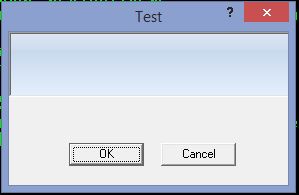
I know how to create a Function with a button bar and bitmap buttons, then place it on a dialog. This requires me to have one function for the dialog and all its controls, and then a second one for the button bar and buttons which is then painted on the ACTIVATE command.
This works, but actually I want everything in one METHOD rather than two functions. So for now, I can use BTNBMPs in the Dialog for the controls, and in the resource files I use PUSHBUTTON controls. It works fine, except.
Using the 2 function method, I get a nice button bar background. However, without the bar, the Brush ( a graphic ) I use is also behind the buttons.
So, I would like to paint the area behind the buttons to simulate the button bar.
Of course there are other issues, like the difficulty of having dynamic buttons, etc. With the old method, that is not a problem, but incorporating everything into one Method makes it difficult.
Has anyone played with this ? Of course the easiest solution would be if the Button Bar / Bitmap buttons could be put into the same code as all of the other controls, but that only works for windows and not Dialogs.
Your suggestions are appreciated.
http://www.MasterLinkSoftware.com
http://www.autoshopwriter.com
timstone@masterlinksoftware.com
Using: FWH 23.10 with Harbour 3.2.0 / Microsoft Visual Studio Community 2022-24 32/64 bit