

Board index Utilities / Utilidades Midnight Commander for OSX
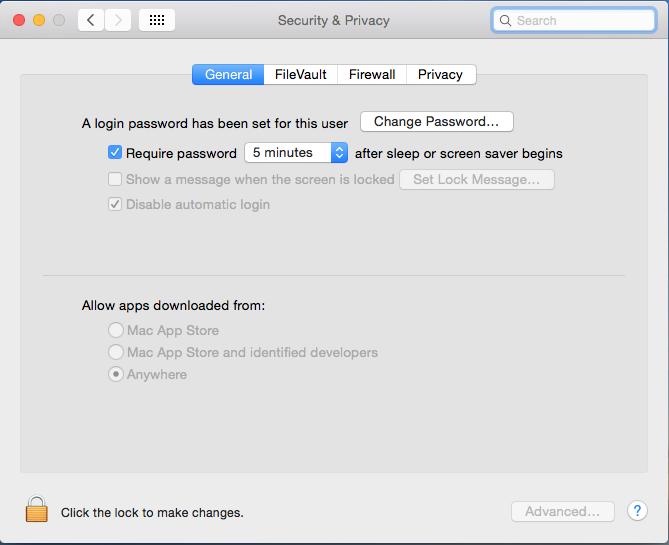
To get the app installed: (Allow apps downloaded from: Anywhere)
To execute it from a Terminal window do:
mc
Excelente!
desde la era del DOS que vengo usando nc/mc, luego en linux, pero para OSX no lo tenía.
Gracias!
Saludos
Carlos Mora
http://harbouradvisor.blogspot.com/
StackOverflow http://stackoverflow.com/users/549761/carlos-mora
“If you think education is expensive, try ignorance"
Carlos Mora
http://harbouradvisor.blogspot.com/
StackOverflow http://stackoverflow.com/users/549761/carlos-mora
“If you think education is expensive, try ignorance"

Antonio,
thanks !!!
Regards,
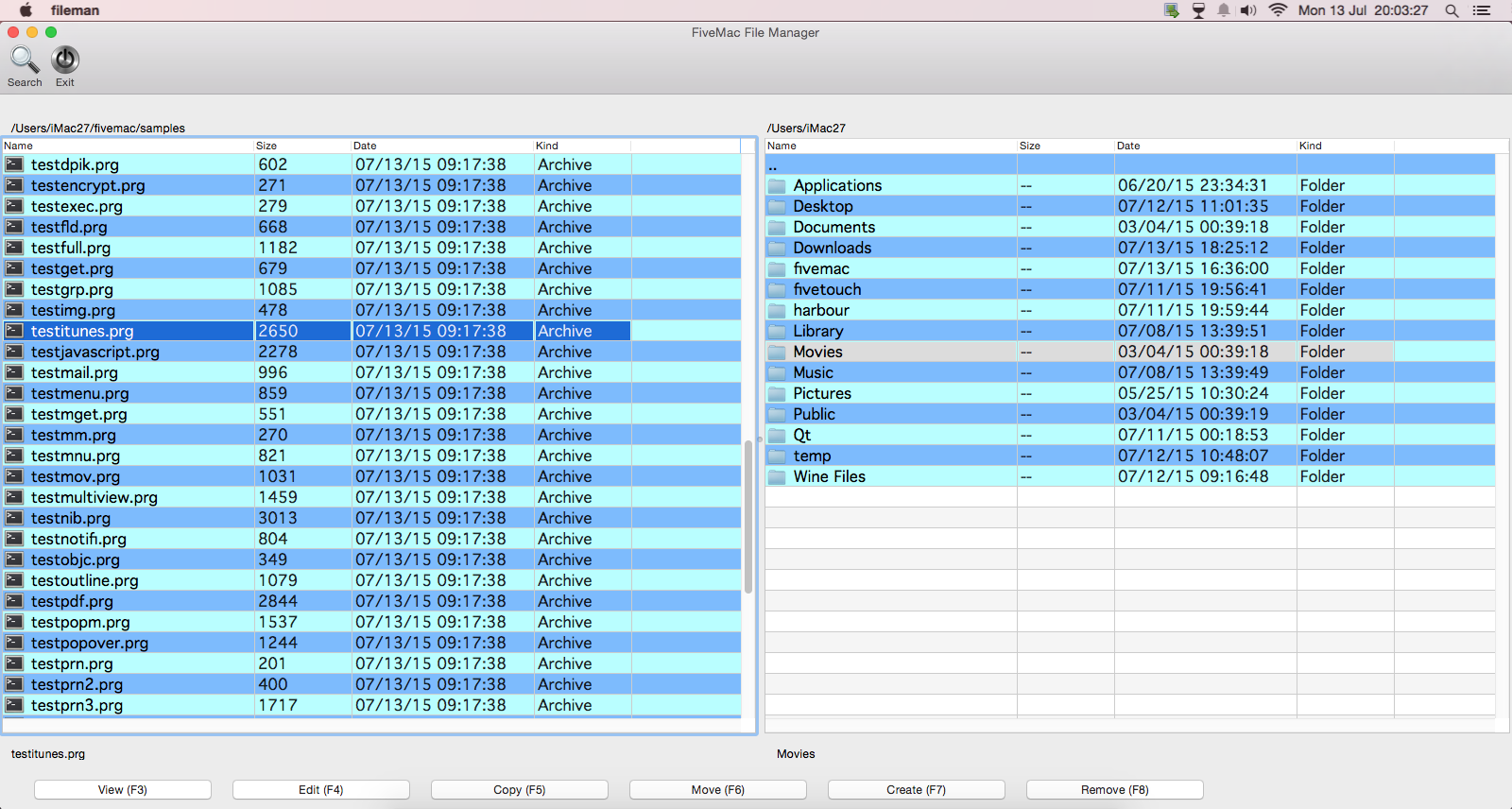
This is FiveMac's fileman.prg example:
For those that love NC, MC
For those that love NC, MC
Easier way to install mc in OSX:
From the terminal:
/usr/bin/ruby -e "$(curl -fsSL https://raw.githubusercontent.com/Homebrew/install/master/install)"
brew install mc
mc
From the terminal:
/usr/bin/ruby -e "$(curl -fsSL https://raw.githubusercontent.com/Homebrew/install/master/install)"
brew install mc
mc
Antonio,
Al terminar de instalar me da el siguiente error y no funciona:
Tienes idea que puede ser, tengo OSX yosemite 10.10.5
Aunque ejecute
brew link midnight-commander
Me da el siguiente error:
Linking /usr/local/Cellar/midnight-commander/4.8.18...
Error: Could not symlink share/locale/be/LC_MESSAGES/mc.mo
/usr/local/share/locale/be/LC_MESSAGES is not writable.
¿Se puede desinstalar el Brew si no me va a funcionar?
Al terminar de instalar me da el siguiente error y no funciona:
==> Pouring midnight-commander-4.8.18.yosemite.bottle.tar.gz
Error: The `brew link` step did not complete successfully
The formula built, but is not symlinked into /usr/local
Could not symlink share/locale/be/LC_MESSAGES/mc.mo
/usr/local/share/locale/be/LC_MESSAGES is not writable.

You can try again using:
  brew link midnight-commander
Tienes idea que puede ser, tengo OSX yosemite 10.10.5
Aunque ejecute
brew link midnight-commander
Me da el siguiente error:
Linking /usr/local/Cellar/midnight-commander/4.8.18...
Error: Could not symlink share/locale/be/LC_MESSAGES/mc.mo
/usr/local/share/locale/be/LC_MESSAGES is not writable.
¿Se puede desinstalar el Brew si no me va a funcionar?
Un Saludo,
Joaquín Martínez
Joaquín Martínez
Prueba asi:
sudo brew install mc
te pedirá tu contraseña
Antonio,
no funciona, mira el error:
no funciona, mira el error:
MacBook-Pro-de-admin:~ admin$ sudo brew install mc
Error: Running Homebrew as root is extremely dangerous. As Homebrew does not
drop privileges on installation you are giving all build scripts full access
to your system. As a result of the macOS sandbox not handling the root user
correctly HOMEBREW_NO_SANDBOX has been set so the sandbox will not be used. If
we have not merged a pull request to add privilege dropping by November 1st
2016 running Homebrew as root will be disabled. No Homebrew maintainers plan
to work on this functionality.
Error: Cowardly refusing to 'sudo brew install'
You can use brew with sudo, but only if the brew executable is owned by root.
However, this is both not recommended and completely unsupported so do so at
your own risk.
Un Saludo,
Joaquín Martínez
Joaquín Martínez
Joaquín,
Con macOS Sierra funciona bien.
Puedes desisntalar brew asi:
http://superuser.com/questions/203707/h ... ge-manager
Homebrew now provides an uninstall script located here.
Just run the following in the OSX terminal:
/usr/bin/ruby -e "$(curl -fsSL https://raw.githubusercontent.com/Homeb ... /uninstall)"