FiveTech Support Forums

FiveWin / Harbour / xBase community
Board index FiveWin for Harbour/xHarbour Desktop Alerts
Posts: 7317
Joined: Thu Oct 18, 2012 07:17 PM
Desktop Alerts
Posted: Mon Mar 07, 2016 12:34 PM
How I can create a small Desktop Alert ?

Desktop Alert is similar to the MessageBox colored ( with an icon or an image) and it can be show on bottom or on left or on right with a small animation

sample: (from web)
Since from 1991/1992 ( fw for clipper Rel. 14.4 - Momos)

I use : FiveWin for Harbour March-April 2024 - Harbour 3.2.0dev (harbour_bcc770_32_20240309) - Bcc7.70 - xMate ver. 1.15.3 - PellesC - mail: silvio[dot]falconi[at]gmail[dot]com
Posts: 44158
Joined: Thu Oct 06, 2005 05:47 PM
Re: Desktop Alerts
Posted: Mon Mar 07, 2016 09:40 PM
Silvio,

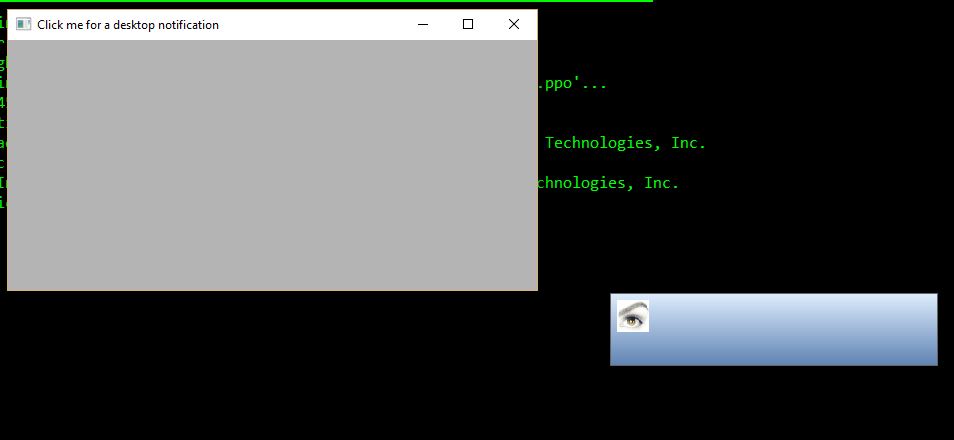
A first quick try:

Code (fw): Select all Collapse
#include "FiveWin.ch"

function Main()

   local oWnd

   DEFINE WINDOW oWnd TITLE "Click me for a desktop notification"

   ACTIVATE WINDOW oWnd ;
      ON CLICK DesktopAlert( oWnd )

return nil

function DesktopAlert( oWnd )

   local oDlg, oBrush, hLogo := FWLogoBitMap()

   DEFINE BRUSH oBrush GRADIENT { { 1, nRgb( 221, 236, 253 ), nRgb( 95, 131, 179 ) } }

   DEFINE DIALOG oDlg STYLE nOr( WS_POPUP, WS_BORDER ) BRUSH oBrush
   
   ACTIVATE DIALOG oDlg ;
      ON INIT ( oDlg:SetPos( ScreenHeight() - 120, ScreenWidth() - 400 ),;
                oDlg:SetSize( 328, 73 ), BuildTimer( oDlg ) ) ;
      ON CLICK oDlg:End() ;          
      ON PAINT DrawBitmap( hDC, hLogo, 6, 6 ) ; 
      VALID ( DeleteObject( hLogo ), .T. ) ;
      NOWAIT
      
   oBrush:End()   
   oWnd:SetFocus()
   
return nil   

function BuildTimer( oDlg )

   local oTimer, nStart := Seconds()
   
   DEFINE TIMER oTimer OF oDlg ; 
      INTERVAL 10; 
      ACTION If( Seconds() - nStart > 5, oDlg:End(),) 
   
   ACTIVATE TIMER oTimer
   
return nil


regards, saludos

Antonio Linares
www.fivetechsoft.com
Posts: 3022
Joined: Fri Oct 07, 2005 01:45 PM
Re: Desktop Alerts
Posted: Mon Mar 07, 2016 10:24 PM

Actually, a good idea. I can easily see this being useful. 2nd parameter could reference icon and 3rd parameter could contain text to display.

Tim

Tim Stone
http://www.MasterLinkSoftware.com
http://www.autoshopwriter.com
timstone@masterlinksoftware.com
Using: FWH 23.10 with Harbour 3.2.0 / Microsoft Visual Studio Community 2022-24 32/64 bit
Posts: 6755
Joined: Wed Feb 15, 2012 08:25 PM
Re: Desktop Alerts
Posted: Mon Mar 07, 2016 11:34 PM
A small improvement

Code (fw): Select all Collapse
#include "FiveWin.ch"

//----------------------------------------------------------------------------//

function Main()

   local oWnd

   DEFINE WINDOW oWnd TITLE "Click me for a desktop notification"

   ACTIVATE WINDOW oWnd ;
      ON CLICK DesktopAlert( oWnd )

return nil

//----------------------------------------------------------------------------//

function DesktopAlert( oWnd )

   local oDlg
   local oBrush
   local hLogo := FWLogoBitMap()

   DEFINE BRUSH oBrush GRADIENT { { 1, nRgb( 221, 236, 253 ), nRgb( 95, 131, 179 ) } }

   DEFINE DIALOG oDlg STYLE nOr( WS_POPUP, WS_BORDER ) BRUSH oBrush ;
      SIZE 328, 73

   ACTIVATE DIALOG oDlg ;
      ON INIT ( BuildTimer( oDlg ) ) ;
      ON CLICK oDlg:End() ;          
      ON PAINT DrawBitmap( hDC, hLogo, 6, 6 ) ; 
      VALID ( DeleteObject( hLogo ), .T. ) ;
      NOWAIT
      
   oBrush:End()   
   oWnd:SetFocus()
   
return nil   

//----------------------------------------------------------------------------//

function BuildTimer( oDlg )

   local oTimer
   local nStart := Seconds()

   oDlg:SetPos( ScreenHeight() - 80, ScreenWidth() - 350 )
   DEFINE TIMER oTimer OF oDlg ; 
      INTERVAL 10; 
      ACTION If( Seconds() - nStart > 5, oDlg:End(),) 
   
   ACTIVATE TIMER oTimer
   
return nil  

//----------------------------------------------------------------------------//
Cristobal Navarro

Hay dos tipos de personas: las que te hacen perder el tiempo y las que te hacen perder la noción del tiempo

El secreto de la felicidad no está en hacer lo que te gusta, sino en que te guste lo que haces
Posts: 44158
Joined: Thu Oct 06, 2005 05:47 PM
Re: Desktop Alerts
Posted: Mon Mar 07, 2016 11:39 PM
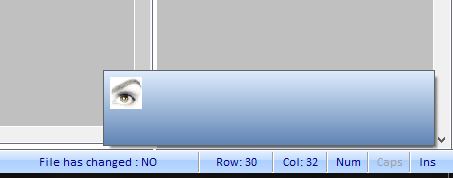
With shadow effect :-)


Code (fw): Select all Collapse
#include "FiveWin.ch"

//----------------------------------------------------------------------------//

function Main()

   local oWnd

   DEFINE WINDOW oWnd TITLE "Click me for a desktop notification"

   ACTIVATE WINDOW oWnd ;
      ON CLICK DesktopAlert( oWnd )

return nil

//----------------------------------------------------------------------------//

function DesktopAlert( oWnd )

   local oDlg
   local oBrush
   local hLogo := FWLogoBitMap()

   DEFINE BRUSH oBrush GRADIENT { { 1, nRgb( 221, 236, 253 ), nRgb( 95, 131, 179 ) } }

   DEFINE DIALOG oDlg STYLE nOr( WS_POPUP, WS_BORDER ) BRUSH oBrush ;
      SIZE 328, 73

   ACTIVATE DIALOG oDlg ;
      ON INIT ( oDlg:Shadow(), BuildTimer( oDlg ) ) ;
      ON CLICK oDlg:End() ;          
      ON PAINT DrawBitmap( hDC, hLogo, 6, 6 ) ; 
      VALID ( DeleteObject( hLogo ), .T. ) ;
      NOWAIT
      
   oBrush:End()   
   oWnd:SetFocus()
   
return nil   

//----------------------------------------------------------------------------//

function BuildTimer( oDlg )

   local oTimer
   local nStart := Seconds()

   oDlg:SetPos( ScreenHeight() - 80, ScreenWidth( 0 ) - 350 )
   
   DEFINE TIMER oTimer OF oDlg ; 
      INTERVAL 10; 
      ACTION If( Seconds() - nStart > 5, oDlg:End(),) 
   
   ACTIVATE TIMER oTimer
   
return nil  

//----------------------------------------------------------------------------//
regards, saludos

Antonio Linares
www.fivetechsoft.com
Posts: 44158
Joined: Thu Oct 06, 2005 05:47 PM
Re: Desktop Alerts
Posted: Tue Mar 08, 2016 07:14 AM
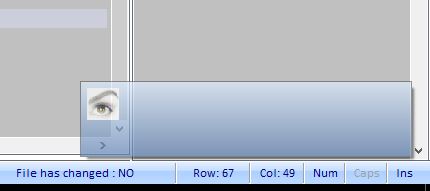
With transparent and shadow effects:


Code (fw): Select all Collapse
#include "FiveWin.ch"

//----------------------------------------------------------------------------//

function Main()

   local oWnd

   DEFINE WINDOW oWnd TITLE "Click me for a desktop notification"

   ACTIVATE WINDOW oWnd ;
      ON CLICK DesktopAlert( oWnd )

return nil

//----------------------------------------------------------------------------//

function DesktopAlert( oWnd )

   local oDlg
   local oBrush
   local hLogo := FWLogoBitMap()

   DEFINE BRUSH oBrush GRADIENT { { 1, nRgb( 221, 236, 253 ), nRgb( 95, 131, 179 ) } }

   DEFINE DIALOG oDlg STYLE nOr( WS_POPUP, WS_BORDER ) BRUSH oBrush ;
      SIZE 328, 73

   ACTIVATE DIALOG oDlg ;
      ON INIT ( SetTransparent( oDlg ), oDlg:Shadow(), BuildTimer( oDlg ) ) ;
      ON CLICK oDlg:End() ;          
      ON PAINT DrawBitmap( hDC, hLogo, 6, 6 ) ; 
      VALID ( DeleteObject( hLogo ), .T. ) ;
      NOWAIT
      
   oBrush:End()   
   oWnd:SetFocus()
   
return nil   

//----------------------------------------------------------------------------//

function BuildTimer( oDlg )

   local oTimer
   local nStart := Seconds()

   oDlg:SetPos( ScreenHeight() - 80, ScreenWidth( 0 ) - 350 )
   
   DEFINE TIMER oTimer OF oDlg ; 
      INTERVAL 10; 
      ACTION If( Seconds() - nStart > 5, oDlg:End(),) 
   
   ACTIVATE TIMER oTimer
   
return nil  

//----------------------------------------------------------------------------//

#define GWL_EXSTYLE   -20 
#define WS_EX_LAYERED 524288 

static function SetTransparent( oDlg ) 

   SetWindowLong( oDlg:hWnd, GWL_EXSTYLE, nOr( GetWindowLong( oDlg:hWnd, GWL_EXSTYLE ), WS_EX_LAYERED ) ) 

   SetLayeredWindowAttributes( oDlg:hWnd, 0, 180, 2 ) 

return nil

//----------------------------------------------------------------------------//
regards, saludos

Antonio Linares
www.fivetechsoft.com
Posts: 7317
Joined: Thu Oct 18, 2012 07:17 PM
Re: Desktop Alerts
Posted: Tue Mar 08, 2016 08:12 AM

Wonderful is the beginning.
Antonio thanks!!

Since from 1991/1992 ( fw for clipper Rel. 14.4 - Momos)

I use : FiveWin for Harbour March-April 2024 - Harbour 3.2.0dev (harbour_bcc770_32_20240309) - Bcc7.70 - xMate ver. 1.15.3 - PellesC - mail: silvio[dot]falconi[at]gmail[dot]com
Posts: 7317
Joined: Thu Oct 18, 2012 07:17 PM
Re: Desktop Alerts
Posted: Tue Mar 08, 2016 09:36 AM
Antonio,

I found a document where explain Desktop Alerts sections:

1. Caption Area and your sample have this
2. Drop-down, Pin, and Close buttons
3. Image and your sample have this
4. Text Area - easy to create
5. Alert Buttons down the IMAGE ( two smal buttons) probable made with icons
6. Footer Text


the Drop-Down button must have a menupopup with noptions as for a sample "snooze alert 15 minutes"
http://help.infragistics.com/Help/Doc/WinForms/2013.1/CLR4.0/HTML/WinDesktopAlert_The_Look_and_Feel_of_WinDesktopAlert.html

and I tried to create a small class TDesktopAlert and ask to YOU to help me to build it ( thanks!!)

I thinked to use a charcter with Marlet "r" to simulate close buttons see Function closebutton( hDC, nTop, nLeft, lOver )


Code (fw): Select all Collapse
 
 
#include "fivewin.ch"

 function Main()

       local oWnd

       DEFINE WINDOW oWnd TITLE "Click me for a desktop notification"

       ACTIVATE WINDOW oWnd ;
          ON CLICK Test(oWnd)

    return nil


Function Test(oWnd)
    Loca oTest
    oTest:= TDesktopAlert():New(10, 10, 328, 73, oWnd)
   return nil


CLASS TDesktopAlert FROM TWindow


CLASSDATA lRegistered AS LOGICAL

             DATA cCaptionArea      AS CHARACTER INIT  ""
             DATA cTextArea         AS CHARACTER INIT  ""
             DATA cFooterArea       AS CHARACTER INIT  ""
             DATA cImageArea

             DATA oTimer, nTimer

             DATA aBtnClose AS ARRAY INIT {0,0,0,0}
             DATA lOverClose      AS LOGICAL INIT .F.

             DATA oBrushArea

             DATA nClrPane     AS NUMERIC INIT  nRgb( 221, 236, 253 )
             DATA nClrPane2    AS NUMERIC INIT  nRgb( 95, 131, 179 )
             DATA nClrText     AS NUMERIC INIT   CLR_BLACK
             DATA nClrBorder   AS NUMERIC INIT  RGB(59,97,156)

          METHOD New( nTop, nLeft, nWidth, nHeight, oWnd ) CONSTRUCTOR
          METHOD Display()  INLINE ::BeginPaint(),::Paint(),::EndPaint(),0
          METHOD Paint()
          METHOD BtnClose( hDC,nTop,nLeft )
          METHOD MouseMove( nRow, nCol, nKeyFlags )
          METHOD LButtonDown( nRow, nCol, nKeyFlags )
          METHOD Default()

ENDCLASS

//----------------------------------------------------------------------------//


METHOD New( nTop, nLeft, nWidth, nHeight, oWnd, cCaptionArea,;
            cImageArea,nClrPane,nClrPane2,nClrText )   CLASS TDesktopAlert

     if nClrPane  == nil;  nClrPane   := CLR_WHITE; endif
     if nClrPane2 == nil;  nClrPane2  := CLR_WHITE; endif
     if nClrText  == nil;  nClrText   := CLR_BLACK; endif

     ::nTop       := nTop
     ::nLeft      := nLeft
     ::nBottom    := nTop + nHeight
     ::nRight     := nLeft + nWidth
     ::oWnd       := oWnd
    

     ::nClrPane   := nClrPane
     ::nClrPane2  := nClrPane2
     ::nClrText   := nClrText

     ::cCaptionArea  := cCaptionArea
     ::cImageArea    :=  cImageArea


     ::nStyle   := nOr( WS_POPUP, WS_BORDER )

     ::Register()

     if !Empty( oWnd:hWnd )
         ::Create()
         ::Default()
         oWnd:AddControl( Self )
     else
         oWnd:DefControl( Self )
     endif

     if ! Empty( oWnd:hWnd )
        ::Default()
     endif

return self

//------------------------------------------------------------------------------------------//

 METHOD Default()   CLASS TDesktopAlert

    return 0

//------------------------------------------------------------------------------------------//


 METHOD MouseMove( nRow, nCol, nKeyFlags ) CLASS TDesktopAlert

   ::lOverClose := PtInRect( nRow, nCol, ::aBtnClose      )

   if ::lOverClose
      ::oWnd:End()
   endif


 return 0 //super:MouseMove( nRow, nCol, nKeyFlags )

//------------------------------------------------------------------------------------------//


   METHOD LButtonDown( nRow, nCol, nKeyFlags )  CLASS TDesktopAlert

   return 0


//------------------------------------------------------------------------------------------//

   METHOD Paint()  CLASS TDesktopAlert
      local hDCMem  := CreateCompatibleDC( ::hDC )

      local rc := GetClientRect(::hWnd)
      local nH      := rc[3]-rc[1]
      local nStart := Seconds()


    if ::oTimer != nil
      ::oTimer:Deactivate()
      ::oTimer:End()
   endif

     ::oWnd:SetPos( ScreenHeight() - 80, ScreenWidth( 0 ) - 350 )

   DEFINE TIMER ::oTimer INTERVAL ::nTimer ;
      ACTION If( Seconds() - nStart > 5, ::oWnd:End(),) OF Self

   ACTIVATE TIMER ::oTimer


   if ::lCloseBtn
      ::BtnClose( hDCMem, (nH/2)-4, rc[4]-12, ::lOverClose )
   endif


SelectObject( hDCMem, hOldBmp )
DeleteDC( hDCMem )

 return 0

//------------------------------------------------------------------------------------------//


//------------------------------------------------------------------------------------------//

METHOD BtnClose( hDC,nTop,nLeft ) CLASS TDesktopAlert

::aBtnClose := closebutton( hDC, nTop, nLeft, ::lOverClose )

return 0

//------------------------------------------------------------------------------------------//


static function Line( hDC, nTop, nLeft, nBottom, nRight, nColor, nWidth )

   local hPen, hOldPen

   DEFAULT nColor := CLR_BLACK, nWidth := 1

   hPen = CreatePen( PS_SOLID, nWidth, nColor )
   hOldPen = SelectObject( hDC, hPen )

   MoveTo( hDC, nLeft, nTop )
   LineTo( hDC, nRight, nTop )

   SelectObject( hDC, hOldPen )
   DeleteObject( hPen )

return 0

//------------------------------------------------------------------------------------------//


Static Function closebutton( hDC, nTop, nLeft, lOver )
local oFont, hOldFont
local aRect
local nMode

// create a X button

DEFAULT lOver := .f.

  nMode    := SetBkMode( hDC, 1 )
  oFont := TFont():New( "Marlett", 0, -10, .f.,.f.,,,,.f.,.f.,.f., 1 )
  hOldFont := SelectObject( hDC, oFont:hFont )
  aRect := {nTop,nLeft,nTop+10,nLeft+ 9}
  TextOut( hDC, aRect[1]+1, aRect[2], "r" )
  SelectObject( hDC, hOldFont  )
  oFont:End()
  SetBkMode( hDC, nMode )
  if lOver
     Box(hDC,aRect)
  endif

return aRect


//-------------------------------------------------------------------------------------------//


    #define GWL_EXSTYLE   -20
    #define WS_EX_LAYERED 524288

    static function SetTransparent( oDlg )

       SetWindowLong( oDlg:hWnd, GWL_EXSTYLE, nOr( GetWindowLong( oDlg:hWnd, GWL_EXSTYLE ), WS_EX_LAYERED ) )

       SetLayeredWindowAttributes( oDlg:hWnd, 0, 180, 2 )

    return nil

    //----------------------------------------------------------------------------/
Since from 1991/1992 ( fw for clipper Rel. 14.4 - Momos)

I use : FiveWin for Harbour March-April 2024 - Harbour 3.2.0dev (harbour_bcc770_32_20240309) - Bcc7.70 - xMate ver. 1.15.3 - PellesC - mail: silvio[dot]falconi[at]gmail[dot]com
Posts: 44158
Joined: Thu Oct 06, 2005 05:47 PM
Re: Desktop Alerts
Posted: Tue Mar 08, 2016 09:41 AM

Silvio,

Could you post a screenshot of yours ?

regards, saludos

Antonio Linares
www.fivetechsoft.com
Posts: 7317
Joined: Thu Oct 18, 2012 07:17 PM
Re: Desktop Alerts
Posted: Tue Mar 08, 2016 09:46 AM

not run also

I not Know as simulate a dialog into Paint method

Since from 1991/1992 ( fw for clipper Rel. 14.4 - Momos)

I use : FiveWin for Harbour March-April 2024 - Harbour 3.2.0dev (harbour_bcc770_32_20240309) - Bcc7.70 - xMate ver. 1.15.3 - PellesC - mail: silvio[dot]falconi[at]gmail[dot]com
Posts: 7317
Joined: Thu Oct 18, 2012 07:17 PM
Re: Desktop Alerts
Posted: Tue Mar 08, 2016 09:48 AM
I correct some bugs
But also I not see the dialog

Code (fw): Select all Collapse
 
 
#include "fivewin.ch"

 function Main()

       local oWnd

       DEFINE WINDOW oWnd TITLE "Click me for a desktop notification"

       ACTIVATE WINDOW oWnd ;
          ON CLICK Test(oWnd)

    return nil


Function Test(oWnd)
    Loca oTest
    oTest:= TDesktopAlert():New(10, 10, 328, 73, oWnd)
   return nil


CLASS TDesktopAlert FROM TWindow


CLASSDATA lRegistered AS LOGICAL

             DATA cCaptionArea      AS CHARACTER INIT  ""
             DATA cTextArea         AS CHARACTER INIT  ""
             DATA cFooterArea       AS CHARACTER INIT  ""
             DATA cImageArea

             DATA oTimer, nTimer

             DATA aBtnClose AS ARRAY INIT {0,0,0,0}
             DATA lOverClose      AS LOGICAL INIT .F.

             DATA oBrushArea
             DATA hRgn


             DATA nClrPane     AS NUMERIC INIT  nRgb( 221, 236, 253 )
             DATA nClrPane2    AS NUMERIC INIT  nRgb( 95, 131, 179 )
             DATA nClrText     AS NUMERIC INIT   CLR_BLACK
             DATA nClrBorder   AS NUMERIC INIT  RGB(59,97,156)

          METHOD New( nTop, nLeft, nWidth, nHeight, oWnd ) CONSTRUCTOR
          METHOD Display()  INLINE ::BeginPaint(),::Paint(),::EndPaint(),0
          METHOD Paint()
          METHOD BtnClose( hDC,nTop,nLeft )
          METHOD MouseMove( nRow, nCol, nKeyFlags )
          METHOD LButtonDown( nRow, nCol, nKeyFlags )
          METHOD Default()
          METHOD BtnDown( hDC,nTop,nLeft )


ENDCLASS

//----------------------------------------------------------------------------//


METHOD New( nTop, nLeft, nWidth, nHeight, oWnd, cCaptionArea,;
            cImageArea,nClrPane,nClrPane2,nClrText )   CLASS TDesktopAlert

     if nClrPane  == nil;  nClrPane   := CLR_WHITE; endif
     if nClrPane2 == nil;  nClrPane2  := CLR_WHITE; endif
     if nClrText  == nil;  nClrText   := CLR_BLACK; endif

     ::nTop       := nTop
     ::nLeft      := nLeft
     ::nBottom    := nTop + nHeight
     ::nRight     := nLeft + nWidth
     ::oWnd       := oWnd


     ::nClrPane   := nClrPane
     ::nClrPane2  := nClrPane2
     ::nClrText   := nClrText

     ::cCaptionArea  := cCaptionArea
     ::cImageArea    :=  cImageArea


     ::nStyle   := nOr( WS_POPUP, WS_BORDER )

     ::Register()

     if !Empty( oWnd:hWnd )
         ::Create()
         ::Default()
         oWnd:AddControl( Self )
     else
         oWnd:DefControl( Self )
     endif

     if ! Empty( oWnd:hWnd )
        ::Default()
     endif

return self

//------------------------------------------------------------------------------------------//

 METHOD Default()   CLASS TDesktopAlert
       local rc := { 0, 0, 73, 323 }
   Local hRgn
   Local hRgn2
   Local hRgn3
   local o := self

  * DEFAULT lShowDlg := .F.

   ::hRgn = CreateRoundRectRgn( { rc[ 1 ], rc[ 2 ], rc[ 3 ], rc[ 4 ] },;
                                5, 5 )

   SetWindowRgn( ::hWnd, ::hRgn, .T. )

   DeleteObject( ::hRgn )
    return 0

//------------------------------------------------------------------------------------------//


 METHOD MouseMove( nRow, nCol, nKeyFlags ) CLASS TDesktopAlert

   ::lOverClose := PtInRect( nRow, nCol, ::aBtnClose      )

   if ::lOverClose
      ::oWnd:End()
   endif


 return 0 //super:MouseMove( nRow, nCol, nKeyFlags )

//------------------------------------------------------------------------------------------//


   METHOD LButtonDown( nRow, nCol, nKeyFlags )  CLASS TDesktopAlert

   return 0


//------------------------------------------------------------------------------------------//

   METHOD Paint()  CLASS TDesktopAlert
      local hDCMem  := CreateCompatibleDC( ::hDC )

      local rc := GetClientRect(::hWnd)
      local nH      := rc[3]-rc[1]
      local nStart := Seconds()


    if ::oTimer != nil
      ::oTimer:Deactivate()
      ::oTimer:End()
   endif

     ::oWnd:SetPos( ScreenHeight() - 80, ScreenWidth( 0 ) - 350 )

   DEFINE TIMER ::oTimer INTERVAL ::nTimer ;
      ACTION If( Seconds() - nStart > 5, ::oWnd:End(),) OF Self

   ACTIVATE TIMER ::oTimer


   if ::lCloseBtn
      ::BtnClose( hDCMem, (nH/2)-4, rc[4]-12, ::lOverClose )
   endif


SelectObject( hDCMem, hOldBmp )
DeleteDC( hDCMem )

 return 0

//------------------------------------------------------------------------------------------//


//------------------------------------------------------------------------------------------//

METHOD BtnClose( hDC,nTop,nLeft ) CLASS TDesktopAlert

::aBtnClose := closebutton( hDC, nTop, nLeft, ::lOverClose )

return 0


METHOD BtnDown( hDC,nTop,nLeft ) CLASS TDesktopAlert

::aBtndown := DropDownbutton( hDC, nTop, nLeft, ::lOverClose )

return 0


//------------------------------------------------------------------------------------------//


static function Line( hDC, nTop, nLeft, nBottom, nRight, nColor, nWidth )

   local hPen, hOldPen

   DEFAULT nColor := CLR_BLACK, nWidth := 1

   hPen = CreatePen( PS_SOLID, nWidth, nColor )
   hOldPen = SelectObject( hDC, hPen )

   MoveTo( hDC, nLeft, nTop )
   LineTo( hDC, nRight, nTop )

   SelectObject( hDC, hOldPen )
   DeleteObject( hPen )

return 0

//------------------------------------------------------------------------------------------//


Static Function closebutton( hDC, nTop, nLeft, lOver )
local oFont, hOldFont
local aRect
local nMode

// create a X button

DEFAULT lOver := .f.

  nMode    := SetBkMode( hDC, 1 )
  oFont := TFont():New( "Marlett", 0, -10, .f.,.f.,,,,.f.,.f.,.f., 1 )
  hOldFont := SelectObject( hDC, oFont:hFont )
  aRect := {nTop,nLeft,nTop+10,nLeft+ 9}
  TextOut( hDC, aRect[1]+1, aRect[2], "r" )
  SelectObject( hDC, hOldFont  )
  oFont:End()
  SetBkMode( hDC, nMode )
  if lOver
     Box(hDC,aRect)
  endif

  return aRect

//------------------------------------------------------------------------------------------//

Static Function DropDownbutton( hDC, nTop, nLeft, lOver )
local oFont, hOldFont
local aRect
local nMode

// create a X button

DEFAULT lOver := .f.

  nMode    := SetBkMode( hDC, 1 )
  oFont := TFont():New( "Marlett", 0, -10, .f.,.f.,,,,.f.,.f.,.f., 1 )
  hOldFont := SelectObject( hDC, oFont:hFont )
  aRect := {nTop,nLeft,nTop+10,nLeft+ 9}
  TextOut( hDC, aRect[1]+1, aRect[2], "u" )
  SelectObject( hDC, hOldFont  )
  oFont:End()
  SetBkMode( hDC, nMode )
  if lOver
     Box(hDC,aRect)
  endif

return aRect


//-------------------------------------------------------------------------------------------//


    #define GWL_EXSTYLE   -20
    #define WS_EX_LAYERED 524288

    static function SetTransparent( oDlg )

       SetWindowLong( oDlg:hWnd, GWL_EXSTYLE, nOr( GetWindowLong( oDlg:hWnd, GWL_EXSTYLE ), WS_EX_LAYERED ) )

       SetLayeredWindowAttributes( oDlg:hWnd, 0, 180, 2 )

    return nil

    //----------------------------------------------------------------------------/
Since from 1991/1992 ( fw for clipper Rel. 14.4 - Momos)

I use : FiveWin for Harbour March-April 2024 - Harbour 3.2.0dev (harbour_bcc770_32_20240309) - Bcc7.70 - xMate ver. 1.15.3 - PellesC - mail: silvio[dot]falconi[at]gmail[dot]com
Posts: 44158
Joined: Thu Oct 06, 2005 05:47 PM
Re: Desktop Alerts
Posted: Tue Mar 08, 2016 10:12 AM

Silvio,

You need to add

CLASSDATA lRegistered INIT .F.

regards, saludos

Antonio Linares
www.fivetechsoft.com
Posts: 44158
Joined: Thu Oct 06, 2005 05:47 PM
Re: Desktop Alerts
Posted: Tue Mar 08, 2016 10:19 AM
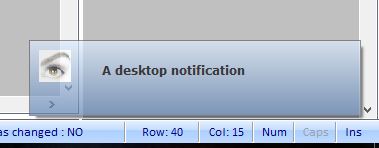
Showing a text message:


Code (fw): Select all Collapse
#include "FiveWin.ch"

//----------------------------------------------------------------------------//

function Main()

   local oWnd

   DEFINE WINDOW oWnd TITLE "Click me for a desktop notification"

   ACTIVATE WINDOW oWnd ;
      ON CLICK DesktopAlert( oWnd )

return nil

//----------------------------------------------------------------------------//

function DesktopAlert( oWnd )

   local oDlg, oBrush, oFont
   local hLogo := FWLogoBitMap()

   DEFINE FONT oFont NAME "Verdana" BOLD

   DEFINE BRUSH oBrush GRADIENT { { 1, nRgb( 221, 236, 253 ), nRgb( 95, 131, 179 ) } }

   DEFINE DIALOG oDlg STYLE nOr( WS_POPUP, WS_BORDER ) BRUSH oBrush ;
      SIZE 328, 73

   @ 0.6, 6 SAY "A desktop notification" OF oDlg TRANSPARENT FONT oFont

   ACTIVATE DIALOG oDlg ;
      ON INIT ( SetTransparent( oDlg ), oDlg:Shadow(), BuildTimer( oDlg ) ) ;
      ON CLICK oDlg:End() ;          
      ON PAINT DrawBitmap( hDC, hLogo, 9, 9 ) ; 
      VALID ( DeleteObject( hLogo ), .T. ) ;
      NOWAIT
      
   oBrush:End() 
   oFont:End()
   oWnd:SetFocus()
   
return nil   

//----------------------------------------------------------------------------//

function BuildTimer( oDlg )

   local oTimer
   local nStart := Seconds()

   oDlg:SetPos( ScreenHeight() - 80, ScreenWidth( 0 ) - 350 )
   
   DEFINE TIMER oTimer OF oDlg ; 
      INTERVAL 10; 
      ACTION If( Seconds() - nStart > 5, oDlg:End(),) 
   
   ACTIVATE TIMER oTimer
   
return nil  

//----------------------------------------------------------------------------//

#define GWL_EXSTYLE   -20 
#define WS_EX_LAYERED 524288 

static function SetTransparent( oDlg ) 

   SetWindowLong( oDlg:hWnd, GWL_EXSTYLE, nOr( GetWindowLong( oDlg:hWnd, GWL_EXSTYLE ), WS_EX_LAYERED ) ) 

   SetLayeredWindowAttributes( oDlg:hWnd, 0, 180, 2 ) 

return nil

//----------------------------------------------------------------------------//
regards, saludos

Antonio Linares
www.fivetechsoft.com
Posts: 7317
Joined: Thu Oct 18, 2012 07:17 PM
Re: Desktop Alerts
Posted: Tue Mar 08, 2016 11:51 AM
I add btnclose and btndown
I add text area sample two rows

Code (fw): Select all Collapse
    #include "FiveWin.ch"

    //----------------------------------------------------------------------------//

    function Main()

       local oWnd

       DEFINE WINDOW oWnd TITLE "Click me for a desktop notification"

       ACTIVATE WINDOW oWnd ;
          ON CLICK DesktopAlert( oWnd )

    return nil

    //----------------------------------------------------------------------------//

    function DesktopAlert( oWnd )

       local oDlg, oBrush, oFont
       local hLogo := FWLogoBitMap()
       local oBtnClose
       local oBtnDown
       local oFontBody


       DEFINE FONT oFont NAME "Verdana" BOLD
       DEFINE FONT oFontBody NAME "Verdana"  SIZE 0, -9
       DEFINE BRUSH oBrush GRADIENT { { 1, nRgb( 221, 236, 253 ), nRgb( 95, 131, 179 ) } }

       DEFINE DIALOG oDlg STYLE nOr( WS_POPUP, WS_BORDER ) BRUSH oBrush ;
          SIZE 328, 73

       @ 0.6, 6 SAY "A desktop notification" OF oDlg TRANSPARENT FONT oFont


       @ 1.2, 6 SAY "This a sample text area."+CRLF+"This a sample text area." OF oDlg;
                     TRANSPARENT FONT oFontBody SIZE 100,30


      @ 0.6, oDlg:nWidth-175 BTNBMP oBtnClose FILENAME "C:\Work\fwh\bitmaps\16x16\cancel.bmp" ;
      SIZE 10, 10 OF oDlg NOBORDER ACTION oDlg:End()

       @ 0.6, oDlg:nWidth-185 BTNBMP oBtnDown FILENAME "C:\Work\fwh\bitmaps\16x16\darrow.bmp" ;
      SIZE 10, 10 OF oDlg NOBORDER ACTION oDlg:End()


       oBtnClose:ltransparent:=.t.
       oBtnDown:ltransparent:=.t.

       ACTIVATE DIALOG oDlg ;
          ON INIT ( SetTransparent( oDlg ), oDlg:Shadow(), BuildTimer( oDlg ) ) ;
          ON CLICK oDlg:End() ;          
          ON PAINT DrawBitmap( hDC, hLogo, 9, 9 ) ;
          VALID ( DeleteObject( hLogo ), .T. ) ;
          NOWAIT
         
       oBrush:End()
       oFont:End()
       oWnd:SetFocus()
       
    return nil  

    //----------------------------------------------------------------------------//

    function BuildTimer( oDlg )

       local oTimer
       local nStart := Seconds()

       oDlg:SetPos( ScreenHeight() - 80, ScreenWidth( 0 ) - 350 )
       
       DEFINE TIMER oTimer OF oDlg ;
          INTERVAL 10;
          ACTION If( Seconds() - nStart > 5, oDlg:End(),)
       
       ACTIVATE TIMER oTimer
       
    return nil  

    //----------------------------------------------------------------------------//

    #define GWL_EXSTYLE   -20
    #define WS_EX_LAYERED 524288

    static function SetTransparent( oDlg )

       SetWindowLong( oDlg:hWnd, GWL_EXSTYLE, nOr( GetWindowLong( oDlg:hWnd, GWL_EXSTYLE ), WS_EX_LAYERED ) )

       SetLayeredWindowAttributes( oDlg:hWnd, 0, 180, 2 )

    return nil

    //----------------------------------------------------------------------------//
Since from 1991/1992 ( fw for clipper Rel. 14.4 - Momos)

I use : FiveWin for Harbour March-April 2024 - Harbour 3.2.0dev (harbour_bcc770_32_20240309) - Bcc7.70 - xMate ver. 1.15.3 - PellesC - mail: silvio[dot]falconi[at]gmail[dot]com
Posts: 4043
Joined: Wed Dec 19, 2007 06:40 PM
Re: Desktop Alerts
Posted: Tue Mar 08, 2016 12:43 PM
Some month ago,
a created a solution showing a message with popup, animated images, round corners and shadow.
Instead of a dialog, I used TTitle because of more possible visual effects.
I used < SYSWAIT(nWait) > instead of a timer. Selecting < nWait = 0 > the message stays visible on screen.
Calculated text top/left positions, in relation to the possible defined 4 image-positions


best regards
Uwe :-)
Since 1995 ( the first release of FW 1.9 )

i work with FW.

If you have any questions about special functions, maybe i can help.