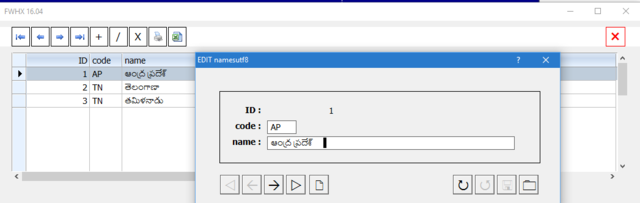
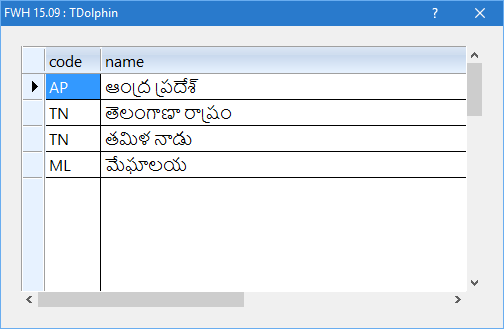
Just started testing with TDolphin.
Small test with harbour as I could find dolphin.lib ready with fwh.
#include "FiveWin.Ch"
#include "tdolphin.ch"

static cpw := "xxxxxxx"
//----------------------------------------------------------------------------//

function Main()

   local oDlg, oBrw, oFont
   local oQry

   FW_SetUnicode( .T. )

   db()
   oQry  := TDolphinQry():New( "SELECT * FROM namesutf8", db() )

   DEFINE FONT oFont NAME "Segoe UI" SIZE 0,-16

   DEFINE DIALOG oDlg SIZE 500,300 PIXEL TITLE FWVERSION + " : TDolphin" ;
      FONT oFont

   @ 10,10 XBROWSE oBrw SIZE -10,-10 PIXEL OF oDlg ;
      DATASOURCE oQry ;
      COLUMNS "code", "name" ;
      CELL LINES NOBORDER AUTOSORT FASTEDIT

   WITH OBJECT oBrw
      :nEditTypes := EDIT_GET
      //
      :CreateFromCode()
   END

   ACTIVATE DIALOG oDlg CENTERED

   db():End()

return (0)

//----------------------------------------------------------------------------//

function db()

   static oCn

   if oCn == nil
      CONNECT oCn ;
         HOST "localhost" USER "root" PASSWORD cpw DATABASE "fwh"
   endif

return oCn

//----------------------------------------------------------------------------//
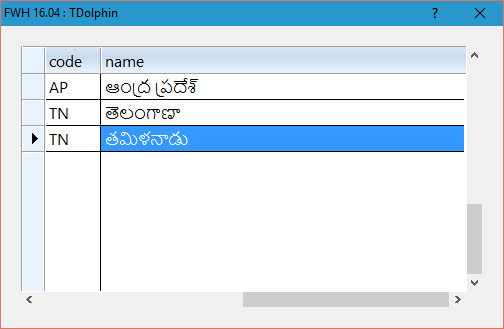
We can expect the same results with xHarbour too. I could edit unicode text in the cell and save it too.
So we can use TDolphin for Unicode. Probably TMySql also may behave the same way.
In case you created the table in my first sample, please try this sample too. You have the include file in fwh\include and dolphin.lib in fwh\lib folder for Harbour.
I shall do some more tests and get back.