

Hola amigos:
Desgraciadamente Javier Lloris, el autor de la clase hace muchisimo tiempo que no se conecta al foro, esperemos se encuentre bien.(Estuvo enfermo)
Saludos.
Jose.
Fwh 26.03 64 bits + Harbour 64 bits 3.2dev( r2602281433) + MSVC64
Hola amigos:
Desgraciadamente Javier Lloris, el autor de la clase hace muchisimo tiempo que no se conecta al foro, esperemos se encuentre bien.(Estuvo enfermo)
Saludos.
Jose.
Fwh 26.03 64 bits + Harbour 64 bits 3.2dev( r2602281433) + MSVC64
MOISES wrote:No creo que sea un problema de drivers, porque la web cam funciona por ejemplo perfectamente con Skype.
Leandro: "Desarrollo de aplicaciones de escritorio con C++"
Cristobal, me podrías enviar el ejecutable que construiste para hacer la aquí la prueba?
Enviado

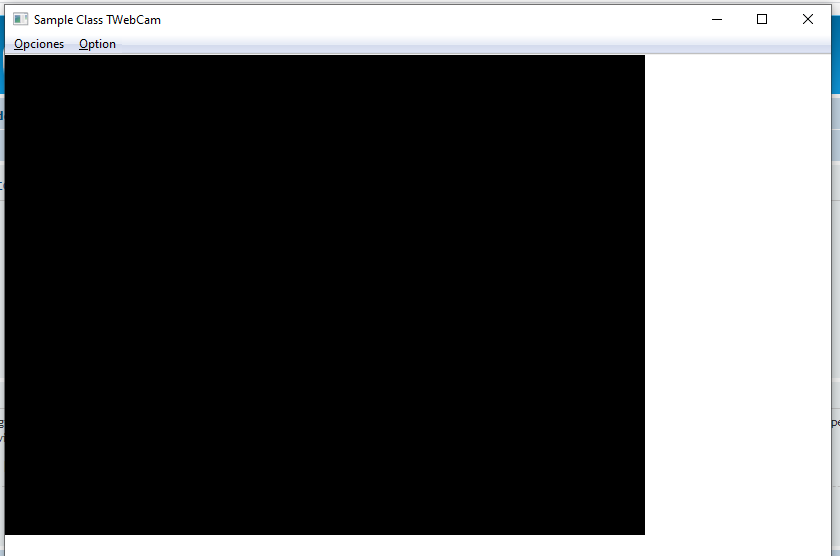
leandro wrote:No Cristobal, no funciono
Voy a intentar con VS y comento.
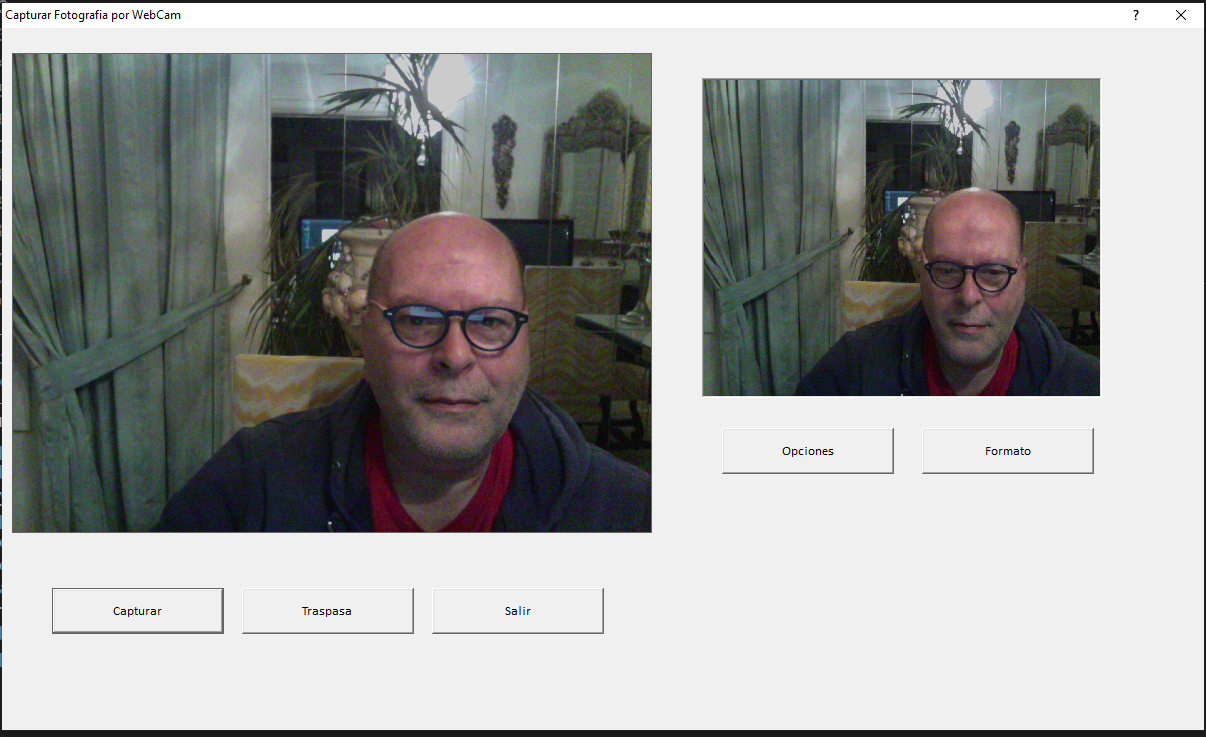
#include "FiveWin.ch"
#include "Struct.ch"

#define WM_CAP_START             WM_USER
#define WM_CAP_DRIVER_CONNECT    WM_CAP_START + 10
#define WM_CAP_DRIVER_DISCONNECT WM_CAP_START + 11
#define WM_CAP_SET_PREVIEW       WM_CAP_START + 50
#define WM_CAP_SET_PREVIEWRATE   WM_CAP_START + 52
#define WM_CAP_SET_SCALE         WM_CAP_START + 53

#define WM_CAP_EDIT_COPY         WM_CAP_START + 30
#define WM_CAP_FILE_SAVEDIB      WM_CAP_START + 25

#define WM_CAP_DLG_VIDEOFORMAT   WM_CAP_START + 41
#define WM_CAP_DLG_VIDEOSOURCE   WM_CAP_START + 42
#define WM_CAP_GET_STATUS        WM_CAP_START + 54

#define HWND_BOTTOM   1
#define SWP_NOMOVE    2
#define SWP_NOSIZE    1
#define SWP_NOZORDER  4

STATIC oWebcam

//---------------------------------------------------------------------------//

function Main()

   FotoCamara()

return nil

//---------------------------------------------------------------------------//

FUNCTION FotoCamara()

  LOCAL oWnd, oImg, oWC, lClick := .f., oBtn, cFile, oFont

  oWC           :=  tWebCamPhoto():New()
  cFile         := ".\fotos\Capturawebcam.bmp"

  Define Font oFont Name "Calibri" Size 0,-13

  DEFINE DIALOG oWnd SIZE 1200, 700 TITLE "Capturar Fotografia por WebCam"

  @ 25, 350 IMAGE oImg OF oWnd SIZE 200,160 PIXEL ADJUST UPDATE
  oImg:nProgress := 0

  @ 280,  25 BUTTON oBtn PROMPT "Capturar" OF oWnd SIZE 85, 22 PIXEL UPDATE FONT oFont ;
     ACTION ( oWC:Clipboard( oImg, cFile ), lClick := .t., oWnd:Update())

  @ 280, 120 BUTTON oBtn PROMPT "Traspasa" OF oWnd SIZE 85, 22 PIXEL UPDATE FONT oFont ;
     ACTION ( LeerClipBoard( oImg ), oWC:End(), oWnd:End() ) WHEN lClick

  @ 280, 215 BUTTON oBtn PROMPT "Salir"    OF oWnd SIZE 85, 22 PIXEL UPDATE FONT oFont ACTION ( oWC:End()    , oWnd:End())
  @ 200, 360 BUTTON oBtn PROMPT "Opciones" OF oWnd SIZE 85, 22 PIXEL UPDATE FONT oFont ACTION oWC:Source()
  @ 200, 460 BUTTON oBtn PROMPT "Formato"  OF oWnd SIZE 85, 22 PIXEL UPDATE FONT oFont ACTION oWC:Formato()

  ACTIVATE DIALOG oWnd ON INIT ( oWnd:Center(), oWC:CreateWnd( oWnd , 25, 10, 200, 120 ), oWC:Connect() )

RETURN Nil

//---------------------------------------------------------------------------//

FUNCTION LeerClipBoard( oImg )

  oImg:LoadFromClipboard()
  oImg:Refresh()

RETURN Nil

//---------------------------------------------------------------------------//

EXIT Procedure WebcamDisconnect()

  if oWebcam  <>  nil
     oWebcam:Disconnect()
     oWebcam:=nil
  endif

return

//---------------------------------------------------------------------------//

CLASS tWebCamPhoto

  DATA nFrameRate                    INIT 66      // Velocidad de actualización de la WebCam
  DATA nJpgQuality                   INIT 75      // Calidad de los JPG

  DATA hWnd                                       // Handle de la centana de la imagen
  DATA aDrivers                                   // Drivers de captura disponibles
  DATA nDriver                                    // número del driver instalado + 1
  DATA lConnected                    INIT .F.     // ¿Está conectada>
  DATA cWebCamDriver                 INIT "Microsoft WDM Image Capture (Win32)"

  METHOD New( cDriver, lSelect )     CONSTRUCTOR  // Construye el objeto. cDriver es el nombre del driver a usar, recomendado guardar en ini. Si lSelect=.T. muestra la lista para escogerlo

  METHOD CreateWnd( oWnd1, nLeft, nTop, nWidth, nHeight, nStyle, cTitle )
                                                  // Crea la ventana para la cámara en oWnd1.

  METHOD Connect                                  // Conecta la cámara
  METHOD Disconnect                               // Desconecta la cámara
  METHOD Clipboard( oImg, cFile )                 // Captura la imagen en clipboard actualiza a oImg con la imagen capturada y guarda un archivo bmp
  METHOD Source()                                 // Configura la fuente de la webcam
  METHOD Formato()                                // Configura el formato de la imagen
  METHOD GetStatus()                              // Status de la imagen
  METHOD Resize()                                 // Redimensiona la ventana de la imagen
  METHOD End() INLINE ::Disconnect()              // Finaliza el objeto

ENDCLASS

//---------------------------------------------------------------------------//

METHOD New( cDriver, lSelect ) CLASS tWebCamPhoto

  DEFAULT cDriver :=   ::cWebCamDriver
  DEFAULT lSelect :=   .f.

  LoadLibrary("avicap32.dll")

  ::aDrivers      :=   WebCamList()
  ::nDriver       :=   aScan(::aDrivers,{|u| Upper(StrTran(cDriver,' '))==Upper(StrTran(u,' '))})

  IF ::nDriver    ==   0 .or. lSelect
     ::nDriver    :=   WebCamSelect( ::nDriver, ::aDrivers )
  ENDIF

  oWebcam       :=   Self

return Self

//---------------------------------------------------------------------------//

METHOD CreateWnd( oWnd1, nTop, nLeft, nWidth, nHeight, nStyle, cTitle ) CLASS tWebCamPhoto

  DEFAULT nTop    :=   0, ;
          nLeft   :=   0, ;
          nWidth  := 160, ;
          nHeight := 120
  DEFAULT nStyle  := nOr( WS_VISIBLE, WS_CHILD, WS_BORDER )

  IF    ::nDriver  > 0
        ::hWnd    := wCamCreaWnd( ::aDrivers[ ::nDriver ], nStyle, nLeft, nTop, nWidth, nHeight, oWnd1:hWnd, 0 )
  ENDIF

return  ::hWnd

//---------------------------------------------------------------------------//

METHOD Connect() CLASS tWebCamPhoto

   if   ::hWnd    <>  nil
        if SendMessage( ::hWnd, WM_CAP_DRIVER_CONNECT, ::nDriver-1, 0) = 1

           ::cWebCamDriver :=  ::aDrivers[ ::nDriver ]
           SendMessage(::hWnd, WM_CAP_SET_SCALE, 1, 0)
           SendMessage(::hWnd, WM_CAP_SET_PREVIEWRATE, ::nFrameRate, 0)
           SendMessage(::hWnd, WM_CAP_SET_PREVIEW, 1, 0)

           ::lConnected    :=  .T.
           ::Resize()

        else

           ::lConnected    :=  .F.
           ::hWnd          :=  Nil

        endif
   endif
return ::lConnected

//---------------------------------------------------------------------------//

METHOD Disconnect CLASS tWebCamPhoto

   IF  ::hWnd     <>  Nil .and. ::lConnected
       if SendMessage( ::hWnd, WM_CAP_DRIVER_DISCONNECT, 0, 0) = 1

          ::lConnected     :=  .F.
          oWebcam        :=  nil
       endif
   ENDIF
return nil

//---------------------------------------------------------------------------//

METHOD Clipboard( oImg, cFile ) CLASS tWebCamPhoto
  Local lSucc     :=.F.

  if   ::hWnd     <>   nil

      lSucc       :=  (  SendMessage( ::hWnd, WM_CAP_EDIT_COPY, 0, 0) = 1 )
      IF lSucc .and. oImg <> nil
         SendMessage( ::hWnd, WM_CAP_FILE_SAVEDIB, 0, cFile )
         oImg:LoadFromClipboard()
         oImg:Refresh()
      ENDIF

  endif
return lSucc

//---------------------------------------------------------------------------//

METHOD Source() CLASS tWebCamPhoto

  if  ::hWnd<>nil .and. ::lConnected
        SendMessage( ::hWnd, WM_CAP_DLG_VIDEOSOURCE, 0, 0 )
  endif

return nil

//---------------------------------------------------------------------------//

METHOD Formato() CLASS tWebCamPhoto

  if  ::hWnd<>nil .and. ::lConnected
        SendMessage( ::hWnd, WM_CAP_DLG_VIDEOFORMAT, 0, 0 )
        ::Resize()
  endif

return nil

//---------------------------------------------------------------------------//

METHOD GetStatus()
  Local oPoint, oStatus, cBuffer

  STRUCT oPoint
    MEMBER X AS LONG
    MEMBER Y AS LONG
  ENDSTRUCT

  STRUCT oStatus
    MEMBER nWidth         AS LONG                   // Width of the image
    MEMBER nHeight        AS LONG                   // Height of the image
    MEMBER lLive          AS LONG                   // Now Previewing video?
    MEMBER lOverlay       AS LONG                   // Now Overlaying video?
    MEMBER lScale         AS LONG                   // Scale image to client?
    MEMBER oXYScroll      AS STRING LEN 8           // AS POINTAPI     // Scroll position
    MEMBER lDefPalette    AS LONG                   // Using default driver palette?
    MEMBER lAudHardware   AS LONG                   // Audio hardware present?
    MEMBER lCapFile       AS LONG                   // Does capture file exist?
    MEMBER nCurVidFrm     AS LONG                   // # of video frames cap'td
    MEMBER nCurVidDropped AS LONG                   // # of video frames dropped
    MEMBER nCurWavSamples AS LONG                   // # of wave samples cap'td
    MEMBER nCurTimeEl     AS LONG                   // Elapsed capture duration
    MEMBER hPalCur        AS LONG                   // Current palette in use
    MEMBER lCapturing     AS LONG                   // Capture in progress?
    MEMBER nReturn        AS LONG                   // Error value after any operation
    MEMBER nVidAlloc      AS LONG                   // Actual number of video buffers
    MEMBER wAudAlloc      AS LONG                   // Actual number of audio buffers
  ENDSTRUCT

  oPoint:x           :=  0
  OPoint:y           :=  0
  oStatus:oXYScroll  :=  oPoint:cBuffer

  cBuffer            :=  oStatus:cBuffer

  SendMessage( ::hWnd, WM_CAP_GET_STATUS, Len(cBuffer), @cBuffer)

  oStatus:cBuffer    := cBuffer
return oStatus

//---------------------------------------------------------------------------//

METHOD Resize() CLASS tWebCamPhoto
  Local oStatus

  if ::hWnd<>nil .and. ::lConnected
    SysRefresh()
    oStatus   := ::GetStatus()
    SetWindowPos(::hWnd,HWND_BOTTOM,0,0,oStatus:nWidth,oStatus:nHeight,;
                 nOr(SWP_NOMOVE,SWP_NOZORDER ) )
    SysRefresh()
  endif

return nil

//---------------------------------------------------------------------------//

Function WebcamList()
   Local aDrivers    := {}, ;
         nDriver     := 0 , ;
         cName            , ;
         cVersion         , ;
         nLen        := 255

   DO WHILE .T.
      cName     :=  space(nLen)
      cVersion  :=  space(nLen)
      IF !wCamGetDrvDesc(nDriver, @cName, nLen, @cVersion, nLen)
         EXIT
      ENDIF
      if chr(0)$cName
         cName       :=  Left(cName,At(chr(0),cName)-1)
      endif
      if chr(0)$cVersion
         cVersion    :=  Left(cVersion,At(chr(0),cVersion)-1)
      endif
      aAdd( aDrivers ,  cName)
      nDriver++
   ENDDO

return aDrivers

//---------------------------------------------------------------------------//

STATIC Function WebcamSelect( nDriver, aDrivers )
  Local oDlg, oCbx
  Local cDriver
  Local lSelect    := .F.

  DEFAULT nDriver  := 0 , aDrivers  :=  WebcamList()
  IF Empty(aDrivers)
    MsgAlert('No Webcams')
    return 0
  ELSE
    cDriver  :=  aDrivers[Max(1,nDriver)]
    DEFINE DIALOG oDlg FROM 0,0 to 6,40 TITLE "Select webcam"
        @ 0,0 COMBOBOX oCbx VAR cDriver OF oDlg ITEMS aDrivers;
          SIZE 160,50 PIXEL
        @ 1.5, 4 BUTTON "Select" OF oDlg SIZE 40,12;
           ACTION (nDriver:=oCbx:nAt ,oDlg:End())
        @ 1.5,16 BUTTON "Cancel" OF oDlg SIZE 40,12;
           ACTION oDlg:End()
    ACTIVATE DIALOG oDlg CENTERED
  ENDIF

return nDriver

//---------------------------------------------------------------------------//

Function WebCamVersion(nDriver)
  Local cName, cVersion, nLen:=255
  DEFAULT nDriver:=0
  IF nDriver>0
    cName:=space(nLen); cVersion:=space(nLen)
    IF wCamGetDrvDesc(nDriver-1, @cName, nLen, @cVersion, nLen)
      if chr(0)$cVersion
        cVersion:=Left(cVersion,At(chr(0),cVersion)-1)
      endif
    ELSE
      cVersion:=nil
    ENDIF
  ENDIF
return cVersion

//---------------------------------------------------------------------------//

DLL32 STATIC FUNCTION wCamGetDrvDesc( nDriver AS _INT, cName AS STRING, nName AS LONG, cVersion AS STRING, nVersion AS LONG) AS BOOL PASCAL FROM "capGetDriverDescriptionA" LIB "avicap32.dll"

//---------------------------------------------------------------------------//

DLL32 STATIC FUNCTION wCamCreaWnd   ( cTitle AS STRING, nStyle AS LONG, x AS LONG, y AS LONG, nWidth AS LONG, nHeight AS LONG, hWndParent AS LONG, nID AS LONG) AS LONG PASCAL FROM "capCreateCaptureWindowA" LIB "avicap32.dll"

//---------------------------------------------------------------------------//Antonio Linares wrote:Funcionando correctamente con Windows 10 y FWH 20.02 y Borland bcc 7
Working fine using Windows 10 and FWH 20.02 and Borland bcc 7
Full source code below the image
photos.prg
#include "FiveWin.ch"
#include "Struct.ch"

#define WM_CAP_START             WM_USER
#define WM_CAP_DRIVER_CONNECT    WM_CAP_START + 10
#define WM_CAP_DRIVER_DISCONNECT WM_CAP_START + 11
#define WM_CAP_SET_PREVIEW       WM_CAP_START + 50
#define WM_CAP_SET_PREVIEWRATE   WM_CAP_START + 52
#define WM_CAP_SET_SCALE         WM_CAP_START + 53

#define WM_CAP_EDIT_COPY         WM_CAP_START + 30
#define WM_CAP_FILE_SAVEDIB      WM_CAP_START + 25

#define WM_CAP_DLG_VIDEOFORMAT   WM_CAP_START + 41
#define WM_CAP_DLG_VIDEOSOURCE   WM_CAP_START + 42
#define WM_CAP_GET_STATUS        WM_CAP_START + 54

#define HWND_BOTTOM   1
#define SWP_NOMOVE    2
#define SWP_NOSIZE    1
#define SWP_NOZORDER  4

STATIC oWebcam

//---------------------------------------------------------------------------//

function Main()

   FotoCamara()

return nil

//---------------------------------------------------------------------------//

FUNCTION FotoCamara()

  LOCAL oWnd, oImg, oWC, lClick := .f., oBtn, cFile, oFont

  oWC           :=  tWebCamPhoto():New()
  cFile         := ".\fotos\Capturawebcam.bmp"

  Define Font oFont Name "Calibri" Size 0,-13

  DEFINE DIALOG oWnd SIZE 1200, 700 TITLE "Capturar Fotografia por WebCam"

  @ 25, 350 IMAGE oImg OF oWnd SIZE 200,160 PIXEL ADJUST UPDATE
  oImg:nProgress := 0

  @ 280,  25 BUTTON oBtn PROMPT "Capturar" OF oWnd SIZE 85, 22 PIXEL UPDATE FONT oFont ;
     ACTION ( oWC:Clipboard( oImg, cFile ), lClick := .t., oWnd:Update())

  @ 280, 120 BUTTON oBtn PROMPT "Traspasa" OF oWnd SIZE 85, 22 PIXEL UPDATE FONT oFont ;
     ACTION ( LeerClipBoard( oImg ), oWC:End(), oWnd:End() ) WHEN lClick

  @ 280, 215 BUTTON oBtn PROMPT "Salir"    OF oWnd SIZE 85, 22 PIXEL UPDATE FONT oFont ACTION ( oWC:End()    , oWnd:End())
  @ 200, 360 BUTTON oBtn PROMPT "Opciones" OF oWnd SIZE 85, 22 PIXEL UPDATE FONT oFont ACTION oWC:Source()
  @ 200, 460 BUTTON oBtn PROMPT "Formato"  OF oWnd SIZE 85, 22 PIXEL UPDATE FONT oFont ACTION oWC:Formato()

  ACTIVATE DIALOG oWnd ON INIT ( oWnd:Center(), oWC:CreateWnd( oWnd , 25, 10, 200, 120 ), oWC:Connect() )

RETURN Nil

//---------------------------------------------------------------------------//

FUNCTION LeerClipBoard( oImg )

  oImg:LoadFromClipboard()
  oImg:Refresh()

RETURN Nil

//---------------------------------------------------------------------------//

EXIT Procedure WebcamDisconnect()

  if oWebcam  <>  nil
     oWebcam:Disconnect()
     oWebcam:=nil
  endif

return

//---------------------------------------------------------------------------//

CLASS tWebCamPhoto

  DATA nFrameRate                    INIT 66      // Velocidad de actualización de la WebCam
  DATA nJpgQuality                   INIT 75      // Calidad de los JPG

  DATA hWnd                                       // Handle de la centana de la imagen
  DATA aDrivers                                   // Drivers de captura disponibles
  DATA nDriver                                    // número del driver instalado + 1
  DATA lConnected                    INIT .F.     // ¿Está conectada>
  DATA cWebCamDriver                 INIT "Microsoft WDM Image Capture (Win32)"

  METHOD New( cDriver, lSelect )     CONSTRUCTOR  // Construye el objeto. cDriver es el nombre del driver a usar, recomendado guardar en ini. Si lSelect=.T. muestra la lista para escogerlo

  METHOD CreateWnd( oWnd1, nLeft, nTop, nWidth, nHeight, nStyle, cTitle )
                                                  // Crea la ventana para la cámara en oWnd1.

  METHOD Connect                                  // Conecta la cámara
  METHOD Disconnect                               // Desconecta la cámara
  METHOD Clipboard( oImg, cFile )                 // Captura la imagen en clipboard actualiza a oImg con la imagen capturada y guarda un archivo bmp
  METHOD Source()                                 // Configura la fuente de la webcam
  METHOD Formato()                                // Configura el formato de la imagen
  METHOD GetStatus()                              // Status de la imagen
  METHOD Resize()                                 // Redimensiona la ventana de la imagen
  METHOD End() INLINE ::Disconnect()              // Finaliza el objeto

ENDCLASS

//---------------------------------------------------------------------------//

METHOD New( cDriver, lSelect ) CLASS tWebCamPhoto

  DEFAULT cDriver :=   ::cWebCamDriver
  DEFAULT lSelect :=   .f.

  LoadLibrary("avicap32.dll")

  ::aDrivers      :=   WebCamList()
  ::nDriver       :=   aScan(::aDrivers,{|u| Upper(StrTran(cDriver,' '))==Upper(StrTran(u,' '))})

  IF ::nDriver    ==   0 .or. lSelect
     ::nDriver    :=   WebCamSelect( ::nDriver, ::aDrivers )
  ENDIF

  oWebcam       :=   Self

return Self

//---------------------------------------------------------------------------//

METHOD CreateWnd( oWnd1, nTop, nLeft, nWidth, nHeight, nStyle, cTitle ) CLASS tWebCamPhoto

  DEFAULT nTop    :=   0, ;
          nLeft   :=   0, ;
          nWidth  := 160, ;
          nHeight := 120
  DEFAULT nStyle  := nOr( WS_VISIBLE, WS_CHILD, WS_BORDER )

  IF    ::nDriver  > 0
        ::hWnd    := wCamCreaWnd( ::aDrivers[ ::nDriver ], nStyle, nLeft, nTop, nWidth, nHeight, oWnd1:hWnd, 0 )
  ENDIF

return  ::hWnd

//---------------------------------------------------------------------------//

METHOD Connect() CLASS tWebCamPhoto

   if   ::hWnd    <>  nil
        if SendMessage( ::hWnd, WM_CAP_DRIVER_CONNECT, ::nDriver-1, 0) = 1

           ::cWebCamDriver :=  ::aDrivers[ ::nDriver ]
           SendMessage(::hWnd, WM_CAP_SET_SCALE, 1, 0)
           SendMessage(::hWnd, WM_CAP_SET_PREVIEWRATE, ::nFrameRate, 0)
           SendMessage(::hWnd, WM_CAP_SET_PREVIEW, 1, 0)

           ::lConnected    :=  .T.
           ::Resize()

        else

           ::lConnected    :=  .F.
           ::hWnd          :=  Nil

        endif
   endif
return ::lConnected

//---------------------------------------------------------------------------//

METHOD Disconnect CLASS tWebCamPhoto

   IF  ::hWnd     <>  Nil .and. ::lConnected
       if SendMessage( ::hWnd, WM_CAP_DRIVER_DISCONNECT, 0, 0) = 1

          ::lConnected     :=  .F.
          oWebcam        :=  nil
       endif
   ENDIF
return nil

//---------------------------------------------------------------------------//

METHOD Clipboard( oImg, cFile ) CLASS tWebCamPhoto
  Local lSucc     :=.F.

  if   ::hWnd     <>   nil

      lSucc       :=  (  SendMessage( ::hWnd, WM_CAP_EDIT_COPY, 0, 0) = 1 )
      IF lSucc .and. oImg <> nil
         SendMessage( ::hWnd, WM_CAP_FILE_SAVEDIB, 0, cFile )
         oImg:LoadFromClipboard()
         oImg:Refresh()
      ENDIF

  endif
return lSucc

//---------------------------------------------------------------------------//

METHOD Source() CLASS tWebCamPhoto

  if  ::hWnd<>nil .and. ::lConnected
        SendMessage( ::hWnd, WM_CAP_DLG_VIDEOSOURCE, 0, 0 )
  endif

return nil

//---------------------------------------------------------------------------//

METHOD Formato() CLASS tWebCamPhoto

  if  ::hWnd<>nil .and. ::lConnected
        SendMessage( ::hWnd, WM_CAP_DLG_VIDEOFORMAT, 0, 0 )
        ::Resize()
  endif

return nil

//---------------------------------------------------------------------------//

METHOD GetStatus()
  Local oPoint, oStatus, cBuffer

  STRUCT oPoint
    MEMBER X AS LONG
    MEMBER Y AS LONG
  ENDSTRUCT

  STRUCT oStatus
    MEMBER nWidth         AS LONG                   // Width of the image
    MEMBER nHeight        AS LONG                   // Height of the image
    MEMBER lLive          AS LONG                   // Now Previewing video?
    MEMBER lOverlay       AS LONG                   // Now Overlaying video?
    MEMBER lScale         AS LONG                   // Scale image to client?
    MEMBER oXYScroll      AS STRING LEN 8           // AS POINTAPI     // Scroll position
    MEMBER lDefPalette    AS LONG                   // Using default driver palette?
    MEMBER lAudHardware   AS LONG                   // Audio hardware present?
    MEMBER lCapFile       AS LONG                   // Does capture file exist?
    MEMBER nCurVidFrm     AS LONG                   // # of video frames cap'td
    MEMBER nCurVidDropped AS LONG                   // # of video frames dropped
    MEMBER nCurWavSamples AS LONG                   // # of wave samples cap'td
    MEMBER nCurTimeEl     AS LONG                   // Elapsed capture duration
    MEMBER hPalCur        AS LONG                   // Current palette in use
    MEMBER lCapturing     AS LONG                   // Capture in progress?
    MEMBER nReturn        AS LONG                   // Error value after any operation
    MEMBER nVidAlloc      AS LONG                   // Actual number of video buffers
    MEMBER wAudAlloc      AS LONG                   // Actual number of audio buffers
  ENDSTRUCT

  oPoint:x           :=  0
  OPoint:y           :=  0
  oStatus:oXYScroll  :=  oPoint:cBuffer

  cBuffer            :=  oStatus:cBuffer

  SendMessage( ::hWnd, WM_CAP_GET_STATUS, Len(cBuffer), @cBuffer)

  oStatus:cBuffer    := cBuffer
return oStatus

//---------------------------------------------------------------------------//

METHOD Resize() CLASS tWebCamPhoto
  Local oStatus

  if ::hWnd<>nil .and. ::lConnected
    SysRefresh()
    oStatus   := ::GetStatus()
    SetWindowPos(::hWnd,HWND_BOTTOM,0,0,oStatus:nWidth,oStatus:nHeight,;
                 nOr(SWP_NOMOVE,SWP_NOZORDER ) )
    SysRefresh()
  endif

return nil

//---------------------------------------------------------------------------//

Function WebcamList()
   Local aDrivers    := {}, ;
         nDriver     := 0 , ;
         cName            , ;
         cVersion         , ;
         nLen        := 255

   DO WHILE .T.
      cName     :=  space(nLen)
      cVersion  :=  space(nLen)
      IF !wCamGetDrvDesc(nDriver, @cName, nLen, @cVersion, nLen)
         EXIT
      ENDIF
      if chr(0)$cName
         cName       :=  Left(cName,At(chr(0),cName)-1)
      endif
      if chr(0)$cVersion
         cVersion    :=  Left(cVersion,At(chr(0),cVersion)-1)
      endif
      aAdd( aDrivers ,  cName)
      nDriver++
   ENDDO

return aDrivers

//---------------------------------------------------------------------------//

STATIC Function WebcamSelect( nDriver, aDrivers )
  Local oDlg, oCbx
  Local cDriver
  Local lSelect    := .F.

  DEFAULT nDriver  := 0 , aDrivers  :=  WebcamList()
  IF Empty(aDrivers)
    MsgAlert('No Webcams')
    return 0
  ELSE
    cDriver  :=  aDrivers[Max(1,nDriver)]
    DEFINE DIALOG oDlg FROM 0,0 to 6,40 TITLE "Select webcam"
        @ 0,0 COMBOBOX oCbx VAR cDriver OF oDlg ITEMS aDrivers;
          SIZE 160,50 PIXEL
        @ 1.5, 4 BUTTON "Select" OF oDlg SIZE 40,12;
           ACTION (nDriver:=oCbx:nAt ,oDlg:End())
        @ 1.5,16 BUTTON "Cancel" OF oDlg SIZE 40,12;
           ACTION oDlg:End()
    ACTIVATE DIALOG oDlg CENTERED
  ENDIF

return nDriver

//---------------------------------------------------------------------------//

Function WebCamVersion(nDriver)
  Local cName, cVersion, nLen:=255
  DEFAULT nDriver:=0
  IF nDriver>0
    cName:=space(nLen); cVersion:=space(nLen)
    IF wCamGetDrvDesc(nDriver-1, @cName, nLen, @cVersion, nLen)
      if chr(0)$cVersion
        cVersion:=Left(cVersion,At(chr(0),cVersion)-1)
      endif
    ELSE
      cVersion:=nil
    ENDIF
  ENDIF
return cVersion

//---------------------------------------------------------------------------//

DLL32 STATIC FUNCTION wCamGetDrvDesc( nDriver AS _INT, cName AS STRING, nName AS LONG, cVersion AS STRING, nVersion AS LONG) AS BOOL PASCAL FROM "capGetDriverDescriptionA" LIB "avicap32.dll"

//---------------------------------------------------------------------------//

DLL32 STATIC FUNCTION wCamCreaWnd   ( cTitle AS STRING, nStyle AS LONG, x AS LONG, y AS LONG, nWidth AS LONG, nHeight AS LONG, hWndParent AS LONG, nID AS LONG) AS LONG PASCAL FROM "capCreateCaptureWindowA" LIB "avicap32.dll"

//---------------------------------------------------------------------------//
Antonio Linares wrote:Richard,
Does it work there for you ?
Please download this photos.exe and test it in your PC:
https://github.com/FiveTechSoft/FWH_tools/blob/master/photos.exe
Por favor descargad este EXE y comprobad si funciona bien en vuestros Windows 10, gracias
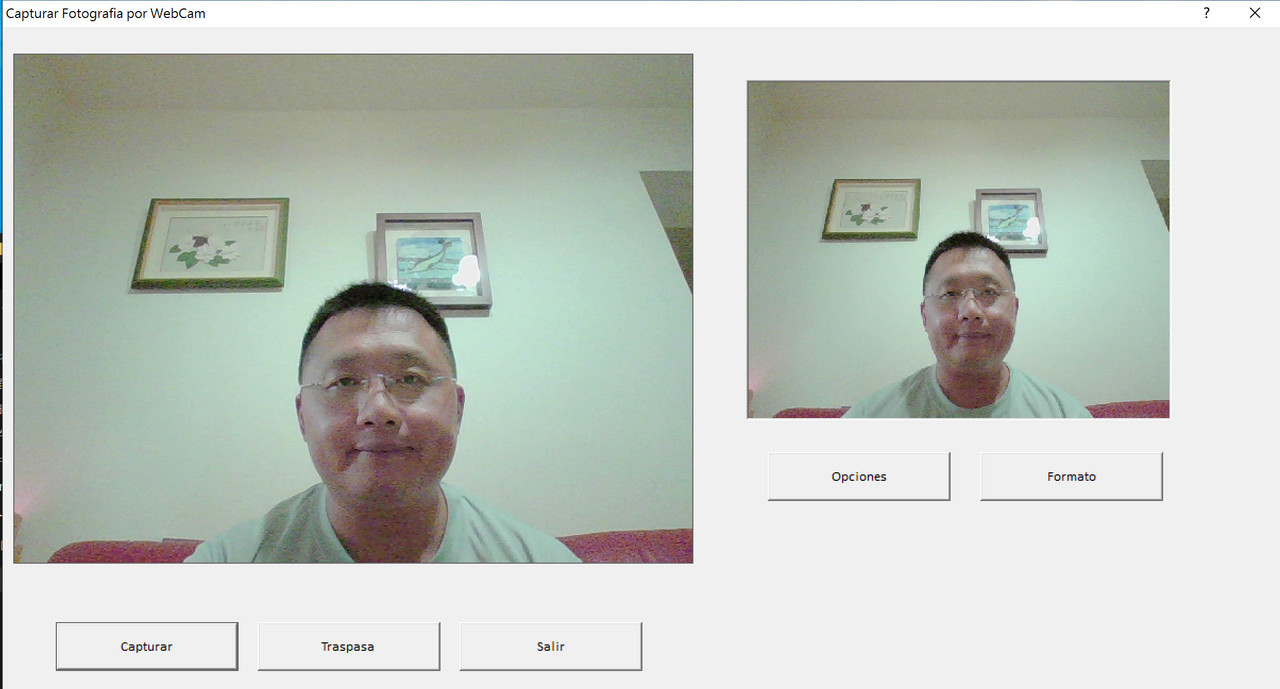
Richard,
If you build the EXE there, does it also works fine ?
many thanks for your feedback
Antonio Linares wrote:Richard,
If you build the EXE there, does it also works fine ?
many thanks for your feedback
yes, probably
He compilado con FWH 1804 en windows 10
Y funciona correctamente
Saludos,
Adhemar Cuéllar


