FiveTech Support Forums

FiveWin / Harbour / xBase community
Board index AI Introduction (Harbour code and samples) Artificial intelligence - Class TPerceptron
Posts: 44158
Joined: Thu Oct 06, 2005 05:47 PM
Artificial intelligence - Class TPerceptron
Posted: Wed Apr 19, 2017 08:34 AM
This is a simple example to start learning the very basics of the Artificial Intelligence

In this example we create a TPerceptron object and we make it learn the behavior of the function nAnd(), then we check the results and they seem to be right.
Then we create a new TPerceptron object and we make it learn the behavior of the function nOr(), the results seem right again :-)

I am not an expert at all on IA, I am just curious about it. So I appreciate your comments and tests

perceptron.prg
Code (fw): Select all Collapse
#include "FiveWin.ch"

function Main()

   local oPerceptron := TPerceptron():New( 2 )
   local n, nX, nY
   
   // the perceptron learns nAnd()
   for n = 1 to 1000
      oPerceptron:Learn( { nX := nRandom( 1 ), nY := nRandom( 1 ) }, nAnd( nX, nY ) )
   next
   
   MsgInfo( oPerceptron:CalculateOutput( { 1, 1 } ), "1" )  
   MsgInfo( oPerceptron:CalculateOutput( { 1, 0 } ), "0" )
   MsgInfo( oPerceptron:CalculateOutput( { 0, 1 } ), "0" )
   MsgInfo( oPerceptron:CalculateOutput( { 0, 0 } ), "0" )

   // We create a new perceptron to learn nOr()
   oPerceptron := TPerceptron():New( 2 )

   for n = 1 to 1000
      oPerceptron:Learn( { nX := nRandom( 1 ), nY := nRandom( 1 ) }, nOr( nX, nY ) )
   next
   
   MsgInfo( oPerceptron:CalculateOutput( { 1, 1 } ), "1" )
   MsgInfo( oPerceptron:CalculateOutput( { 1, 0 } ), "1" )
   MsgInfo( oPerceptron:CalculateOutput( { 0, 1 } ), "1" )
   MsgInfo( oPerceptron:CalculateOutput( { 0, 0 } ), "0" )
   
   XBrowser( oPerceptron )

return nil

CLASS TPerceptron

   DATA aPreviousWeights
   DATA nPreviousThreshold
   DATA aWeights           
   DATA nThreshold        
   DATA nLearningRate     
   
   METHOD New( nInputs ) 
   
   METHOD Learn( aInputs, nExpectedOutput )
   
   METHOD CalculateOutput( aInputs )

ENDCLASS

METHOD New( nInputs ) CLASS TPerceptron

   local n

   ::nPreviousThreshold = 0
   ::aWeights = Array( nInputs )
   ::aPreviousWeights = Array( nInputs )
   ::nThreshold = 0
   ::nLearningRate = 0.1

   for n = 1 to nInputs
      ::aPreviousWeights[ n ] = 0
      ::aWeights[ n ] = 0
   next   

return Self

METHOD Learn( aInputs, nExpectedOutput ) CLASS TPerceptron

   local nError := nExpectedOutput - ::CalculateOutput( aInputs )
   local n
   
   for n = 1 to Len( ::aWeights )
      ::aWeights[ n ] = ::aPreviousWeights[ n ] + ::nLearningRate * nError * aInputs[ n ]
   next
   
   ::nThreshold = ::nPreviousThreshold + ::nLearningRate * nError

   ::aPreviousWeights = ::aWeights
   ::nPreviousThreshold = ::nThreshold

return nil

METHOD CalculateOutput( aInputs ) CLASS TPerceptron

   local nSum := 0
   local n
   
   for n = 1 to Len( ::aWeights )
      nSum += aInputs[ n ] * ::aWeights[ n ]
   next   
       
   nSum += ::nThreshold

return If( nSum > 0, 1, 0 )
regards, saludos

Antonio Linares
www.fivetechsoft.com
Posts: 44158
Joined: Thu Oct 06, 2005 05:47 PM
Re: Artificial intelligence - Class TPerceptron
Posted: Wed Apr 19, 2017 10:14 AM

It is a very simple concept:

A perceptron it is equivalent to a brain neuron.

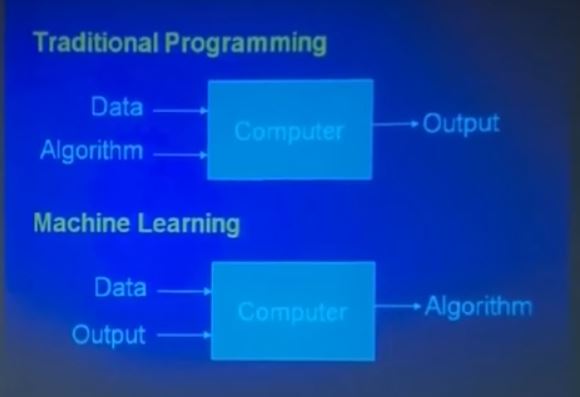
The perceptron receives "inputs" and each of these have more or less intensity ("weights"), and the perceptron acts as a Harbour function (method "CalculateOutputs") receiveing some parameters (the inputs) and returning a result to know if it is or not the expected result ("nExpectedOutput")

The perceptron modifies its weights (DATA aWeights) if the result is not ok, so it "adapts" to the result that we expect.

When the perceptron is enough trained, we can provide it some inputs and check if the answer is right. In such case
its "weights" have been properly adjusted and the perceptron has learned :-)

regards, saludos

Antonio Linares
www.fivetechsoft.com
Posts: 44158
Joined: Thu Oct 06, 2005 05:47 PM
Re: Artificial intelligence - Class TPerceptron
Posted: Wed Apr 19, 2017 10:54 AM
regards, saludos

Antonio Linares
www.fivetechsoft.com
Posts: 44158
Joined: Thu Oct 06, 2005 05:47 PM
Re: Artificial intelligence - Class TPerceptron
Posted: Tue May 16, 2017 04:47 AM


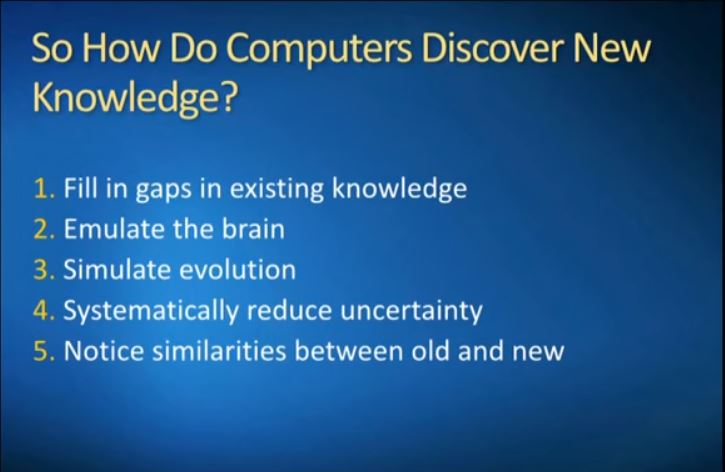
Pedro Domingos: The Master Algorithm
https://youtu.be/95XgpJAX6YE


regards, saludos

Antonio Linares
www.fivetechsoft.com
Posts: 4840
Joined: Fri Nov 18, 2005 04:52 PM
Re: Artificial intelligence - Class TPerceptron
Posted: Thu May 18, 2017 02:59 PM

Antonio,

I just tried compiling your TPerceptron example code and I am getting 66 errors. The first one is:

Perceptron.prg(40) Error E0016 Syntax error: ' '

At this line:

local oPerceptron := TPerceptron():New( 2 )

There are a lot of these same errors (on different lines).

I can't see anything wrong with the line. I note that I have started seeing this error message in my own code recently too. Maybe I am missing an include or something. Any ideas?

Regards,
James

FWH 18.05/xHarbour 1.2.3/BCC7/Windows 10
Posts: 4840
Joined: Fri Nov 18, 2005 04:52 PM
Re: Artificial intelligence - Class TPerceptron
Posted: Thu May 18, 2017 03:12 PM

Antonio,

There are only two other types of errors, "ambiguous reference..." and those like this:

Perceptron.prg(101) Error E0019 #error: 'Method "Learn( aInputs, nExpectedOutput )" not declared in class: TPerceptron'

None of the error messages are valid so I can't imagine what is triggering them.

James

FWH 18.05/xHarbour 1.2.3/BCC7/Windows 10
Posts: 4043
Joined: Wed Dec 19, 2007 06:40 PM
Re: Artificial intelligence - Class TPerceptron
Posted: Thu May 18, 2017 04:12 PM
James,

That was a nice test of the practical use of my sample-collector
I included the sample from Antonio 1 : 1 to a free section.
I didn't change anything. NO errors ( just 5 minutes time to test it ) .

The xBrowse-results :


Sample included in GROUP 3 SECTION 3 ( Dialog-section )

Code (fw): Select all Collapse
#include 'fivewin.ch'
#include 'xbrowse.ch'

// -------------------------------------------------------------- 
// -------------- GROUP 3 with DIALOG ----------------
// -------------------------------------------------------------- 
// --------------------- SECTION 1 ------------------------- 

FUNCTION GRPS3_SEC1()
LOCAL oBar

DEFINE BUTTONBAR oBar OF oDlg SIZE 56,64 2013 HEIGHT 96

oBar:oGrpFont  := oMedium

DEFINE BUTTON OF oBar PROMPT "Back"    RESOURCE 0x100DF GROUP LABEL "Navigate" COLORS CLR_WHITE,CLR_HBLUE
DEFINE BUTTON OF oBar PROMPT "Top"     RESOURCE 0x100E9
DEFINE BUTTON OF oBar PROMPT "Bottom"  RESOURCE 0x100EA
DEFINE BUTTON OF oBar PROMPT "Add"     RESOURCE 0x2002F GROUP LABEL "Edit" ;
      COLORS CLR_WHITE, { { 1, CLR_BLACK, CLR_WHITE }, .F. }
DEFINE BUTTON OF oBar PROMPT "Edit"    RESOURCE 0x20022
DEFINE BUTTON OF oBar PROMPT "Delete"  RESOURCE 0x20033
DEFINE BUTTON OF oBar PROMPT "Save"    RESOURCE 0x1003C GROUP LABEL "Export" COLORS CLR_WHITE,CLR_GREEN
DEFINE BUTTON OF oBar PROMPT "Refresh" RESOURCE 0x30050
DEFINE BUTTON OF oBar PROMPT "Setup"   RESOURCE 0x1005D BTNRIGHT

AEval( oBar:aControls, { |oBtn| oBtn:bColorMap := { |o| If( o:lMOver, { CLR_BLACK, CLR_HRED }, nil ) } } )

RETURN NIL

// --------------------

FUNCTION GRPS3_SEC2()
LOCAL oBar

DEFINE BUTTONBAR oBar OF oDlg 2013 SIZE 56,56 HEIGHT 80

oBar:oGrpFont  := oMedium

DEFINE BUTTON OF oBar FILE c_Path1 + "top.bmp" PROMPT "Top"  GROUP LABEL "NAVIGATE"
DEFINE BUTTON OF oBar FILE c_Path1 + "goto.bmp" PROMPT "GoTo"
DEFINE BUTTON OF oBar FILE c_Path1 + "bottom.bmp" PROMPT "Bottom"
DEFINE BUTTON OF oBar FILE c_Path1 + "new2.bmp" PROMPT "Add"  GROUP LABEL "EDIT"
DEFINE BUTTON OF oBar FILE c_Path1 + "edit.bmp" PROMPT "Edit"
DEFINE BUTTON OF oBar FILE c_Path1 + "delete0.bmp" PROMPT "Delete"
DEFINE BUTTON OF oBar FILE c_Path1 + "excel.bmp" PROMPT "Excel"  GROUP LABEL "EXPORT"
DEFINE BUTTON OF oBar FILE c_Path1 + "pdf.bmp" PROMPT "PDF"
DEFINE BUTTON OF oBar FILE c_Path1 + "printquick16.bmp" PROMPT "Print"
DEFINE BUTTON OF oBar FILE c_Path1 + "exit2.bmp" PROMPT "Exit" GROUP BTNRIGHT

RETURN NIL

// --------------------- SECTION 2 ------------------------- 

FUNCTION GRPS3_SEC3( oFld3, nSavePage )
local oPerceptron := TPerceptron():New( 2 )
local n, nX, nY
   
// the perceptron learns nAnd()
for n = 1 to 1000
      oPerceptron:Learn( { nX := nRandom( 1 ), nY := nRandom( 1 ) }, nAnd( nX, nY ) )
next
   
MsgInfo( oPerceptron:CalculateOutput( { 1, 1 } ), "1" )  
MsgInfo( oPerceptron:CalculateOutput( { 1, 0 } ), "0" )
MsgInfo( oPerceptron:CalculateOutput( { 0, 1 } ), "0" )
MsgInfo( oPerceptron:CalculateOutput( { 0, 0 } ), "0" )

// We create a new perceptron to learn nOr()
oPerceptron := TPerceptron():New( 2 )

for n = 1 to 1000
      oPerceptron:Learn( { nX := nRandom( 1 ), nY := nRandom( 1 ) }, nOr( nX, nY ) )
next
   
MsgInfo( oPerceptron:CalculateOutput( { 1, 1 } ), "1" )
MsgInfo( oPerceptron:CalculateOutput( { 1, 0 } ), "1" )
MsgInfo( oPerceptron:CalculateOutput( { 0, 1 } ), "1" )
MsgInfo( oPerceptron:CalculateOutput( { 0, 0 } ), "0" )
   
XBrowser( oPerceptron )

RETURN NIL

// ----------------

CLASS TPerceptron

DATA aPreviousWeights
DATA nPreviousThreshold
DATA aWeights           
DATA nThreshold        
DATA nLearningRate     

METHOD New( nInputs ) 

METHOD Learn( aInputs, nExpectedOutput )

METHOD CalculateOutput( aInputs )

ENDCLASS

// ------

METHOD New( nInputs ) CLASS TPerceptron
local n

::nPreviousThreshold = 0
::aWeights = Array( nInputs )
::aPreviousWeights = Array( nInputs )
::nThreshold = 0
::nLearningRate = 0.1

for n = 1 to nInputs
   ::aPreviousWeights[ n ] = 0
   ::aWeights[ n ] = 0
next   

return Self

// ----------

METHOD Learn( aInputs, nExpectedOutput ) CLASS TPerceptron
local nError := nExpectedOutput - ::CalculateOutput( aInputs )
local n
   
for n = 1 to Len( ::aWeights )
      ::aWeights[ n ] = ::aPreviousWeights[ n ] + ::nLearningRate * nError * aInputs[ n ]
next
   
::nThreshold = ::nPreviousThreshold + ::nLearningRate * nError

 ::aPreviousWeights = ::aWeights
 ::nPreviousThreshold = ::nThreshold

return nil

// ----------

METHOD CalculateOutput( aInputs ) CLASS TPerceptron
local nSum := 0
local n
   
for n = 1 to Len( ::aWeights )
      nSum += aInputs[ n ] * ::aWeights[ n ]
next   
       
nSum += ::nThreshold

return If( nSum > 0, 1, 0 )

// --------------------- SECTION 4 ------------------------- 

FUNCTION GRPS3_SEC4( oFld3, nSavePage )

RETURN NIL


regards
Uwe :-)
Since 1995 ( the first release of FW 1.9 )

i work with FW.

If you have any questions about special functions, maybe i can help.
Posts: 4840
Joined: Fri Nov 18, 2005 04:52 PM
Re: Artificial intelligence - Class TPerceptron
Posted: Thu May 18, 2017 04:39 PM
OK, I found the problem!

It only occurs when I copy code from the forum. Sometimes there are special characters (invisible) instead of spaces indenting the code. I this case it was this line:

Code (fw): Select all Collapse
CLASS TPerceptron
   METHOD New
[special characters]METHOD Learn
ENDCLASS


When I changed the invisible characters to spaces there are no more errors.

I haven't figured out which characters they are as it is difficult to do with hex view in my editor. At first I thought they were tabs, but I inserted tabs and they work fine.

James
FWH 18.05/xHarbour 1.2.3/BCC7/Windows 10
Posts: 4840
Joined: Fri Nov 18, 2005 04:52 PM
Re: Artificial intelligence - Class TPerceptron
Posted: Thu May 18, 2017 05:15 PM

Ok, normally you use 3 spaces to indent. These are hex 20,20,20.

Some of the lines in the Perceptron code indented with spaces but others are indented with A0,20,A0. This causes a syntax error by the compiler.

I am at a loss as to how code that was working, can then be uploaded to the forum and end up with the A0,20,A0 syntax. I have never seen this until recently. Perhaps the forum software is doing this and it wasn't before?

Regards,
James

FWH 18.05/xHarbour 1.2.3/BCC7/Windows 10
Posts: 4043
Joined: Wed Dec 19, 2007 06:40 PM
Re: Artificial intelligence - Class TPerceptron
Posted: Thu May 18, 2017 08:08 PM

James,

I copied from the posted code and did a past with my editor.
Maybe Your used EDITOR is the problem ?

regards
Uwe :?:

Since 1995 ( the first release of FW 1.9 )

i work with FW.

If you have any questions about special functions, maybe i can help.
Posts: 9020
Joined: Thu Oct 06, 2005 08:17 PM
Re: Artificial intelligence - Class TPerceptron
Posted: Thu May 18, 2017 08:48 PM

The problem is a bug in MS Edge. Try with IE and it will work fine.

EMG

Posts: 4840
Joined: Fri Nov 18, 2005 04:52 PM
Re: Artificial intelligence - Class TPerceptron
Posted: Thu May 18, 2017 09:35 PM
Enrico,

The problem is a bug in MS Edge. Try with IE and it will work fine.


Thanks so much for that tip. I am using Edge. I'll try to remember the next time I copy text to use IE.

I have been using Edge for a couple of years now and I never had that problem before. I suppose the bug must have been introduced recently.

Regards,
James
FWH 18.05/xHarbour 1.2.3/BCC7/Windows 10
Posts: 4840
Joined: Fri Nov 18, 2005 04:52 PM
Re: Artificial intelligence - Class TPerceptron
Posted: Thu May 18, 2017 11:15 PM
Antonio,

Pardon me for accidentally hijacking your thread.

I have found a good article about preceptrons:

Perceptrons - the most basic form of a neural network

James
FWH 18.05/xHarbour 1.2.3/BCC7/Windows 10
Posts: 195
Joined: Sun Jul 22, 2012 07:01 PM
Re: Artificial intelligence - Class TPerceptron
Posted: Fri May 19, 2017 03:03 AM

I've been looking for some old source code to prove it to myself but this looks very similar to what I was taught as Predictor/Corrector methods back in the mid-80s when I was working on my mechanical engineering degree. I had forgotten about it until reading this code. If I remember correctly, for learning purposes, we used it for contour mapping, as in topographical maps. I remember it being fun to work with, but for the life of me I can't recall how it actually worked. I would need to find the original source to be sure. I may only have it on a floppy disk, probably written in Fortran 77.

I did do some derivative work based on that method, written for an aerospace company, which means nothing I owned or can share as I wouldn't have a copy. I suppose the original code I wrote it in college I own. If I can find it I'll see about porting it to harbour and will share it. Don't wait for it, it may be on a 5 1/4" floppy disk, and I don't have one of those drives anywhere any longer.

Robb

Posts: 9020
Joined: Thu Oct 06, 2005 08:17 PM
Re: Artificial intelligence - Class TPerceptron
Posted: Fri May 19, 2017 08:03 AM
James Bott wrote:Enrico,

The problem is a bug in MS Edge. Try with IE and it will work fine.


Thanks so much for that tip. I am using Edge. I'll try to remember the next time I copy text to use IE.

I have been using Edge for a couple of years now and I never had that problem before. I suppose the bug must have been introduced recently.

Regards,
James


Yes, I saw it the first time with W10 Anniversary Update, if I remember correctly.

EMG