

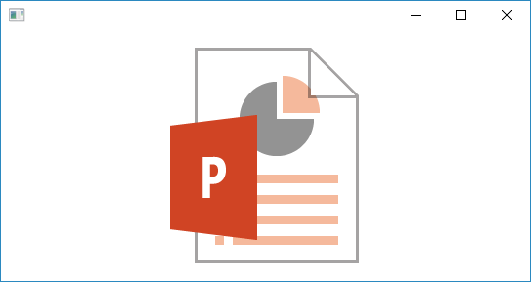
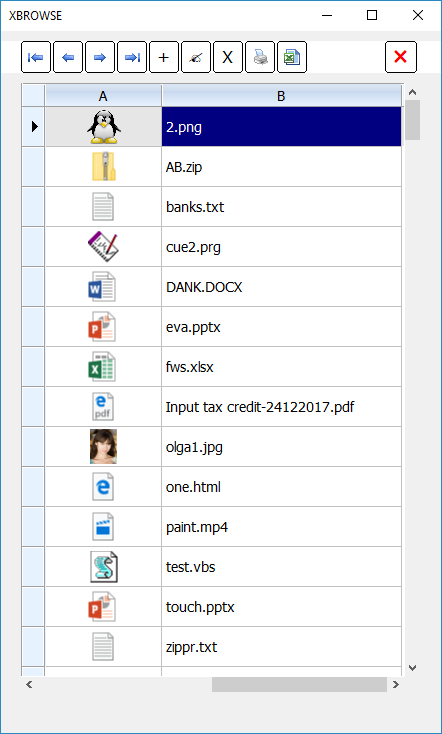
It is now extremely easy to extract the application icon of any file on the disk. The default image reading function of FWH read image from an image file and application icon from non-image files.
Simple test:
Sample-2
Sample-3
Simple test:
#include "fivewin.ch"

function Main()

   local oWnd

   DEFINE WINDOW oWnd
   ACTIVATE WINDOW oWnd ;
      ON PAINT oWnd:DrawImage( "c:\mydocs\eva.pptx(256x256)" )

return nil
Sample-2
#include "fivewin.ch"

function Main()

   local cPath := "c:\mydocs\"
   local aDir  := DIRECTORY( cPath + "*.*" )

   AEval( aDir, { |a| a[ 2 ] := cPath + a[ 1 ] } )

   XBROWSER aDir COLUMNS 2,1 SETUP ( ;
      oBrw:aCols[ 1 ]:cDataType     := "F", ;
      oBrw:aCols[ 1 ]:nDataBmpAlign := AL_CENTER, ;
      oBrw:aCols[ 1 ]:nWidth        := 40, ;
      oBrw:nRowHeight               := 40  )

return nil
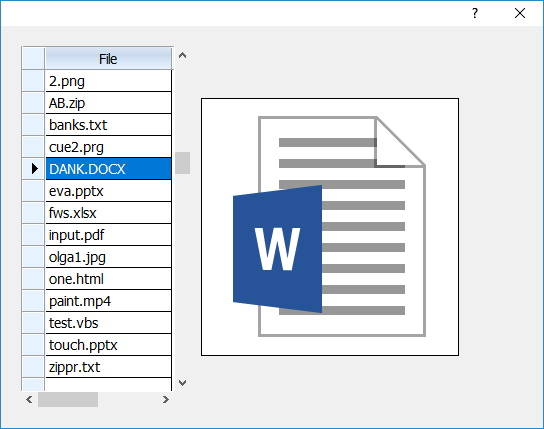
Sample-3
#include "fivewin.ch"

function Main()

   local oDlg, oFont, oBrw, oImage
   local cPath := "c:\mydocs\"
   local aDir  := DIRECTORY( cPath + "*.*" )

   DEFINE FONT oFont NAME "TAHOMA" SIZE 0,-14
   DEFINE DIALOG oDlg SIZE 540,400 PIXEL TRUEPIXEL FONT oFont

   @  20, 20 XBROWSE oBrw SIZE 170,-20 PIXEL OF oDlg ;
      DATASOURCE aDir COLUMNS 1 HEADERS "File" ;
      CELL LINES NOBORDER

   WITH OBJECT oBrw
      :nStretchCol   := 1
      :bChange       := { || oImage:Refresh() }
      //
      :CreateFromCode()
   END

   @  72,200 XIMAGE oImage SOURCE { || cPath + oBrw:aRow[ 1 ] + "(256X256)" } ;
      SIZE 256,256 OF oDlg

   ACTIVATE DIALOG oDlg CENTERED
   RELEASE FONT oFont

return nil
Regards
G. N. Rao.
Hyderabad, India
G. N. Rao.
Hyderabad, India