FiveTech Support Forums

FiveWin / Harbour / xBase community
Board index FiveWin for Harbour/xHarbour Change color in a bmp
Posts: 4043
Joined: Wed Dec 19, 2007 06:40 PM
Re: Change color in a bmp
Posted: Tue Mar 23, 2021 12:00 PM
Silvio,

it seems to work now with BMP but I still noticed a problem using JPG :-)
Just change these lines
xImage moving and zooming will delete selected colors :-)

@ 4,1 XIMAGE oImg filename cFile SIZE 200,200 OF oDlg
oImg:nUserControl := 0
oImg:oCursor := oHand
oImg:blClicked := { | nCol, nRow | nPickRow := nRow, nPickCol := nCol,;
FILLCOLOR(oImg, nPickRow, nPickCol, nColorSet ) }

// -----------

FUNCTION FILLCOLOR( oImg, nRow, nCol, nColor )
LOCAL hDC := oImg:getDc()

FloodFill( hDC, nRow, nCol, nil, nColor )
oImg:SaveToBmp( "A.bmp" ) // save the last result :-)
oImg:ReleaseDC()

RETURN NIL

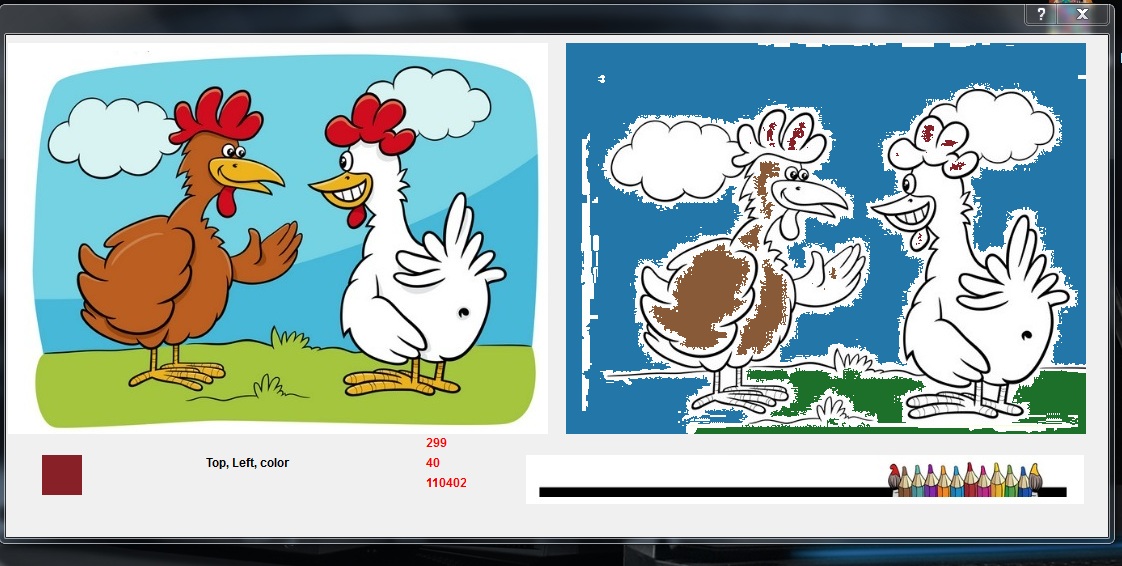
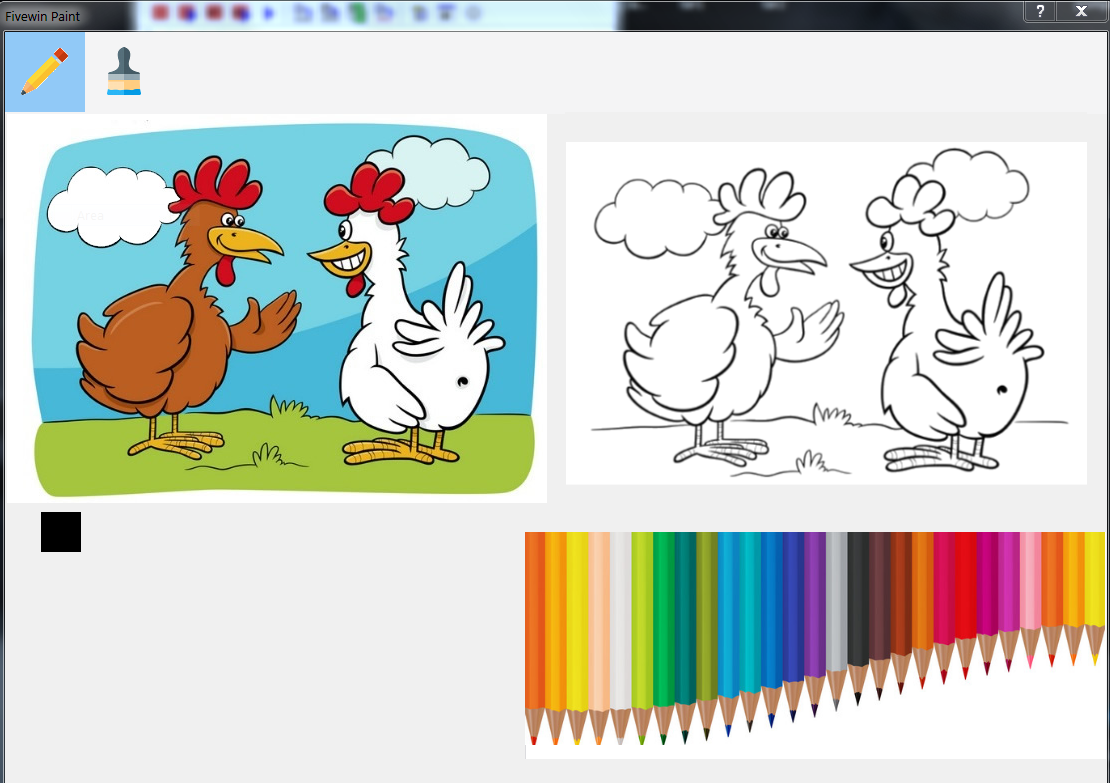
The original test-image
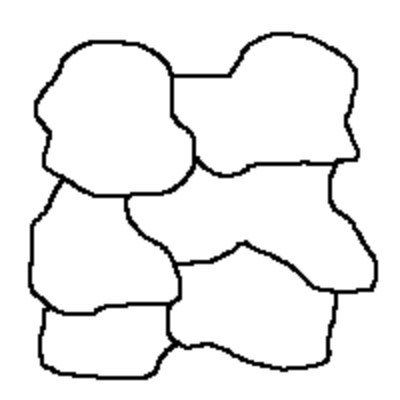


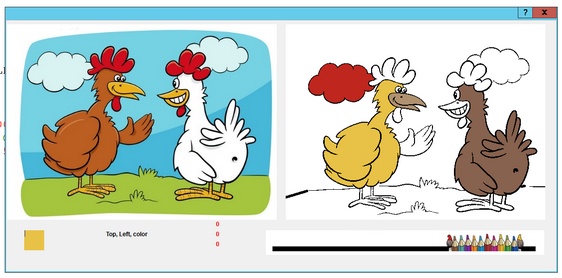
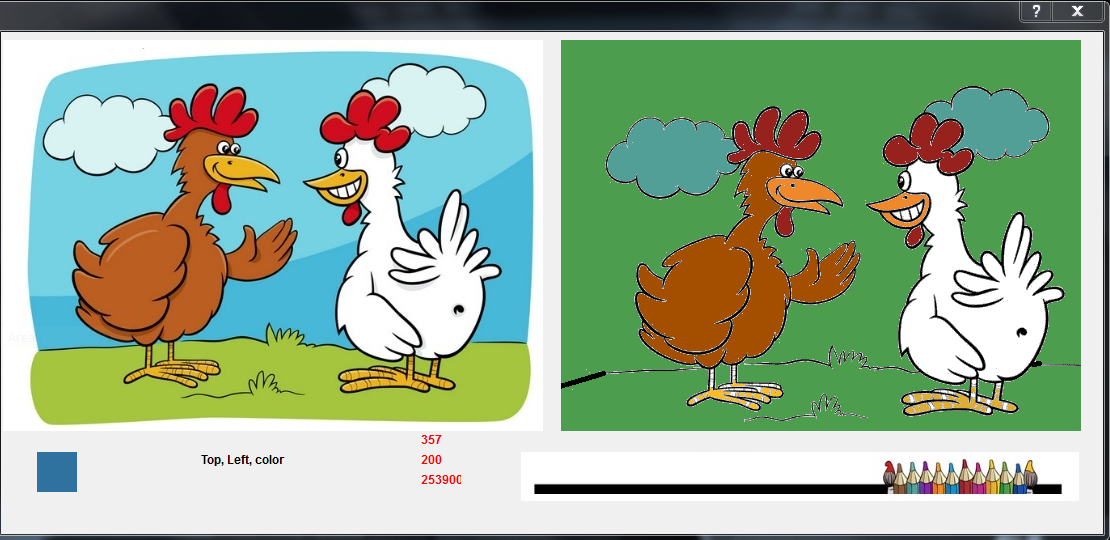
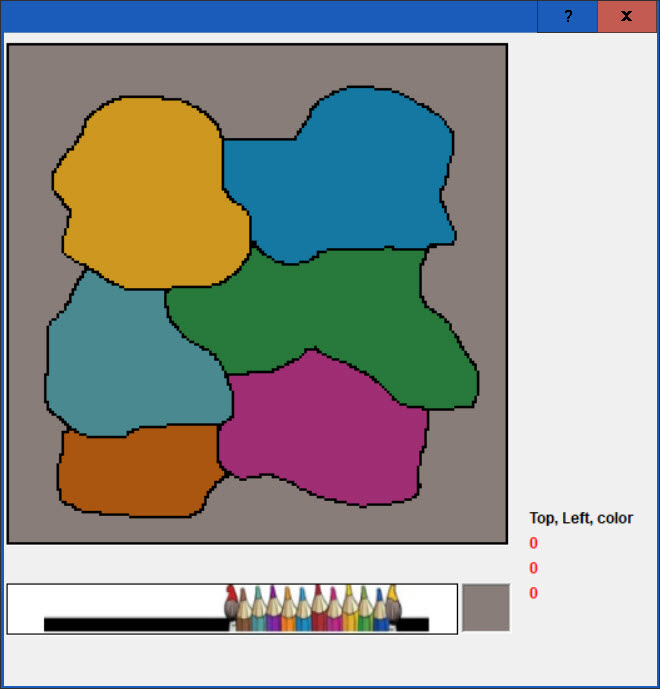
The test


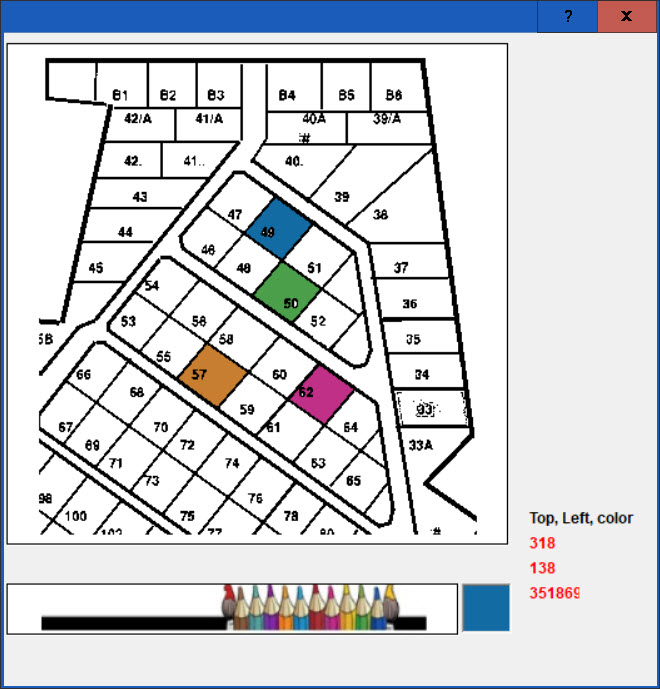
sample from Otto


regards
Uwe
Since 1995 ( the first release of FW 1.9 )

i work with FW.

If you have any questions about special functions, maybe i can help.
Posts: 7317
Joined: Thu Oct 18, 2012 07:17 PM
Re: Change color in a bmp
Posted: Wed Mar 24, 2021 09:46 AM
Uwe,

I made a test (using ExtFloodFill)


I do not believe that in fivewin you cannot draw and color a drawing in a uniform way
Since from 1991/1992 ( fw for clipper Rel. 14.4 - Momos)

I use : FiveWin for Harbour March-April 2024 - Harbour 3.2.0dev (harbour_bcc770_32_20240309) - Bcc7.70 - xMate ver. 1.15.3 - PellesC - mail: silvio[dot]falconi[at]gmail[dot]com
Posts: 6983
Joined: Fri Oct 07, 2005 07:07 PM
Re: Change color in a bmp
Posted: Wed Mar 24, 2021 09:53 AM

Silvio, I think I know where the problem is. Please post your code and the bitmap.
Best regards,
Otto

Posts: 7317
Joined: Thu Oct 18, 2012 07:17 PM
Re: Change color in a bmp
Posted: Wed Mar 24, 2021 10:06 AM
Otto wrote:Silvio, I think I know where the problem is. Please post your code and the bitmap.
Best regards,
Otto


Otto,
this is the test
Code (fw): Select all Collapse
#include "fivewin.ch"


    FUNCTION MAIN()

    local cColori:="colori.png"
    local cModello:="Modello.jpg"
    local cFile:="da_colorare.jpg"
    local oDlg,oBmp,oImg,oImgx
    local nColor := 0, oColor
    local hdc, nPickRow := 0, nPickCol := 0
    local oSay1, oSay2, oSay3, oFont
    local nColorSet:= 1
    DEFINE CURSOR oHand HAND
    DEFINE FONT oFont NAME "Verdanal" SIZE 0, -12 BOLD

    DEFINE dialog oDlg size 1100, 500

    @ 4,1 BITMAP oImgx filename cModello  SIZE 270,200 OF oDlg PIXEL NOBORDER
    @ 4,280 BITMAP oImg filename cFile  SIZE 260,200 OF oDlg  PIXEL NOBORDER
    @ 210,260 BITMAP oBmp filename cColori  SIZE 300,50 OF oDlg PIXEL NOBORDER


    oImg:oCursor := oHand
    oImg:bPainted := < |hDC|
        oSay1:Refresh()
        oSay2:Refresh()
        oSay3:Refresh()
    RETURN NIL
    >


    @ 210, 18 get oColor var ncolor size 20, 20 pixel  COLOR nColor, nColor UPDATE  NOBORDER
    @ 210, 100 say oSay0 PROMPT "Top, Left, color" size 60, 30 pixel  COLOR 0 FONT oFont UPDATE
    @ 200, 210 say oSay1 var nPickRow size 20, 20 pixel  COLOR 255 FONT oFont UPDATE
    @ 210, 210 say oSay2 var nPickCol size 20, 20 pixel  COLOR 255 FONT oFont UPDATE
    @ 220, 210 say oSay3 var nColor size 20, 20 pixel  COLOR 255 FONT oFont UPDATE

    oBmp:oCursor := oHand
    oBmp:bLClicked := { | nRow, nCol | ( ncolor := GETCOLOR( oBmp, nRow, nCol ), ;
                                                                oColor:SetColor(nColor, nColor), oColor:refresh(),nColorSet:=ncolor ) }

    oImg:blClicked := { | nRow, nCol | nPickRow := nRow, nPickCol := nCol,;
                        FILLCOLOR(oImg, nPickRow, nPickCol, nColorSet ) }


    ACTIVATE DIALOG oDlg CENTERED

    oFont:End()

    RETURN NIL

    //-----------------------

    FUNCTION GETCOLOR( oBmp, nRow, nCol )
    hDC := oBmp:GetDC()
    nColor := GetPixel( hDC, nCol, nRow )
    oBmp:ReleaseDC()
    RETURN nColor

   //-----------------------

  FUNCTION FILLCOLOR( oImg, nRow, nCol, nColor )
    local hDC:=oImg:getDc()
    LOCAL hBrush := CreateSolidBrush( nColor )
    LOCAL hOld := SelectObject(hDC, hBrush)
    ExtFloodFill(hDC, nCol, nRow,CLR_WHITE,2)
    SelectObject( hDC, hOld )
    DeleteObject( hBrush )
    //FloodFill( hDC, nCol, nRow, nil, nColor )
    oImg:ReleaseDC()
RETURN NIL

see your maiil
Since from 1991/1992 ( fw for clipper Rel. 14.4 - Momos)

I use : FiveWin for Harbour March-April 2024 - Harbour 3.2.0dev (harbour_bcc770_32_20240309) - Bcc7.70 - xMate ver. 1.15.3 - PellesC - mail: silvio[dot]falconi[at]gmail[dot]com
Posts: 6983
Joined: Fri Oct 07, 2005 07:07 PM
Re: Change color in a bmp
Posted: Wed Mar 24, 2021 10:28 AM
Hello Silvio,
Great example.
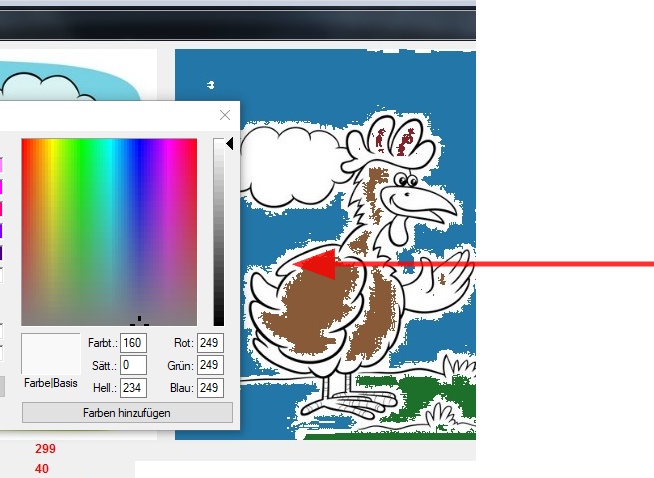
ExtFloodFill only works on one color.
You have in your image at the border another color.


Store your image as monochrome and all is working fine.


Thank you for sharing.
Now I have an easter present for my grandchildren.

Best regards,
Otto
Posts: 7317
Joined: Thu Oct 18, 2012 07:17 PM
Re: Change color in a bmp
Posted: Wed Mar 24, 2021 11:21 AM
good


but there are many white points also
Since from 1991/1992 ( fw for clipper Rel. 14.4 - Momos)

I use : FiveWin for Harbour March-April 2024 - Harbour 3.2.0dev (harbour_bcc770_32_20240309) - Bcc7.70 - xMate ver. 1.15.3 - PellesC - mail: silvio[dot]falconi[at]gmail[dot]com
Posts: 6983
Joined: Fri Oct 07, 2005 07:07 PM
Re: Change color in a bmp
Posted: Wed Mar 24, 2021 11:34 AM

Silvio, zoom your image, and you will see you have also RGB(204,204,204) inside the white spaces.
You must clean up the image.
Best regards,
Otto

Posts: 7317
Joined: Thu Oct 18, 2012 07:17 PM
Re: Change color in a bmp
Posted: Wed Mar 24, 2021 12:03 PM

Otto,
I have many images , How I can clear all ?

Since from 1991/1992 ( fw for clipper Rel. 14.4 - Momos)

I use : FiveWin for Harbour March-April 2024 - Harbour 3.2.0dev (harbour_bcc770_32_20240309) - Bcc7.70 - xMate ver. 1.15.3 - PellesC - mail: silvio[dot]falconi[at]gmail[dot]com
Posts: 6983
Joined: Fri Oct 07, 2005 07:07 PM
Re: Change color in a bmp
Posted: Wed Mar 24, 2021 12:16 PM

Silvio, maybe Uwe knows a way?
Best regards,
Otto

Posts: 6983
Joined: Fri Oct 07, 2005 07:07 PM
Re: Change color in a bmp
Posted: Thu Mar 25, 2021 08:05 AM

Hello Silvio,
Try this online service:

https://onlinepngtools.com/change-png-color

Best regards,
Otto

Posts: 7317
Joined: Thu Oct 18, 2012 07:17 PM
Re: Change color in a bmp
Posted: Thu Mar 25, 2021 10:56 AM
New release ( Otto see on your mail)

Since from 1991/1992 ( fw for clipper Rel. 14.4 - Momos)

I use : FiveWin for Harbour March-April 2024 - Harbour 3.2.0dev (harbour_bcc770_32_20240309) - Bcc7.70 - xMate ver. 1.15.3 - PellesC - mail: silvio[dot]falconi[at]gmail[dot]com

Continue the discussion