FiveTech Support Forums

FiveWin / Harbour / xBase community
Board index FiveWin for Harbour/xHarbour Unicode characters displaying as ANSI on windows title bar
Posts: 195
Joined: Sun Jul 22, 2012 07:01 PM
Unicode characters displaying as ANSI on windows title bar
Posted: Thu Jul 05, 2018 05:24 PM
I brought this issue up a long time ago. I never fixed it but I did just spend the last few minutes trying to isolate it to root cause.

It appears to only happen with an MDI window, and can be reproduced by a simple edit of c:\fwh\samples\mdi.prg. This issue doesn't show up everywhere, for example I don't see the issue on Windows 10 but I see it everywhere on Server 2008 and Server 2012.

This link provides a reasonable explanation of what is going on. What I don't understand yet is why I'm only seeing it on server operating systems.

https://stackoverflow.com/questions/333 ... -title-bar
" rel="noopener">
https://stackoverflow.com/questions/333 ... -title-bar


This is the original code:

Code (fw): Select all Collapse
// Testing FiveWin for Harbour MDI Windows support

#include "FiveWin.ch"

function Main()

   local oWnd

   DEFINE WINDOW oWnd MDI ;
      TITLE "A sample of a MDI environment"

   ACTIVATE WINDOW oWnd

return nil
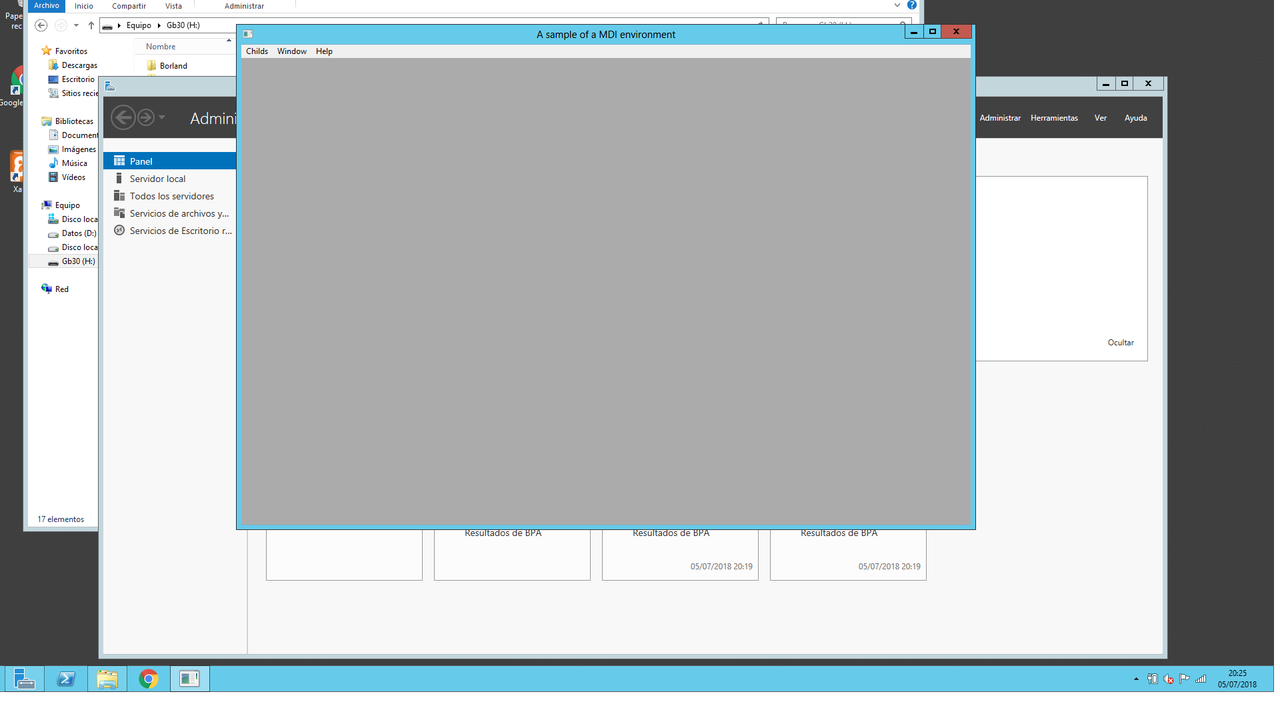

Edited code adding only FW_SetUnicode( .T. ) will result in a title bar that is trying to display unicode characters on a window that actually gets created as an ANSI window. Antonio, I'll email you a screen shot of the bad display.

Code (fw): Select all Collapse
// Testing FiveWin for Harbour MDI Windows support

#include "FiveWin.ch"

function Main()

   local oWnd

   FW_SetUnicode( .T. )

   DEFINE WINDOW oWnd MDI ;
      TITLE "A sample of a MDI environment"

   ACTIVATE WINDOW oWnd

return nil
Posts: 6755
Joined: Wed Feb 15, 2012 08:25 PM
Re: Unicode characters displaying as ANSI on windows title bar
Posted: Thu Jul 05, 2018 06:31 PM
Tested in my Server 2012
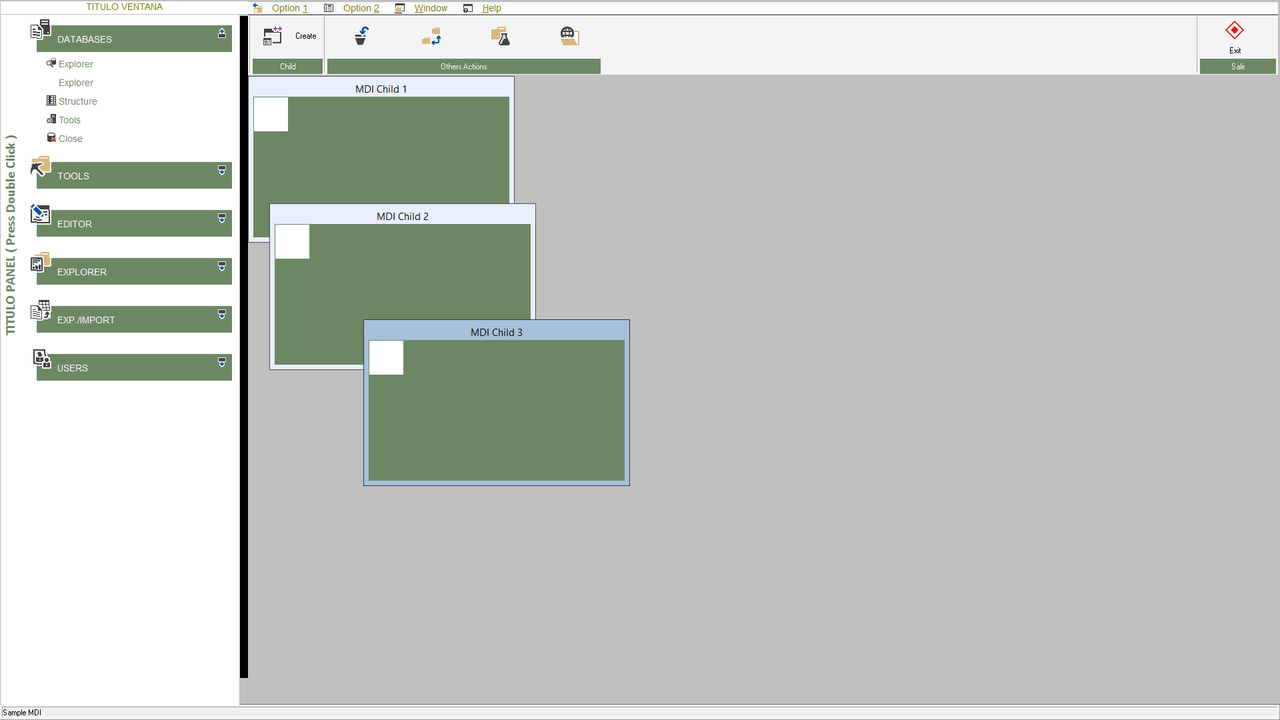
Tested with Fw_SetUnicode (.T.) And without Fw_SetUnicode in Windows Server 2012

Cristobal Navarro

Hay dos tipos de personas: las que te hacen perder el tiempo y las que te hacen perder la noción del tiempo

El secreto de la felicidad no está en hacer lo que te gusta, sino en que te guste lo que haces
Posts: 195
Joined: Sun Jul 22, 2012 07:01 PM
Re: Unicode characters displaying as ANSI on windows title bar
Posted: Thu Jul 05, 2018 06:40 PM

Thank you for testing. Very odd. Which compiler are you using? I'm only using msvc and msvc64, I should have made that clear. Also, I don't see it happening on the child windows, only the main window. Which tells me the main window is getting created ANSI but the children are getting created correctly for unicode.

Robb

Posts: 6755
Joined: Wed Feb 15, 2012 08:25 PM
Re: Unicode characters displaying as ANSI on windows title bar
Posted: Thu Jul 05, 2018 06:48 PM
rhlawek wrote:Thank you for testing. Very odd. Which compiler are you using? I'm only using msvc and msvc64, I should have made that clear. Also, I don't see it happening on the child windows, only the main window. Which tells me the main window is getting created ANSI but the children are getting created correctly for unicode.

Robb

Borland and Harbour
Ok, I try test in same enviroment with child windows
Cristobal Navarro

Hay dos tipos de personas: las que te hacen perder el tiempo y las que te hacen perder la noción del tiempo

El secreto de la felicidad no está en hacer lo que te gusta, sino en que te guste lo que haces
Posts: 6755
Joined: Wed Feb 15, 2012 08:25 PM
Re: Unicode characters displaying as ANSI on windows title bar
Posted: Thu Jul 05, 2018 06:55 PM
Robb, tested with VSC 2015 ( Harbour ) and create childs windows

Cristobal Navarro

Hay dos tipos de personas: las que te hacen perder el tiempo y las que te hacen perder la noción del tiempo

El secreto de la felicidad no está en hacer lo que te gusta, sino en que te guste lo que haces
Posts: 6755
Joined: Wed Feb 15, 2012 08:25 PM
Re: Unicode characters displaying as ANSI on windows title bar
Posted: Thu Jul 05, 2018 07:07 PM
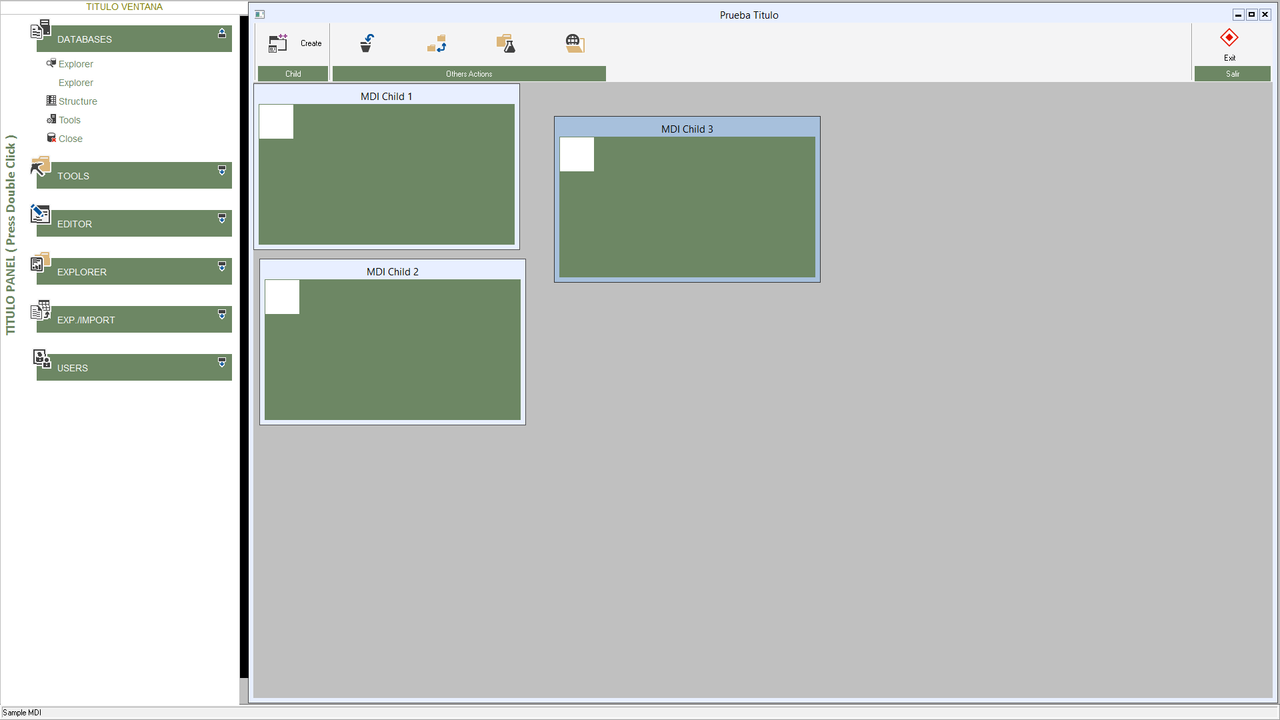
Also, with title in MDI window, and child windows ( with VSC 2015 and Harbour, in Server 2012 )

Cristobal Navarro

Hay dos tipos de personas: las que te hacen perder el tiempo y las que te hacen perder la noción del tiempo

El secreto de la felicidad no está en hacer lo que te gusta, sino en que te guste lo que haces
Posts: 866
Joined: Tue Oct 16, 2007 08:57 AM
Re: Unicode characters displaying as ANSI on windows title bar
Posted: Fri Jul 05, 2019 06:22 PM
cnavarro wrote:Also, with title in MDI window, and child windows ( with VSC 2015 and Harbour, in Server 2012 )


Mr.Cristobal Navarro

My PRG save as utf8 with BOM and use Harbour and MDI+Resource Dialog
HB_LangSelect( "zh" )
HB_SetCodePage( "UTF8" )
HB_CDPSELECT( "UTF8" )

Fw_SetUnicode( .T. )

My Child Window Title not show Chinese characters. If use SDI, Resource Dialog Title work fine.
So... Any Idea?

Best Regards,


Richard


Harbour 3.2.0dev (r2503251254) => Borland C++ v7.7 32bit

MySQL v8.0

Harbour 3.2.0dev (r2503251254) => Borland C++ v7.7 64bit
Posts: 10733
Joined: Sun Nov 19, 2006 05:22 AM
Re: Unicode characters displaying as ANSI on windows title bar
Posted: Fri Jul 05, 2019 11:43 PM

Mr. Richard

You are right. Child window titles are not displayed in Unicode.
Thanks for bringing this to our notice.
We will look into this.

Regards


G. N. Rao.

Hyderabad, India
Posts: 10733
Joined: Sun Nov 19, 2006 05:22 AM
Re: Unicode characters displaying as ANSI on windows title bar
Posted: Sat Jul 06, 2019 01:48 AM
Mr. Richard

This is now fixed in FWH1906 soon to be released. Thanks again for bringing this to our notice.

Regards


G. N. Rao.

Hyderabad, India
Posts: 866
Joined: Tue Oct 16, 2007 08:57 AM
Re: Unicode characters displaying as ANSI on windows title bar
Posted: Sun Jul 07, 2019 03:13 AM
nageswaragunupudi wrote:Mr. Richard

This is now fixed in FWH1906 soon to be released. Thanks again for bringing this to our notice.


Mr.RAO

I move Child Window anywhere in my screen. I found Child Window ICON Disappear(look my Previous post). Any idea or it's bug?
Best Regards,


Richard


Harbour 3.2.0dev (r2503251254) => Borland C++ v7.7 32bit

MySQL v8.0

Harbour 3.2.0dev (r2503251254) => Borland C++ v7.7 64bit
Posts: 10733
Joined: Sun Nov 19, 2006 05:22 AM
Re: Unicode characters displaying as ANSI on windows title bar
Posted: Sun Jul 07, 2019 04:55 AM

I move Child Window anywhere in my screen. I found Child Window ICON Disappear(look my Previous post). Any idea or it's bug?

You may be losing it when resizing, but not when moving.
The most likely reason is that you are releasing the Icon after Activating the mdichild window like this:
Code (fw): Select all Collapse
ACTIVATE WINDOW oMdiChild
RELEASE ICON oIco


Please do not do that. Instead do this:
Code (fw): Select all Collapse
oMdiChild:bPostEnd := { || oIco:End() }
ACTIVATE WINDOW oMdiChild

return nil


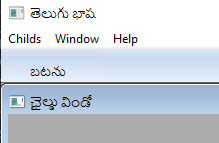
In this sample, the icon of the mdichild is never lost:
Code (fw): Select all Collapse
#include "fivewin.ch"

function Main()

   local oWnd, oBar

   FW_SetUnicode( .t. )

   DEFINE WINDOW oWnd MDI TITLE "తెలుగు భాష"
   DEFINE BUTTONBAR oBar OF oWnd SIZE 100,32 2007
   DEFINE BUTTON PROMPT "బటను" OF oBar ACTION Child()
   ACTIVATE WINDOW oWnd

return nil
static function Child()

   local oWnd, oIco, cText := Space( 40 )

   DEFINE ICON oIco FILE "c:\fwh\icons\books.ico"

   DEFINE WINDOW oWnd MDICHILD OF WndMain() ;
      TITLE "ఛైల్డు విండో" ICON oIco

   @ 40,40 GET cText SIZE 200,24 PIXEL OF oWnd

   @ 90,40 BUTTON "ఓకే (OK)" SIZE 100,30 PIXEL OF oWnd ;
      ACTION MsgInfo( cText )

   oWnd:bPostEnd := { || oIco:End() }

   ACTIVATE WINDOW oWnd

return nil
Regards


G. N. Rao.

Hyderabad, India
Posts: 866
Joined: Tue Oct 16, 2007 08:57 AM
Re: Unicode characters displaying as ANSI on windows title bar
Posted: Sun Jul 07, 2019 07:44 AM
nageswaragunupudi wrote:

I move Child Window anywhere in my screen. I found Child Window ICON Disappear(look my Previous post). Any idea or it's bug?

You may be losing it when resizing, but not when moving.
The most likely reason is that you are releasing the Icon after Activating the mdichild window like this:
Code (fw): Select all Collapse
ACTIVATE WINDOW oMdiChild
RELEASE ICON oIco


Please do not do that. Instead do this:
Code (fw): Select all Collapse
oMdiChild:bPostEnd := { || oIco:End() }
ACTIVATE WINDOW oMdiChild

return nil


In this sample, the icon of the mdichild is never lost:
Code (fw): Select all Collapse
#include "fivewin.ch"

function Main()

   local oWnd, oBar

   FW_SetUnicode( .t. )

   DEFINE WINDOW oWnd MDI TITLE "తెలుగు భాష"
   DEFINE BUTTONBAR oBar OF oWnd SIZE 100,32 2007
   DEFINE BUTTON PROMPT "బటను" OF oBar ACTION Child()
   ACTIVATE WINDOW oWnd

return nil

static function Child()

   local oWnd, oIco, cText := Space( 40 )

   DEFINE ICON oIco FILE "c:\fwh\icons\books.ico"

   DEFINE WINDOW oWnd MDICHILD OF WndMain() ;
      TITLE "ఛైల్డు విండో" ICON oIco

   @ 40,40 GET cText SIZE 200,24 PIXEL OF oWnd

   @ 90,40 BUTTON "ఓకే (OK)" SIZE 100,30 PIXEL OF oWnd ;
      ACTION MsgInfo( cText )

   oWnd:bPostEnd := { || oIco:End() }

   ACTIVATE WINDOW oWnd

return nil


Mr.RAO

Now, it's working now.
Best Regards,


Richard


Harbour 3.2.0dev (r2503251254) => Borland C++ v7.7 32bit

MySQL v8.0

Harbour 3.2.0dev (r2503251254) => Borland C++ v7.7 64bit

Continue the discussion