FiveTech Support Forums

FiveWin / Harbour / xBase community
Board index FiveWin for Harbour/xHarbour BUTTONBAR separators
Posts: 3022
Joined: Fri Oct 07, 2005 01:45 PM
BUTTONBAR separators
Posted: Thu Nov 01, 2018 11:24 PM

I have a dialog with a button bar built in. ( using tBar control in the resource file ).

I DEFINE BUTTONBAR ...no problem
I DEFINE BUTTON ... no problem

Add in GROUP LABEL "xyz" to some buttons ... works fine.

My last two buttons are a help button and an exit button. BTNRIGHT and they go to where they are placed.

So here is the issue. On the last GROUP LABEL, I would like to put a separator since there is a lot of space to the right on the label line. It would allow better centering of the label on the item(s) in that group.

Also, I use no label on the last two buttons, with BTNRIGHT, but a separator appears on the label line between them. I would love to not have that separator.

Any thoughts ?

Tim Stone
http://www.MasterLinkSoftware.com
http://www.autoshopwriter.com
timstone@masterlinksoftware.com
Using: FWH 23.10 with Harbour 3.2.0 / Microsoft Visual Studio Community 2022-24 32/64 bit
Posts: 6984
Joined: Fri Oct 07, 2005 07:07 PM
Re: BUTTONBAR separators
Posted: Fri Nov 02, 2018 12:19 AM
Hello Tim,
I am working on the same problem right now.
Best regards
Otto

Posts: 6984
Joined: Fri Oct 07, 2005 07:07 PM
Re: BUTTONBAR separators
Posted: Fri Nov 02, 2018 01:02 AM

Hello Tim
do you know if you can draw the TABs instead of diagonally also vertically.
Thank you in advance
Otto

Posts: 10733
Joined: Sun Nov 19, 2006 05:22 AM
Re: BUTTONBAR separators
Posted: Fri Nov 02, 2018 03:33 AM
Otto wrote:Hello Tim
do you know if you can draw the TABs instead of diagonally also vertically.
Thank you in advance
Otto

Please try setting oTabs:nOrientation to 1,2,3,4 for top, bottom, left, right.
Text will be automatically rotated based on orientation.
Regards


G. N. Rao.

Hyderabad, India
Posts: 10733
Joined: Sun Nov 19, 2006 05:22 AM
Re: BUTTONBAR separators
Posted: Fri Nov 02, 2018 04:55 AM
Mr. Tim and Mr. Otto

This is the present behavior.

If I understood you correctly, you would like to have a separator after button "five" of group "SECOND" and removal of short vertical separator between "Help" and "Exit" buttons.

We will be attending to the issues raised by you asap.
Regards


G. N. Rao.

Hyderabad, India
Posts: 3022
Joined: Fri Oct 07, 2005 01:45 PM
Re: BUTTONBAR separators
Posted: Fri Nov 02, 2018 07:16 AM

Exactly, and thank you.

Tim Stone
http://www.MasterLinkSoftware.com
http://www.autoshopwriter.com
timstone@masterlinksoftware.com
Using: FWH 23.10 with Harbour 3.2.0 / Microsoft Visual Studio Community 2022-24 32/64 bit
Posts: 6984
Joined: Fri Oct 07, 2005 07:07 PM
Re: BUTTONBAR separators
Posted: Fri Nov 02, 2018 08:05 AM
Dear Mr Rao,
thank you.
What I mean with vertical is this:


Best regards,
Otto
Posts: 10733
Joined: Sun Nov 19, 2006 05:22 AM
Re: BUTTONBAR separators
Posted: Fri Nov 02, 2018 08:33 AM

Mr. Otto

Sorry, that is not possible.

Regards


G. N. Rao.

Hyderabad, India
Posts: 6984
Joined: Fri Oct 07, 2005 07:07 PM
Re: BUTTONBAR separators
Posted: Fri Nov 02, 2018 10:44 AM
Dear Mr Rao

What is the advantage of TAB Class over a line with added buttons.
Do you think I can get problems doing this.

Thank you in advance
Otto


Posts: 7318
Joined: Thu Oct 18, 2012 07:17 PM
Re: BUTTONBAR separators
Posted: Fri Nov 02, 2018 10:45 AM
Otto,
do you need this ?

Since from 1991/1992 ( fw for clipper Rel. 14.4 - Momos)

I use : FiveWin for Harbour March-April 2024 - Harbour 3.2.0dev (harbour_bcc770_32_20240309) - Bcc7.70 - xMate ver. 1.15.3 - PellesC - mail: silvio[dot]falconi[at]gmail[dot]com
Posts: 6984
Joined: Fri Oct 07, 2005 07:07 PM
Re: BUTTONBAR separators
Posted: Fri Nov 02, 2018 01:15 PM

Hello Silvio,

yes this is what I would like to have.
But maybe I can use buttons to achieve the goal.
Thank you and best regards
Otto

Posts: 10733
Joined: Sun Nov 19, 2006 05:22 AM
Re: BUTTONBAR separators
Posted: Mon Nov 05, 2018 03:53 AM
TimStone wrote:Exactly, and thank you.


Implemented in FWH1808
Code (fw): Select all Collapse
   DEFINE BUTTONBAR oBar OF oWnd SIZE 48,64 2007  HEIGHT 90
   DEFINE BUTTON OF oBar PROMPT "One"  GROUP LABEL "FIRST" COLORS CLR_WHITE,CLR_GREEN
   DEFINE BUTTON OF oBar PROMPT "Two"
   DEFINE BUTTON OF oBar PROMPT "Three"
   DEFINE BUTTON OF oBar PROMPT "Four" GROUP LABEL "SECOND" COLORS CLR_WHITE,CLR_BLUE
   DEFINE BUTTON OF oBar PROMPT "Five"

   DEFINE BUTTON OF oBar PROMPT "Info" BTNRIGHT GROUP LABEL "INFO" COLORS CLR_WHITE,CLR_BLUE
   DEFINE BUTTON OF oBar PROMPT "Help" BTNRIGHT GROUP LABEL "LAST" COLORS CLR_WHITE,CLR_GREEN
   DEFINE BUTTON OF oBar PROMPT "Exit" BTNRIGHT


Regards


G. N. Rao.

Hyderabad, India
Posts: 866
Joined: Tue Oct 16, 2007 08:57 AM
Re: BUTTONBAR separators
Posted: Mon Nov 05, 2018 05:18 AM
nageswaragunupudi wrote:
TimStone wrote:Exactly, and thank you.


Implemented in FWH1808
Code (fw): Select all Collapse
   DEFINE BUTTONBAR oBar OF oWnd SIZE 48,64 2007  HEIGHT 90
   DEFINE BUTTON OF oBar PROMPT "One"  GROUP LABEL "FIRST" COLORS CLR_WHITE,CLR_GREEN
   DEFINE BUTTON OF oBar PROMPT "Two"
   DEFINE BUTTON OF oBar PROMPT "Three"
   DEFINE BUTTON OF oBar PROMPT "Four" GROUP LABEL "SECOND" COLORS CLR_WHITE,CLR_BLUE
   DEFINE BUTTON OF oBar PROMPT "Five"

   DEFINE BUTTON OF oBar PROMPT "Info" BTNRIGHT GROUP LABEL "INFO" COLORS CLR_WHITE,CLR_BLUE
   DEFINE BUTTON OF oBar PROMPT "Help" BTNRIGHT GROUP LABEL "LAST" COLORS CLR_WHITE,CLR_GREEN
   DEFINE BUTTON OF oBar PROMPT "Exit" BTNRIGHT


Hi Mr.Rao
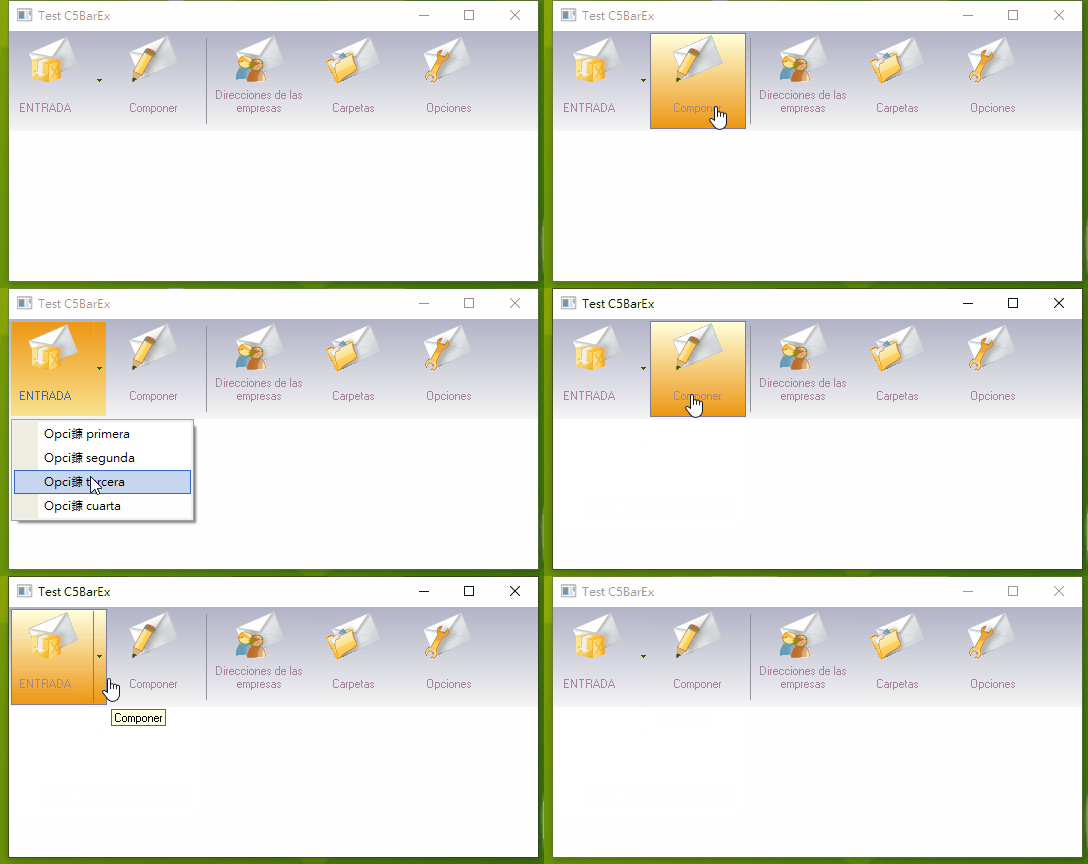
How about modify FWH ButtonBar source code? Look it

I mean Button add MENU function. Button only show arrow not FWH arrow+line when mouse not touch button

Best Regards,


Richard


Harbour 3.2.0dev (r2503251254) => Borland C++ v7.7 32bit

MySQL v8.0

Harbour 3.2.0dev (r2503251254) => Borland C++ v7.7 64bit

Continue the discussion