I saw that someone made a confusion of concept
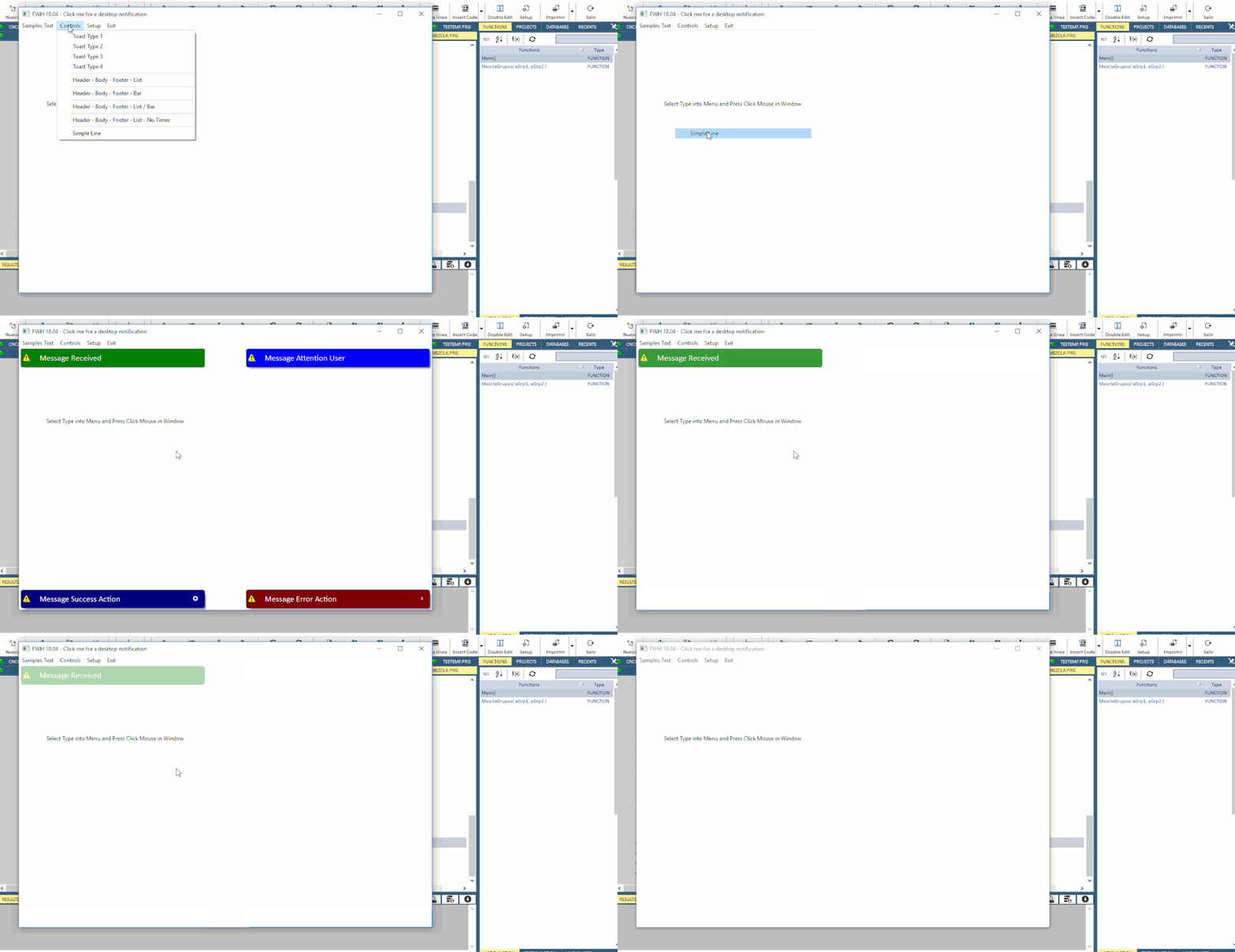
the Desktop Alerts component to display alerts as these, we can see it on windows 10 or another system with cristobal toast class

the Toast notification is a message that appears on the surface of the specified parent control for a short period of time, but it does not take focus (or pause the current activity), so it cannot accept any user input.
Notification are always displayed in context, meaning that they pop up on the surface of the specified Form or Control.
Notification only fills the amount of space required for the message and the user's current activity remains visible and interactive. The notification automatically fades in and out after specified time interval
sample
the toast notification

is inserted on a dialog as

That said, the fivewin toast class ( Critobal made) instead creates something that could be related to the desktop component and not the toast component
I tried to explain to someone even lately what I wanted to do: I wanted to display a colored toast inside a dialog and to make it dissolve.
Cristobal told me to use his toast class without success ( viewtopic.php?f=3&t=35648&p=212397#p212327)
because the test create before the toast and then the dialog
Perhaps now I explain the problem someone can understand how resolve my problem to insert colored notifications into a normal dialog and dissolve it
I wish a command as : MsgToast(nRow,nCol,cText,nTime,nColor)
How I can create it ?
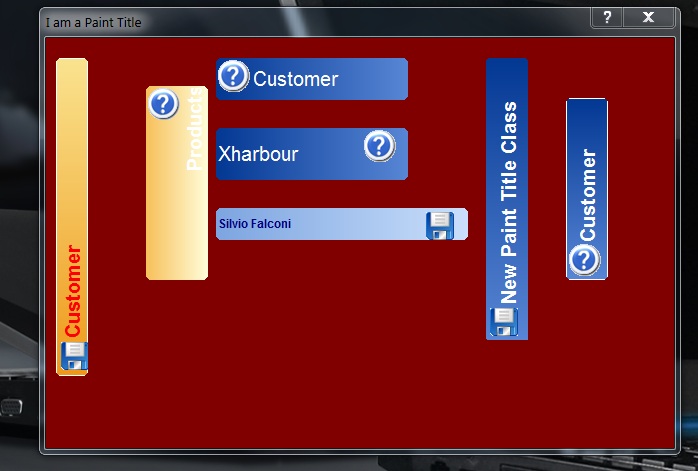
I thinked I can use My PaintTitle class you can found on my github ( made on 2008 with our friend Stephan haupt) with the add of fade But I not understood How make it
the Desktop Alerts component to display alerts as these, we can see it on windows 10 or another system with cristobal toast class
the Toast notification is a message that appears on the surface of the specified parent control for a short period of time, but it does not take focus (or pause the current activity), so it cannot accept any user input.
Notification are always displayed in context, meaning that they pop up on the surface of the specified Form or Control.
Notification only fills the amount of space required for the message and the user's current activity remains visible and interactive. The notification automatically fades in and out after specified time interval
sample
the toast notification
is inserted on a dialog as
That said, the fivewin toast class ( Critobal made) instead creates something that could be related to the desktop component and not the toast component
I tried to explain to someone even lately what I wanted to do: I wanted to display a colored toast inside a dialog and to make it dissolve.
Cristobal told me to use his toast class without success ( viewtopic.php?f=3&t=35648&p=212397#p212327)
because the test create before the toast and then the dialog
Perhaps now I explain the problem someone can understand how resolve my problem to insert colored notifications into a normal dialog and dissolve it
I wish a command as : MsgToast(nRow,nCol,cText,nTime,nColor)
How I can create it ?
I thinked I can use My PaintTitle class you can found on my github ( made on 2008 with our friend Stephan haupt) with the add of fade But I not understood How make it
Since from 1991/1992 ( fw for clipper Rel. 14.4 - Momos)
I use : FiveWin for Harbour March-April 2024 - Harbour 3.2.0dev (harbour_bcc770_32_20240309) - Bcc7.70 - xMate ver. 1.15.3 - PellesC - mail: silvio[dot]falconi[at]gmail[dot]com
I use : FiveWin for Harbour March-April 2024 - Harbour 3.2.0dev (harbour_bcc770_32_20240309) - Bcc7.70 - xMate ver. 1.15.3 - PellesC - mail: silvio[dot]falconi[at]gmail[dot]com