FiveTech Support Forums

FiveWin / Harbour / xBase community
Board index FiveWin for Harbour/xHarbour Problem building mod_harbour libraries
Posts: 44158
Joined: Thu Oct 06, 2005 05:47 PM
Re: Problem building mod_harbour libraries
Posted: Sat Jul 27, 2019 07:47 PM
This is the right way to build rddads.lib in 32 bits from the Harbour contribs rddads folder:

go.bat
Code (fw): Select all Collapse
call "%ProgramFiles%\Microsoft Visual Studio\2019\Community\VC\Auxiliary\Build\vcvarsall.bat" x86
set HB_BUILD_MODE=c
set HB_USER_PRGFLAGS=-l-
set HB_WITH_ADS=c:\Program Files\Advantage 11.10\acesdk\
c:\harbour\bin\hbmk2 rddads
regards, saludos

Antonio Linares
www.fivetechsoft.com
Posts: 44158
Joined: Thu Oct 06, 2005 05:47 PM
Re: Problem building mod_harbour libraries
Posted: Sat Jul 27, 2019 08:18 PM
Massimo,

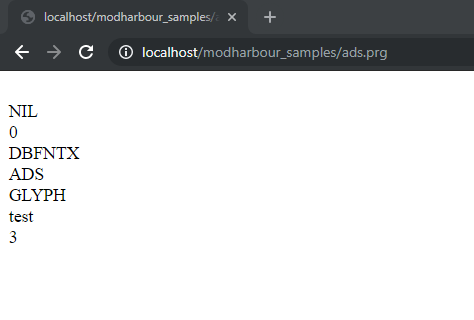
mod_harbour + ADS working in 32 bits !!! :-)

https://github.com/FiveTechSoft/mod_harbour/blob/master/contribs/windows/ads32/libharbour.dll

tested example:
https://github.com/FiveTechSoft/mod_harbour/blob/master/samples/ads.prg

Tested using Apache 32 bits from Windows 10 32 bits !!!

regards, saludos

Antonio Linares
www.fivetechsoft.com
Posts: 44158
Joined: Thu Oct 06, 2005 05:47 PM
Re: Problem building mod_harbour libraries
Posted: Sat Jul 27, 2019 09:36 PM
regards, saludos

Antonio Linares
www.fivetechsoft.com
Posts: 44158
Joined: Thu Oct 06, 2005 05:47 PM
Re: Problem building mod_harbour libraries
Posted: Wed Apr 29, 2020 08:31 AM
A better solution is to include this in the hbp file:

-depcontrol=ads:force

Antonio Linares wrote:Massimo,

Lets go step by step. First of all lets create the rddads.lib.

We go to folder c:\harbour\contrib\rddads\ and we edit rddads.hbp commenting out these lines:
Code (fw): Select all Collapse
-hblib
-inc

-o${hb_name}

-w3 -es2

-stop{!(linux|win)}

#-depkeyhead=ads:ace.h
#-depcontrol=ads:${HB_WITH_ADS}
#-depincpath=ads:/usr/local/ads/acesdk
#-depincpath=ads:${HOME}/ads/acesdk
#{x86_64}-depimplibs=ads:ace64.dll
#{x86}-depimplibs=ads:Redistribute/ace32.dll
#{x86}-depimplibs=ads:32bit/ace32.dll
#{x86}-depimplibs=ads:ace32.dll

# To avoid a warning in ACE header
-cflag+=-Wno-unknown-pragmas{allgcc}

# for ADS headers
-c=gnu90

${hb_name}.hbx

ads1.c
adsfunc.c
adsmgmnt.c
adsx.c

Now we run this batch file:
go64.bat
Code (fw): Select all Collapse
call "%ProgramFiles(x86)%\Microsoft Visual Studio\2019\Community\VC\Auxiliary\Build\vcvarsall.bat" x86_amd64
set HB_BUILD_MODE=c
set HB_USER_PRGFLAGS=-l-
c:\harbour\bin\hbmk2 rddads.hbp

And we get rddads.lib in 64 bits mode:
https://github.com/FiveTechSoft/mod_harbour/blob/master/contribs/windows/ads64/rddads.lib

Next we follow this guide to build libharbour with user libs:
https://github.com/FiveTechSoft/mod_harbour/tree/master/contribs/windows

next message...
regards, saludos

Antonio Linares
www.fivetechsoft.com

Continue the discussion