FiveTech Support Forums

FiveWin / Harbour / xBase community
Board index FiveWin for Harbour/xHarbour Show and scroll with Meta-file
Posts: 1195
Joined: Mon Oct 17, 2005 05:41 AM
Show and scroll with Meta-file
Posted: Fri Jul 19, 2019 04:23 PM
Hi,

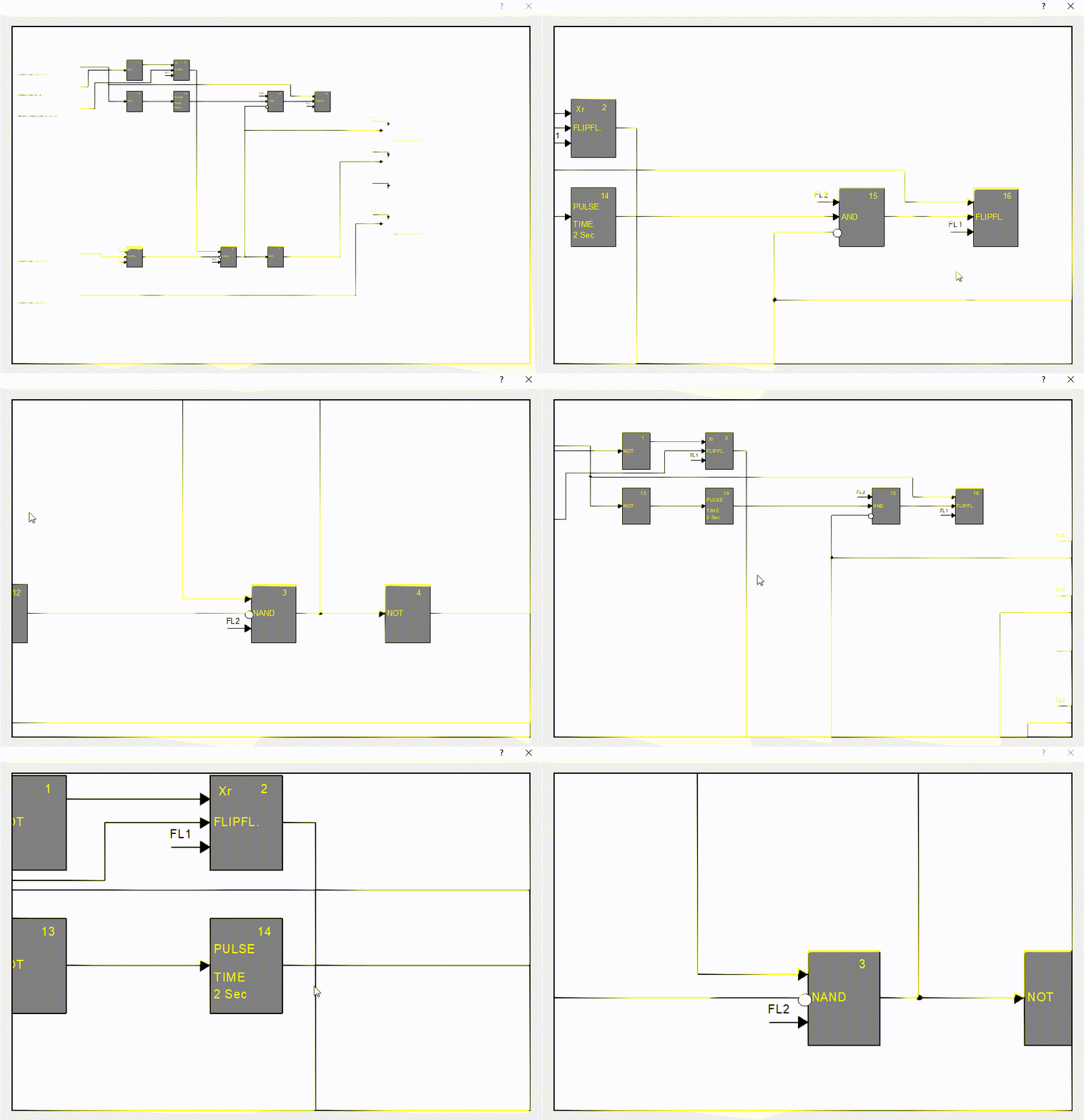
I'm creating drawings in meta-files, and show them in a window.
Sometimes the drawings ar larges than the screen, and want to move around like Adobe-reader.

How can I do this?
Regards,

Marc


FWH32+xHarbour | FWH64+Harbour | BCC | DBF | ADO+MySQL | ADO+MariaDB | ADO+SQLite
Posts: 10733
Joined: Sun Nov 19, 2006 05:22 AM
Re: Show and scroll with Meta-file
Posted: Fri Jul 19, 2019 05:47 PM

can you please send me a sample metafile by email?
nageswaragunupudi [at] gmail [dot] com

Regards


G. N. Rao.

Hyderabad, India
Posts: 10733
Joined: Sun Nov 19, 2006 05:22 AM
Re: Show and scroll with Meta-file
Posted: Fri Jul 19, 2019 06:19 PM
First please try this.
We will make some more improvements.

Code (fw): Select all Collapse
   local oDlg, oImage
   local cFile := "NW1151L.emf"

   DEFINE DIALOG oDlg SIZE 900,600 PIXEL TRUEPIXEL

   @ 20,20 XIMAGE oImage SOURCE cFile SIZE -20,-20 OF oDlg

   ACTIVATE DIALOG oDlg CENTERED


You can zoom and unzoom with mouse scroll and pan the image by dragging with mouse.
Btw, you can also use fingers on a touch screen to zoom/unzoom and pan the image on a touch screen.

Regards


G. N. Rao.

Hyderabad, India
Posts: 1195
Joined: Mon Oct 17, 2005 05:41 AM
Re: Show and scroll with Meta-file
Posted: Fri Jul 19, 2019 07:50 PM

Thank you, that is what I wanted :)

Regards,

Marc


FWH32+xHarbour | FWH64+Harbour | BCC | DBF | ADO+MySQL | ADO+MariaDB | ADO+SQLite
Posts: 4043
Joined: Wed Dec 19, 2007 06:40 PM
Re: Show and scroll with Meta-file
Posted: Sat Jul 20, 2019 08:50 AM
Marc,

by default :lBmpTransparent := .T.

Using non transparent images like Your drawing
maybe You need

@ 20,20 XIMAGE oImage SOURCE cFile SIZE -20,-20 OF oDlg
oImage:lBmpTransparent := .F.

otherwise it could show something like ( format JPG )
is showing transparent areas on the left upper corner


I tested the mousewheel but there I noticed problems with zoom / unzoom
( it works only sometimes )
moving the image works.

regards
Uwe :-)
Since 1995 ( the first release of FW 1.9 )

i work with FW.

If you have any questions about special functions, maybe i can help.
Posts: 1195
Joined: Mon Oct 17, 2005 05:41 AM
Re: Show and scroll with Meta-file
Posted: Sat Jul 20, 2019 08:55 AM

Thank you for the info Uwe.

Regards,

Marc


FWH32+xHarbour | FWH64+Harbour | BCC | DBF | ADO+MySQL | ADO+MariaDB | ADO+SQLite
Posts: 10733
Joined: Sun Nov 19, 2006 05:22 AM
Re: Show and scroll with Meta-file
Posted: Sat Jul 20, 2019 09:12 AM
I tested the mousewheel but there I noticed problems with zoom / unzoom
( it works only sometimes )

Please test again.
It works always.
Make sure the mouse pointer is inside the actual image area.
Regards


G. N. Rao.

Hyderabad, India
Posts: 1195
Joined: Mon Oct 17, 2005 05:41 AM
Re: Show and scroll with Meta-file
Posted: Sat Jul 20, 2019 09:20 AM

For me it seems to work always. :)

Regards,

Marc


FWH32+xHarbour | FWH64+Harbour | BCC | DBF | ADO+MySQL | ADO+MariaDB | ADO+SQLite
Posts: 10733
Joined: Sun Nov 19, 2006 05:22 AM
Re: Show and scroll with Meta-file
Posted: Sat Jul 20, 2019 09:51 AM
Marc Vanzegbroeck wrote:For me it seems to work always. :-)


Yes, it does.
Regards


G. N. Rao.

Hyderabad, India
Posts: 4043
Joined: Wed Dec 19, 2007 06:40 PM
Re: Show and scroll with Meta-file
Posted: Sat Jul 20, 2019 10:38 AM

It is working now.
There was a hardware-problem, I didn't noticed before.
After changing the mouse it was ok.

regards
Uwe :oops:

Since 1995 ( the first release of FW 1.9 )

i work with FW.

If you have any questions about special functions, maybe i can help.
Posts: 10733
Joined: Sun Nov 19, 2006 05:22 AM
Re: Show and scroll with Meta-file
Posted: Sat Jul 20, 2019 01:08 PM
Using non transparent images like Your drawing
maybe You need

@ 20,20 XIMAGE oImage SOURCE cFile SIZE -20,-20 OF oDlg
oImage:lBmpTransparent := .F.

otherwise it could show something like ( format JPG )
is showing transparent areas on the left upper corner


This is not relevant for EMF files.

Using transparency, please see this variation:
Code (fw): Select all Collapse
   local oDlg, oImage, oBrush
   local cFile := "NW1151L.emf"

   DEFINE BRUSH oBrush FILE "c:\fwh\bitmaps\backgrnd\stone.bmp"
   DEFINE DIALOG oDlg SIZE 900,600 PIXEL TRUEPIXEL

   @ 20,20 XIMAGE oImage SOURCE cFile SIZE -20,-20 OF oDlg
   oImage:SetBrush( oBrush )

   ACTIVATE DIALOG oDlg CENTERED
   RELEASE BRUSH oBrush
Regards


G. N. Rao.

Hyderabad, India
Posts: 1195
Joined: Mon Oct 17, 2005 05:41 AM
Re: Show and scroll with Meta-file
Posted: Sat Jul 20, 2019 01:14 PM

Is it also possible to know the location when you do a doubleclick?
Since when you swipe or zoom, the locations are different. Mayme a hyperlink would me nice

Regards,

Marc


FWH32+xHarbour | FWH64+Harbour | BCC | DBF | ADO+MySQL | ADO+MariaDB | ADO+SQLite
Posts: 10733
Joined: Sun Nov 19, 2006 05:22 AM
Re: Show and scroll with Meta-file
Posted: Sat Jul 20, 2019 01:23 PM

Ok.
Please keep testing and ask all your requirements. We will try to provide them.

Regards


G. N. Rao.

Hyderabad, India

Continue the discussion