

Dear Mr.Rao
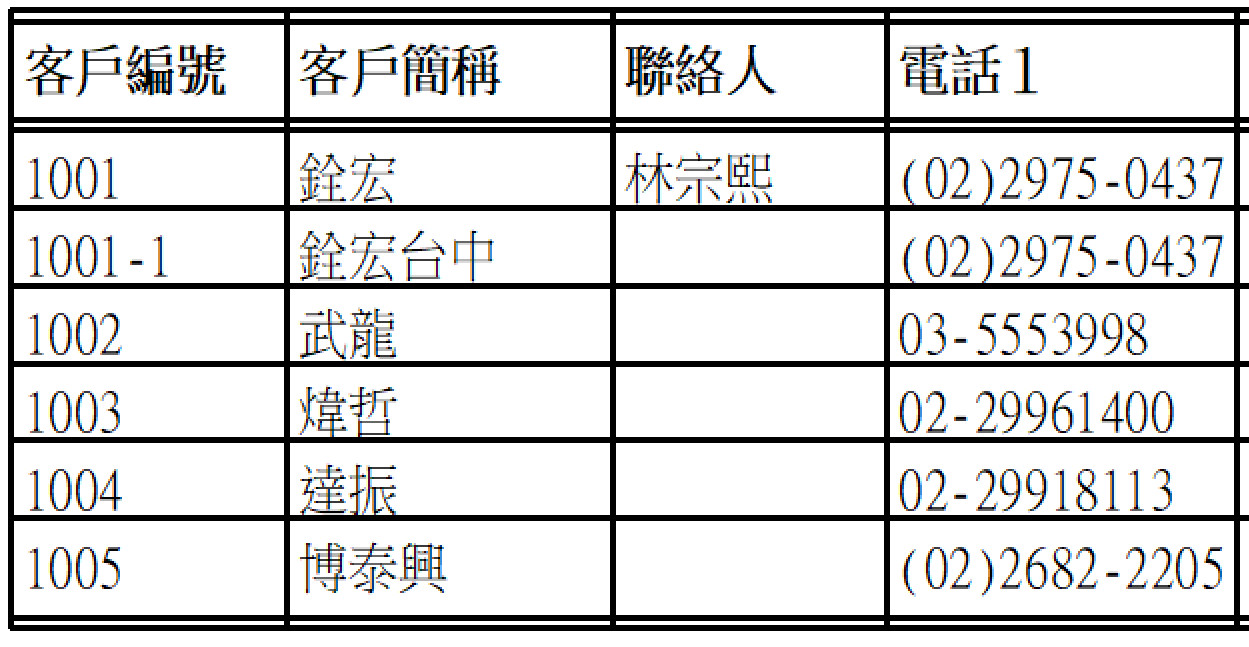
This is Ansi/Big5 DBF and No use any Unicode/UTF8 from my old PRG
Don't set SIZE and it's auto control width
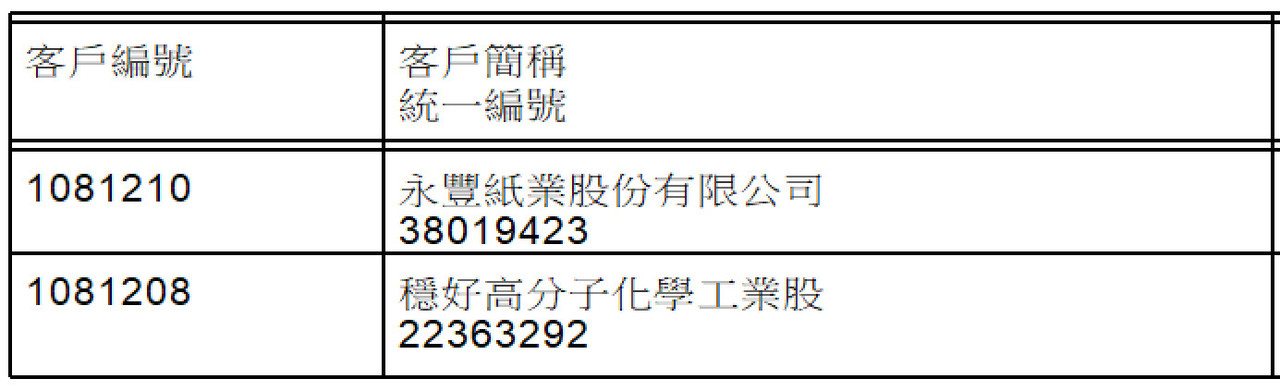
This is MySQL and Unicode/UTF8
Don't set SIZE and it's very width, I need to set SIZE function
I know ANSI/BIG5 and Unicode/UTF8 control word different.
How to control it same as ANSI/BIG5 way or easy coding it?
Any solution?
This is Ansi/Big5 DBF and No use any Unicode/UTF8 from my old PRG
Don't set SIZE and it's auto control width
{ "CUST_NO"   , "C", 10, 0 },;  && 客戶編號
{ "CUST_CNM2" , "C", 12, 0 },;  && 客戶簡稱

COLUMN TITLE "客戶編號"   DATA (::cDBx)->CUST_NO
COLUMN TITLE "客戶簡稱"   DATA (::cDBx)->CUST_CNM2
COLUMN TITLE "聯絡人"     DATA (::cDBx)->CONTACTER
This is MySQL and Unicode/UTF8
Don't set SIZE and it's very width, I need to set SIZE function
"`CUST_NO` char(10)  NOT NULL default '',"+;
"`CUST_CNM2` char(10)  NOT NULL default '',"+;

COLUMN TITLE "客戶編號"                      DATA AllTrim(::oDB:CUST_NO)
COLUMN TITLE "客戶簡稱", "統一編號"     DATA AllTrim(::oDB:CUST_CNM2), AllTrim(::oDB:CUST_ID)
I know ANSI/BIG5 and Unicode/UTF8 control word different.
How to control it same as ANSI/BIG5 way or easy coding it?
Any solution?
Best Regards,
Richard
Harbour 3.2.0dev (r2503251254) => Borland C++ v7.7 32bit
MySQL v8.0
Harbour 3.2.0dev (r2503251254) => Borland C++ v7.7 64bit
Richard
Harbour 3.2.0dev (r2503251254) => Borland C++ v7.7 32bit
MySQL v8.0
Harbour 3.2.0dev (r2503251254) => Borland C++ v7.7 64bit