Hi,
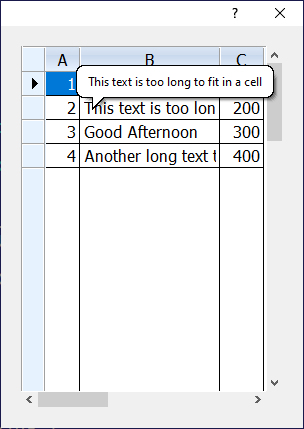
Text is output in the xBwse cell. It may be larger than the cell, and then part of the text is not visible. How can I determine if the text is larger than the cell ?
Hi,
Text is output in the xBwse cell. It may be larger than the cell, and then part of the text is not visible. How can I determine if the text is larger than the cell ?
I can't understand that the text in the xBrowse cell is not fully visible (because it is larger than this cell)
Any idea !
Maybe if you use :
:nStretchCol := 3 ( colnumber)
see
viewtopic.php?f=3t=35836p=213500hilit=nStretchCol#p213500
&&&
No, that's not it. I need to do as in Excel - when I move to a cell where the text is not fully visible, a poup window opens with the full text. I did this, but my assessment that the text is visible is not completely inaccurate
oCol:bCellToolTip := { |o| o:Value }