FiveTech Support Forums

FiveWin / Harbour / xBase community
Board index FiveWin for Harbour/xHarbour Print Colored Box
Posts: 7318
Joined: Thu Oct 18, 2012 07:17 PM

Print Colored Box

Posted: Fri May 22, 2020 05:18 PM
I tried to recreate the beach plan with the Printer class, with the cmBox function

it is possible to color inside the boxes which function can I use?
Since from 1991/1992 ( fw for clipper Rel. 14.4 - Momos)

I use : FiveWin for Harbour March-April 2024 - Harbour 3.2.0dev (harbour_bcc770_32_20240309) - Bcc7.70 - xMate ver. 1.15.3 - PellesC - mail: silvio[dot]falconi[at]gmail[dot]com
Posts: 10733
Joined: Sun Nov 19, 2006 05:22 AM

Re: Print Colored Box

Posted: Fri May 22, 2020 09:57 PM
Use method Box()

Syntax
Code (fw): Select all Collapse
METHOD Box( nTop, nLeft, nBottom, nRight, ;
       [Pen], ;   // oPen/hPen/nColor/{nColor,nThickness}
       [Brush], ; // nColor / oBrush
       [aText], ; // { cText, oFont, nColor } Painted in center
       cUnits ;   // "CM", "MM", "INCHES"
       )


You specify the color in the 6th param.
Params 5,6,7 are optional.
Regards


G. N. Rao.

Hyderabad, India
Posts: 7318
Joined: Thu Oct 18, 2012 07:17 PM

Re: Print Colored Box

Posted: Sat May 23, 2020 09:13 AM
thanks Rao.
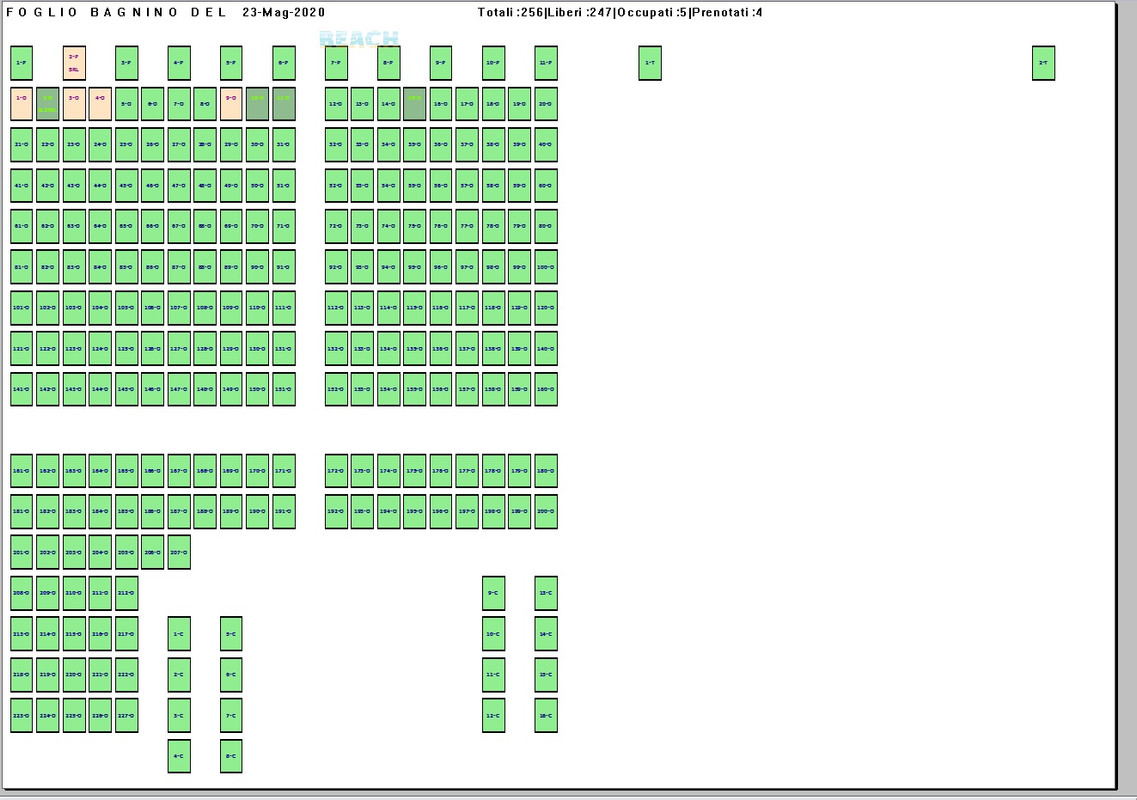
I have to make a print of the beach in order to view the numbers, the status of each item. This type of printing is called the Lifeguard Sheet, because the lifeguard usually uses the paper and assigns the rentals on the paper.
My problem is that the beach scheme is created in 20 rows by 40 columns and a maximum of 800 positions (boxes) can be inserted even if generally in the plan of the beach there are in addition to the rentable elements also the accompanying elements (plants, walkways , chalet) which are not to be printed in the lifeguard printout.
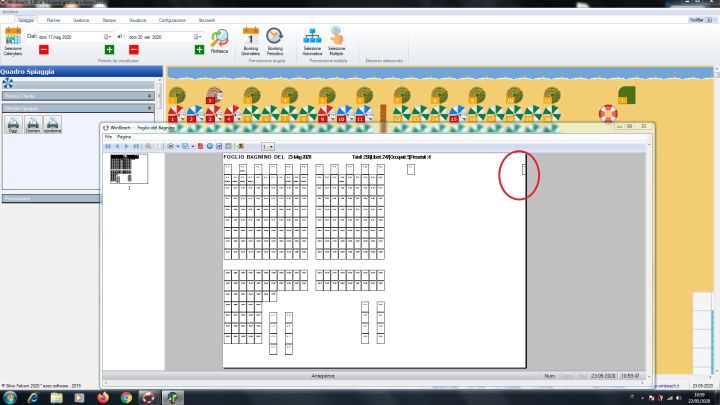
As you can see in the print here, the small square on the right is the last position of the beach plan, that is 1-40, I tried to narrow the boxes to get everything into one A4 sheet but it is very difficult


it never happens that a chalet has all these umbrellas in width but a chalet could happen. in fact at an old bathing establishment there were 2500 umbrellas


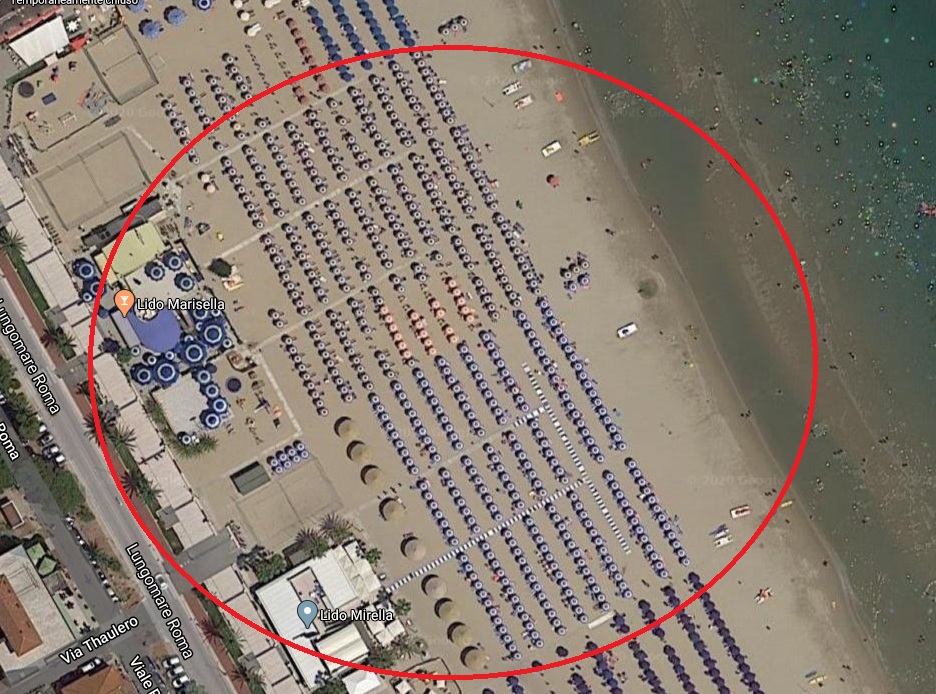
Example on road

the one circled in red is a single bathhouse with over 60 columns for 9 rows of umbrellas

Since from 1991/1992 ( fw for clipper Rel. 14.4 - Momos)

I use : FiveWin for Harbour March-April 2024 - Harbour 3.2.0dev (harbour_bcc770_32_20240309) - Bcc7.70 - xMate ver. 1.15.3 - PellesC - mail: silvio[dot]falconi[at]gmail[dot]com
Posts: 7318
Joined: Thu Oct 18, 2012 07:17 PM

Re: Print Colored Box

Posted: Sat May 23, 2020 09:40 AM
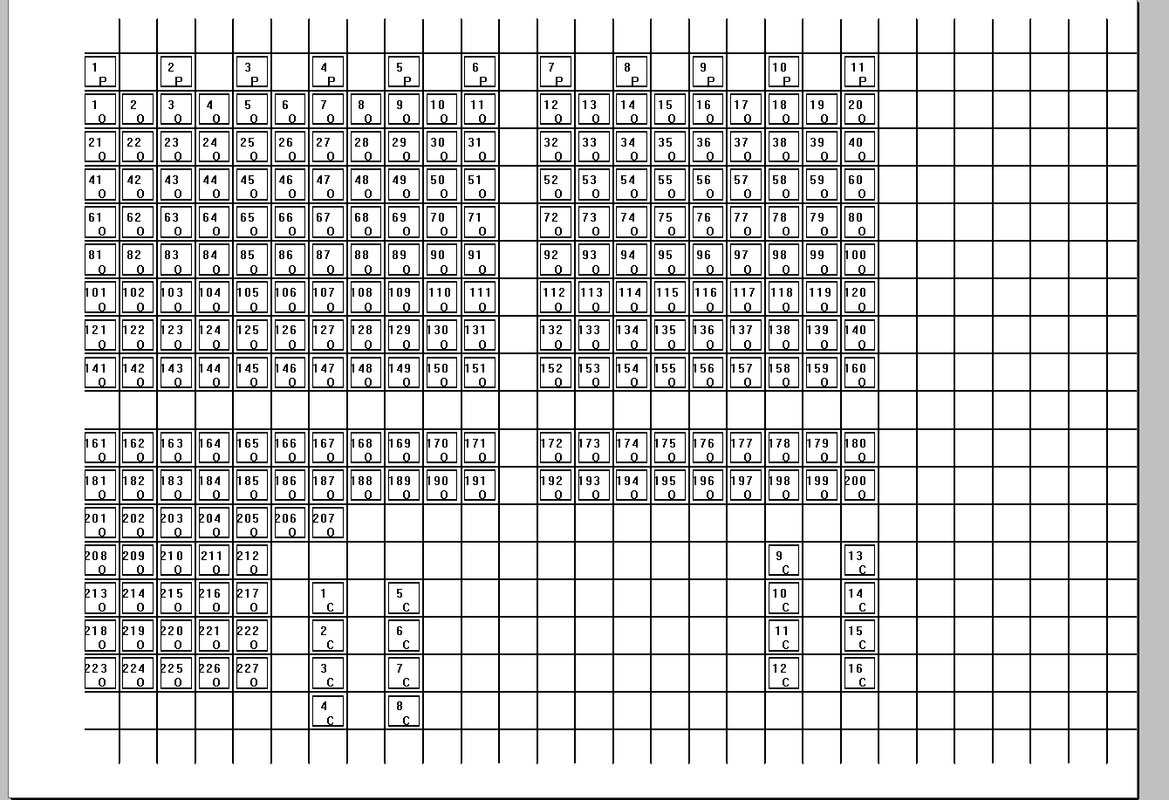
Now I tried with box with brush
as you can clearly see the measurements of the oprn: Box () function are not the same as the oPrn: cmBox () function
Any solution ?

Since from 1991/1992 ( fw for clipper Rel. 14.4 - Momos)

I use : FiveWin for Harbour March-April 2024 - Harbour 3.2.0dev (harbour_bcc770_32_20240309) - Bcc7.70 - xMate ver. 1.15.3 - PellesC - mail: silvio[dot]falconi[at]gmail[dot]com
Posts: 10733
Joined: Sun Nov 19, 2006 05:22 AM

Re: Print Colored Box

Posted: Sat May 23, 2020 10:24 AM

Measurements of Box method should be correct.
cmBox is an old method and is now superseded by the enhancements made to Box method.

Regards


G. N. Rao.

Hyderabad, India
Posts: 7318
Joined: Thu Oct 18, 2012 07:17 PM

Re: Print Colored Box

Posted: Sat May 23, 2020 03:34 PM
Rao , Resolved !!!

I managed to get in a 40x20 grid
the last box you see on the right corner is in position x40-y1
It is a great satisfaction I can put 800 elements on an A4 sheet


I just can't lift the "Beach" logo
I made before of EndPage

@ nRow-5, 2000 PRINT TO oPrn IMAGE "LOGOBEACH" ;
SIZE 500,450;
PIXEL ALPHALEVEL 90

ENDPAGE

How print Hollow text there is a sample ?
Since from 1991/1992 ( fw for clipper Rel. 14.4 - Momos)

I use : FiveWin for Harbour March-April 2024 - Harbour 3.2.0dev (harbour_bcc770_32_20240309) - Bcc7.70 - xMate ver. 1.15.3 - PellesC - mail: silvio[dot]falconi[at]gmail[dot]com

Continue the discussion