FiveTech Support Forums

FiveWin / Harbour / xBase community
Board index FiveWin for Harbour/xHarbour More details WIN_OLEAUTO information in debugger
Posts: 103
Joined: Fri Aug 09, 2013 12:43 AM
More details WIN_OLEAUTO information in debugger
Posted: Thu Jul 09, 2020 03:24 PM

Hi,

I'm working through a minigui project uses

 win_oleCreateObject( "Outlook.Application" )

to connect to the installed Outlook app, and filter out certain email messages & subjects, and then search through a spreadsheet & do some other stuff.

In the minigui debugger, the outlook object - and other related objects - show up as just

 Class WIN_OLEAUTO object

, and when you click on it, it doesn't display any details about the object. It'll just pop up a message that the

 Value cannot be edited.

I coded an equivalent script in VBScript. When I examine the objects in the VBSEdit debugger, it displays all the Methods & Properties, with details about the internal arrays, & so forth.

So -

 Is there a better debugger for Harbour, that shows more information

or

 Is there a better function than win_oleCreateObject() - either in a Harbour contribution library, or in Fivewin - that shows more details about Ole objects that are being used?
Posts: 2706
Joined: Fri Oct 07, 2005 01:50 PM
Re: More details WIN_OLEAUTO information in debugger
Posted: Thu Jul 09, 2020 04:55 PM
Try connecting to outlook like this

Code (fw): Select all Collapse
oOutLook  := TOleAuto():New("Outlook.Application")


Rick Lipkin
Posts: 103
Joined: Fri Aug 09, 2013 12:43 AM
Re: More details WIN_OLEAUTO information in debugger
Posted: Thu Jul 09, 2020 05:43 PM
That's definitely an improvement, thanks Rick.

Unfortunately, it still doesn't have the same level of specific details, as other environments. It lists some generic methods in the object, but doesn't display some of the subobjects, like folders.


So e.g. the VBScript statements


Code (fw): Select all Collapse
Set objOutlook = CreateObject("Outlook.Application")
Set objNamespace = objOutlook.GetNamespace("MAPI")
Set colFolders = objNamespace.Folders


return objNamespace object with methods like GetDefaultFolder(), and GetAddressEntryFromID(),

along with a Folders object, containing Methods like

Add(), GetFirst(), GetLast(), and a count property.


In contrast, the Harbour objects in the debugger (class TOLEAUTO) contain generic class methods like

callmethod
get
getactivobject
getproperty
__enumskip,

and many others.

Anyway, thanks for the help. It's possible I'll just have to use both environments, while building & debugging.


Rick Lipkin wrote:Try connecting to outlook like this

Code (fw): Select all Collapse
oOutLook  := TOleAuto():New("Outlook.Application")


Rick Lipkin
Posts: 44158
Joined: Thu Oct 06, 2005 05:47 PM
Re: More details WIN_OLEAUTO information in debugger
Posted: Sat Jul 11, 2020 04:27 AM
regards, saludos

Antonio Linares
www.fivetechsoft.com
Posts: 103
Joined: Fri Aug 09, 2013 12:43 AM
Re: More details WIN_OLEAUTO information in debugger
Posted: Sat Jul 11, 2020 02:12 PM
Thanks, Antonio.

Btw, which is a good GUI debugger for Harbour? The default console debugger is ok but sometimes inconvenient, especially when you have 2 monitors. If you try to move the debugger to the larger non-default monitor, all of the lines get skewed & unreadable.

I'm using a third party Harbour development tool & debugger (I won't mention the name here), for individual snippets with bugs. But is there a decent gui debugger for Harbour?

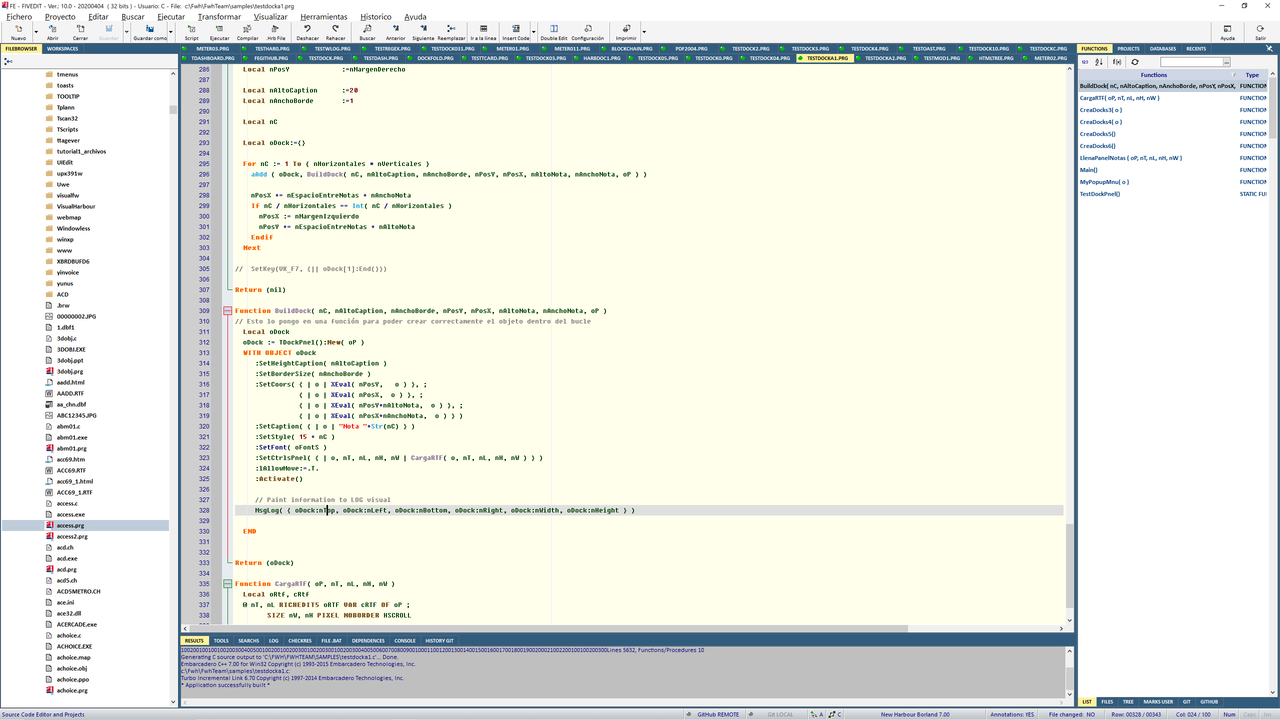
Does FiveEdit have Single-stepping capabilities? I tried using it, but it keeps complaining about missing FLVs when it loads, even though all of the bundled FLVs are in the same directory as the FiveEdit executable.


Regards,


Antonio Linares wrote:http://forums.fivetechsupport.com/viewtopic.php?p=144614#p144614

viewtopic.php?p=144733#p144733
Posts: 44158
Joined: Thu Oct 06, 2005 05:47 PM
Re: More details WIN_OLEAUTO information in debugger
Posted: Sat Jul 11, 2020 05:53 PM

You can use Microsoft vscode + Harbour debugger extension from Antonino Perricone

regards, saludos

Antonio Linares
www.fivetechsoft.com
Posts: 6755
Joined: Wed Feb 15, 2012 08:25 PM
Re: More details WIN_OLEAUTO information in debugger
Posted: Sat Jul 11, 2020 09:45 PM
FWExplorer wrote:Thanks, Antonio.

Does FiveEdit have Single-stepping capabilities? I tried using it, but it keeps complaining about missing FLVs when it loads, even though all of the bundled FLVs are in the same directory as the FiveEdit executable.

Regards,

Excuse me, what are FLVs?
If you want to learn how to install and use FivEdit, log in to slack and one of my registered partners and I will surely be happy to help you install it quickly.
This is link to slack of FivEdit:
https://join.slack.com/t/fivedit/shared ... Lfk3IQxVBA
Cristobal Navarro

Hay dos tipos de personas: las que te hacen perder el tiempo y las que te hacen perder la noción del tiempo

El secreto de la felicidad no está en hacer lo que te gusta, sino en que te guste lo que haces
Posts: 103
Joined: Fri Aug 09, 2013 12:43 AM
Re: More details WIN_OLEAUTO information in debugger
Posted: Sun Jul 12, 2020 11:05 AM
Thanks, but I was only interested in FiveTech, to see if it has internal debugging capabilities.

The errors are regarding FIVs, as in fivedit17.fiv. The 'i' looked like an 'l' with the font I have.

Anyway, I think I see what the problem is. FivEdit expects to be in the C:\FivEdit folder. I have it elsewhere, so it's complaining, e.g.

File definition .fiv : C:\FIVEDIT\borland73.fiv not found.


Anyway, I''ll just continue using the Third Party debugger, for individual modules with errors.


Regards,


cnavarro wrote:
FWExplorer wrote:Thanks, Antonio.

Does FiveEdit have Single-stepping capabilities? I tried using it, but it keeps complaining about missing FLVs when it loads, even though all of the bundled FLVs are in the same directory as the FiveEdit executable.

Regards,

Excuse me, what are FLVs?
If you want to learn how to install and use FivEdit, log in to slack and one of my registered partners and I will surely be happy to help you install it quickly.
This is link to slack of FivEdit:
https://join.slack.com/t/fivedit/shared ... Lfk3IQxVBA
Posts: 44158
Joined: Thu Oct 06, 2005 05:47 PM
Re: More details WIN_OLEAUTO information in debugger
Posted: Sun Jul 12, 2020 11:08 AM

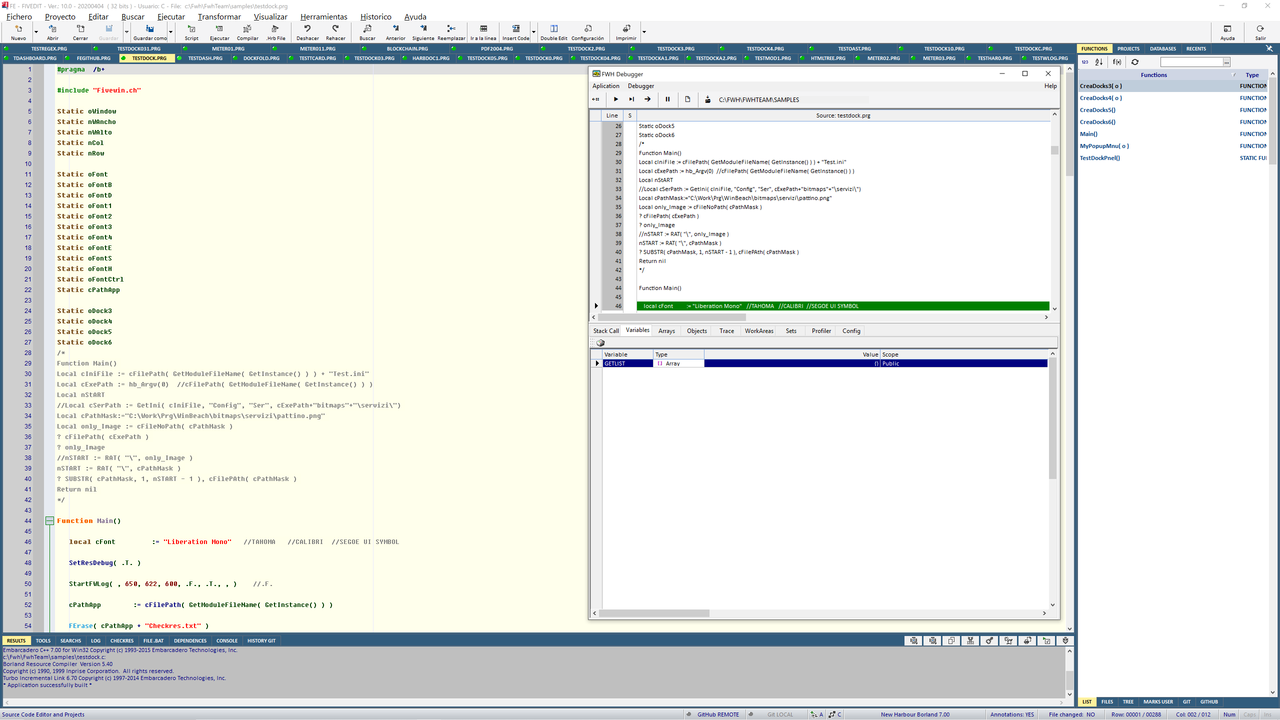
FWH has its own debugger, you only have to build using /b, in example:

buildh tutor01 /b

It works with FWH only, because it uses FWH components

regards, saludos

Antonio Linares
www.fivetechsoft.com
Posts: 103
Joined: Fri Aug 09, 2013 12:43 AM
Re: More details WIN_OLEAUTO information in debugger
Posted: Sun Jul 12, 2020 11:39 AM
Perfect, I'll take a look, thanks.


Antonio Linares wrote:FWH has its own debugger, you only have to build using /b, in example:

buildh tutor01 /b

It works with FWH only, because it uses FWH components
Posts: 6755
Joined: Wed Feb 15, 2012 08:25 PM
Re: More details WIN_OLEAUTO information in debugger
Posted: Sun Jul 12, 2020 01:51 PM
Fivedit can use the Fivewin standard debugger, selecting the /b option when compiling or simply adding at the beginning of their prg that they want to apply debug the #pragma /b+.


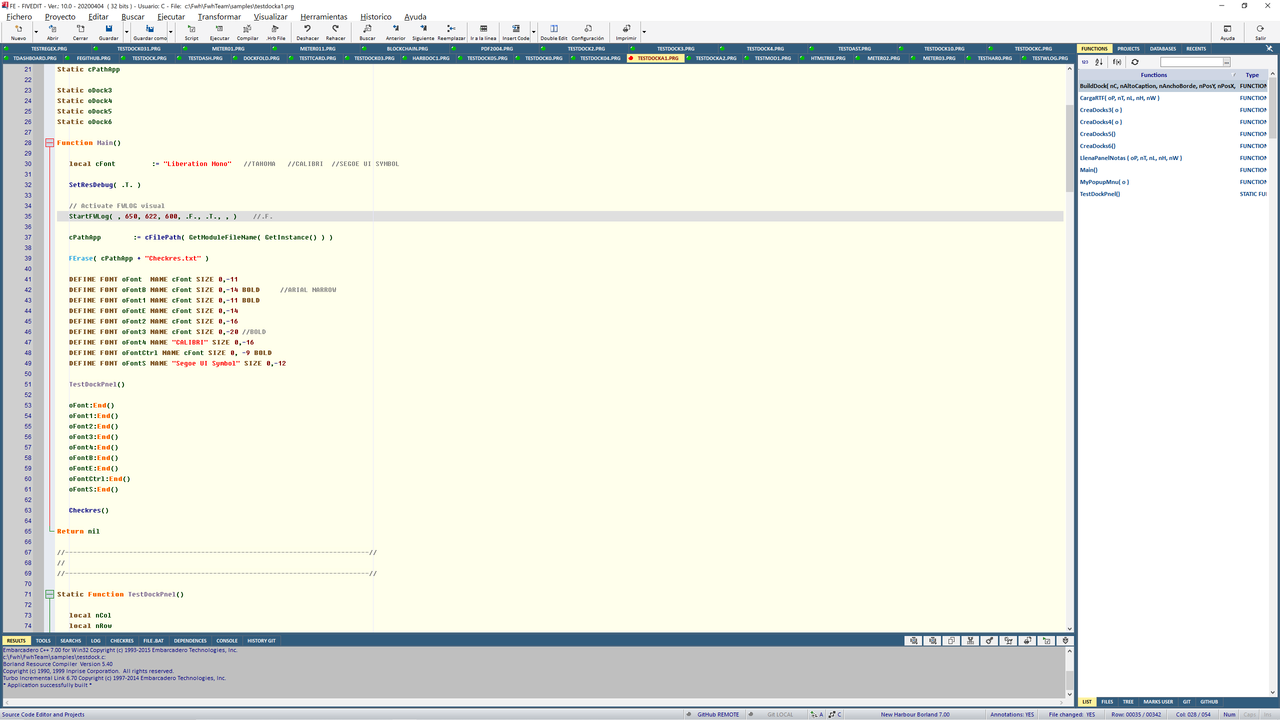
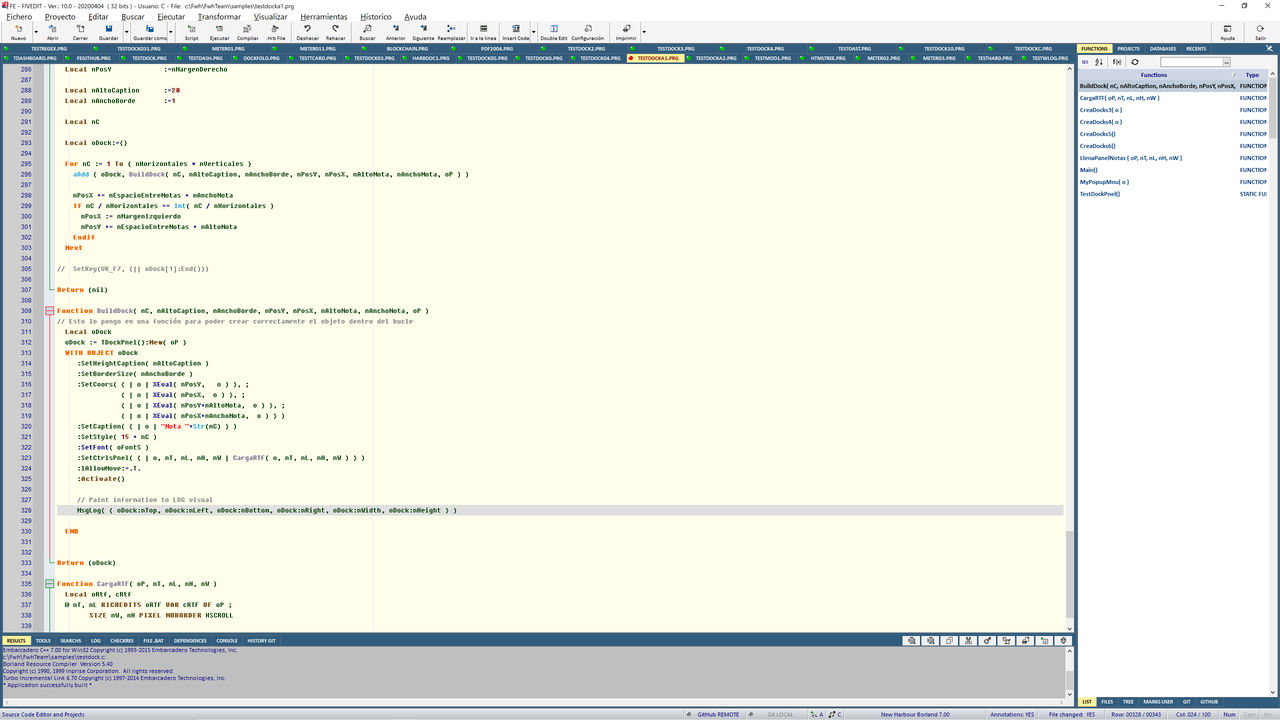
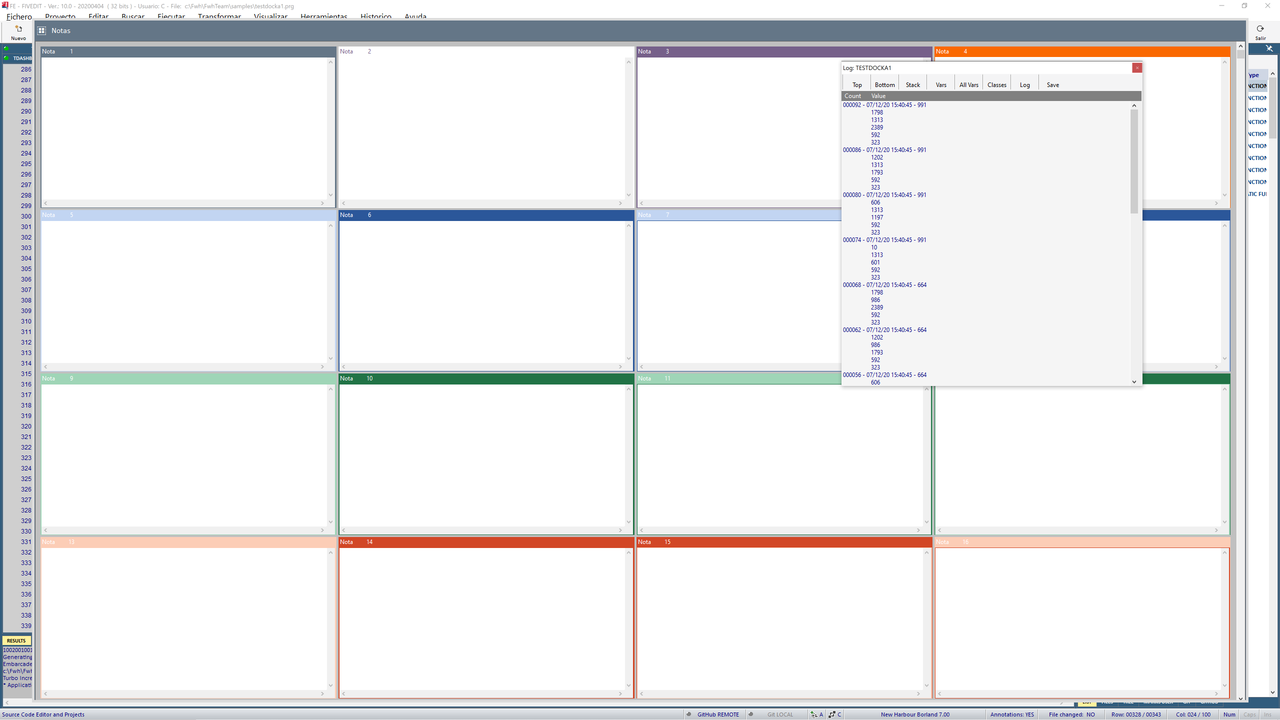
It also has the possibility of applying the visual FWLOG that I implemented in Fivewin many versions ago.


In any case, use the tool with which you feel most comfortable, but your problem with FivEdit is that you have not done the setup of the application and the environment properly. If you need help do not hesitate to contact me. I am interested in knowing what your problem is in order to improve FivEdit if it is an application bug
Cristobal Navarro

Hay dos tipos de personas: las que te hacen perder el tiempo y las que te hacen perder la noción del tiempo

El secreto de la felicidad no está en hacer lo que te gusta, sino en que te guste lo que haces
Posts: 103
Joined: Fri Aug 09, 2013 12:43 AM
Re: More details WIN_OLEAUTO information in debugger
Posted: Thu Jul 16, 2020 05:37 PM

Ok, thanks Antonio.

Continue the discussion