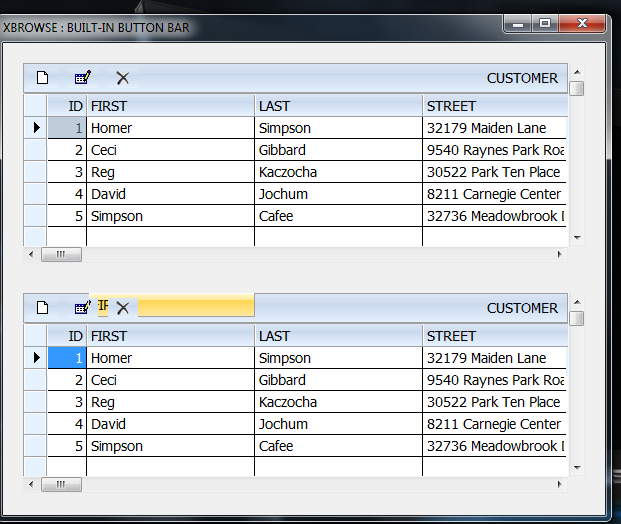
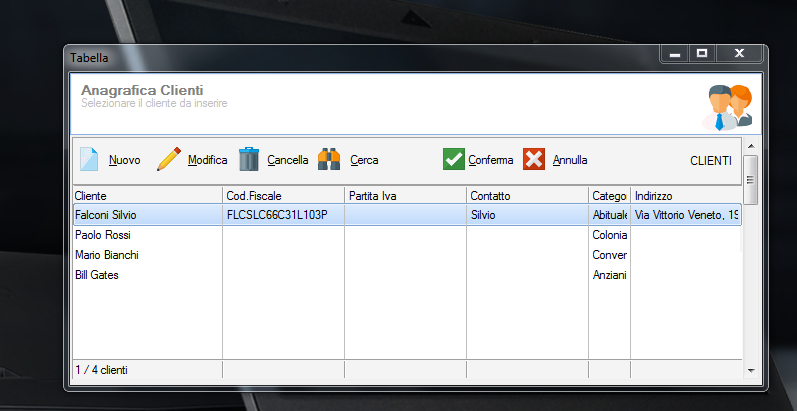
Now it is possible for each xbrowse to have its own buttonbar inside the control.
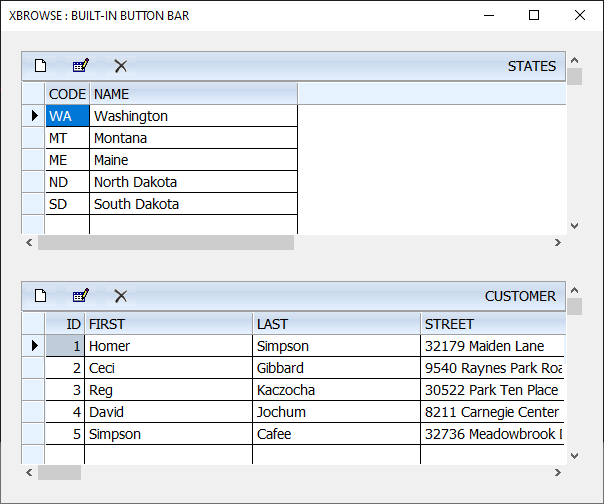
Test program:
If we specify oBrw:nTopBarHeight, the browse leaves a blank space on the top with this height. We can place our own buttons or some other controls specific to the browse in this area.
Test program:
#include "fivewin.ch"

REQUEST DBFCDX

function Main()

   local oDlg, oFont, oBrw

   USE CUSTOMER NEW SHARED VIA "DBFCDX"
   USE STATES   NEW SHARED VIA "DBFCDX"

   DEFINE FONT oFont NAME "TAHOMA" SIZE 0,-14
   DEFINE DIALOG oDlg SIZE 600,470 PIXEL TRUEPIXEL RESIZABLE FONT oFont ;
      TITLE "XBROWSE : BUILT-IN BUTTON BAR"

   @  20,20 XBROWSE oBrw SIZE -20,200 PIXEL OF oDlg ;
      DATASOURCE "STATES" AUTOCOLS CELL LINES NOBORDER

   XbrSetupBar( oBrw )

   WITH OBJECT oBrw
      :nEditTypes    := EDIT_GET
      :SetChecks()
      //
      :CreateFromCode()
   END

   @ 250,20 XBROWSE oBrw SIZE -20,200 PIXEL OF oDlg ;
      DATASOURCE "CUSTOMER" AUTOCOLS CELL LINES NOBORDER

   XbrSetupBar( oBrw )

   WITH OBJECT oBrw
      :nEditTypes    := EDIT_GET
      :SetChecks()
      //
      :CreateFromCode()
   END


   ACTIVATE DIALOG oDlg CENTERED
   RELEASE FONT oFont

return nil

function XbrSetupBar( oBrw )

   oBrw:nTopBarHeight := 30
   oBrw:bOnAdjust := <||
      local oBtn
      @ 05,05 BTNBMP oBtn FILE "..\bitmaps\16X16\new.bmp" SIZE 30,20 PIXEL OF oBrw NOBORDER ;
        ACTION oBrw:EditSource( .t. ) TOOLTIP "Add New Record"
      @ 05,45 BTNBMP oBtn FILE "..\bitmaps\edit.bmp" SIZE 30,20 PIXEL OF oBrw NOBORDER ;
        ACTION oBrw:EditSource() TOOLTIP "Edit this record"
      @ 05,85 BTNBMP oBtn FILE "..\bitmaps\16x16\delete.bmp" SIZE 30,20 PIXEL OF oBrw NOBORDER ;
        ACTION If( MsgNoYes( "Delete this row?" ),,oBrw:Delete() ) TOOLTIP "Delete This Record"

      return nil
      >

return nil
If we specify oBrw:nTopBarHeight, the browse leaves a blank space on the top with this height. We can place our own buttons or some other controls specific to the browse in this area.
Regards
G. N. Rao.
Hyderabad, India
G. N. Rao.
Hyderabad, India