

Please, open the same table (with different alias) in both browses. Then put, in both dialogs, a button in the buttonbar with this action
ACTION MSGINFO( FIELD -> first )
From which workarea (1 or 2) it will read the field value?
EMG
Please, open the same table (with different alias) in both browses. Then put, in both dialogs, a button in the buttonbar with this action
ACTION MSGINFO( FIELD -> first )
From which workarea (1 or 2) it will read the field value?
EMG
#include "Fivewin.ch"


FUNCTION MAIN()

    LOCAL oWnd

    DEFINE WINDOW oWnd

    DEFINE BUTTONBAR SIZE 80, 40 OF oWnd 2007

    DEFINE BUTTON;
           OF oWnd:oBar;
           PROMPT "New TAB" CENTER;
           ACTION CREATEBRW()

    ACTIVATE WINDOW oWnd

    RETURN NIL


STATIC FUNCTION CREATEBRW()

    LOCAL oDlg, oBrw

    USE CUSTOMER ALIAS ( CGETNEWALIAS() ) SHARED

    DEFINE DIALOG oDlg

    @ 0, 0 XBROWSE oBrw ALIAS ALIAS()

    oBrw:CreateFromCode()

    ACTIVATE DIALOG oDlg;
             ON INIT oBrw:AdjClient();
             VALID ( DBCLOSEAREA( oBrw:cAlias ), .T. );
             NOMODAL

    RETURN NIL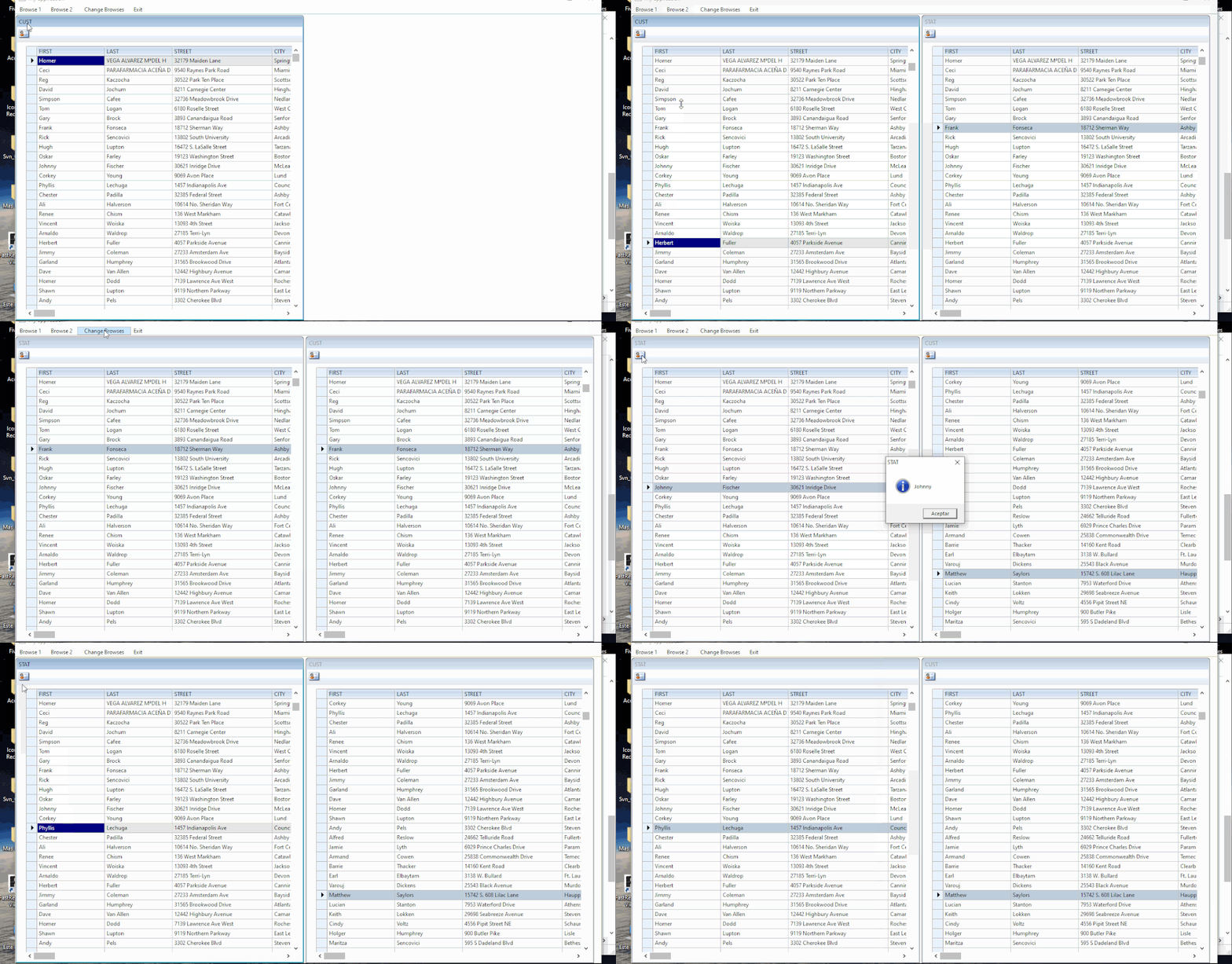
USE CUSTOMER NEW ALIAS ( CGETNEWALIAS() ) SHAREDOk, I made a newbie mistake... 
It works! 
Many many thanks!
EMG
you are newbie ?
and since when are you a newbie?
I really tried to understand and until you created the test sample I kept understanding that what I understood was not the problem you said you had because I really didn't think I could make a beginner mistake, I didn't believe it possible and now that you have made us share in your mistake I still do not believe it !!!
You can also avoid these kinds of problems by using database objects. Every database object creates its own unique workarea and handles it internally. Thus you never have to deal with workareas.
Sorry, it's not my decision.
EMG
Enrico Maria Giordano wrote:Sorry, it's not my decision.
EMG


