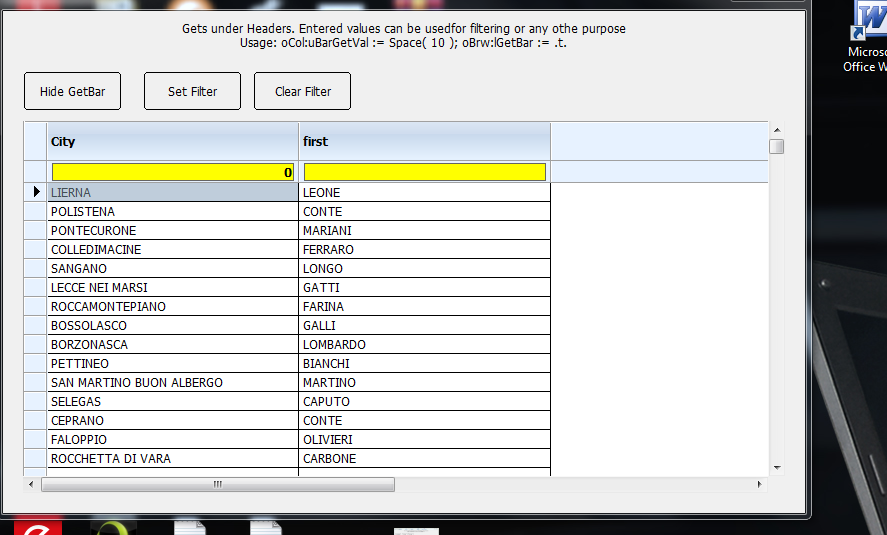
the sample xbgetbar run ok
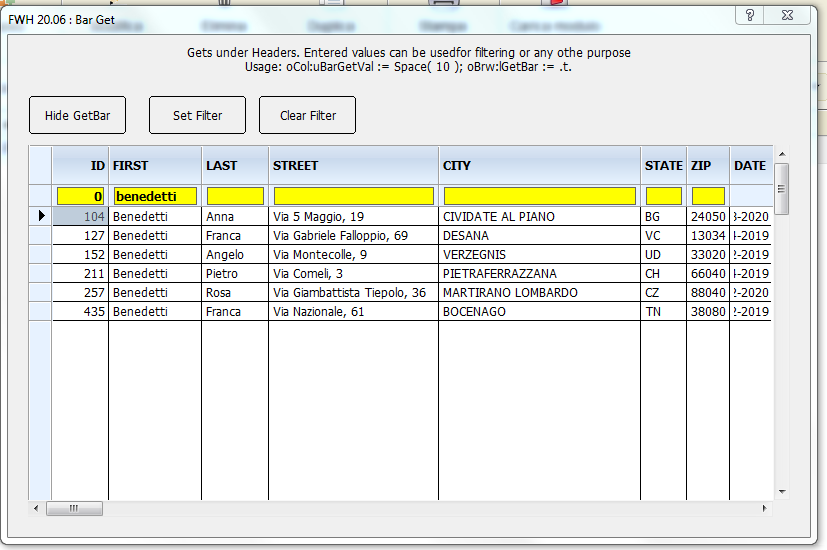
I wish ask only 3 questions
1) have a sample with one column ( for a sample only city field)
sample :
@ 60, 5 XBROWSE oBrowse OF oTabella ;
SIZE -5,200 PIXEL FONT oFontTabella
oCol := oBrowse:AddCol()
oCol:bStrData := { || customer->city }
oCol:cHeader :="City"
oCol:nWidth := 250
2) is it possible that when I insert a letter the procedure already looks for the records that have that letter? obviously without pressing the "set filter" button?
3) is it possible to have the option to insert a btnbmp in the get field so that I can call the clearfilter function without pressing the button?
sample :

I tried to make it , so I haven't figured out how to build the search dialog yet
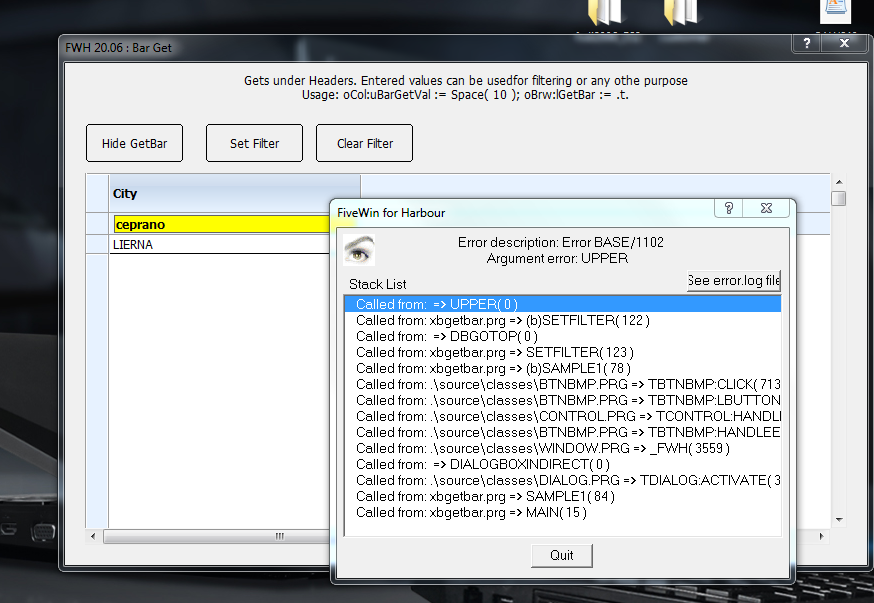
SomeOne can Help me pls ?
I wish ask only 3 questions
1) have a sample with one column ( for a sample only city field)
sample :
@ 60, 5 XBROWSE oBrowse OF oTabella ;
SIZE -5,200 PIXEL FONT oFontTabella
oCol := oBrowse:AddCol()
oCol:bStrData := { || customer->city }
oCol:cHeader :="City"
oCol:nWidth := 250
2) is it possible that when I insert a letter the procedure already looks for the records that have that letter? obviously without pressing the "set filter" button?
3) is it possible to have the option to insert a btnbmp in the get field so that I can call the clearfilter function without pressing the button?
sample :
I tried to make it , so I haven't figured out how to build the search dialog yet
static function Sample1()

   local oDlg, oBrw, oFont, oBold
   local n

   USE CUSTOMER NEW SHARED

   DEFINE FONT oFont NAME "TAHOMA" SIZE 0,-12
   DEFINE FONT oBold NAME "TAHOMA" SIZE 0,-12 BOLD

   DEFINE DIALOG oDlg SIZE 800,500 PIXEL TRUEPIXEL ;
      FONT oFont TITLE FWVERSION + " : Bar Get"
@ 110,20 XBROWSE oBrw SIZE -20,-20 PIXEL OF oDlg ;
       CELL LINES NOBORDER

   oCol := oBrw:AddCol()
oCol:bStrData := { || customer->city }
oCol:cHeader :="City"
oCol:nWidth := 250
 oCol:uBarGetVal    := space(10)

  WITH OBJECT oBrw
      :nHeaderHeight    := 40 // optional
      :oHeaderFonts     := oBold
      :bClrEdits        := { || { CLR_BLACK, CLR_YELLOW } }
      :AutoFit()
      //
      :CreateFromCode()
   END

   @ 10,20 SAY "Gets under Headers. Entered values can be used" + ;
      "for filtering or any othe purpose" + CRLF + ;
      "Usage: oCol:uBarGetVal := Space( 10 ); oBrw:lGetBar := .t." ;
      SIZE oDlg:nWidth - 40,40 PIXEL OF oDlg CENTER

   @ 60, 20 BTNBMP PROMPT { || If( oBrw:lGetBar, "Hide GetBar", "ShowGetBar" ) } ;
      SIZE 100,40 PIXEL OF oDlg FLAT ;
      ACTION ( oBrw:lGetBar := ! oBrw:lGetBar, oBrw:Refresh() )

   @ 60,140 BTNBMP PROMPT "Set Filter" ;
      SIZE 100,40 PIXEL OF oDlg FLAT ;
      ACTION ( oBrw:cAlias )->( SetFilter( oBrw ) )

   @ 60,250 BTNBMP PROMPT "Clear Filter" ;
      SIZE 100,40 PIXEL OF oDlg FLAT ;
      ACTION ( oBrw:cAlias )->( DBCLEARFILTER(), oBrw:Refresh(), oBrw:SetFocus() )

   ACTIVATE DIALOG oDlg CENTERED
   RELEASE FONT oFont, oBold

return nil
SomeOne can Help me pls ?
Since from 1991/1992 ( fw for clipper Rel. 14.4 - Momos)
I use : FiveWin for Harbour March-April 2024 - Harbour 3.2.0dev (harbour_bcc770_32_20240309) - Bcc7.70 - xMate ver. 1.15.3 - PellesC - mail: silvio[dot]falconi[at]gmail[dot]com
I use : FiveWin for Harbour March-April 2024 - Harbour 3.2.0dev (harbour_bcc770_32_20240309) - Bcc7.70 - xMate ver. 1.15.3 - PellesC - mail: silvio[dot]falconi[at]gmail[dot]com