

cnavarro wrote:Look
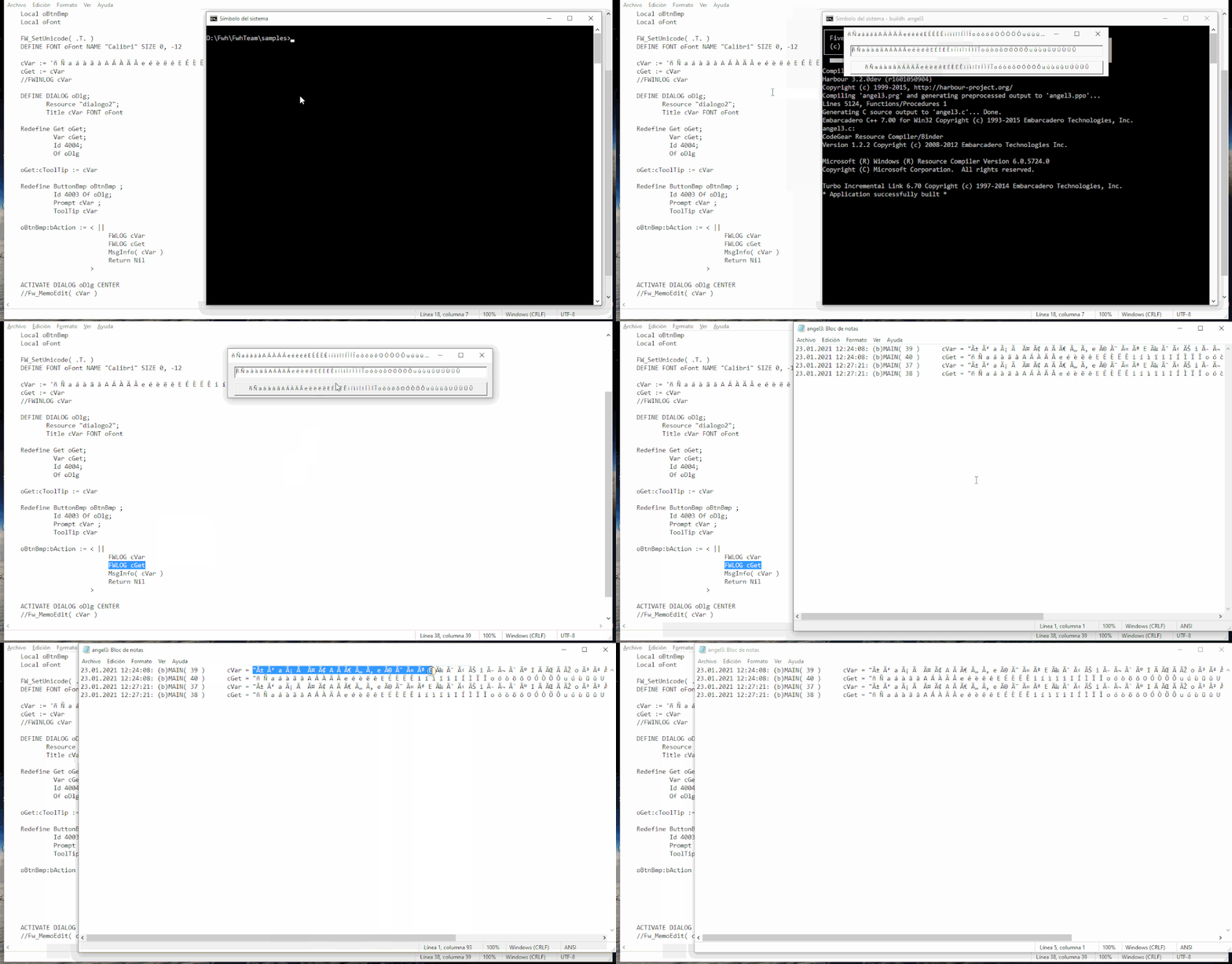
Ups!, esto es más raro aún, cVar y cGet obtienen valores diferentes cuando pasan por el get sin haber modificado nada en el propio get?
--------
¿ Y porque no ?
¿ And why not ?
¿ Y porque no ?
¿ And why not ?
cnavarro wrote:Look
#include "fivewin.ch"

function Main()

   local oDlg, oGet, oFont, oBtnBmp
   local cVar := 'ñ Ñ a á à ä â A Á À Ä Â e é è ë ê E É È Ë Ê i í ì ï î I Í Ì Ï Î o ó ò ö ô O Ó Ò Ö Ô u ú ù ü û U Ú Ù Ü Û'
   local cGet := cVar

   FW_SetUnicode( .T. )

   FWINLOG cVar

   DEFINE FONT oFont NAME "Calibri" SIZE 0,-14
   DEFINE DIALOG oDlg SIZE 800,300 PIXEL TRUEPIXEL TITLE cVar FONT oFont

   @ 20,20 GET oGet VAR cGet SIZE 760,24 PIXEL OF oDlg

   oGet:cToolTip := cVar

   @ 60,20 BUTTONBMP oBtnBmp PROMPT cVar SIZE 760,30 PIXEL OF oDlg TOOLTIP cVar

   oBtnBmp:bAction := <||
                           FWINLOG cVar, cGet
                           MsgInfo(cVar)
                           return Nil
                      >

   ACTIVATE DIALOG oDlg CENTER
   RELEASE FONT oFont

return nil
#include "fivewin.ch"

function Main()

    local oDlg, oGet
    local cVar := 'ñ Ñ a á à ä â A Á À Ä Â e é è ë ê E É È Ë Ê i í ì ï î I Í Ì Ï Î o ó ò ö ô O Ó Ò Ö Ô u ú ù ü û U Ú Ù Ü Û'
    local cGet := cVar
    local oBtnBmp

    FW_SetUnicode( .T. )

    FWINLOG cVar

    DEFINE DIALOG oDlg;
           Resource "dialogo";
           Title cVar

    Redefine Get oGet;
             Var cGet;
             Id 4004;
             Of oDlg

    oGet:cToolTip := cVar

    Redefine ButtonBmp oBtnBmp ;
             Id 4003 Of oDlg;
             Prompt cVar ;
             ToolTip cVar

    oBtnBmp:bAction := <||
                            FWINLOG cVar, cGet, cVar == cGet
                            MsgInfo(cVar)
                            Return Nil
                       >

    ACTIVATE DIALOG oDlg CENTER

return nil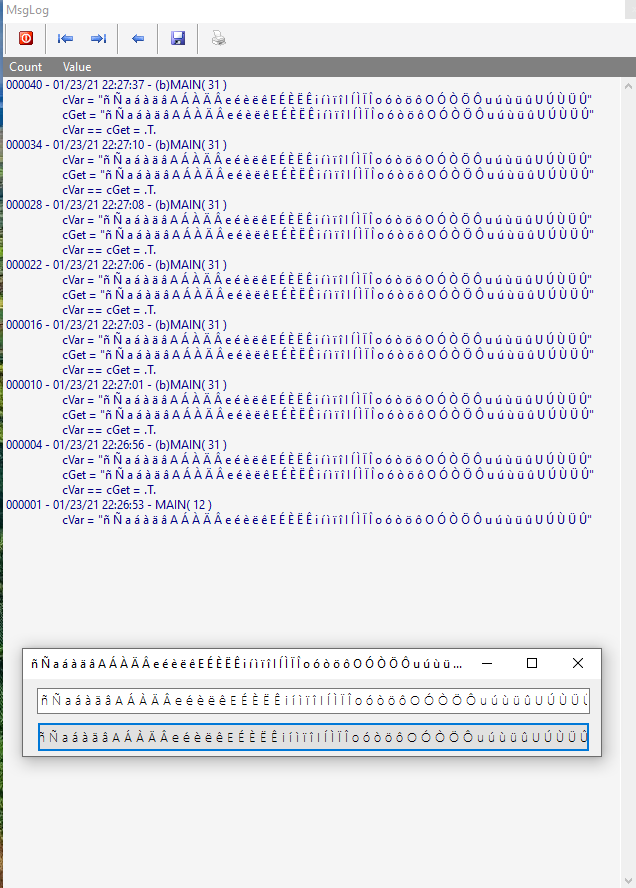
#include "fivewin.ch"

REQUEST HB_LANG_ESWIN
REQUEST HB_CODEPAGE_ESWIN

//----------------------------------------------------------------------------//

function Main()

   local oCn, oRs, oDlg, oFont, aData, cSql

   FW_SetUnicode( .t. )

   HB_CDPSELECT("ESWIN")
   HB_LangSelect( "ES" )


   aData := { { "KOREAN", Space( 20 ) }, { "CHINESE", Space( 20 ) }, ;
              { "TELUGU", Space( 20 ) }, { "HINDI",   Space( 20 ) }, ;
              { "SPANISH",Space( 20 ) } }

   FWCONNECT oCn HOST "208.91.198.197:3306" USER "gnraofwh" PASSWORD "Bharat@1950" DATABASE "fwhdemo" PORT "3306"
   if oCn == nil
      return nil
   endif

   oCn:DropTable( "utftest3" )
   if !oCn:TableExists( "utftest3" )
      oCn:CreateTable( "utftest3", { { "lang", "C", 10, 0, "PRI" }, { "text", "C", 20, 0, "utf8" } }, .f., "utf8" )
      ? oCn:CreateTableSQL( "utftest3" )
   endif

   DEFINE FONT oFont NAME "TAHOMA" SIZE 0,-14
   DEFINE DIALOG oDlg SIZE 400,300 PIXEL TRUEPIXEL FONT oFont

   @  20,20 SAY "KOREAN " GET aData[ 1, 2 ] SIZE 340,22 PIXEL OF oDlg CHRGROUP CHR_WIDE
   @  50,20 SAY "CHINESE" GET aData[ 2, 2 ] SIZE 340,22 PIXEL OF oDlg CHRGROUP CHR_WIDE
   @  80,20 SAY "TELUGU " GET aData[ 3, 2 ] SIZE 340,22 PIXEL OF oDlg CHRGROUP CHR_WIDE
   @ 110,20 SAY "HINDI  " GET aData[ 4, 2 ] SIZE 340,22 PIXEL OF oDlg CHRGROUP CHR_WIDE
   @ 140,20 SAY "SPANISH" GET aData[ 5, 2 ] SIZE 340,22 PIXEL OF oDlg CHRGROUP CHR_WIDE

   @ 200,20 BUTTON "SAVE AND SHOW" SIZE 150,40 PIXEL OF oDlg ACTION ( ;
         oCn:Insert( "utftest3", "lang,text", aData, .t. ), ;
         XBrowse( oRs := oCn:utftest3 ), ;
         oRs:Close() )

   ACTIVATE DIALOG oDlg CENTERED
   RELEASE FONT oFont

   oCn:Close()

return nil

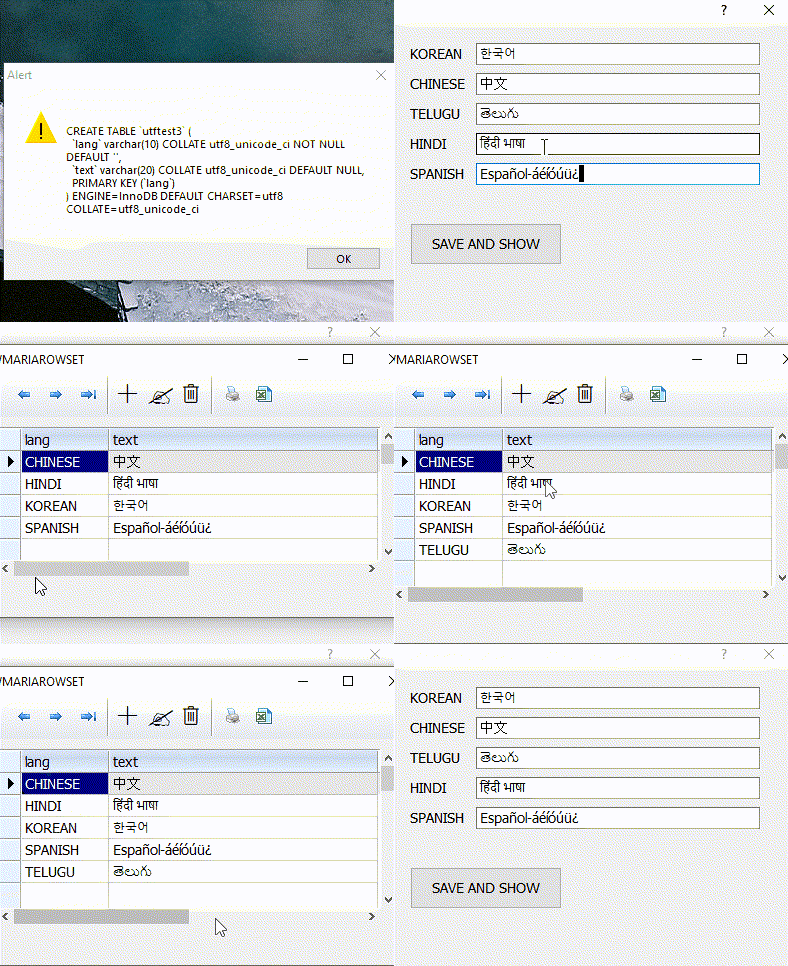
//----------------------------------------------------------------------------//
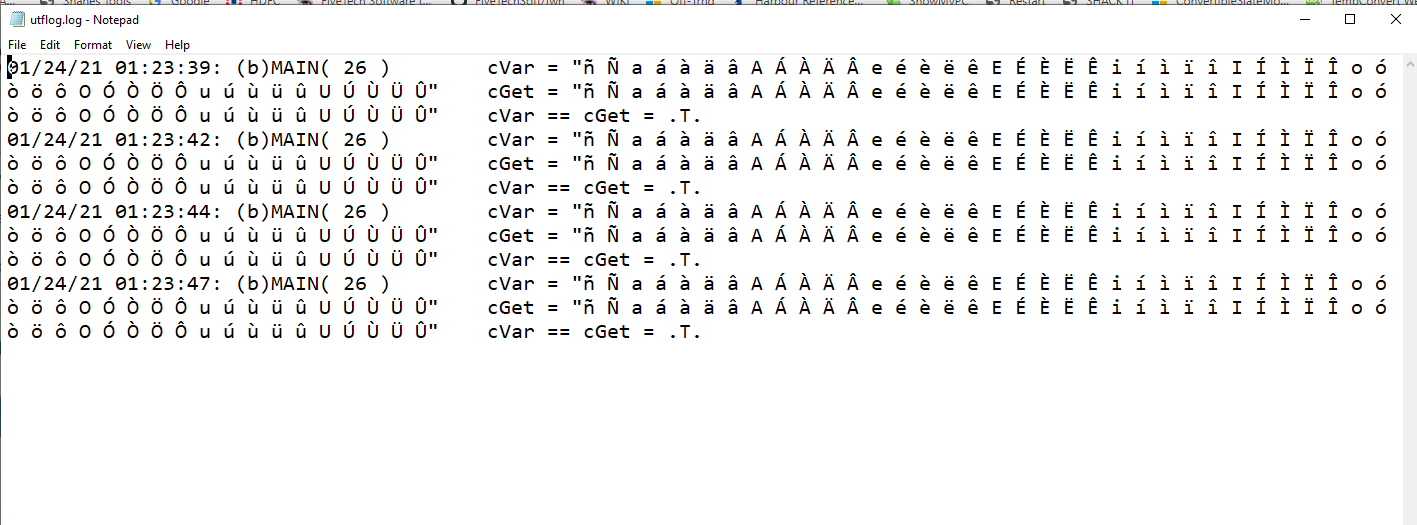
Please try same sample with FWLOG ( and notepad )
   oBtnBmp:bAction := <||
                           FWINLOG cVar, cGet, cVar == cGet
                           FWLOG cVar, cGet, cVar == cGet
                           MsgInfo(cVar)
                           return Nil
                      >
#include "fivewin.ch"

function Main()

   local oDlg, oGet, oFont, oBtnBmp
   local cVar := 'ñ Ñ a á à ä â A Á À Ä Â e é è ë ê E É È Ë Ê i í ì ï î I Í Ì Ï Î o ó ò ö ô O Ó Ò Ö Ô u ú ù ü û U Ú Ù Ü Û'
   local cGet := cVar
   local cLog := cFileSetExt( ExeName(), "log" )

   FW_SetUnicode( .T. )
   FErase( cLog )

   FWINLOG cVar

   DEFINE FONT oFont NAME "Calibri" SIZE 0,-14
   DEFINE DIALOG oDlg SIZE 800,300 PIXEL TRUEPIXEL TITLE cVar FONT oFont

   @ 20,20 GET oGet VAR cGet SIZE 760,24 PIXEL OF oDlg

   oGet:cToolTip := cVar

   @ 60,20 BUTTONBMP oBtnBmp PROMPT cVar SIZE 760,30 PIXEL OF oDlg TOOLTIP cVar

   oBtnBmp:bAction := <||
                           FWINLOG cVar, cGet, cVar == cGet
                           FWLOG cVar, cGet, cVar == cGet
                           MsgInfo(cVar)
                           return Nil
                      >

   ACTIVATE DIALOG oDlg CENTER
   RELEASE FONT oFont

   WinExec( "notepad.exe " + cLog )

return nil
nageswaragunupudi wrote:Everything appears to be working perfectly for me here.
This is the program first posted by Mr. Viktor, converted to Source instead of Resource. I have added both cVar and cGet to FWINLOG.
Both cVar and cGet are displayed correctly. I do not understand why is it not working for you there.
Can you please build and run this program with buildh.bat?

#include "FiveWin.ch"

EXTERNAL HB_Lang_PT
EXTERNAL HB_CODEPAGE_PT850

Function main()
 Local oTxtFile, nNum, aRetorno, cRes

   HB_LangSelect( "PT" )
   HB_SetCodePage( "PT850" )
   FW_SetUnicode( .t. )

   oTxtFile := TTxtFile():New("arq.txt")
   nNum := oTxtFile:LastRec()
   oTxtFile:End()
   aRetorno:=FParseEx("arq.txt", "*")
   For x1=1 to 9
       cRes := Alltrim(aRetorno[x1,1])
       cRandRes := Alltrim(RandomTxt(Len(cRes), cRes))
       ? cRes+ " " + cRandRes
   next

Return nil
//-------------------------------------------------------------------------------------------------------------
function RandomTxt(nNum, cTxt)
   local aList := Array( nNum ), nAt, aRandom := {}, cTxtNw:="", nRam, cTxt2:="", xz

   AEval( aList, { |u,i| aList[ i ] := i } )

   do while Len( aList ) > 0
      nAt      := HB_RandomInt( 1, Len( aList ) )
      AAdd( aRandom, aList[ nAt ] )
      nRam :=  aList[ nAt ]
      ADel( aList, nAt, .t. )
      cTxtNw := cTxtNw + Subs(cTxt, nRam, 1)
   enddo
   For xz=1 to nNum
       cTxt2 = cTxt2 + Subs(cTxtNw, xz, 1)+" "
   Next

return cTxt2

[b]arq.txt em UTF[/b]*
acareação*test1
acaríase*teste2
acarídeo*test3
ácaro*test4
acasalação*teste5
determinação*teste6
imprevisível*testeeee
determinação*testetese
quiçá*teste

