FiveTech Support Forums

FiveWin / Harbour / xBase community
Board index FiveWin for Harbour/xHarbour xImage - problem with < MOVE >
Posts: 4043
Joined: Wed Dec 19, 2007 06:40 PM
xImage - problem with < MOVE >
Posted: Mon Mar 29, 2021 07:28 AM
Hello,

using a window-style without border, ( extra design )
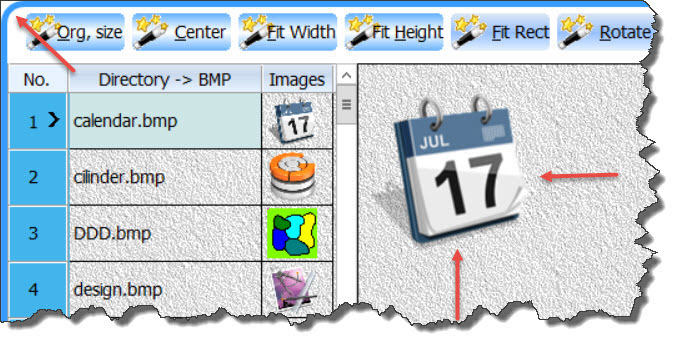
xImage move doesn't work anymore.
Instead the complete window is moved on imagecapture.
All other functions are working.


DEFINE WINDOW oWnd FROM 0,0 TO 850, 600 PIXEL ;
STYLE WS_POPUP BRUSH oBrush1


regards
Uwe :-) :-)
Since 1995 ( the first release of FW 1.9 )

i work with FW.

If you have any questions about special functions, maybe i can help.
Posts: 10733
Joined: Sun Nov 19, 2006 05:22 AM
Re: xImage - problem with < MOVE >
Posted: Mon Mar 29, 2021 04:09 PM

Yes, actually that is how we programmed.
The idea is for the user, we can make it appear that the image itself is moving over the desktop.

Regards


G. N. Rao.

Hyderabad, India
Posts: 4043
Joined: Wed Dec 19, 2007 06:40 PM
Re: xImage - problem with < MOVE >
Posted: Sun Apr 04, 2021 08:03 AM
Mr. Rao,

I still have some questions about working on my XImage-editor

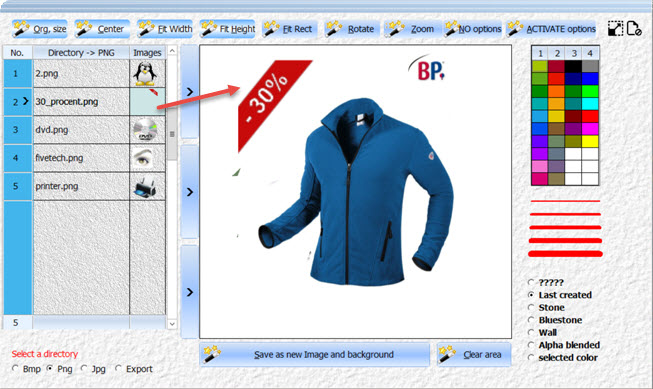
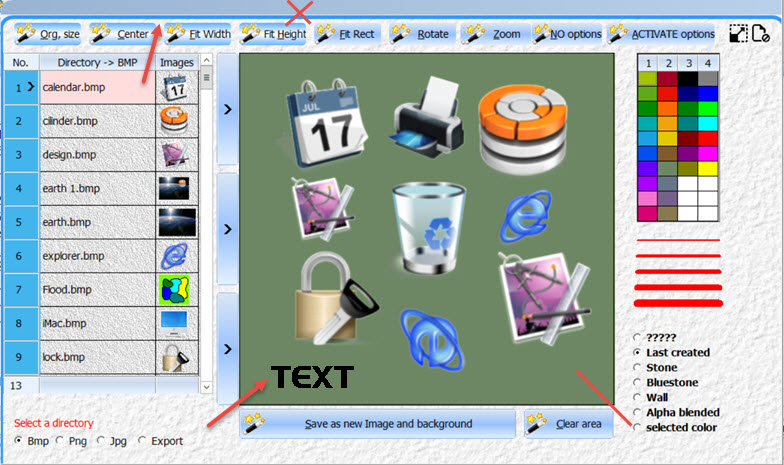
I can merge now multiple images to 1 output image.
It can have any background : brush,selected color or alpha-blended ( transparent )
I can work on each imported image like zoom, rotate, position ... before accepting it as final result
Is it possible to add some text as well :-)
Do I have to keep the normal window.style because of the not working < image-move >
and not drawing my own border styled window ( my question from above ) :-)


regards
Uwe :-) :-)
Since 1995 ( the first release of FW 1.9 )

i work with FW.

If you have any questions about special functions, maybe i can help.
Posts: 1487
Joined: Tue Jun 14, 2016 07:51 AM
Re: xImage - problem with &lt; MOVE &gt;
Posted: Sun Apr 04, 2021 04:35 PM

Uwe,

I need to merge also serveral images from a loop, no dialog or moving

A 500 x 500 pix image could have a image overlay in one of the for corner's or 2 of them..
like you see here : https://www.maveco-webshop.be/outlet/bovenkleding/
I would also combine a brand label or a out of stock label ....

You have a working option for this?

Marc Venken

Using: FWH 23.08 with Harbour
Posts: 4043
Joined: Wed Dec 19, 2007 06:40 PM
Re: xImage - problem with &lt; MOVE &gt;
Posted: Sun Apr 04, 2021 06:32 PM
Marc,

A practical use of the tool. Is that what You need
merging different infos on any position to the main-image and save as new :-)
It would be perfect to make it possible to add some free text.

It is easy to make any combinations.
1. select the main image from the browser -> jpg-directory
2. select and add other needed parts from the png-directory.
resize, rotate, zoom .... whatever You need


regards
Uwe :-)
Since 1995 ( the first release of FW 1.9 )

i work with FW.

If you have any questions about special functions, maybe i can help.
Posts: 1487
Joined: Tue Jun 14, 2016 07:51 AM
Re: xImage - problem with &lt; MOVE &gt;
Posted: Sun Apr 04, 2021 09:53 PM

Uwe,

The tool is not for this purpose. I've seen somewhere post of Mr. Rao that we can merge images :

Img1, img2, img3 and they can be put to 1 imgDone.jpg (so combined)

and I will be using this in a do/enddo loop while creating a online import file.

Marc Venken

Using: FWH 23.08 with Harbour

Continue the discussion