FiveTech Support Forums

FiveWin / Harbour / xBase community
Board index FiveWin for Harbour/xHarbour Print Problem with FWH2104
Posts: 1067
Joined: Wed Nov 09, 2005 02:17 AM
Print Problem with FWH2104
Posted: Mon Jun 07, 2021 12:19 PM
Hi Guys,

I used to print a form using something like this:

Define Pen oPenDot style PS_DOT Width 1 Color CLR_BLACK Of oPrn
oPrn:Line(aPos[1],aPos[2],aPos[1],aPos[2]+aTam[1],oPenDot)

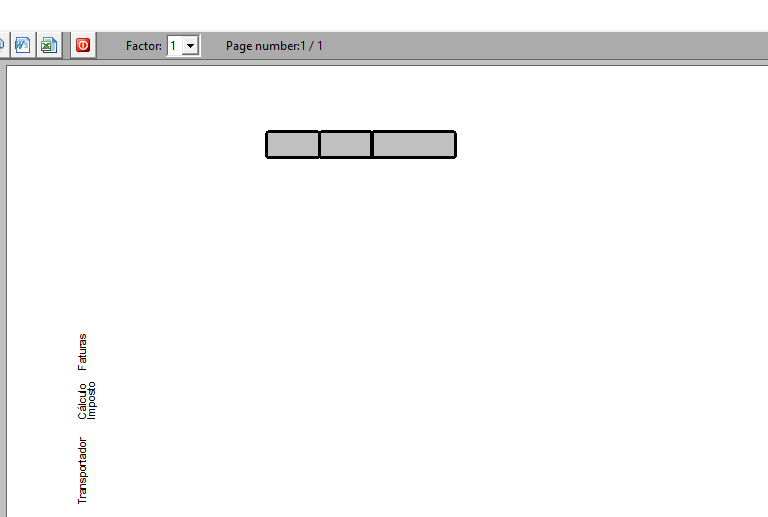
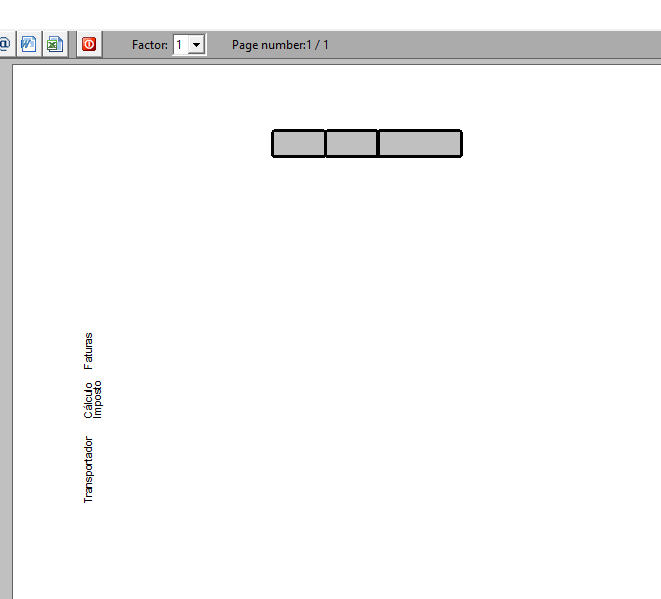
The same code in new FWH2104 is generating a completely different result, as you can see in the images bellow:

FWH1905


FWH2104


Do you know why ?
Sds,
Vilian F. Arraes
vilian@vfatec.com.br
Belém-Pa-Brazil
Posts: 8515
Joined: Tue Dec 20, 2005 07:36 PM
Re: Print Problem with FWH2104
Posted: Mon Jun 07, 2021 12:42 PM

Windows 10?

João Santos - São Paulo - Brasil - Phone: +55(11)95150-7341
Posts: 1067
Joined: Wed Nov 09, 2005 02:17 AM
Re: Print Problem with FWH2104
Posted: Mon Jun 07, 2021 12:44 PM

Yes.

Sds,
Vilian F. Arraes
vilian@vfatec.com.br
Belém-Pa-Brazil
Posts: 8515
Joined: Tue Dec 20, 2005 07:36 PM
Re: Print Problem with FWH2104
Posted: Mon Jun 07, 2021 12:48 PM
João Santos - São Paulo - Brasil - Phone: +55(11)95150-7341
Posts: 1067
Joined: Wed Nov 09, 2005 02:17 AM
Re: Print Problem with FWH2104
Posted: Mon Jun 07, 2021 12:52 PM

Thank You Karinha, But it's not the problem. IF I generate the EXE with my previous version of FWH (1905) everything is fine. So the problem isn't with windows version.
The problem only is happening with the FWH2104 version.

Sds,
Vilian F. Arraes
vilian@vfatec.com.br
Belém-Pa-Brazil
Posts: 8515
Joined: Tue Dec 20, 2005 07:36 PM
Re: Print Problem with FWH2104
Posted: Mon Jun 07, 2021 12:59 PM
vilian wrote:Thank You Karinha, But it's not the problem. IF I generate the EXE with my previous version of FWH (1905) everything is fine. So the problem isn't with windows version.
The problem only is happening with the FWH2104 version.


PRINTER.PRG ou RPREVIEW.PRG de outra versão?

Abs.
João Santos - São Paulo - Brasil - Phone: +55(11)95150-7341
Posts: 1067
Joined: Wed Nov 09, 2005 02:17 AM
Re: Print Problem with FWH2104
Posted: Mon Jun 07, 2021 01:04 PM

Only RPREVIEW.prg I use a modified version, but i tried without this and the problem is the same. I Think the problem is with the method oPrn:Line(), I'm checking...
I

Sds,
Vilian F. Arraes
vilian@vfatec.com.br
Belém-Pa-Brazil
Posts: 10733
Joined: Sun Nov 19, 2006 05:22 AM
Re: Print Problem with FWH2104
Posted: Mon Jun 07, 2021 01:24 PM

We will check this.
Can you please prepare a very small sample to try at our end?

Regards


G. N. Rao.

Hyderabad, India
Posts: 1067
Joined: Wed Nov 09, 2005 02:17 AM
Re: Print Problem with FWH2104
Posted: Mon Jun 07, 2021 03:07 PM
Here is it:
Code (fw): Select all Collapse
#include "FiveWin.ch"
#define PAD_LEFT                        0
static oWnd,oPrn,oPenDot,oPenFill,oPenSolid  

//----------------------------------------------------------------------------//


function Main()

   DEFINE WINDOW oWnd FROM 1, 1 TO 20, 60 TITLE "Printing a Window"

   @ 3, 3 BUTTON "&Print me" OF oWnd SIZE 80, 20 ;
      ACTION PrintMe()  // try also with oWnd:HardCopy()

   ACTIVATE WINDOW oWnd

return nil

//----------------------------------------------------------------------------//

function PrintMe()

   PRINT oPrn NAME "Test" PREVIEW
      oPrn:SetLandscape()      
      DEFINE BRUSH oPenFill  COLOR CLR_HGRAY
      Define Pen oPenDot style PS_DOT Width 1 Color CLR_BLACK Of oPrn
      DEFINE FONT  oFont07v NAME "ARIAL" SIZE 0,-07 OF oPrn NESCAPEMENT 900
      Define Pen oPenSolid  style PS_SOLID Width 2 Color CLR_BLACK Of oPrn

      PAGE 
         Box(05.9,1.5,0.6,01.2,"","Faturas",PAD_LEFT,,,,,oFont07v,,.t.,.t.)
         Box(07.1,1.5,0.6,01.2,""," Cálculo",PAD_LEFT,,,,,oFont07v,,.t.,.t.)
         Box(07.1,1.7,0.6,01.2,""," Imposto",PAD_LEFT,,.f.,,,oFont07v,,.t.)
         Box(08.3,1.5,0.6,01.9,"","Transportador",PAD_LEFT,,,,,oFont07v,,.t.,.t.)
      ENDPAGE
   ENDPRINT

return nil

FUNCTION Box(nlin,nCol,nComprimento,nAltura,uGroup,uTexto,nPadTexto,oLogoImage,lDrawBox,nTotalItens,lPosiciona,oFont,lFazQuebra,lVertical,lFill) 
LOCAL aPos:=Array(2),aTam:=Array(2),nPos,nRow,f,nLinha,nLinhasTexto,nMarginTexto,aMargin,lPrimeiraVez,lFimPag:=.f.
LOCAL nMarginCol, nMarginTam,nMarginRow,nCont,cTexto,cParteTexto,aGroup,nStart
   
      Default utexto:="", nPadTexto:=PAD_LEFT,lDrawbox:=.t.
      Default lPosiciona:=.f.,lVertical:=.f.,lFill:=.f.
   
      aPos[1]:=((nLin * 10 * (oPrn:nVertRes() / oPrn:nVertSize() )))
      aPos[2]:=((nCol * 10 * (oPrn:nHorzRes() / oPrn:nHorzSize() )))
      aTam[1]:=((nComprimento * 10 * oPrn:nVertRes() / oPrn:nVertSize()))
      aTam[2]:=(nAltura * 10 * oPrn:nHorzRes() / oPrn:nHorzSize())
   
      aGroup:=If(Valtype(uGroup)=="A",uGroup,{uGroup})
   
      IF lPosiciona
         aLinhaLista[nPagAtual]:={}
         aPosicaoLista[nPagAtual]:={}
      ENDIF
      IF lDrawBox
         oPrn:RoundBox(aPos[2],aPos[1],aPos[2]+aTam[1],aPos[1]+aTam[2],20,20,oPenSolid,If(lFill,CLR_HGRAY,NIL))
      ENDIF   
   
      aPos[1]:=(((nLin+nAltura-0.2) * 10 * (oPrn:nVertRes() / oPrn:nVertSize() )))
      aPos[2]:=((nCol * 10 * (oPrn:nHorzRes() / oPrn:nHorzSize() )))
   
      aMargin := oPrn:SizeInch2Pix(If(Empty(aGroup[1]),0.03,0.08),0.03)
      nRow := aPos[1]+aMargin[2]
      nCol := aPos[2]+aMargin[1] 
      oPrn:Say(nRow,nCol,uTexto,oFont,,CLR_BLACK,,PAD_LEFT)
            
Return(Nil)
Sds,
Vilian F. Arraes
vilian@vfatec.com.br
Belém-Pa-Brazil
Posts: 8515
Joined: Tue Dec 20, 2005 07:36 PM
Re: Print Problem with FWH2104
Posted: Mon Jun 07, 2021 04:35 PM

If I understand the logic, the BOX is not going to the left, respecting the defined font, is that correct?

A bug that FiveTech urgently needs to fix.

Greetings.

João Santos - São Paulo - Brasil - Phone: +55(11)95150-7341
Posts: 6983
Joined: Fri Oct 07, 2005 07:07 PM
Re: Print Problem with FWH2104
Posted: Mon Jun 07, 2021 05:01 PM
Hello friends,

This is a complicated form.
I tried to recreate it with / i zi pi zi / report.
And yes, you can do it.
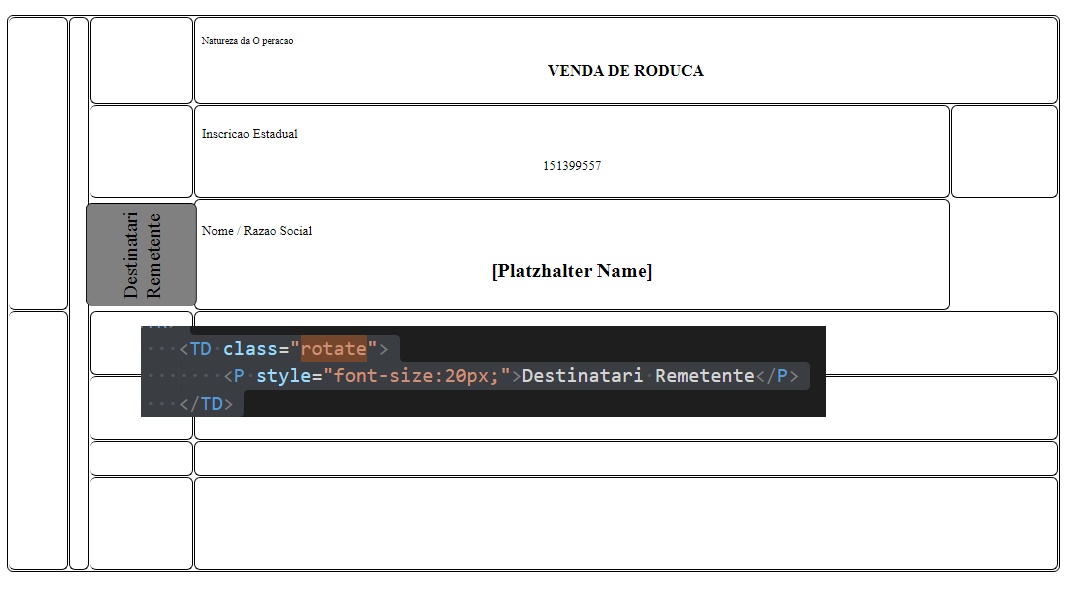
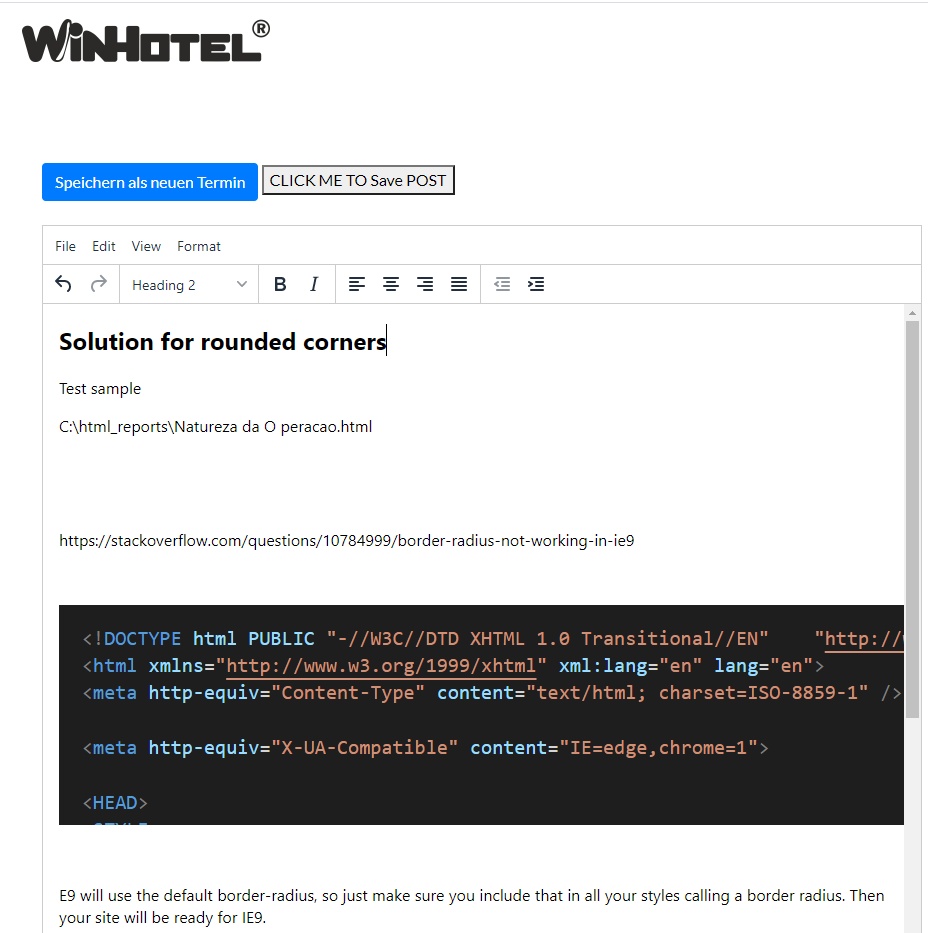
The lines I posted for the HTML header are important, otherwise the rounded corners will not be displayed.

Best regards,
Otto


Posts: 10733
Joined: Sun Nov 19, 2006 05:22 AM
Re: Print Problem with FWH2104
Posted: Tue Jun 08, 2021 02:42 AM
karinha wrote:If I understand the logic, the BOX is not going to the left, respecting the defined font, is that correct?

A bug that FiveTech urgently needs to fix.

Greetings.


Did you build the sample and test? What is the bug?
Regards


G. N. Rao.

Hyderabad, India
Posts: 10733
Joined: Sun Nov 19, 2006 05:22 AM
Re: Print Problem with FWH2104
Posted: Tue Jun 08, 2021 02:45 AM
vilian wrote:Only RPREVIEW.prg I use a modified version, but i tried without this and the problem is the same. I Think the problem is with the method oPrn:Line(), I'm checking...
I

We checked methods oPrn:Line(), oPrn:Box() and oPrn:RoundBox() with FWH1909 and FWH2104. The behaviour is identical and there is no change.
Regards


G. N. Rao.

Hyderabad, India
Posts: 10733
Joined: Sun Nov 19, 2006 05:22 AM
Re: Print Problem with FWH2104
Posted: Tue Jun 08, 2021 02:56 AM
Mr. Vilian

It appears to me that you (or anybody else) did not actually built and tested your sample with any version of FWH.

Please see these lines of code:
Code (fw): Select all Collapse
      IF lPosiciona
         aLinhaLista[nPagAtual]:={}
         aPosicaoLista[nPagAtual]:={}
      ENDIF

The variables aLinhaLista, aPosicaoLosta and nPagAtual are neither declared nor initialized.
If you compiled with warnings enabled, you ought to have got ambiguous variables warnings.
if you compiled without warnings and built the exe, you ought to have got runtime error, because the above lines are equivalent to:
Code (fw): Select all Collapse
NIL[NIL] := {}
NIL[NIL] := {}


The above variables are not used anywhere else in this sample. So, I commented out those 4 lines and added local declaration for the undeclared variable oFont017V and then built the exe both with FWH1909 and FWH2104.

The results are identical between FWH1909 and FWH2104. No difference is found between FWH1909 and FWH2104.

FWH1909:


FWH2104:


Then I checked the values of the actual parameters the prorgram supplies to the oPrn:RoundBox(...)
These are the actual values:
Code (fw): Select all Collapse
TOP       LEFT        BOTTOM       RIGHT
354.3434343 1393.804762 496.0862915 1677.279509
354.3434343 1677.290476 496.0862915 1960.765224
401.5892256 1677.290476 543.3320827 1960.765224
354.3434343 1960.77619  496.0862915 2409.611207

Using these parameters we get the round boxes exactly like what we see in the above images.

So, I did not find any differences between FWH1909 and FWH2104 or any incorrect behaviour with the printer program.

Please revise the sample. First, build and test at your end with both versions before posting here. We will test the sample and provide the solution.
Regards


G. N. Rao.

Hyderabad, India
Posts: 1067
Joined: Wed Nov 09, 2005 02:17 AM
Re: Print Problem with FWH2104
Posted: Tue Jun 08, 2021 10:55 AM

Mr Rao,

My previous version is FWH1905, may be it is the reason i have different results.

Sds,
Vilian F. Arraes
vilian@vfatec.com.br
Belém-Pa-Brazil