FiveTech Support Forums

FiveWin / Harbour / xBase community
Board index FiveWin for Harbour/xHarbour XBrowse height for rows - RowHeight
Posts: 50
Joined: Tue Feb 02, 2021 10:21 PM
XBrowse height for rows - RowHeight
Posted: Fri Jun 18, 2021 01:59 AM

Good evening Forum,

I was looking around here on this topic and there are things that did not work for me.

The idea is the following:

I am looking to make a "CHAT" where each message has its own height, but I cannot achieve to be able to modify the height of each line according to the content.

For example: a 5 line message, which is 50 height, and a 1 line message, which is 15 height.

If you have a better alternative, I listen to you. Although it is not a chat, it is a messenger to replace emails within a company and keep track of tickets.

Thank you.

Nicolás
Posts: 6983
Joined: Fri Oct 07, 2005 07:07 PM
Re: XBrowse height for rows - RowHeight
Posted: Fri Jun 18, 2021 06:30 AM
Hello Nicolás,

I think that this is currently not possible with xBrowse.

I would suggest using the web browse control.
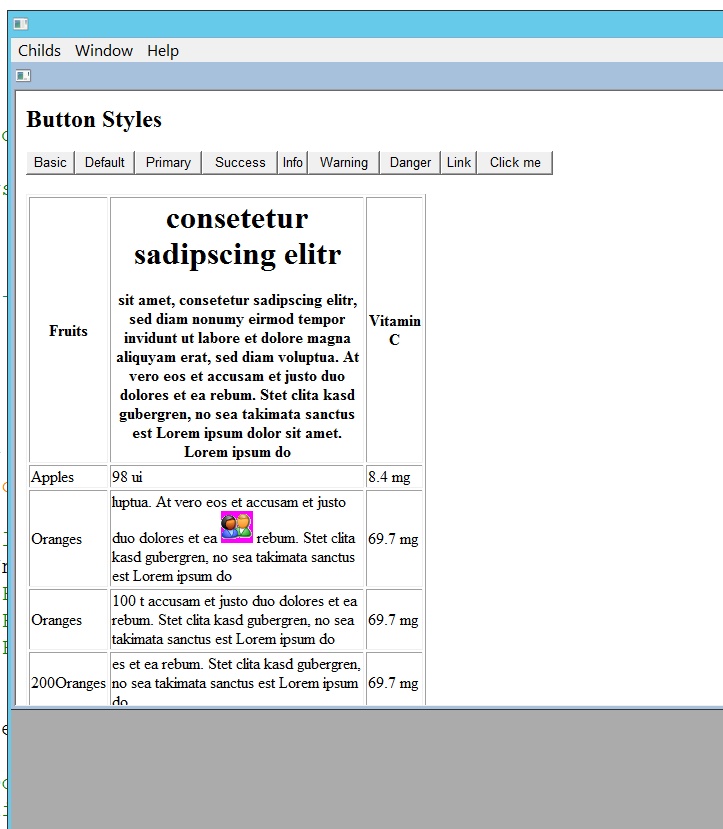
Also keep in mind that the web browse control Edge based is in the starting blocks. It will give us a lot of design options in the user interface

I made a short test - please see.

Best regards,
Otto

Posts: 6983
Joined: Fri Oct 07, 2005 07:07 PM
Re: XBrowse height for rows - RowHeight
Posted: Fri Jun 18, 2021 07:18 AM
Hello Nicolás,
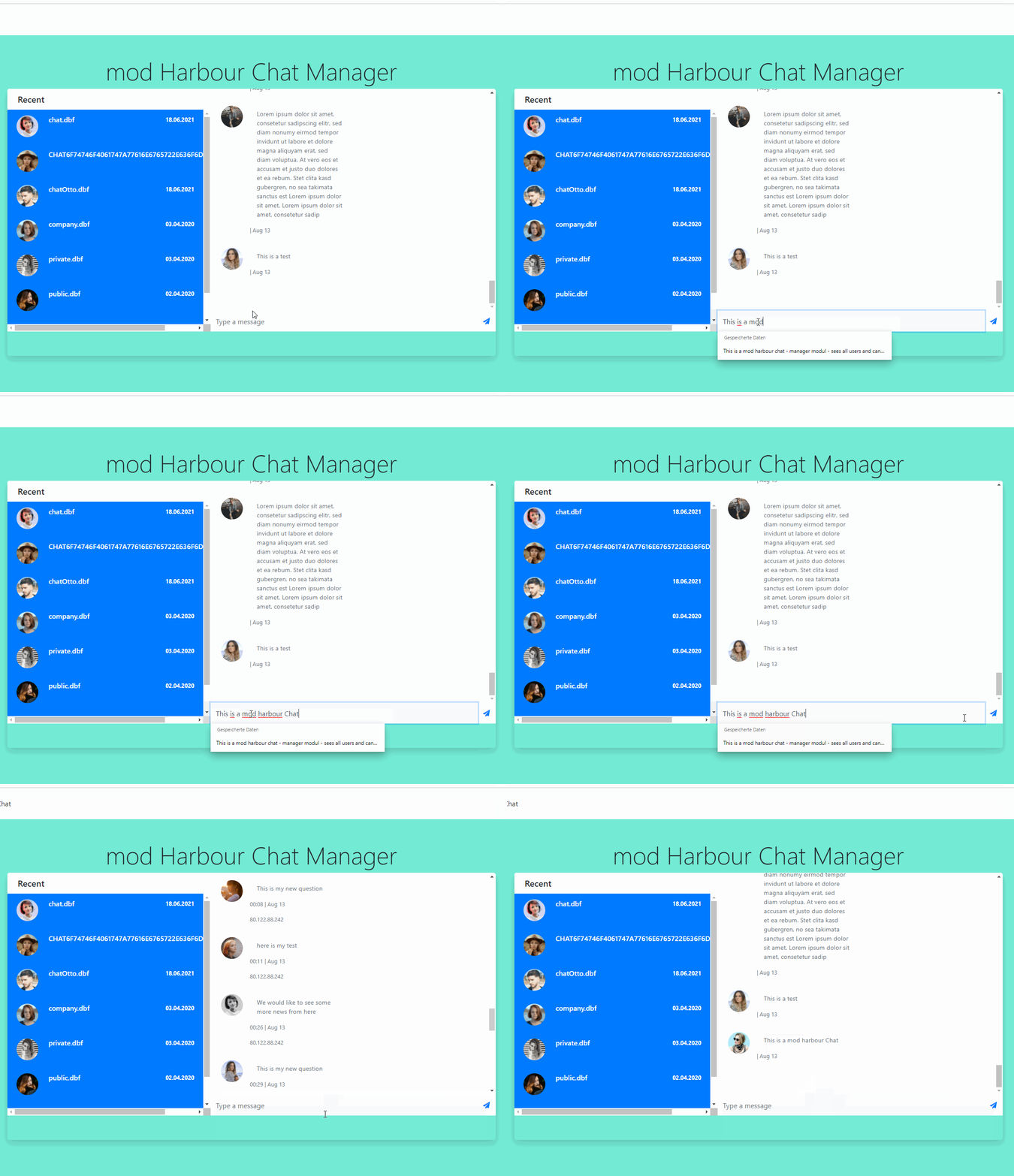
have you thought to use mod harbour for the chat?
Here is a screenshot from my tests with mod harbour.
Best regards,
Otto
Posts: 50
Joined: Tue Feb 02, 2021 10:21 PM
Re: XBrowse height for rows - RowHeight
Posted: Fri Jun 18, 2021 08:15 PM
Hi Otto,

Pretty good work you've done in Mod Harbour. I've read about your projects and they are awesome.

I think in a better way to display messages. Actually, I'm not doing a messenger, just a support ticketing system for this business, so I can show a Edit Memo with all the information and maybe use some bold, underline and this things to get a better UI. It's not CSS but it's something.

Thanks for your time!

Otto wrote:Hello Nicolás,
have you thought to use mod harbour for the chat?
Here is a screenshot from my tests with mod harbour.
Best regards,
Otto
Nicolás
Posts: 6983
Joined: Fri Oct 07, 2005 07:07 PM
Re: XBrowse height for rows - RowHeight
Posted: Fri Jun 18, 2021 11:55 PM
Hello Nicolás,

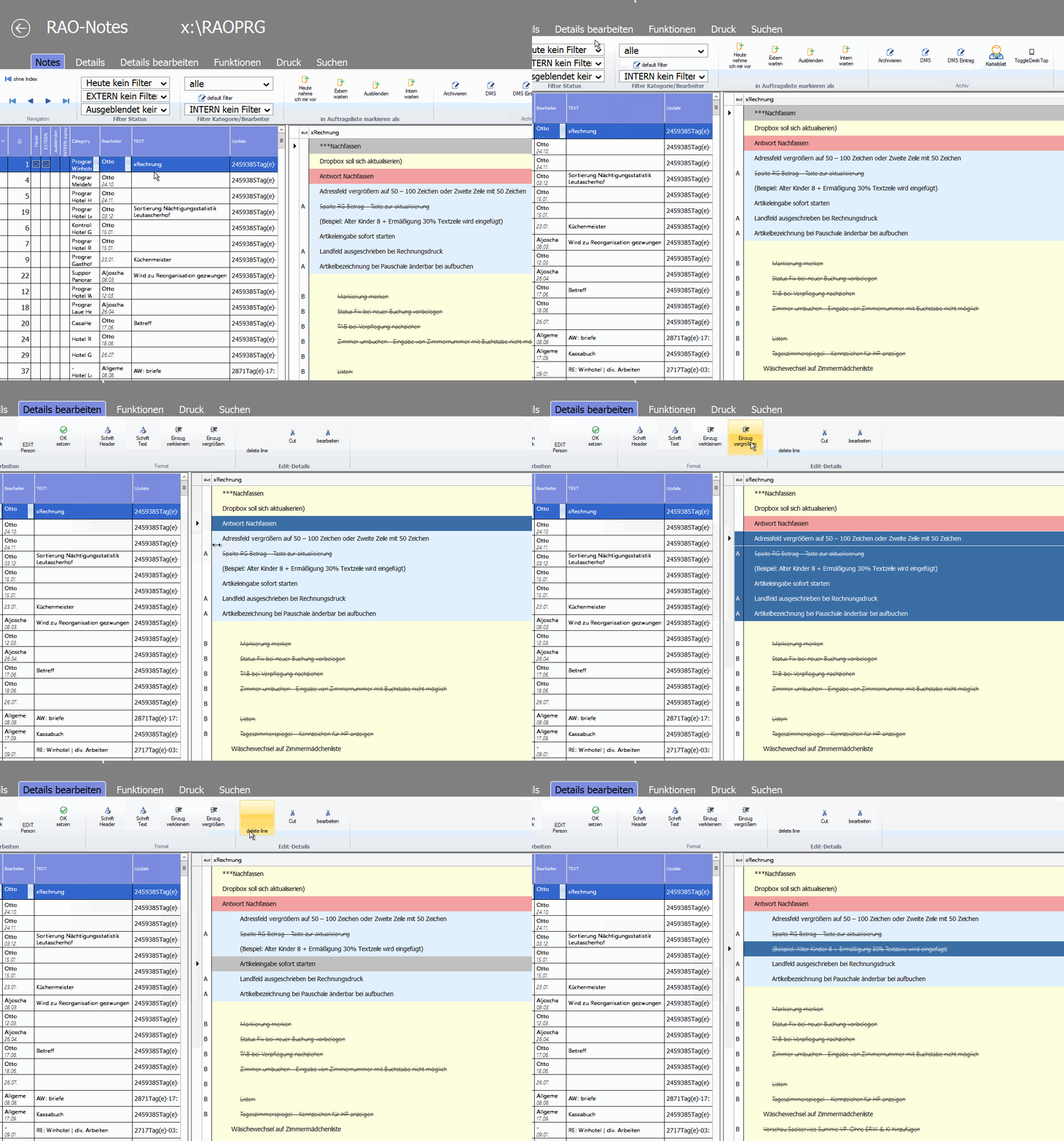
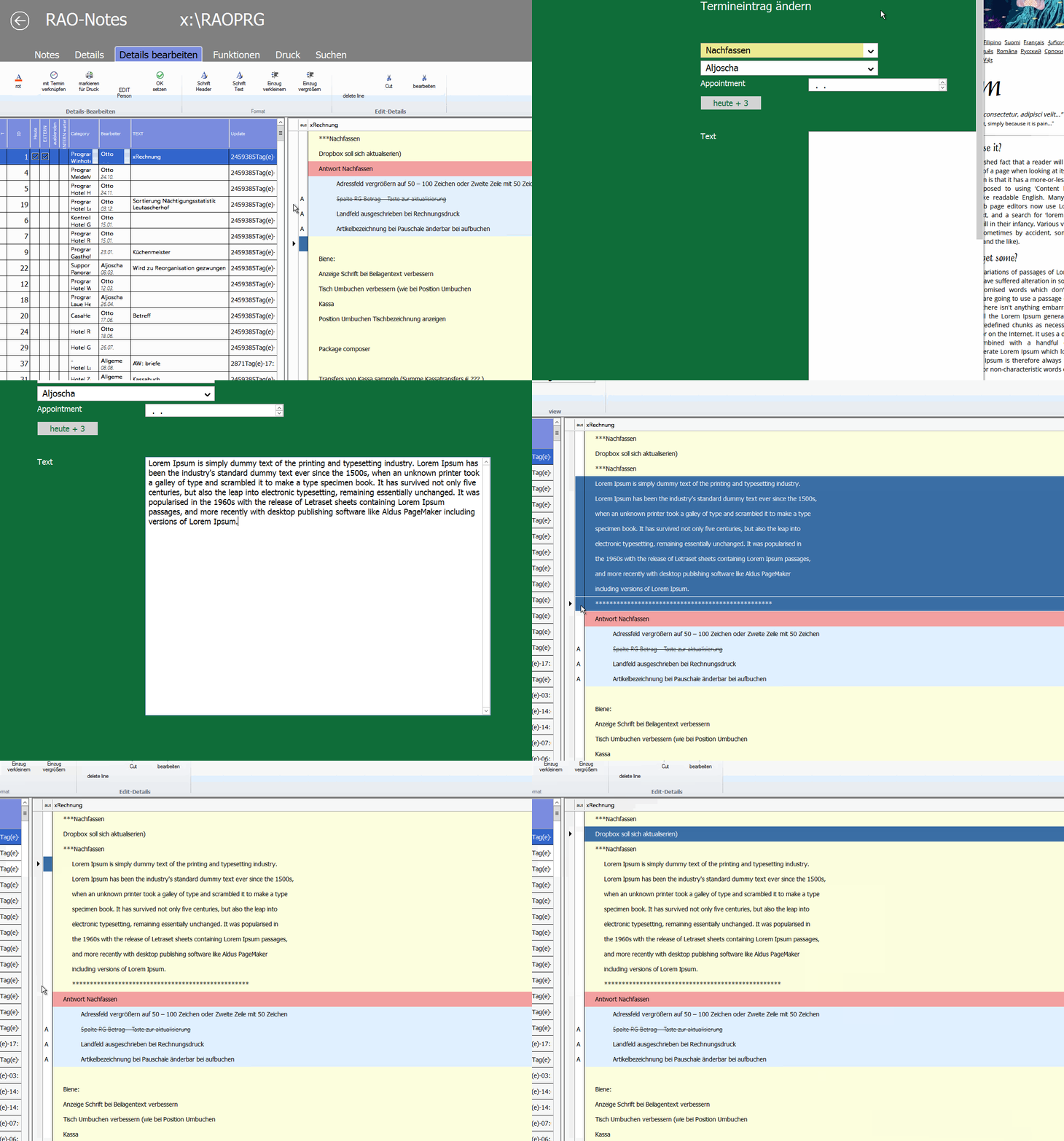
you can try with colors and different font size in xBrowse.
Please see:

viewtopic.php?f=3&t=20814&p=110575&hilit=notes&sid=dcb1ff8a2905a82a2f93892c1749973b#p110575

search.php?st=0&sk=t&sd=d&keywords=notes&author=Otto&start=15

Best regards,
Otto


Posts: 50
Joined: Tue Feb 02, 2021 10:21 PM
Re: XBrowse height for rows - RowHeight
Posted: Sat Jun 19, 2021 02:07 AM
Hi Otto,

That's pretty good actually, I'll take a look about it.

Thanks a lot! Have a good weekend :-)

Otto wrote:Hello Nicolás,

you can try with colors and different font size in xBrowse.
Please see:

http://forums.fivetechsupport.com/viewt ... 3b#p110575

http://forums.fivetechsupport.com/searc ... o&start=15

Best regards,
Otto


Nicolás
Posts: 1487
Joined: Tue Jun 14, 2016 07:51 AM
Re: XBrowse height for rows - RowHeight
Posted: Sun Jun 20, 2021 10:22 PM

Nicolas,

If you combine the memo's with a coloring from xbrowse ( see : viewtopic.php?f=3&t=39247 )

and maybe a tree from Xbrowse ( see : viewtopic.php?f=3&t=37449&hilit=tree+sample )

see the sample and think off the years that could be a ticket, you see that with less code all the items from that ticket will be combined and pretty good viewed. at the right from the browse you could put the memoedit (Richedit5)

Just a idea ...

Marc Venken

Using: FWH 23.08 with Harbour

Continue the discussion