FiveTech Support Forums

FiveWin / Harbour / xBase community
Board index FiveWin for Harbour/xHarbour Using WebView with Borland !!!
Posts: 1387
Joined: Fri May 23, 2008 01:33 PM
Re: Using WebView with Borland !!!
Posted: Sun Jan 30, 2022 06:19 PM
Antonio Linares wrote:Using this technique we are going to do unitary tests on web apps :-)
Basically from our Harbour app, we load a web app and automatically start filling what is required and checking the results we get.


Hi Antonio,

it will a good example to login fwh forum filling username and password if it is possible. :-)
Regards,


Hakan ONEMLI


Harbour & MSVC 2022 & FWH 23.06
Posts: 44158
Joined: Thu Oct 06, 2005 05:47 PM
Re: Using WebView with Borland !!!
Posted: Sun Jan 30, 2022 06:41 PM
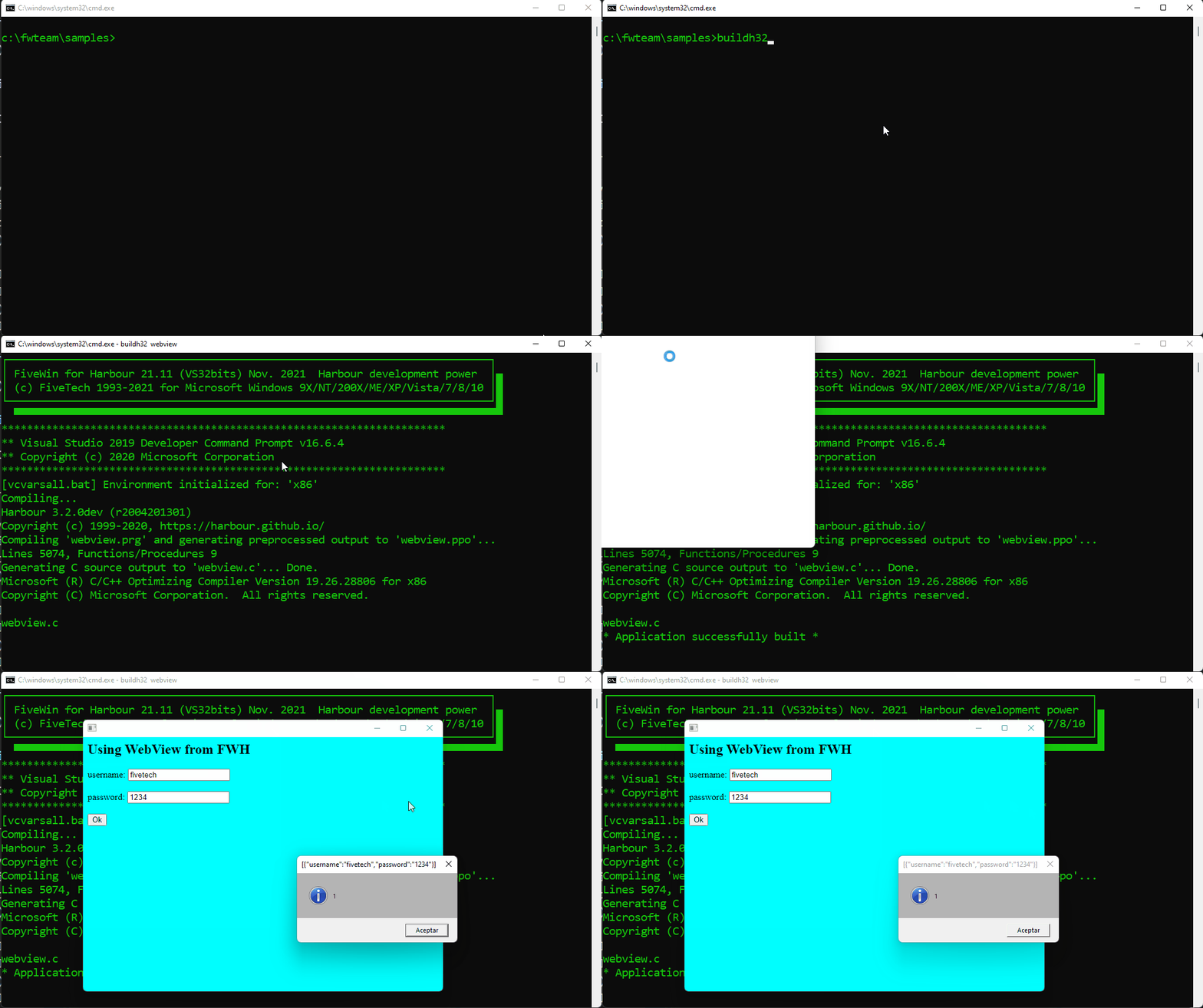
Enhanced example for unitary tests:

webview.prg
#include "FiveWin.ch"

static hDLL, s_nCalls, s_cJsonResult

function Main()

   local hWebView

   hDLL = LoadLibrary( "webview.dll" )

   hWebView = WebView_Create( 0, 0 )
   WebView_Navigate( hWebView, Html() ) // or use an URL
   SysWait( 2 )
   WebView_Bind( hWebView, "SendToFWH", SendToFWHAddress(), hWebView )

   WebView_Eval( hWebView, 'document.getElementById( "user" ).value = "fivetech"' )
   WebView_Eval( hWebView, 'document.getElementById( "passwd" ).value = "1234"' )
   SysWait( 2 )
   WebView_Eval( hWebView, 'document.getElementById( "submit" ).click()' )
   
   WebView_Run( hWebView )
   WebView_Destroy( hWebView )

   FreeLibrary( hDLL )

return nil

function WebView_SaveValues( cCalls, cJsonResult )

   s_nCalls = Val( cCalls )
   s_cJsonResult = cJsonResult

   MsgInfo( s_nCalls, s_cJsonResult )

return nil   

function Html()

   local cHtml

   TEXT INTO cHtml
      data:text/html, 
      <html>
         <head>
         </head>
         <body style="background-color:cyan">
            <h2>Using WebView from FWH</h2>
            <form method="post">
               <label for="fname">username:</label>
               <input type="text" id="user" name="username"><br><br>
               <label for="lname">password:</label>
               <input type="text" id="passwd" name="password"><br><br>
               <input type="submit" id="submit" value="Submit" onclick="alert('ok')">
            </form>            
         </body>
      </html>
   ENDTEXT      

return cHtml

DLL FUNCTION WEBVIEW_CREATE( nDebug AS LONG, hWndParent AS LONG ) AS LONG PASCAL FROM "webview_create" LIB hDLL
DLL FUNCTION WEBVIEW_RUN( hWebView AS LONG ) AS VOID PASCAL FROM "webview_run" LIB hDLL
DLL FUNCTION WEBVIEW_NAVIGATE( hWebView AS LONG, cUrl AS LPSTR ) AS VOID PASCAL FROM "webview_navigate" LIB hDLL
DLL FUNCTION WEBVIEW_DESTROY( hWebView AS LONG ) AS VOID PASCAL FROM "webview_destroy" LIB hDLL
DLL FUNCTION WEBVIEW_BIND( hWebView AS LONG, cName AS LPSTR, pFunc AS LONG, pVoid AS LONG ) AS VOID PASCAL FROM "webview_bind" LIB hDLL
DLL FUNCTION WEBVIEW_EVAL( hWebView AS LONG, cJavaScript AS LPSTR ) AS VOID PASCAL FROM "webview_eval" LIB hDLL

#pragma BEGINDUMP

#include <hbapi.h>
#include <windows.h>
#include <hbvm.h>

static void SendToFWH( const char * szNumRequests, const char * szJson, void * p )
{
   hb_vmPushSymbol( hb_dynsymGetSymbol( "WEBVIEW_SAVEVALUES" ) );
   hb_vmPushNil();
   hb_vmPushString( szNumRequests, strlen( szNumRequests ) );
   hb_vmPushString( szJson, strlen( szJson ) );
   hb_vmFunction( 2 );
}

HB_FUNC( SENDTOFWHADDRESS )
{
   hb_retnl( ( HB_LONG ) SendToFWH );
}

#pragma ENDDUMP
regards, saludos

Antonio Linares
www.fivetechsoft.com
Posts: 44158
Joined: Thu Oct 06, 2005 05:47 PM
Re: Using WebView with Borland !!!
Posted: Sun Jan 30, 2022 07:23 PM
Dear Hakan,

This example automatically fills the values of the Gets and click the button:

webview.prg
#include "FiveWin.ch"

static hDLL, s_nCalls, s_cJsonResult

function Main()

   local hWebView

   hDLL = LoadLibrary( "webview.dll" )

   hWebView = WebView_Create( 0, 0 )
   WebView_Navigate( hWebView, Html() ) // or use an URL
   WebView_Bind( hWebView, "SendToFWH", SendToFWHAddress(), hWebView )
   SysWait( 2 )
   
   WebView_Eval( hWebView, 'document.getElementById( "user" ).value = "fivetech"' )
   WebView_Eval( hWebView, 'document.getElementById( "passwd" ).value = "1234"' )
   SysWait( 2 )
   WebView_Eval( hWebView, 'document.getElementById( "submit" ).click()' )

   WebView_Run( hWebView )
   WebView_Destroy( hWebView )

   FreeLibrary( hDLL )

return nil

function WebView_SaveValues( cCalls, cJsonResult )

   s_nCalls = Val( cCalls )
   s_cJsonResult = cJsonResult

   MsgInfo( s_nCalls, s_cJsonResult )

return nil  

function Html()

   local cHtml

   TEXT INTO cHtml
      data:text/html,
      <html>
         <head>
         </head>
         <body style="background-color:cyan">
            <h2>Using WebView from FWH</h2>
            <fieldget>
            <label>username:</label>
            <input type="text" id="user"></input><br><br>
            <label>password:</label>
            <input type="text" id="passwd"></input><br><br>
            </fieldget>
            <button id="submit" onclick='SendToFWH( GetValues() )'>Ok</button>
         </body>
         <script>
            function GetValues() {
            return { "username" : document.getElementById( "user" ).value,
                     "password" : document.getElementById( "passwd" ).value }
            }
         </script>
      </html>
   ENDTEXT      

return cHtml

DLL FUNCTION WEBVIEW_CREATE( nDebug AS LONG, hWndParent AS LONG ) AS LONG PASCAL FROM "webview_create" LIB hDLL
DLL FUNCTION WEBVIEW_RUN( hWebView AS LONG ) AS VOID PASCAL FROM "webview_run" LIB hDLL
DLL FUNCTION WEBVIEW_NAVIGATE( hWebView AS LONG, cUrl AS LPSTR ) AS VOID PASCAL FROM "webview_navigate" LIB hDLL
DLL FUNCTION WEBVIEW_DESTROY( hWebView AS LONG ) AS VOID PASCAL FROM "webview_destroy" LIB hDLL
DLL FUNCTION WEBVIEW_BIND( hWebView AS LONG, cName AS LPSTR, pFunc AS LONG, pVoid AS LONG ) AS VOID PASCAL FROM "webview_bind" LIB hDLL
DLL FUNCTION WEBVIEW_EVAL( hWebView AS LONG, cJavaScript AS LPSTR ) AS VOID PASCAL FROM "webview_eval" LIB hDLL

#pragma BEGINDUMP

#include <hbapi.h>
#include <windows.h>
#include <hbvm.h>

static void SendToFWH( const char * szNumRequests, const char * szJson, void * p )
{
   hb_vmPushSymbol( hb_dynsymGetSymbol( "WEBVIEW_SAVEVALUES" ) );
   hb_vmPushNil();
   hb_vmPushString( szNumRequests, strlen( szNumRequests ) );
   hb_vmPushString( szJson, strlen( szJson ) );
   hb_vmFunction( 2 );
}

HB_FUNC( SENDTOFWHADDRESS )
{
   hb_retnl( ( HB_LONG ) SendToFWH );
}

#pragma ENDDUMP
regards, saludos

Antonio Linares
www.fivetechsoft.com
Posts: 1387
Joined: Fri May 23, 2008 01:33 PM
Re: Using WebView with Borland !!!
Posted: Sun Jan 30, 2022 08:37 PM

Very good Antonio,

But I could not understand one point. We try to fill the webpage directly. We have no source html.

I want to ask, is it necessary to be a web page under our control to fill the fields with WebView?

Regards,


Hakan ONEMLI


Harbour & MSVC 2022 & FWH 23.06
Posts: 44158
Joined: Thu Oct 06, 2005 05:47 PM
Re: Using WebView with Borland !!!
Posted: Sun Jan 30, 2022 08:41 PM

> is it necessary to be a web page under our control to fill the fields with WebView?

We can use any web :-)

Basically this is the functionality that you get using "Selenium" or any "web scrapper"

Now we have that power from our FWH apps !!!

regards, saludos

Antonio Linares
www.fivetechsoft.com
Posts: 1387
Joined: Fri May 23, 2008 01:33 PM
Re: Using WebView with Borland !!!
Posted: Sun Jan 30, 2022 09:01 PM
Antonio Linares wrote:> is it necessary to be a web page under our control to fill the fields with WebView?

We can use any web :-)

Basically this is the functionality that you get using "Selenium" or any "web scrapper"

Now we have that power from our FWH apps !!!
Hi Antonio,

I have changed your code like that
   hWebView = WebView_Create( 0, 0 )
   WebView_Navigate( hWebView, "https://forums.fivetechsupport.com/ucp.php?mode=login" ) // or use an URL
   WebView_Bind( hWebView, "SendToFWH", SendToFWHAddress(), hWebView )
   SysWait( 2 )
   
   WebView_Eval( hWebView, 'document.getElementById( "username" ).value = "Horizon"' )
   WebView_Eval( hWebView, 'document.getElementById( "password" ).value = "12345"' )
   SysWait( 2 )
   WebView_Eval( hWebView, 'document.getElementByClass( "button1" ).click()' )
My Username and password is filled to related input fields but i could not clicked the button. I tried getElementByName("login") also.
Regards,


Hakan ONEMLI


Harbour & MSVC 2022 & FWH 23.06
Posts: 44158
Joined: Thu Oct 06, 2005 05:47 PM
Re: Using WebView with Borland !!!
Posted: Mon Jan 31, 2022 07:35 AM

Try it with:

WebView_Eval( hWebView, 'document.getElementByClassName( "button1" ).click()' )

or

WebView_Eval( hWebView, 'document.getElementByClassName( "button1" )[ 0 ].click()' )

regards, saludos

Antonio Linares
www.fivetechsoft.com
Posts: 1816
Joined: Wed Oct 26, 2005 02:49 PM
Re: Using WebView with Borland !!!
Posted: Tue Feb 01, 2022 08:36 AM
Antonio buenos días

Quiero iniciar con las pruebas de esta utilidad, ya descargue los dll, pero deseo saber si esto es obligatorio instalarlo?

Que debo descargar?
EverGreen Standalone Installer x86?

Saludos
LEANDRO AREVALO
Bogotá (Colombia)
https://hymlyma.com
https://hymplus.com/
leandroalfonso111@gmail.com
leandroalfonso111@hotmail.com

[ Turbo Incremental Link64 6.98 Embarcadero 7.70 ] [ FiveWin 25.01 ] [ xHarbour 64 bits) ]
Posts: 44158
Joined: Thu Oct 06, 2005 05:47 PM
Re: Using WebView with Borland !!!
Posted: Tue Feb 01, 2022 10:11 AM
Leandro,

Comprueba si te funciona el EXE publicado con las DLLs que incluye, antes de instalar nada:
https://github.com/FiveTechSoft/FWH_tools/raw/master/webview.zip

Si no funciona y además genera un fichero log de error, entonces instala EverGreen Standalone Installer x86

gracias!
regards, saludos

Antonio Linares
www.fivetechsoft.com
Posts: 1387
Joined: Fri May 23, 2008 01:33 PM
Re: Using WebView with Borland !!!
Posted: Wed Feb 02, 2022 01:57 PM
Hi Antonio,

This code opens the forum successfully.
function Main()

    local hWebView
    cLink := "https://vatandas.uyap.gov.tr/main/vatandas/giris.jsp"

    hDLL = LoadLibrary( "webview.dll" )
    IF hDLL=nil
        MsgAlert("webview.dll not found!", "Error")
        return nil
    ENDIF    
    hWebView = WebView_Create( 0, 0 )
    WebView_Navigate( hWebView, "https://forums.fivetechsupport.com/ucp.php?mode=login" ) // or use an URL
    WebView_Bind( hWebView, "SendToFWH", SendToFWHAddress(), hWebView )
    SysWait( 2 )

    WebView_Eval( hWebView, 'document.getElementById( "username" ).value = "Horizon"' )
    WebView_Eval( hWebView, 'document.getElementById( "password" ).value = "12345"' )
    SysWait( 2 )
  WebView_Eval( hWebView, 'document.getElementsByName( "login" )[0].click()' )

    WebView_Run( hWebView )
    WebView_Destroy( hWebView )

    FreeLibrary( hDLL )

return nil
Regards,


Hakan ONEMLI


Harbour & MSVC 2022 & FWH 23.06
Posts: 1387
Joined: Fri May 23, 2008 01:33 PM
Re: Using WebView with Borland !!!
Posted: Wed Feb 02, 2022 02:45 PM

Hi Antonio,

Is it possible to set screen coordinates, width and height?

Thanks.

Regards,


Hakan ONEMLI


Harbour & MSVC 2022 & FWH 23.06
Posts: 1816
Joined: Wed Oct 26, 2005 02:49 PM
Re: Using WebView with Borland !!!
Posted: Wed Feb 02, 2022 06:58 PM
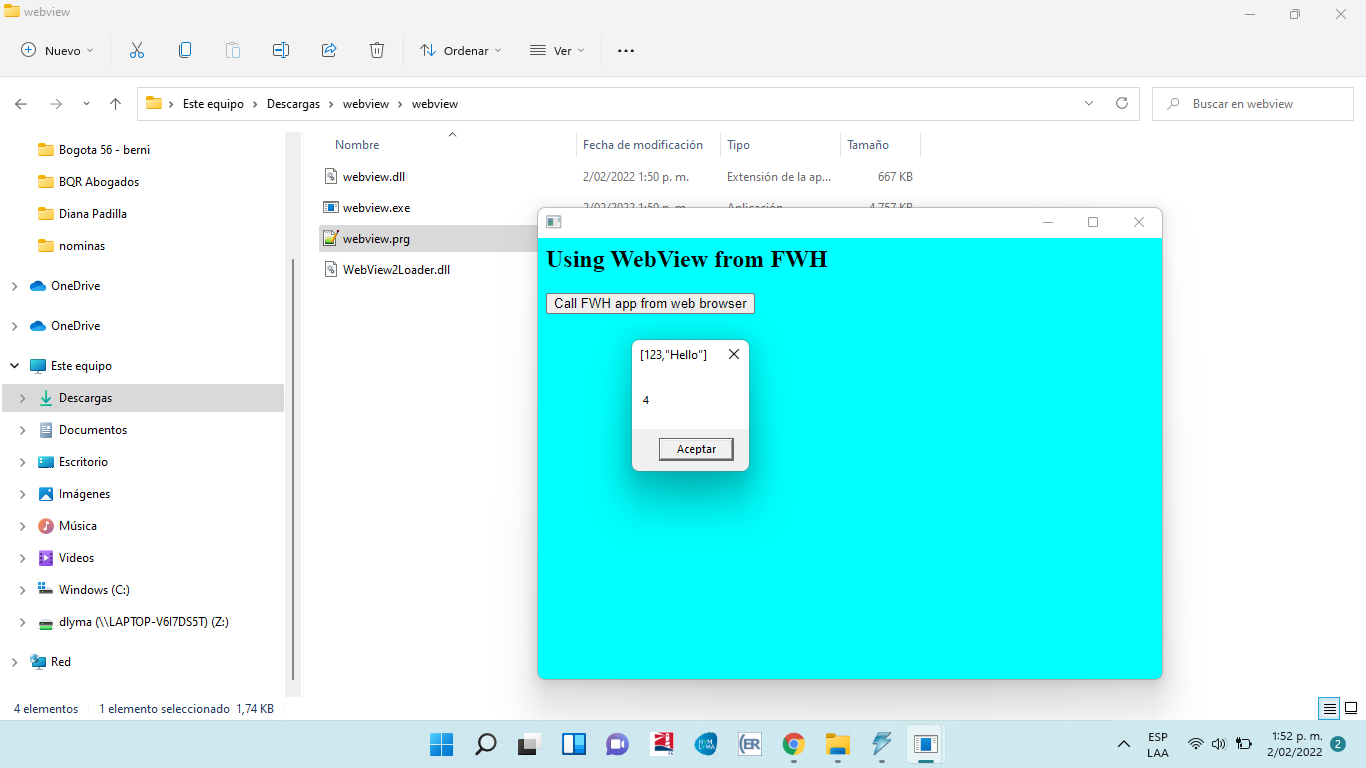
Perfecto Antonio, funciono sin ningún problema el ejecutable de ejemplo.

Ahora se vienen varias preguntas :-)

* Es funcional con la versión de fw1909 <- Aun que tenemos otras versiones mas recientes no hemos podido migrar por que hay algunos problemas al momento de migrar, en GETS y en MEMOEDIT()

* Funciona con xHarbour?

* Se puede incrustar dentro de cualquier control?

Saludos
LEANDRO AREVALO
Bogotá (Colombia)
https://hymlyma.com
https://hymplus.com/
leandroalfonso111@gmail.com
leandroalfonso111@hotmail.com

[ Turbo Incremental Link64 6.98 Embarcadero 7.70 ] [ FiveWin 25.01 ] [ xHarbour 64 bits) ]
Posts: 6983
Joined: Fri Oct 07, 2005 07:07 PM
Re: Using WebView with Borland !!!
Posted: Wed Feb 02, 2022 08:31 PM
Dear Antonio,
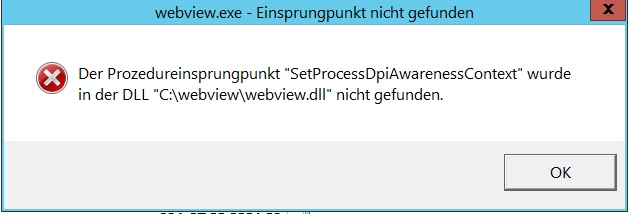
on my WINDOWS 2012 R" I get the following error.

Best regards,
Otto
Posts: 44158
Joined: Thu Oct 06, 2005 05:47 PM
Re: Using WebView with Borland !!!
Posted: Thu Feb 03, 2022 10:31 AM
Dear Otto,

You have to install the EverGreen Standalone Installer x86 mentioned in previous posts

https://developer.microsoft.com/en-us/microsoft-edge/webview2/#download-section
regards, saludos

Antonio Linares
www.fivetechsoft.com
Posts: 44158
Joined: Thu Oct 06, 2005 05:47 PM
Re: Using WebView with Borland !!!
Posted: Thu Feb 03, 2022 10:33 AM

Leandro,

Tienes que probarlo, haciendo buildh32.bat webview y comprobando si te funciona bien. Debería funcionarte bien :-)

> Funciona con xHarbour?

Sólo lo hemos probado con Harbour por el momento

> * Se puede incrustar dentro de cualquier control?

Si, usando SetParent( hWndWebView, hWndParent )

regards, saludos

Antonio Linares
www.fivetechsoft.com