Thanks for your explanation, I worked with CSV and it was the fastest
Enrrique Vertiz Pitta
Lima-Peru
xHb 1.23.1026X, Fwh 25.01, BCC74, MySQL 8.0.X, SQLLIB 1.9m
Lima-Peru
xHb 1.23.1026X, Fwh 25.01, BCC74, MySQL 8.0.X, SQLLIB 1.9m
Thanks for your explanation, I worked with CSV and it was the fastest
Buenas tardes
Tengo FWH 20.04 y necesito leer un excel de 1,000,000 de lineas y casi 30 columnas que manda un cliente y solo lo puede/quiere mandar en Excel, uso la TExcel y claro funciona, pero demora casi 15 horas, algo mas rapido para poder leer registro x registro y guardarlo despues como datos, levantarlo en un array o en un DBF, alguien algun ejemplo funcional, GRACIAS
FWH has built-in functions GetExcelRange() and FW_ExcelToDBF() for this purpose.
But your data is huge, better to use a custom approach for this case.
1) Save Excel sheet as CSV and then copy to DBF.
OR
2) Reading row by row is ok. Instead, read in chunks, ranges of 20,000 approx in a loop and save it in dbf.
      oExcel := CreateObject( "Excel.Application" )

         oExcel:Application:Workbooks:open(ZPATH+cFILE)
      // Make the first one active
         oWorkBook := oExcel:activeWorkBook
         oExcel:Application:Worksheets(1):activate()
      // Speed things up by creating an object containing the cells
         oSheet := oExcel:Worksheets(1):cells
         oWorkBook:workSheets(1):usedRange:Select

         numRows    := oWorkBook:workSheets(1):usedRange:Rows:Count
         numColumns := oWorkBook:workSheets(1):usedRange:Columns:Count

      // make Array with same Size
         FOR i := 1 TO numRows
            AADD(aExcel,ARRAY(numColumns))
         NEXT
      // convert to A-Z for Excel Syntax
         cEnde := ZAHL2CHR(numColumns)
      // now paste hole Sheet to Array
         aExcel := oSheet:range( "A1:"+cEnde+LTRIM(STR(numRows)) ):value
      // Array to DBF
Data2Dbf(aExcel) oExcel := CreateObject( "Excel.Application" )
oExcel:Application:Workbooks:open(ZPATH+cFILE)
// Make the first one active
oWorkBook := oExcel:activeWorkBook
oExcel:Application:Worksheets(1):activate()
// Speed things up by creating an object containing the cells
oSheet := oExcel:Worksheets(1):cells
oWorkBook:workSheets(1):usedRange:SelectoRange := GetExcelRange( TrueName( cExelFile ) ) numRows := oWorkBook:workSheets(1):usedRange:Rows:Count
numColumns := oWorkBook:workSheets(1):usedRange:Columns:Count
// make Array with same Size
FOR i := 1 TO numRows
AADD(aExcel,ARRAY(numColumns))
NEXTaExcel := xlRangeValue( oRange )// Create of open dbf
( cAlias )->( FW_ExcelToDBF( oRange, [cFieldList], [lHasHeaders], [bProgress] )// Open or Create dbf
( cAlias )->( FW_ExcelToDBF( GetExcelRange( TrueName( cExcelFile ) ) ) )// open or create dbf
FW_ExcelToDBF()Enrrique Vertiz wrote:Thanks for your explanation, I worked with CSV and it was the fastest
nageswaragunupudi wrote:
You can simplify your programs A LOT by using FWH built-in functions.
When you recommend, they are easier to implement by other programmers.
Regards Mr Rao
Reading the CSV file by passing it to an array() not even 15 seconds, 780,000 lines, reading as XLSX took a few hours
The recording if it takes 1 hour and a half, because there are validations before recording record by record.
#include "fivewin.ch"

REQUEST DBFCDX

//----------------------------------------------------------------------------//

function Main()

   local cFileXls := "cust100.xlsx"
   local nSecs
   local aData

   if !File( cFileXls )
      ? cFileXls + " not found"
      return nil
   endif

   USE XLIMP NEW VIA "DBFCDX" EXCLUSIVE
   ZAP

   aData    := MsgRun( "Reading Data from XLS", cFileXLS, ;
               { || ReadFromXLS( cFileXLS ) } )

   nSecs    := MsgRun( "00:00:00 0,000,000,000 000 %", "IMPORT", ;
      { |oDlg| WriteToDBF( aData, oDlg ) } )

   ? "Written to DBF in", TRANSFORM( nSecs, "9999 Seconds" )

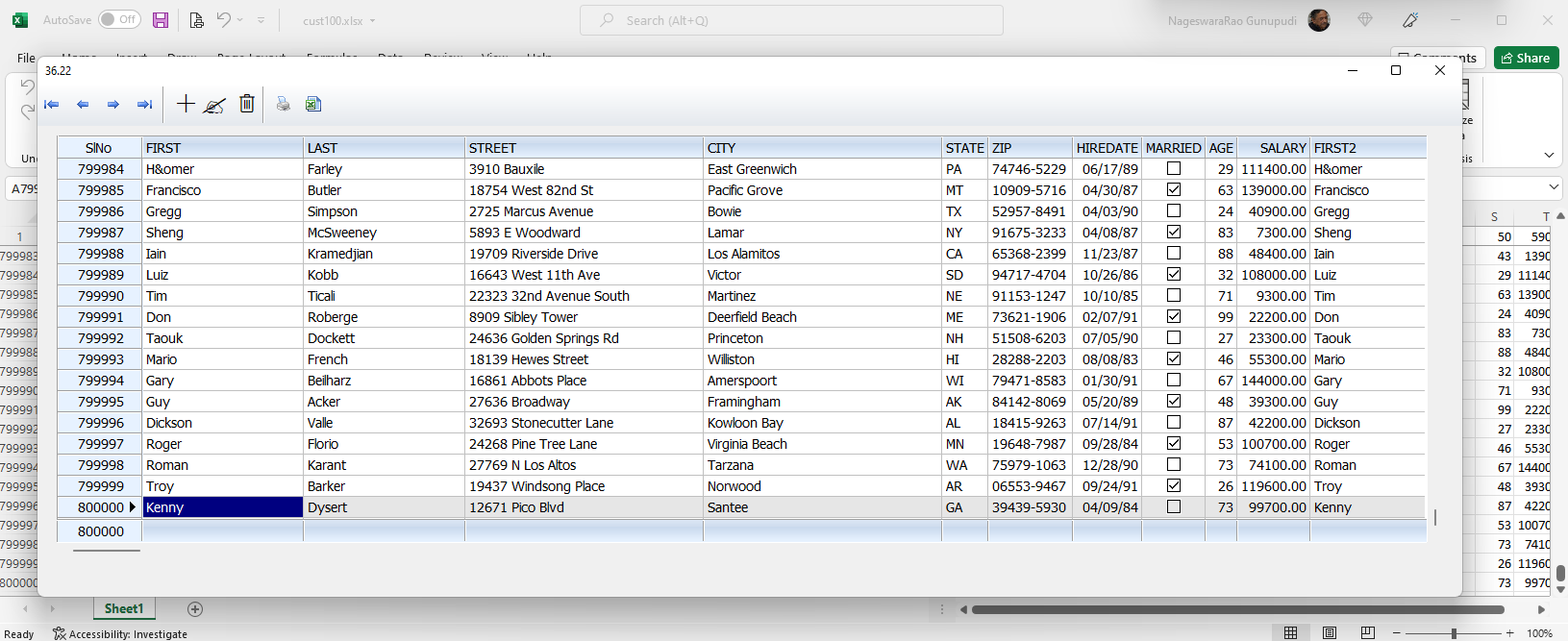
   XBROWSER ALIAS() SHOW SLNUM
   CLOSE DATA

return nil

//----------------------------------------------------------------------------//

static function ReadFromXls( cFileXls )

   local oRange, aData, lOpened := .f.
   local nSecs    := SECONDS()

   oRange   := GetExcelRange( TrueName( cFileXls ), nil, nil, @lOpened )
   aData    := xlRangeValue( oRange )
   if lOpened
      oRange:Parent:Parent:Close()
   endif

   ? "Read data into array in ", TRANSFORM( SECONDS() - nSecs, "99 Seconds" )

return aData

//----------------------------------------------------------------------------//

static function WriteToDBF( aData, oDlg )

   local nRows, nCols, nRow, nCol, v
   local nSecs    := SECONDS()

   nRows    := Len( aData )
   nCols    := Len( aData[ 1 ] )

   nRow     := 1
   do while nRow <= nRows .and. !Empty( aData[ nRow, 1 ] )
      DBAPPEND()
      for nCol := 1 to nCols
         v  := aData[ nRow, nCol ]
         // your validation code goes here
         FieldPut( nCol, v )
      next
      //
      if nRow % 5000 == 0
         oDlg:cMsg   := SECTOTIME( SECONDS() - nSecs ) + " " + ;
                        TRANSFORM( nRow, "9,999,999,999" ) + ;
                        TRANSFORM( nRow * 100 / nRows, " 999 %" )
         oDlg:Refresh()
         SysRefresh()
      endif
      nRow++
   enddo

return SECONDS() - nSecs

//----------------------------------------------------------------------------//
FW_ExcelToDbf()#include "fivewin.ch"
REQUEST DBFCDX
function Main()
local nSecs
USE XLIMP NEW VIA "DBFCDX" EXCLUSIVE
ZAP
nSecs := SECONDS()
FW_ExcelToDBF() // Single line code
nSecs := SECONDS() - nSecs
XBROWSER Alias() TITLE LTrim( Str( nSecs ) ) SHOW SLNUM
return nil