FiveTech Support Forums

FiveWin / Harbour / xBase community
Board index FiveWin for Harbour/xHarbour how to display sorce code inside html
Posts: 6983
Joined: Fri Oct 07, 2005 07:07 PM
how to display sorce code inside html
Posted: Mon Feb 14, 2022 11:14 AM
Dear Antonio,
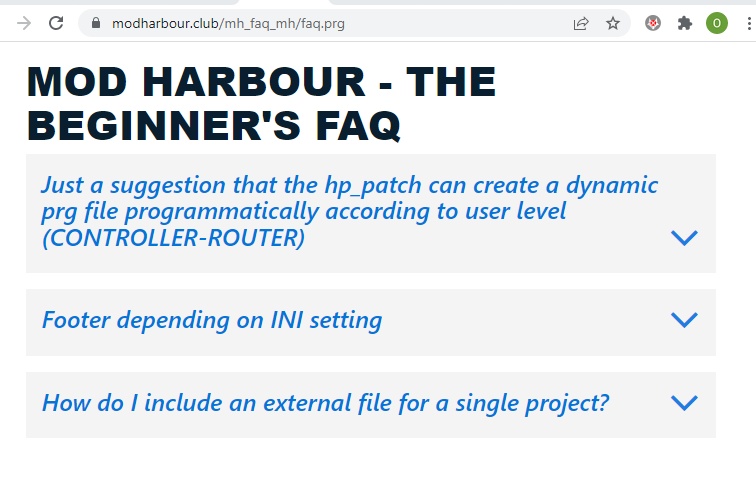
I'm starting a FAQ for mod harbor beginners.
It would be great if I could also store source code examples in the memo field in the database.
But I still haven't figured out how to encrypt the source code so that it can be displayed in the website.
I'll use photos meanwhile.

Best regards,
Otto
https://www.modharbour.club/mh_faq_mh/faq.prg
Posts: 44158
Joined: Thu Oct 06, 2005 05:47 PM
Re: how to display sorce code inside html
Posted: Mon Feb 14, 2022 04:16 PM
Dear Otto,

I would suggest to use syntax highlighted source code so I would use the same control that we use in mod_harbour/samples/modpro
Code (fw): Select all Collapse
          <div id="editor">{{GetCode()}}</div>
          <script src="https://fivetechsoft.github.io/xcloud/src-noconflict/ace.js" type="text/javascript" charset="utf-8"></script>
          <script>
             var editor = ace.edit("editor");
             var code;
             editor.setTheme("ace/theme/tomorrow_night_blue");
             editor.setFontSize(18);     
             editor.setHighlightActiveLine(true);
             editor.session.setMode("ace/mode/c_cpp");
          </script>


function GetCode() should return the source code that you want to show. No special coding, just ascii text.

You may use several "editor"s in the same web page, so define several divs with "editor1", "editor2", ..., "editorN"
Code (fw): Select all Collapse
         <div id="editor1">{{GetCode1()}}</div>
                   <div id="editor2">{{GetCode2()}}</div>
          <script src="https://fivetechsoft.github.io/xcloud/src-noconflict/ace.js" type="text/javascript" charset="utf-8"></script>
          <script>
             var editor1 = ace.edit("editor1");
   var editor2 = ace.edit("editor2");
             
             editor1.setTheme("ace/theme/tomorrow_night_blue");
             editor1.setFontSize(18);    
             editor1.setHighlightActiveLine(true);
             editor1.session.setMode("ace/mode/c_cpp");
             
             editor2.setTheme("ace/theme/tomorrow_night_blue");
             editor2.setFontSize(18);    
             editor2.setHighlightActiveLine(true);
             editor2.session.setMode("ace/mode/c_cpp");

          </script>
regards, saludos

Antonio Linares
www.fivetechsoft.com
Posts: 6983
Joined: Fri Oct 07, 2005 07:07 PM
Re: how to display sorce code inside html
Posted: Mon Feb 14, 2022 05:08 PM

Dear Antonio,
Thank you so much. I will try it.
Best regards,
Otto

Continue the discussion