FiveTech Support Forums

FiveWin / Harbour / xBase community
Board index FiveWin for Harbour/xHarbour Searching in the content of documents
Posts: 1467
Joined: Mon Oct 10, 2005 11:26 AM
Searching in the content of documents
Posted: Wed Mar 16, 2022 10:03 AM

Hello,

I have a folder with thousands of documents : Word-documents (doc, docx and rtf) and PDF-documents.
I need to do a search in the content of all these documents to see if certain words can be found.
This results into a list of documents, all of them containing the word I have been searching for.

This proces needs to be done within my application.

Any suggestions?

Thank you very much in advance.

Regards,

Michel D.
Genk (Belgium)


_____________________________________________________________________________________________

I use : FiveWin for (x)Harbour v. 25.12 - Harbour 3.2.0 (May 2025) - xHarbour Builder (January 2020) - Bcc773

Posts: 6983
Joined: Fri Oct 07, 2005 07:07 PM
Re: Searching in the content of documents
Posted: Wed Mar 16, 2022 11:11 AM

Michel,
maybe you can use findstr?
memowrit bat-file and winexec() and memoread the result.
findstr /P "xbrowse" C:\FWH\samples*.* >test.log

Best regards,
Otto

https://stackoverflow.com/questions/884 ... str-comman

Posts: 476
Joined: Sat Feb 03, 2007 06:36 AM
Re: Searching in the content of documents
Posted: Wed Mar 16, 2022 11:35 AM
Or you can also use FileSeek:
https://www.fileseek.ca/
It's fast and easy to use

Best regards

Carlos
Posts: 6983
Joined: Fri Oct 07, 2005 07:07 PM
Re: Searching in the content of documents
Posted: Wed Mar 16, 2022 12:34 PM

Carlos,
I remember that I did tests with fileseek. But you need the paid version to get a CSV export of the results.
Best regards,
Otto

viewtopic.php?f=3t=33244p=196025hilit=fileseeksid=b0f3b637d2d0ef8daf74d1ff56516df8#p196025

&&&&

Posts: 6983
Joined: Fri Oct 07, 2005 07:07 PM
Re: Searching in the content of documents
Posted: Wed Mar 16, 2022 09:54 PM
Hello Michel,
findstr() does not search DOCX.
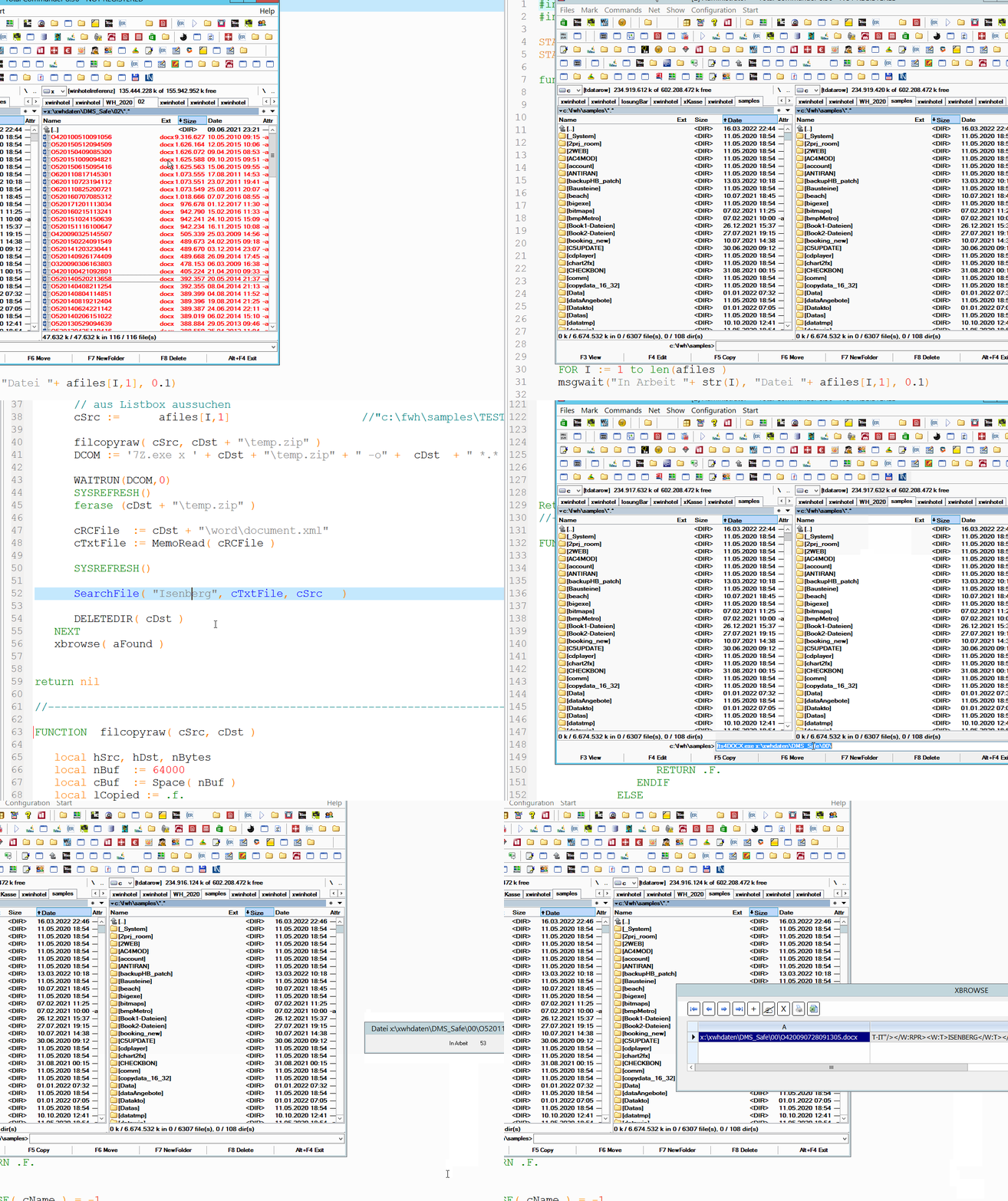
For DOCX I use UNZIP and then search in the XML files.

I have a test here with UNZIP the DOCX files and search then in the XML file.
116 DOCX files are searched. Only one contains the search term.

Best regards,
Otto
Posts: 1467
Joined: Mon Oct 10, 2005 11:26 AM
Re: Searching in the content of documents
Posted: Wed Mar 16, 2022 10:11 PM

Hello Otto,

Thank you very much for your efforts trying to help me.
How about your suggestion when one need to search in a few hundred thousands of documents?
Is the system still doing its job?

I'll have to test it but I will only be able to test in the second half of next week since I'm going on holiday for one week.
But I'll start my test asap.

Thanks once again.

Regards,

Michel D.
Genk (Belgium)


_____________________________________________________________________________________________

I use : FiveWin for (x)Harbour v. 25.12 - Harbour 3.2.0 (May 2025) - xHarbour Builder (January 2020) - Bcc773
Posts: 1772
Joined: Thu Sep 05, 2019 05:32 AM
Re: Searching in the content of documents
Posted: Thu Mar 17, 2022 08:05 PM
hi,

have not test it yet but there "seems" to be a "simple" Way using ADO

look at Github for "Windows-classic-samples-main.zip" (have no Link yet)
Windows-classic-samples-main.zip\Windows-classic-samples-main\Samples\Win7Samples\winui\WindowsSearch\WSFromScript\QueryEverything.vbs

---
page_type: sample
languages:
- vbscript
products:
- windows-api-win32
name: WSFromScript sample
urlFragment: wsfromscript-sample
description: Demonstrates to query Windows Search from a Microsoft Visual Basic script using Microsoft ActiveX Data Objects (ADO).
extendedZipContent:
- path: LICENSE
target: LICENSE
---

# WSFromScript sample
The WSFromScript code sample demonstrates how to query Windows Search from a Microsoft Visual Basic script using Microsoft ActiveX Data Objects (ADO).
greeting,

Jimmy

Continue the discussion