FiveTech Support Forums

FiveWin / Harbour / xBase community
Board index FiveWin for Harbour/xHarbour Progress with error
Posts: 117
Joined: Mon Aug 13, 2007 05:22 PM
Progress with error
Posted: Wed Jun 08, 2022 02:31 PM

Exact example of the problem

I changed the array to a value of 168 elements and had it run

function Main()

local oDlg, oProg1, oProg2

DEFINE DIALOG oDlg TITLE "Progress Bars"

@ 1, 1 PROGRESS oProg1 SIZE 80, 12

@ 1, 20 PROGRESS oProg2 SIZE 12, 50 VERTICAL

@ 3,  9 BUTTON "Ok" ACTION oDlg:End()

oDlg:bStart = { || Increase( oProg1, oProg2 ) }

ACTIVATE DIALOG oDlg CENTER ;
   ON INIT ( oProg1:SetRange( 0, 168 ), oProg1:SetStep( 1 ),;
             oProg2:SetRange( 0, 168 ), oProg2:SetStep( 1 ) )

return nil

function Increase( oProg1, oProg2 )

local n

for n = 1 to 168 // 111
// oProg1:StepIt()
// oProg2:StepIt()
oProg1:SetPos( n )
oProg2:SetPos( n )
Sleep( 50 )
SysRefresh()
next

Marcelo Ferro da Silveira

Fwh14.04/xHarbour 1.2.3 Simplex / Bcc582 / Pelles 8

SqlLib /xMate/WS
Posts: 1344
Joined: Wed Nov 16, 2005 09:14 PM
Re: Progress with error
Posted: Wed Jun 08, 2022 03:42 PM

Marcelo:
What is the problem that gives you?
The size of is different, one is 50 and the other is 80...

Posts: 117
Joined: Mon Aug 13, 2007 05:22 PM
Re: Progress with error
Posted: Wed Jun 08, 2022 03:59 PM
cmsoft wrote:Marcelo:
What is the problem that gives you?
The size of is different, one is 50 and the other is 80...

hello Cesar
Sleep( 50 ) does not interfere with anything can remove the problem continues.
The bar does not complete
Marcelo Ferro da Silveira

Fwh14.04/xHarbour 1.2.3 Simplex / Bcc582 / Pelles 8

SqlLib /xMate/WS
Posts: 1344
Joined: Wed Nov 16, 2005 09:14 PM
Re: Progress with error
Posted: Wed Jun 08, 2022 04:00 PM
Prueba si te sirve des esta forma, usando METER
Code (fw): Select all Collapse
#include "fivewin.ch"

function Main()

local oDlg, oProg1, oProg2, i := 0

DEFINE DIALOG oDlg TITLE "Progress Bars" FROM 05,18 TO 17,62

//@ 1, 1 PROGRESS oProg1 SIZE 50, 12

@ 05,10 METER oProg1 VAR i TOTAL 168 OF oDlg SIZE 90,12 NOPERCENTAGE;
      BARCOLOR nRGB(105,98,255),nRGB(0,0,0) PIXEL

@ 20,50 METER oProg2 VAR i TOTAL 168 OF oDlg SIZE 50,50 CIRCULAR NOPERCENTAGE;
      BARCOLOR nRGB(155,20,255),nRGB(0,0,0)  PIXEL

//@ 1, 20 PROGRESS oProg2 SIZE 12, 50 VERTICAL

@ 75, 70 BUTTON "Ok" ACTION oDlg:End() PIXEL

oDlg:bStart = { || Increase( oProg1, oProg2 ) }

ACTIVATE DIALOG oDlg CENTER 

return nil

function Increase( oProg1, oProg2 )

local n
oProg1:Set(0)
oProg2:Set(0)
for n = 1 to 168 // 111
// oProg1:StepIt()
// oProg2:StepIt()
oProg1:Set( n )
oProg2:Set( n )
Sleep( 20 )
SysRefresh()
next
RETURN nil
Posts: 117
Joined: Mon Aug 13, 2007 05:22 PM
Re: Progress with error
Posted: Wed Jun 08, 2022 07:16 PM
cmsoft wrote:Prueba si te sirve des esta forma, usando METER
Code (fw): Select all Collapse
#include "fivewin.ch"

function Main()

local oDlg, oProg1, oProg2, i := 0

DEFINE DIALOG oDlg TITLE "Progress Bars" FROM 05,18 TO 17,62

//@ 1, 1 PROGRESS oProg1 SIZE 50, 12

@ 05,10 METER oProg1 VAR i TOTAL 168 OF oDlg SIZE 90,12 NOPERCENTAGE;
      BARCOLOR nRGB(105,98,255),nRGB(0,0,0) PIXEL

@ 20,50 METER oProg2 VAR i TOTAL 168 OF oDlg SIZE 50,50 CIRCULAR NOPERCENTAGE;
      BARCOLOR nRGB(155,20,255),nRGB(0,0,0)  PIXEL

//@ 1, 20 PROGRESS oProg2 SIZE 12, 50 VERTICAL

@ 75, 70 BUTTON "Ok" ACTION oDlg:End() PIXEL

oDlg:bStart = { || Increase( oProg1, oProg2 ) }

ACTIVATE DIALOG oDlg CENTER 

return nil

function Increase( oProg1, oProg2 )

local n
oProg1:Set(0)
oProg2:Set(0)
for n = 1 to 168 // 111
// oProg1:StepIt()
// oProg2:StepIt()
oProg1:Set( n )
oProg2:Set( n )
Sleep( 20 )
SysRefresh()
next
RETURN nil


Meter I know it works I want to use progress which is newer
Marcelo Ferro da Silveira

Fwh14.04/xHarbour 1.2.3 Simplex / Bcc582 / Pelles 8

SqlLib /xMate/WS
Posts: 9022
Joined: Thu Oct 06, 2005 08:17 PM
Re: Progress with error
Posted: Wed Jun 08, 2022 08:43 PM
marca wrote:The bar does not complete


Your sample works perfectly right here using latest FWH version.

EMG
Posts: 1344
Joined: Wed Nov 16, 2005 09:14 PM
Re: Progress with error
Posted: Wed Jun 08, 2022 10:15 PM

A mi tambien me funciona bien tu ejemplo

Posts: 117
Joined: Mon Aug 13, 2007 05:22 PM
Re: Progress with error
Posted: Thu Jun 09, 2022 02:55 PM
Enrico Maria Giordano wrote:
marca wrote:The bar does not complete


Your sample works perfectly right here using latest FWH version.

EMG


I don't know how to put the image here but mine is missing a part of the bar to fill.
My version is 1402
Marcelo Ferro da Silveira

Fwh14.04/xHarbour 1.2.3 Simplex / Bcc582 / Pelles 8

SqlLib /xMate/WS
Posts: 8523
Joined: Tue Dec 20, 2005 07:36 PM
Re: Progress with error
Posted: Thu Jun 09, 2022 07:05 PM
Code (fw): Select all Collapse
#Include "FiveWin.ch"

FUNCTION Main()

   LOCAL oDlg, oProg1, oProg2, i := 0

   DEFINE DIALOG oDlg TITLE "Progress Bars" FROM 05, 18 TO 17, 62

   @05, 10 METEREX oProg1 VAR I OF oDlg SIZE 90, 12 PIXEL TOTAL 100 ROUND ROUNDSIZE 6  ;
      GRADIENT CHUNK { { 1/2, nRGB( 255, 251, 229 ), nRGB( 250, 223, 143 ) } , ;
                       { 1/2, nRGB( 244, 194,  51 ), nRGB( 252, 235,  173 ) } };
      GRADIENT TRACK { { 1/2, nRGB( 198, 203, 213 ), nRGB( 219, 224, 233 ) },  ;
                       { 1/2, nRGB( 224, 238, 237 ), nRGB( 224, 238,237 ) } }


   @20, 50 METEREX oProg2 VAR I OF oDlg SIZE 50, 50 PIXEL TOTAL 100 ROUND ROUNDSIZE 6  ;
      GRADIENT CHUNK { { 1/2, nRGB( 255, 251, 229 ), nRGB( 250, 223, 143 ) } , ;
                       { 1/2, nRGB( 244, 194,  51 ), nRGB( 252, 235,  173 ) } };
      GRADIENT TRACK { { 1/2, nRGB( 198, 203, 213 ), nRGB( 219, 224, 233 ) },  ;
                       { 1/2, nRGB( 224, 238, 237 ), nRGB( 224, 238,237 ) } }

   /*
      GRADIENT CHUNK { { 1/2, nRGB( 255, 251, 229 ), nRGB( 250, 223, 143 ) } , ;
                       { 1/2, nRGB( 244, 194,  51 ), nRGB( 252, 235,  173 ) } }
   */

   @ 75, 70 BUTTON "Ok" ACTION( oDlg:End() ) PIXEL

   oDlg:bStart = {|| Increase( oProg1, oProg2 ) }

   ACTIVATE DIALOG oDlg CENTER

RETURN NIL

FUNCTION Increase( oProg1, oProg2 )

   LOCAL n

   oProg1:Set( 0 )
   oProg2:Set( 0 )

   FOR n = 1 TO 100

      SysRefresh()

      oProg1:Set( n )
      oProg2:Set( n )

      Sleep( 20 )

   NEXT

RETURN NIL


Regards, saludos.
João Santos - São Paulo - Brasil - Phone: +55(11)95150-7341
Posts: 7318
Joined: Thu Oct 18, 2012 07:17 PM
Re: Progress with error
Posted: Fri Jun 10, 2022 07:52 AM
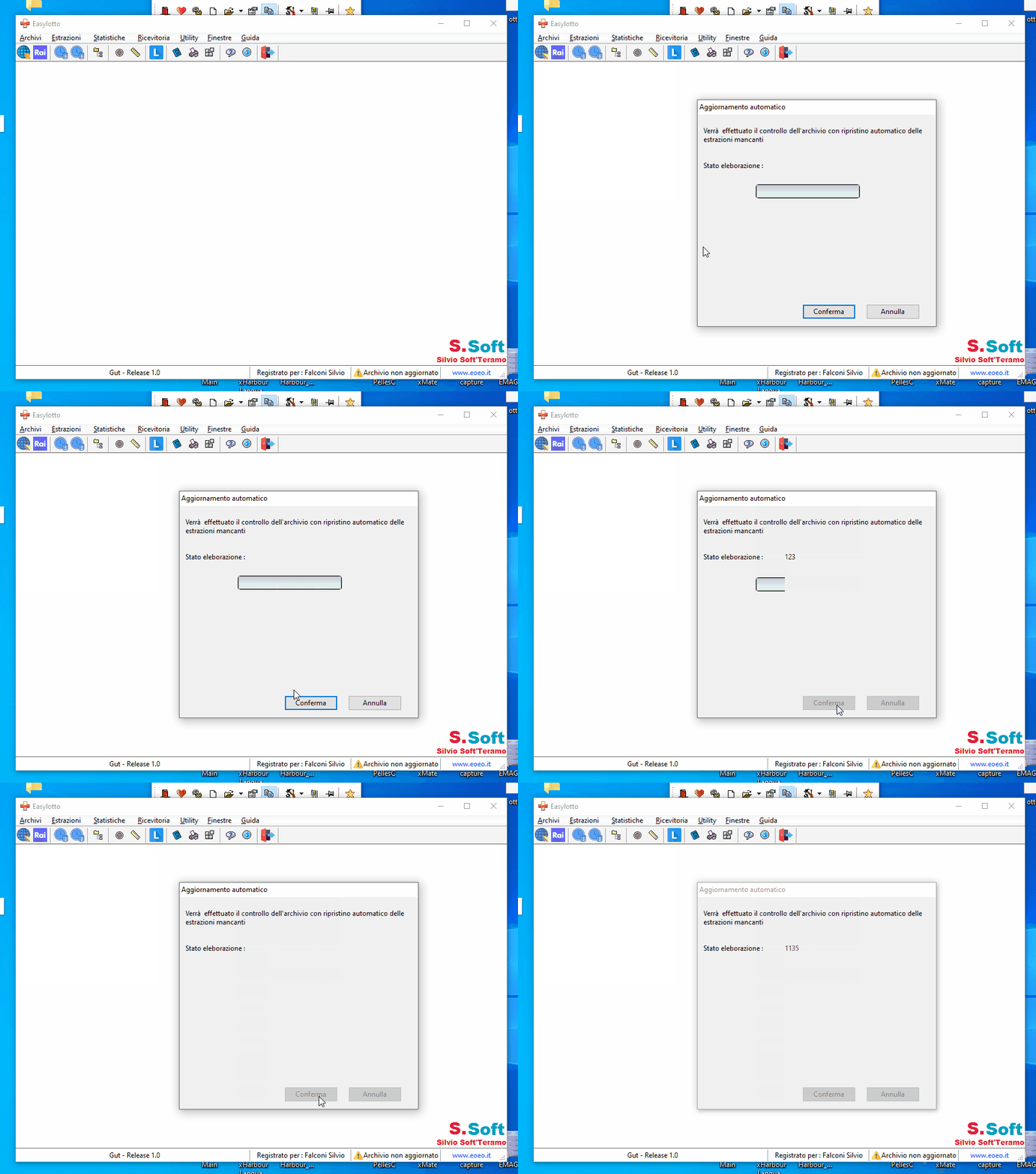
Here not run ok ( windows 10 ) see the video


I tried
Code (fw): Select all Collapse
@05, 10 METEREX oProg1 VAR I OF oDlg SIZE 90, 12 PIXEL TOTAL 100 ROUND ROUNDSIZE 6  ;
      GRADIENT CHUNK { { 1/2, nRGB( 255, 251, 229 ), nRGB( 250, 223, 143 ) } , ;
                       { 1/2, nRGB( 244, 194,  51 ), nRGB( 252, 235,  173 ) } };
      GRADIENT TRACK { { 1/2, nRGB( 198, 203, 213 ), nRGB( 219, 224, 233 ) },  ;
                       { 1/2, nRGB( 224, 238, 237 ), nRGB( 224, 238,237 ) } }


Make the same also the circular
Code (fw): Select all Collapse
@ 20,50 METER oProg2 VAR i TOTAL 168 OF oDlg SIZE 50,50 CIRCULAR NOPERCENTAGE;
      BARCOLOR nRGB(155,20,255),nRGB(0,0,0)  PIXEL
Since from 1991/1992 ( fw for clipper Rel. 14.4 - Momos)

I use : FiveWin for Harbour March-April 2024 - Harbour 3.2.0dev (harbour_bcc770_32_20240309) - Bcc7.70 - xMate ver. 1.15.3 - PellesC - mail: silvio[dot]falconi[at]gmail[dot]com
Posts: 8523
Joined: Tue Dec 20, 2005 07:36 PM
Re: Progress with error
Posted: Fri Jun 10, 2022 01:58 PM

Silvio, change:

// Sleep( 20 )

for

SysWait( 01 )

Regards, saludos.

João Santos - São Paulo - Brasil - Phone: +55(11)95150-7341
Posts: 7318
Joined: Thu Oct 18, 2012 07:17 PM
Re: Progress with error
Posted: Fri Jun 10, 2022 02:41 PM
karinha wrote:Silvio, change:

// Sleep( 20 )

for

SysWait( 01 )

Regards, saludos.


????????????????????????????????????????????
Since from 1991/1992 ( fw for clipper Rel. 14.4 - Momos)

I use : FiveWin for Harbour March-April 2024 - Harbour 3.2.0dev (harbour_bcc770_32_20240309) - Bcc7.70 - xMate ver. 1.15.3 - PellesC - mail: silvio[dot]falconi[at]gmail[dot]com
Posts: 1344
Joined: Wed Nov 16, 2005 09:14 PM
Re: Progress with error
Posted: Fri Jun 10, 2022 02:58 PM
Silvio, puedes mostrar tu codigo?

Code (fw): Select all Collapse
#include "fivewin.ch"

function Main()

local oDlg, oProg1, oProg2, i := 0

DEFINE DIALOG oDlg TITLE "Progress Bars" FROM 05,18 TO 17,62

//@ 1, 1 PROGRESS oProg1 SIZE 50, 12

@ 05,10 METER oProg1 VAR i TOTAL 168 OF oDlg SIZE 90,12 NOPERCENTAGE;
      BARCOLOR nRGB(105,98,255),nRGB(0,0,0) PIXEL

@ 20,50 METER oProg2 VAR i TOTAL 168 OF oDlg SIZE 50,50 CIRCULAR NOPERCENTAGE;
      BARCOLOR nRGB(155,20,255),nRGB(0,0,0)  PIXEL

//@ 1, 20 PROGRESS oProg2 SIZE 12, 50 VERTICAL

@ 75, 70 BUTTON "Ok" ACTION oDlg:End() PIXEL

oDlg:bStart = { || Increase( oProg1, oProg2 ) }

ACTIVATE DIALOG oDlg CENTER 

return nil

function Increase( oProg1, oProg2 )

local n
oProg1:Set(0)
oProg2:Set(0)
for n = 1 to 168 // 111
// oProg1:StepIt()
// oProg2:StepIt()
oProg1:Set( n )
oProg2:Set( n )
Sleep( 20 )
SysRefresh()
next
RETURN nil

Este tampoco te funciona?
Posts: 7318
Joined: Thu Oct 18, 2012 07:17 PM
Re: Progress with error
Posted: Fri Jun 10, 2022 10:12 PM
cmsoft wrote:Silvio, puedes mostrar tu codigo?

Code (fw): Select all Collapse
#include "fivewin.ch"

function Main()

local oDlg, oProg1, oProg2, i := 0

DEFINE DIALOG oDlg TITLE "Progress Bars" FROM 05,18 TO 17,62

//@ 1, 1 PROGRESS oProg1 SIZE 50, 12

@ 05,10 METER oProg1 VAR i TOTAL 168 OF oDlg SIZE 90,12 NOPERCENTAGE;
      BARCOLOR nRGB(105,98,255),nRGB(0,0,0) PIXEL

@ 20,50 METER oProg2 VAR i TOTAL 168 OF oDlg SIZE 50,50 CIRCULAR NOPERCENTAGE;
      BARCOLOR nRGB(155,20,255),nRGB(0,0,0)  PIXEL

//@ 1, 20 PROGRESS oProg2 SIZE 12, 50 VERTICAL

@ 75, 70 BUTTON "Ok" ACTION oDlg:End() PIXEL

oDlg:bStart = { || Increase( oProg1, oProg2 ) }

ACTIVATE DIALOG oDlg CENTER 

return nil

function Increase( oProg1, oProg2 )

local n
oProg1:Set(0)
oProg2:Set(0)
for n = 1 to 168 // 111
// oProg1:StepIt()
// oProg2:StepIt()
oProg1:Set( n )
oProg2:Set( n )
Sleep( 20 )
SysRefresh()
next
RETURN nil

Este tampoco te funciona?

I resolved with viewtopic.php?f=3&t=41886&sid=79bc9c8d1426005a6e34361081532558#p251085
Since from 1991/1992 ( fw for clipper Rel. 14.4 - Momos)

I use : FiveWin for Harbour March-April 2024 - Harbour 3.2.0dev (harbour_bcc770_32_20240309) - Bcc7.70 - xMate ver. 1.15.3 - PellesC - mail: silvio[dot]falconi[at]gmail[dot]com

Continue the discussion