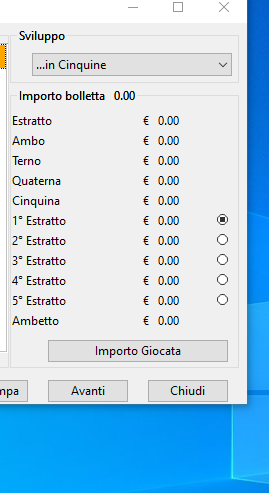
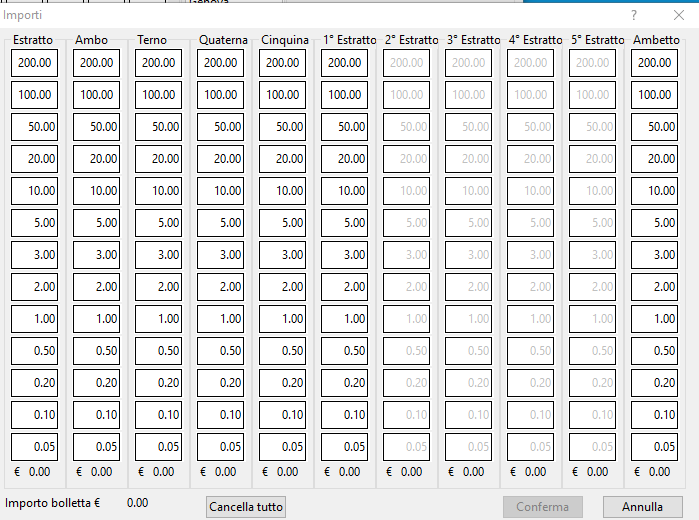
I have this dialog
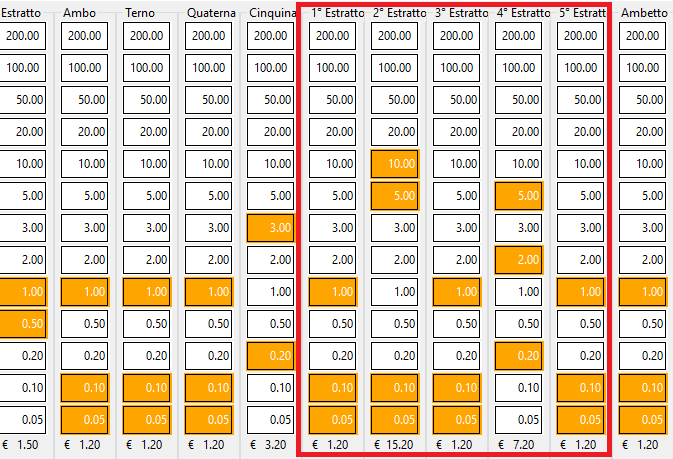
See the red Box
the problem is that the user can only enter the prices in a single column among those inserted in the red box. how do i block the entry.
i.e. if for example the user presses a button in the sixth column he cannot then press the prices in the seventh / eighth / ninth / tenth column
How I can make to Block a column ( from 6 to 10) if the user press a button on six/ten column?
See the red Box
the problem is that the user can only enter the prices in a single column among those inserted in the red box. how do i block the entry.
i.e. if for example the user presses a button in the sixth column he cannot then press the prices in the seventh / eighth / ninth / tenth column
 for k=1 to 11
        for j=1 to 13
           @ nrow,ncol BTNBMP oPrezziBtn[k,j] PROMPT transform(aImporti[j],"999.99") ;
                          SIZE nSizeW,nSizeH FLAT PIXEL OF oDlg NOROUND

               oPrezziBtn[k,j]:ocursor := oHand
             oPrezziBtn[k,j]:cargo   :={k,j, 1 }
             oPrezziBtn[k,j]:bAction := { | o |  SetStatusImporto( o,oSayTotal,aTotali,oSayImporto,oBtnConfirm) }
            oPrezziBtn[k,j]:SetColor( CLR_BLACK, CLR_WHITE )

       nrow+=nSizeH +2
    next
How I can make to Block a column ( from 6 to 10) if the user press a button on six/ten column?
Since from 1991/1992 ( fw for clipper Rel. 14.4 - Momos)
I use : FiveWin for Harbour March-April 2024 - Harbour 3.2.0dev (harbour_bcc770_32_20240309) - Bcc7.70 - xMate ver. 1.15.3 - PellesC - mail: silvio[dot]falconi[at]gmail[dot]com
I use : FiveWin for Harbour March-April 2024 - Harbour 3.2.0dev (harbour_bcc770_32_20240309) - Bcc7.70 - xMate ver. 1.15.3 - PellesC - mail: silvio[dot]falconi[at]gmail[dot]com