FiveTech Support Forums

FiveWin / Harbour / xBase community
Board index FiveWin for Harbour/xHarbour Backup from inside FWH program
Posts: 1487
Joined: Tue Jun 14, 2016 07:51 AM
Backup from inside FWH program
Posted: Wed Aug 31, 2022 11:01 AM

Hello,

I can not find the post that once was posted here with a complete backup program solution to implement in our code.
The samples dir also has no sample.

Anyone the link to a backup solution or a working sample code ?

Backup for files in a folder !! No ADO or SQL. Dbf and cdx ...

Marc Venken

Using: FWH 23.08 with Harbour
Posts: 6983
Joined: Fri Oct 07, 2005 07:07 PM
Re: Backup from inside FWH program
Posted: Wed Aug 31, 2022 12:28 PM
Marc,
If you only need the DBF file, I have found that it is safest to copy record by record.

In your case, however, you should install WINDOWS SERVER and use the built-in BACKUP.


http://forums.fivetechsupport.com/viewtopic.php?f=3&t=37383&p=223340&hilit=Backup&sid=4f509b4564cf66520f9ed6daf91803a6&sid=ee7d56e42a4c4b1e4462cdb0d2a3f707#p223340

Best regards,
Otto
Posts: 8515
Joined: Tue Dec 20, 2005 07:36 PM
Re: Backup from inside FWH program
Posted: Wed Aug 31, 2022 01:08 PM
João Santos - São Paulo - Brasil - Phone: +55(11)95150-7341
Posts: 1487
Joined: Tue Jun 14, 2016 07:51 AM
Re: Backup from inside FWH program
Posted: Wed Aug 31, 2022 06:34 PM

I use Goodsync for my external backups.

I think that I will use FW filecopy to copy the desired files to a backup location. If the Link should be found... Please let me know. I thought it was from mr. Rao

Marc Venken

Using: FWH 23.08 with Harbour
Posts: 6983
Joined: Fri Oct 07, 2005 07:07 PM
Re: Backup from inside FWH program
Posted: Wed Aug 31, 2022 06:50 PM

Marco,
Have you ever had contact with Ransomware?
Best regards,
Otto

Posts: 1487
Joined: Tue Jun 14, 2016 07:51 AM
Re: Backup from inside FWH program
Posted: Wed Aug 31, 2022 07:16 PM
Otto wrote:Marco,
Have you ever had contact with Ransomware?
Best regards,
Otto


Nope... And I hope to keep it so :-) :-)
Marc Venken

Using: FWH 23.08 with Harbour
Posts: 1487
Joined: Tue Jun 14, 2016 07:51 AM
Re: Backup from inside FWH program
Posted: Wed Aug 31, 2022 07:17 PM

Otto,

Did you see my FB message about the server system ?

Marc Venken

Using: FWH 23.08 with Harbour
Posts: 6983
Joined: Fri Oct 07, 2005 07:07 PM
Re: Backup from inside FWH program
Posted: Wed Aug 31, 2022 07:51 PM

Marc,
Please let me know how far you are with the RDP installation and the WINDOWS server installation.
Best regards,
Otto

Posts: 1772
Joined: Thu Sep 05, 2019 05:32 AM
Re: Backup from inside FWH program
Posted: Wed Aug 31, 2022 08:51 PM
hi,

i have written App under Xbase++ and HMG with Source which you can find here
https://www.hmgforum.com/viewtopic.php?t=7022


i use Attribut "A", like XCOPY, for increment Backup and reset Attribut.

---

i use ShfileOperation()*** API, like Explorer, with "active" Progressbar.
have a look into HMG Source how to enable it and try if Code work with Fivewin

*** Sample c:\fwh\samples\dlgfile.prg does not include any Parameter
greeting,

Jimmy
Posts: 3022
Joined: Fri Oct 07, 2005 01:45 PM
Re: Backup from inside FWH program
Posted: Wed Aug 31, 2022 09:44 PM

Are you asking about a backup system for the users of your application ? If so, I built an external program that runs as a service. It has 4 main functions:

1). It updates the license key ( useful for upgrades and SAAS installations )
2). It submits data to 3rd party vendors used by my customer
3). It installs program updates
4). It performs a daily backup

These functions are performed shortly after midnight on a new day. This is when the client is least likely to be working.

The backup creates an archive of the entire data folder. It writes it to a default folder in the program directory, or the customer can set it to write to an external drive or location. So, if it is set to write to the One Drive folder on that machine, the computer will then write it to the cloud. The file name includes the date, so each zip file is unique, and the customer can have a series of them. I also provide the option for it to submit it daily to my cloud server.

As for ransomware, go luck to the perpetrator. If my client gets attacked, I have them do a complete reformat of the system ( and any attached computers ). I can then reinstall the software remotely in a matter of minutes, and restore from the latest backup. Annoying to their business, sure. But the thieves don't get any money, and my client is wiser on how they will take precautions in the future.

As for my system, I use Goodsync on my programming machine, writing to a portable drive, and to the cloud. I also regularly have redundant copies on two other computers.

Tim Stone
http://www.MasterLinkSoftware.com
http://www.autoshopwriter.com
timstone@masterlinksoftware.com
Using: FWH 23.10 with Harbour 3.2.0 / Microsoft Visual Studio Community 2022-24 32/64 bit
Posts: 1487
Joined: Tue Jun 14, 2016 07:51 AM
Re: Backup from inside FWH program
Posted: Thu Sep 01, 2022 07:29 AM

It is so that some day's ago I had the bad luck changing some code and the data was changed the wrong way (full database) The backup runs dayly, but I was changing code and did a run on the live data. (Never do this Marc !!! :wink: )

For my program, I made a change in the link files that every time I link (change) there is a older copy with datestamp, so that is covered.
I thing that I do something like it for the data files.

Marc Venken

Using: FWH 23.08 with Harbour
Posts: 1487
Joined: Tue Jun 14, 2016 07:51 AM
Re: Backup from inside FWH program
Posted: Thu Sep 01, 2022 07:59 AM

I think of doing this : (Not for Users, only me as programmer)

Create a function that can be called with a function key that let me select the databases to use (depending on code that will be changed)

In the code where i'm working before executing the changing loops, call the backup routine making datetime stamp copy's of the data. That way I will have the latest version at hand if I do the code wrong..

Seems ok not ?

Marc Venken

Using: FWH 23.08 with Harbour
Posts: 6983
Joined: Fri Oct 07, 2005 07:07 PM
Re: Backup from inside FWH program
Posted: Thu Sep 01, 2022 10:03 AM
Marc,
You should install a Synology.

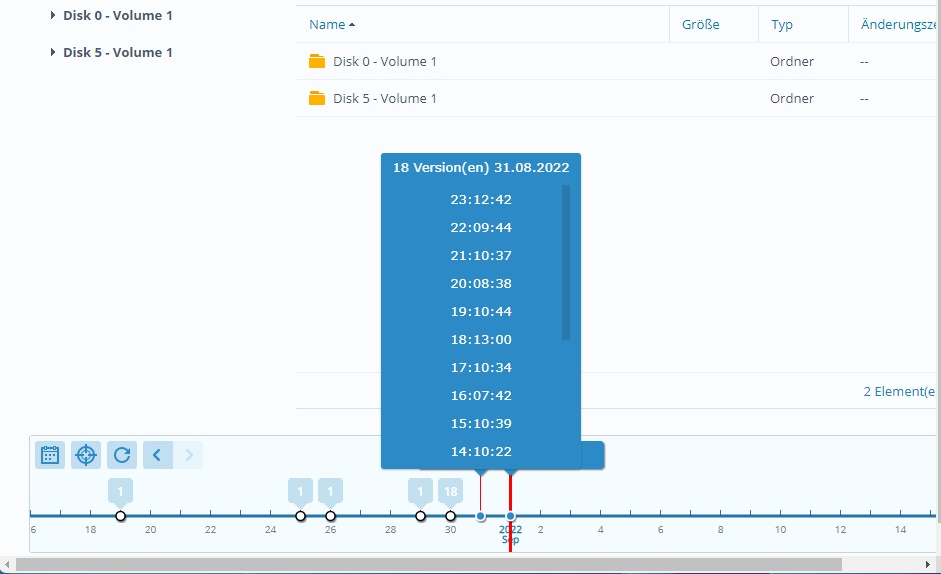
You can set how many backups you want to make per day and how long the backups are kept.

With a simple client, you can completely backup every PC to this station.


Best regards,
Otto


Posts: 1487
Joined: Tue Jun 14, 2016 07:51 AM
Re: Backup from inside FWH program
Posted: Thu Sep 01, 2022 10:26 AM

Otto,

For my general backup I use synogoly backup .and. Goodsync. The synology will power up, make the full backup and shut down. A System that is not powered can not be affected with ransomware. (I Hope So)

This Topic backup/copy is ment to be used for programming tool (see above)

Marc Venken

Using: FWH 23.08 with Harbour
Posts: 1487
Joined: Tue Jun 14, 2016 07:51 AM
Re: Backup from inside FWH program
Posted: Thu Sep 01, 2022 10:27 AM
Otto wrote:Marc,
Please let me know how far you are with the RDP installation and the WINDOWS server installation.
Best regards,
Otto


I was waiting .....
Marc Venken

Using: FWH 23.08 with Harbour