FiveTech Support Forums

FiveWin / Harbour / xBase community
Board index FiveWin for Harbour/xHarbour Best options for drag and drop pictures
Posts: 1487
Joined: Tue Jun 14, 2016 07:51 AM
Best options for drag and drop pictures
Posted: Tue Oct 25, 2022 08:04 AM

Before i start this project, I want to know witch options best to use for the drag and drop system ?

Xbrowse
XImage
The Album class posted yesterday and in samples ?
Or ??

I have over 100.000 pics in a folder and the names are in a dbf. This dbf will be scooped in order to have a selection of pics to choise from.
I need a target (array/dbf) where I can put the maximum of 12 pictures from the scooped pictures 'these can be max 50 pics
The target files (max 12) should also be drag and drop for changing position and deleting is not wanted.

My personel choice would be 2 Xbrowses and Xbrowse can handle drag and drop. Any advice in other controls before I start ?

Marc Venken

Using: FWH 23.08 with Harbour
Posts: 10733
Joined: Sun Nov 19, 2006 05:22 AM
Re: Best options for drag and drop pictures
Posted: Tue Oct 25, 2022 09:56 AM
My personel choice would be 2 Xbrowses and Xbrowse can handle drag and drop. Any advice in other controls before I start ?

Your choice is the best.
Regards


G. N. Rao.

Hyderabad, India
Posts: 6984
Joined: Fri Oct 07, 2005 07:07 PM
Re: Best options for drag and drop pictures
Posted: Tue Oct 25, 2022 12:14 PM
Mark,
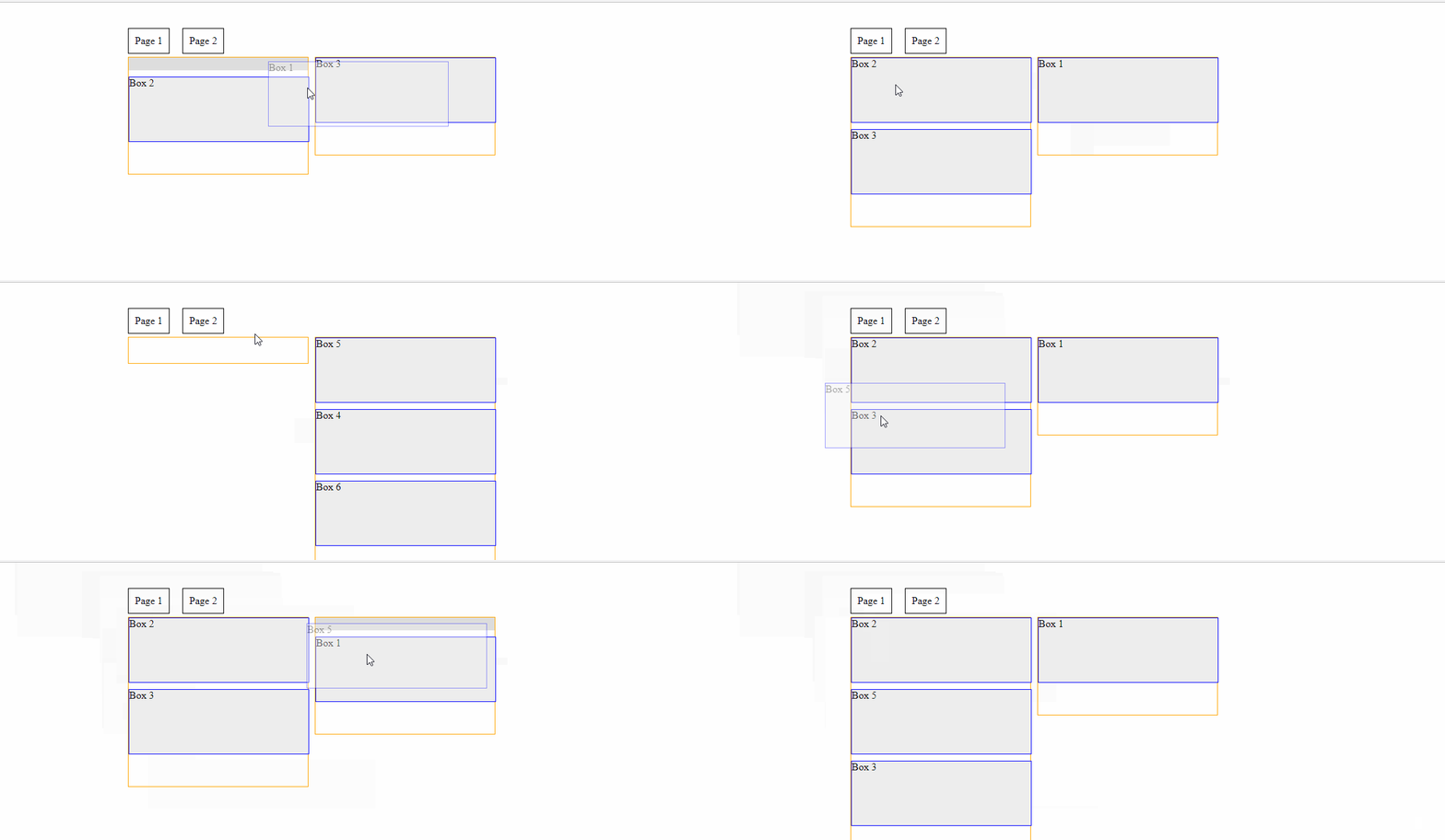
another option would be modharbour.


Code (fw): Select all Collapse
REQUEST DBFCDX
REQUEST DBFFPT

static hHash_DBF, aRelationship_DBF

function main
// mod harbour CODE

TEMPLATE PARAMS   hHash_DBF

<!DOCTYPE html>
<html>
<head>
<!-- HARBOURINO   -->
      
    <title>WINHOTEL Terminverwaltung</title>
    <meta charset="UTF-8">
    <meta name="viewport" content="width=device-width, initial-scale=1, shrink-to-fit=no">
    <meta http-equiv="x-ua-compatible" content="ie=edge">
    <link rel="shortcut icon" type="image/png" href="img/favicon.ico"/>
    
<!-- HARBOURINO   -->
<link href = "https://code.jquery.com/ui/1.10.4/themes/ui-lightness/jquery-ui.css" rel = "stylesheet">
<script src = "https://code.jquery.com/jquery-1.10.2.js"></script>
<script src = "https://code.jquery.com/ui/1.10.4/jquery-ui.js"></script>
<script src="https://cdnjs.cloudflare.com/ajax/libs/jqueryui-touch-punch/0.2.3/jquery.ui.touch-punch.min.js" integrity="sha512-0bEtK0USNd96MnO4XhH8jhv3nyRF0eK87pJke6pkYf3cM0uDIhNJy9ltuzqgypoIFXw3JSuiy04tVk4AjpZdZw==" crossorigin="anonymous"></script>
<!-- HARBOURINO   -->
<!-- CSS -->
<style>
                    

.wrapper {
  margin: 40px auto;
  width: 600px;
  border: 0px solid black;
}
.pagetabs {
  float:left;
  width: 100%;
  margin: 0 0 5px 0;
}
.pagetab {
  float:left;
  padding: 10px;
  border: 1px solid black;
  margin: 0 20px 0 0;
}
.pagetab_drop {
  background: #ddd;
}
.page {
  display: none;
}
.page_active {
  display: block;
}
.column {
  width: 280px;
  border: 1px solid orange;
  margin: 0 10px 0 0;
  padding: 0 0 40px 0;
  float:left;
}
.box {
  width: 280px;
  height: 100px;
  border: 1px solid blue;
  margin: 0 0 10px 0;
  background: #eee;
  clear:both;
}
.place_holder {
  width: 280px;
  height: 20px;
  background: #ddd;
  margin: 0 0 10px 0;
}
.clear {
  clear:both;
} 


</style>
</head>

<body>
<div class='wrapper'> 
    <div class='pagetabs'> 
        <div class='pagetab' id='tab_1'>Page 1</div> 
        <div class='pagetab' id='tab_2'>Page 2</div> 
    </div> 
    <div class='page page_active' id='page_1'> 
        <div class='column'> 
            <div class='box'>Box 1</div> 
            <div class='box'>Box 2</div> 
        </div> 
        <div class='column'> 
            <div class='box'>Box 3</div> 
        </div> 
        <div class='clear'></div> 
    </div> 
    <div class='page' id='page_2'> 
        <div class='column'> 
            <div class='box'>Box 4</div> 
            
        </div> 
        <div class='column'> 
            <div class='box'>Box 5</div>
            <div class='box'>Box 6</div> 
        </div> 
        <div class='clear'></div> 
    </div> 
    <div class='clear'></div> 
</div> 
<script>
$(document).ready(function() { 
 
    // THANKS FOR YOUR HELP :) - Whit
 
    $('.pagetab').click(function() {
        show_page(extract_id($(this).attr('id')));
    });
 
    $(".column").sortable({
        connectWith: '.column',
        opacity: 0.4,
        tolerance: 'pointer',
        placeholder: 'place_holder',
        helper: function(event, el) {
            var myclone = el.clone();
            $('body').append(myclone);
            return myclone;
        },
    }).disableSelection();
 
    $(".pagetab").droppable({
        over: function(event, ui) {
            $(".pagetab").removeClass('pagetab_drop');
            $(this).addClass('pagetab_drop')
            show_page(extract_id($(this).attr('id')));
        },
        out: function(event, ui) {
            $(".pagetab").removeClass('pagetab_drop');
        },
        tolerance: 'pointer'
    });
 
});
 
function show_page(id) {
    $('.page').removeClass('page_active');
    $('#page_'+id).addClass('page_active');
}
 
function extract_id(str) {
    return str.substr(str.indexOf('_')+1,str.length+1);
}
 

</script>
    
</body>
</html>

ENDTEXT

return

//----------------------------------------------------------------------------//

//-- HARBOURINO   --//

INIT PROCEDURE PrgInit
  
  SET CENTURY ON
  SET EPOCH TO YEAR(DATE())-98
  
  SET DELETED ON
  SET EXCLUSIVE OFF
  
  REQUEST HB_Lang_DE
  
  HB_LangSelect("DE")
  
  SET DATE TO GERMAN
  
  rddsetdefault( "DBFCDX" )
  
  EXTERN DESCEND
  
RETURN


//----------------------------------------------------------------------------//
Posts: 6984
Joined: Fri Oct 07, 2005 07:07 PM
Re: Best options for drag and drop pictures
Posted: Tue Oct 25, 2022 08:21 PM
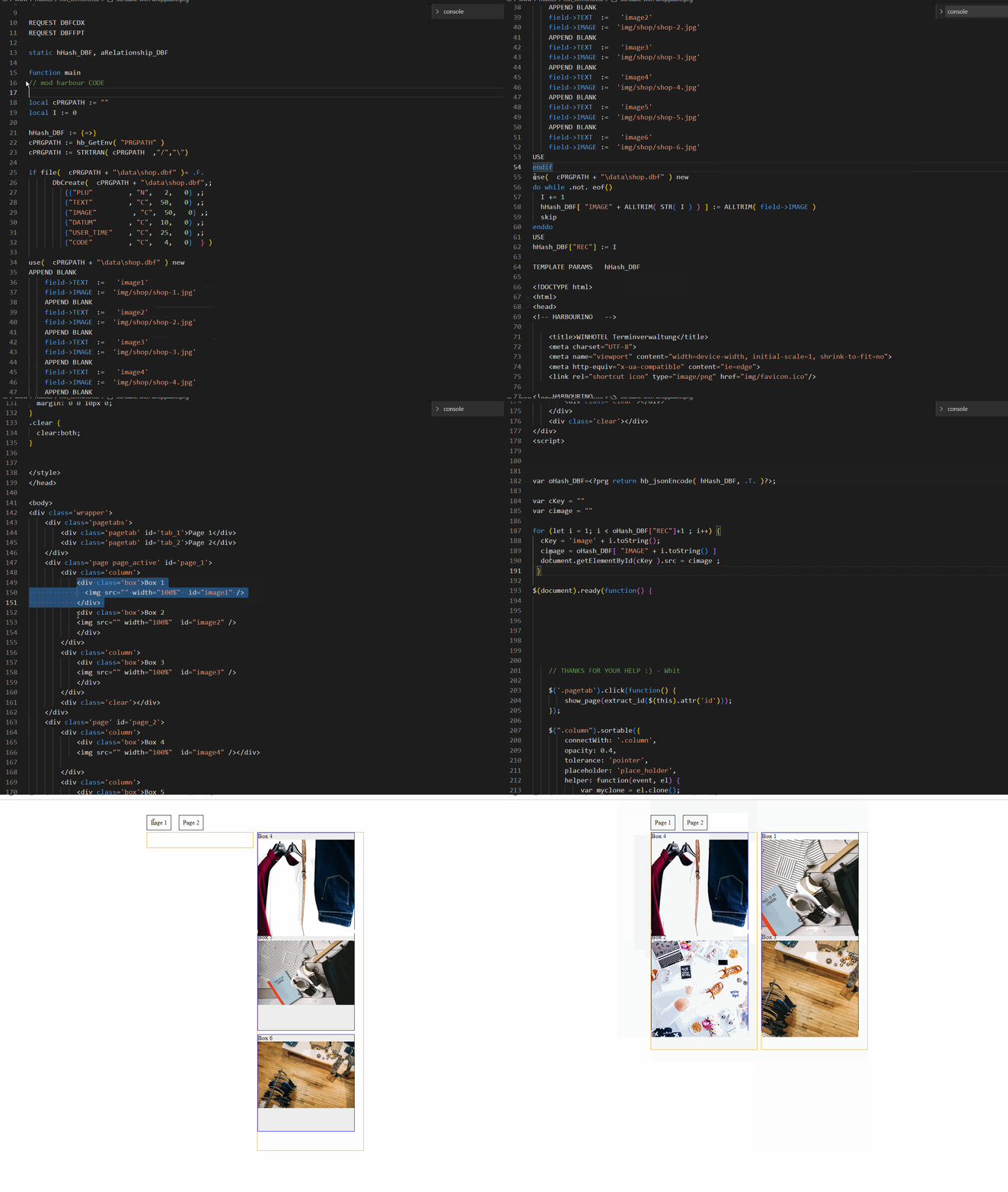
Mark, I made a little test with a DBF file.

Continue the discussion