FiveTech Support Forums

FiveWin / Harbour / xBase community
Board index FiveWin for Harbour/xHarbour View deleted records in xBrowse
Posts: 3022
Joined: Fri Oct 07, 2005 01:45 PM
View deleted records in xBrowse
Posted: Tue Dec 13, 2022 08:14 PM

For all of my application, I have SET DELETED ON so I do not display deleted records.

HOWEVER, in one program, I do want to use xBrowse to see ALL records.

Is there a flag for xBrowse that will allow me to view ALL records, including the deleted records, for just that file ?

I have tried the command line to SET DELETED OFF but that isn't working.

Tim Stone
http://www.MasterLinkSoftware.com
http://www.autoshopwriter.com
timstone@masterlinksoftware.com
Using: FWH 23.10 with Harbour 3.2.0 / Microsoft Visual Studio Community 2022-24 32/64 bit
Posts: 1487
Joined: Tue Jun 14, 2016 07:51 AM
Re: View deleted records in xBrowse
Posted: Tue Dec 13, 2022 09:23 PM
Maybe if you would make or have a index on for deleted on that file you can use this :

Here : http://forums.fivetechsupport.com/viewtopic.php?f=3&t=38884&hilit=xbrowse+deleted&sid=a137e6519929be708f84654075ade8a8
Marc Venken

Using: FWH 23.08 with Harbour
Posts: 44158
Joined: Thu Oct 06, 2005 05:47 PM
Re: View deleted records in xBrowse
Posted: Tue Dec 13, 2022 09:27 PM
Dear Tim,

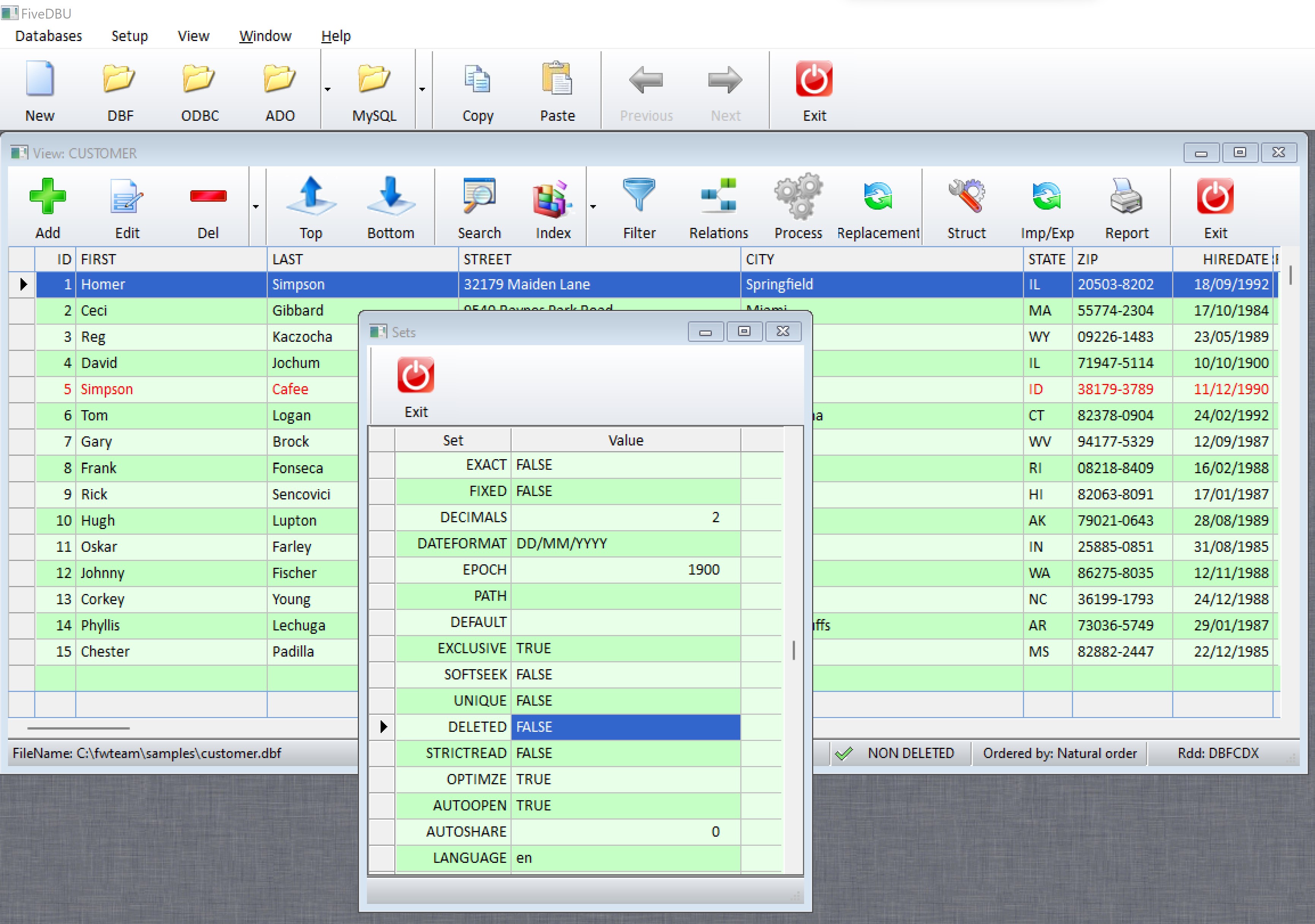
I just tested FWH\samples\fivedbu.prg and changed this line:

SET DELETED ON // OFF

and then I did this before creating the XBROWSE (look for XBROWSE inside fivedbu.prg):

SET DELETED OFF

and the deleted records are properly shown
regards, saludos

Antonio Linares
www.fivetechsoft.com
Posts: 3022
Joined: Fri Oct 07, 2005 01:45 PM
Re: View deleted records in xBrowse
Posted: Tue Dec 13, 2022 09:44 PM

Marc and Antonio,

Here is the problem. I have a File Editor built into my ( very large ) application. ( It is NOT FiveDBU though I do work with that. Mine is a full CLASS build and just for DBF at this time ).

In the Main() module, I use SET DELETED ON because my clients never want to see Deleted records.

However, in the Editor, it would be helpful to see them. IF I use SET DELETED OFF in the Editor, since it is MDI, it now applies that to anywhere in the full program, and DELETED records are suddenly visible.

Placing the SET command is the challenge. It would be easier if I had the ability to actually have it apply in the xBrowse ... but that may not be possible.

After looking at the source for the classes, and any documentation, I couldn't find any answer ..

Marc, thats a lot of overhead to do the indexing, and might not solve the problem anyway. Thanks for the idea ...

Tim

Tim Stone
http://www.MasterLinkSoftware.com
http://www.autoshopwriter.com
timstone@masterlinksoftware.com
Using: FWH 23.10 with Harbour 3.2.0 / Microsoft Visual Studio Community 2022-24 32/64 bit
Posts: 10733
Joined: Sun Nov 19, 2006 05:22 AM
Re: View deleted records in xBrowse
Posted: Wed Dec 14, 2022 06:08 AM

Though SET DELETED ON/OFF is a global setting effecting all WorkAreas, it is still possible to do what you want. There are several ways. I will be posting a few samples soon. Please wait.

Regards


G. N. Rao.

Hyderabad, India
Posts: 44158
Joined: Thu Oct 06, 2005 05:47 PM
Re: View deleted records in xBrowse
Posted: Wed Dec 14, 2022 08:31 AM

Dear Tim,

you could use the xbrowse container window bGotFocus and bLostFocus to SET DELETED ON and OFF

regards, saludos

Antonio Linares
www.fivetechsoft.com
Posts: 3022
Joined: Fri Oct 07, 2005 01:45 PM
Re: View deleted records in xBrowse
Posted: Thu Dec 15, 2022 10:25 PM

That didn't work ... at least with the ways I tried.

My TEMPORARY WORKAROUND is when I start the Editor, I SET DELETED OFF. Then, upon exit, using the VALID clause I can call a function to SET DELETED ON.

The main problem with this is it is still universal. So if they use the Editor, and don't end it, then SET DELETED OFF is still active, and every browse in the system will show the deleted records again.

What would be helpful is if we could isolate the deleted to the tDatabase class. For now, I will play with this to see if I can better protect it.

Tim Stone
http://www.MasterLinkSoftware.com
http://www.autoshopwriter.com
timstone@masterlinksoftware.com
Using: FWH 23.10 with Harbour 3.2.0 / Microsoft Visual Studio Community 2022-24 32/64 bit
Posts: 4840
Joined: Fri Nov 18, 2005 04:52 PM
Re: View deleted records in xBrowse
Posted: Fri Dec 16, 2022 12:46 AM

Tim,

It is possible to do INDEX ON ... FOR NOT DELETED

And you can create another index without that clause.

Then you can just switch indexes to get all records or only records not deleted.

I haven't tested this.

James

FWH 18.05/xHarbour 1.2.3/BCC7/Windows 10
Posts: 3022
Joined: Fri Oct 07, 2005 01:45 PM
Re: View deleted records in xBrowse
Posted: Fri Dec 16, 2022 12:56 AM
James,

My concern was my clients. I figured they wouldn't normally use this capability.

I resolved it by doing the following:

1) I left SET DELETED ON when starting the program
2) I put in a Menu item that calls a Function:
Code (fw): Select all Collapse
FUNCTION SelDelStatus

        IF MsgYesNo( "Do you wish to display deleted records ?" )
                SET DELETED OFF 
        ELSE
                SET DELETED ON 
        ENDIF

RETURN NIL
The ACTION statement refreshes the browse after running the function.

3) When exiting the editor, the program executes SET DELETED ON

With these steps I eliminated my concern. A client who uses the editor to simply make a change to raw data will not create any problems. Hopefully this will work.

There are already many indexes. I prefered not to go that route. The main reason for this capability is sometimes clients accidentally delete a record. When they call for help, I had to use a different program to recall the record. Now I can do it here, very easily.
Tim Stone
http://www.MasterLinkSoftware.com
http://www.autoshopwriter.com
timstone@masterlinksoftware.com
Using: FWH 23.10 with Harbour 3.2.0 / Microsoft Visual Studio Community 2022-24 32/64 bit

Continue the discussion