FiveTech Support Forums

FiveWin / Harbour / xBase community
Board index FiveWin for Harbour/xHarbour SetArray xBrowser
Posts: 148
Joined: Tue Mar 20, 2007 03:13 PM
SetArray xBrowser
Posted: Tue Dec 12, 2023 03:16 PM

Mr Rao,

I need to do a search in a Browser like the xBrimag3.prg example, but built with Array. When searching the database, I build a new array, and then empty the array - oBrowser:aArrayData := {}, try to reload the array by giving a SetArray - oBrowser:SetArray( aArray ), and then renew obrowser - oBrowser: Refresh(). However, it does not completely renew the browser. The texts are renewed, but not the images.

To give a better example, what is happening is the following:

I have a browser with 3 columns and 20 lines. Each line has an image and below the image description. When I do a search to look for an element that only occurs once in the browser, it returns the description of that element in the first line and column, but it does not renew the image, keeping the first line with the 3 images initially placed.

Is the procedure correct?

Thanks,

Oliveiros Junior

Posts: 10733
Joined: Sun Nov 19, 2006 05:22 AM
Re: SetArray xBrowser
Posted: Wed Dec 13, 2023 04:07 AM
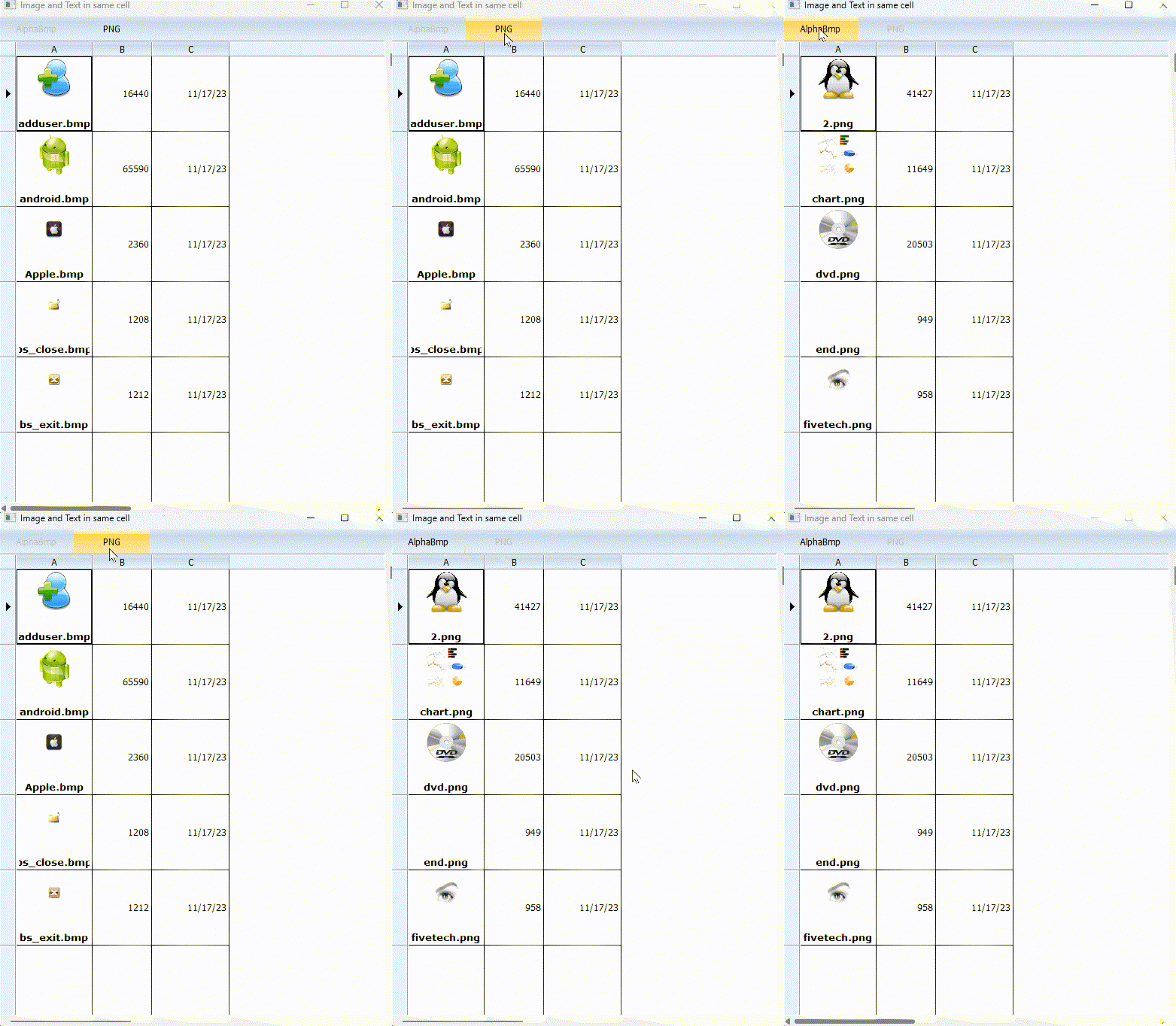
I am posting a working sample for switching arrays of images.
Please see if you can use similar logic for your requirement.
Code (fw): Select all Collapse
#include "fivewin.ch"

function Main()

   local oWnd, oBrw, oBar,    oFont, oBold
   local aData, nPath := 1
   local aPath := { "..\bitmaps\alphabmp\", "..\bitmaps\pngs\" }

   aData := Directory( aPath[ nPath ] + "*.*" )

   DEFINE FONT oFont NAME "TAHOMA"  SIZE 0,-12
   DEFINE FONT oBold NAME "VERDANA" SIZE 0,-13 BOLD

   DEFINE WINDOW oWnd TITLE "Image and Text in same cell"
   oWnd:SetFont( oFont )
   DEFINE BUTTONBAR oBar SIZE 100,32 2007
   DEFINE BUTTON OF oBar PROMPT "AlphaBmp" CENTER ;
      ACTION ( nPath := 1, aData := Directory( aPath[ nPath ] + "*.*" ), ;
      oBrw:aArrayData := aData, oBrw:GoTop(), ;
      oBrw:Refresh(), oBrw:SetFocus() ) ;
      WHEN nPath != 1
   DEFINE BUTTON OF oBar PROMPT "PNG" CENTER ;
      ACTION ( nPath := 2, aData := Directory( aPath[ nPath ] + "*.*" ), ;
      oBrw:aArrayData := aData, oBrw:GoTop(), ;
      oBrw:Refresh(), oBrw:SetFocus() ) ;
      WHEN nPath != 2

   @ 32,0 XBROWSE oBrw OF oWnd DATASOURCE aData ;
      COLUMNS 1,2,3 COLSIZES 100, 90, 90 ;
      LINES NOBORDER

   WITH OBJECT oBrw
      :nRowHeight := 100

      WITH OBJECT :aCols[ 1 ]
         :bStrImage     := { || aPath[ nPath ] + oBrw:aRow[ 1 ] }
         :oDataFont     := oBold
         :nDataStrAlign := AL_CENTER + AL_BOTTOM
         :nDataBmpAlign := AL_CENTER
         :aImgRect      := { nil, nil, -40, nil }
      END
      //
      :CreateFromCode()
   END
   oWnd:oClient   := oBrw

   oWnd:nHeight   := 700

   ACTIVATE WINDOW oWnd CENTERED
   RELEASE FONT oFont, oBold

return nil
Regards


G. N. Rao.

Hyderabad, India
Posts: 148
Joined: Tue Mar 20, 2007 03:13 PM
Re: SetArray xBrowser
Posted: Wed Dec 13, 2023 12:33 PM

Thanks Mr Rao.

Continue the discussion