FiveTech Support Forums

FiveWin / Harbour / xBase community
Board index FiveWin for Harbour/xHarbour nYoffset and nXoffset
Posts: 7318
Joined: Thu Oct 18, 2012 07:17 PM
nYoffset and nXoffset
Posted: Fri Jan 12, 2024 03:36 PM

Could someone explain to me how to implement oPrn:nYoffset and oPrn:nXoffset in a print with a practical example?

what is the purpose of oPrn:nYoffset and oPrn:nXoffset ?

Since from 1991/1992 ( fw for clipper Rel. 14.4 - Momos)

I use : FiveWin for Harbour March-April 2024 - Harbour 3.2.0dev (harbour_bcc770_32_20240309) - Bcc7.70 - xMate ver. 1.15.3 - PellesC - mail: silvio[dot]falconi[at]gmail[dot]com
Posts: 6984
Joined: Fri Oct 07, 2005 07:07 PM
Re: nYoffset and nXoffset
Posted: Sun Jan 14, 2024 11:39 PM

nXoffset and nYoffset are only used in the methods:

New - Sets nXoffset and nYoffset based on printer settings.

Cmtr2Pix - Uses nXoffset and nYoffset to convert centimeters to pixels.

Mmtr2Pix - Uses nXoffset and nYoffset to convert millimeters to pixels.

Inch2Pix - Uses nXoffset and nYoffset to convert inches to pixels.

CmRect2Pix - Uses nXoffset and nYoffset to convert a rectangle from centimeters to pixels.

Pix2Mmtr - Uses nXoffset and nYoffset in the comment, but not directly in the code.

Pix2Inch - Uses nXoffset and nYoffset in the comment, but not directly in the code.

// Set the X and Y offsets for printing

oPrn:nXoffset := 10; // Set X offset to 10 units

oPrn:nYoffset := 20; // Set Y offset to 20 units

// Now, when you print something, it will start from the offset position

These methods use nXoffset and nYoffset to convert units of measurement and adjust the print position on the page.

Posts: 7318
Joined: Thu Oct 18, 2012 07:17 PM
Re: nYoffset and nXoffset
Posted: Mon Jan 15, 2024 07:41 AM
Otto wrote:nXoffset and nYoffset are only used in the methods:

New - Sets nXoffset and nYoffset based on printer settings.

Cmtr2Pix - Uses nXoffset and nYoffset to convert centimeters to pixels.

Mmtr2Pix - Uses nXoffset and nYoffset to convert millimeters to pixels.

Inch2Pix - Uses nXoffset and nYoffset to convert inches to pixels.

CmRect2Pix - Uses nXoffset and nYoffset to convert a rectangle from centimeters to pixels.

Pix2Mmtr - Uses nXoffset and nYoffset in the comment, but not directly in the code.

Pix2Inch - Uses nXoffset and nYoffset in the comment, but not directly in the code.

// Set the X and Y offsets for printing
oPrn:nXoffset := 10; // Set X offset to 10 units
oPrn:nYoffset := 20; // Set Y offset to 20 units

// Now, when you print something, it will start from the offset position

These methods use nXoffset and nYoffset to convert units of measurement and adjust the print position on the page.
Thanks i saw when i use oprn:box and the coordinates are 0,0,2,20 It build a box more big of the Page

On default wich are the values of xoffset and y offset?
Since from 1991/1992 ( fw for clipper Rel. 14.4 - Momos)

I use : FiveWin for Harbour March-April 2024 - Harbour 3.2.0dev (harbour_bcc770_32_20240309) - Bcc7.70 - xMate ver. 1.15.3 - PellesC - mail: silvio[dot]falconi[at]gmail[dot]com
Posts: 7318
Joined: Thu Oct 18, 2012 07:17 PM
Re: nYoffset and nXoffset
Posted: Mon Jan 15, 2024 08:43 AM
there is something not working

in my program I have this result

Let me start by saying I don't use xoffset and yoffset

and the values for the HP laserjet professional P1606dn printer are 94 and 94


on another test I made now the same not use xoffset and yoffset
and the values for the HP laserjet professional P1606dn printer are 94 and 94
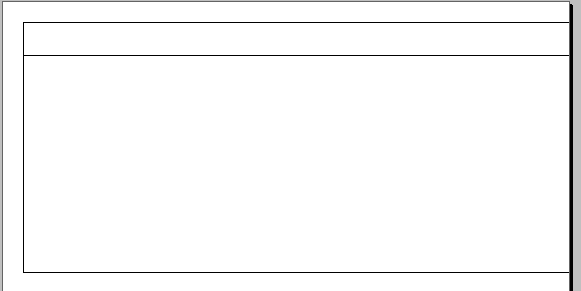
the result is different
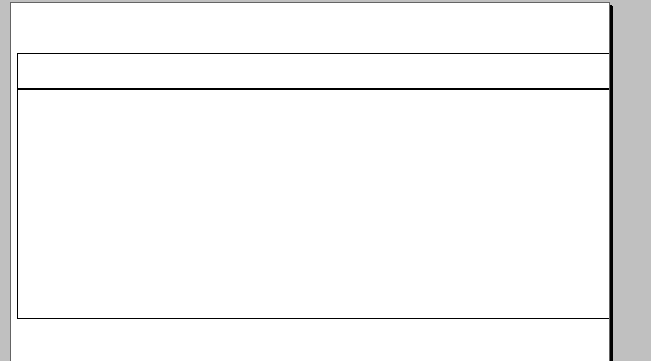


this is the test
Code (fw): Select all Collapse
 
#include "fivewin.ch"

Function test()
local oPrn
local cDescRep := "Trying xoffset and yOffset"
local aPrn := GetPrinters()

//-------------------------------------------------------//


local nWidth      := 20  +0.2
local nHeight     := 7.80 +0.5
local nGutter     := 0.5
local nRows       := 3
local nCols        := 1
local nPrintHeight   := nRows * ( nHeight + nGutter ) - nGutter
local nPrintWidth    := nCols * ( nWidth  + nGutter ) - nGutter
local nTopMargin     := 0
local nLeftMargin    := 0
local  nTop     := nTopMargin
local nLeft := nLeftMargin
local nPageH := 29.7      //A4
local nPageW := 21
//-------------------------------------------------------//

          IF nTopMargin= 0
                    nTopMargin     := ( nPageH - nPrintHeight ) / 2
                    nLeftMargin    := ( nPageW - nPrintWidth  ) / 2
                 ENDIF

            nTop  := nTopMargin
            nLeft := nLeftMargin

xbrowser aPrn


oPrn:=PrintBegin(cDescRep,.F.,.t.,,.T.)


? oPrn:nYoffset,oPrn:nXoffset   // give me 94,94

*           oPrn:nYoffset  :=0
*           oPrn:nXoffset  :=0

PageBegin()

    //first Box
      PrintBox(nTop, nLeft, nWidth, nHeight,0,0,20,1.2,oPrn)

    //second Box
      PrintBox(nTop, nLeft, nWidth, nHeight,1.2,0,20,7.8,oPrn)


  PageEnd()
PrintEnd()
return nil


//---------------------------------------------------------------------//
Function PrintBox(nRow, nCol, nWidth, nHeight,nX,nY,nLar,nAlt,oPrn)
local oFnt
local cFontname:= "Arial"
local nFontSize:= 12
local lBold:= .f.
local lItalic:= .f.
local X,Y,Z,K
local lBordo:= .t.
local nColorBordo:= CLR_BLACK
local nSizeBordo:=0.01
local nBackcolor :=CLR_WHITE
local cText:=""
local nColorFont:= CLR_BLACK
local nAlignOriz:= 1
local nAlignVert:= 1
local cUnit:= "CM"


       nRow     += 0.2
       nCol     += 0.2
       nWidth   -= 0.4
       nHeight  -= 0.4

       x:=  nRow+nX
       y:=  nCol+nY
       z:=  x+nAlt
       k:=  y+nLar


     //--------------------------------------------------------------------------//
      oFnt:=TFont():New(cFontName ,0,-nFontSize,.F.,lBold ,,,,lItalic,,,,,,,oPrn)
       IF lBordo
         oPrn:Box(X, Y, Z, K,;
                { nColorBordo, (nSizeBordo) }, nBackcolor, ;
                {cText,  oFnt, nColorFont, "TL" }, ;
                 cUnit )
      else
          oPrn:Box(X, Y, Z, K,;
                { CLR_WHITE, 1 }, CLR_WHITE, ;
                {cText,  oFnt, nColorFont, "TL" }, ;
                 cUnit )
        endif
         oFnt:end()
      //----------------------------------------------------------------------------//

  return nil

the following parameters are identical to both tests but behave differently

the Box values are also the same


Code (fw): Select all Collapse
local nWidth      := 20  +0.2
local nHeight     := 7.80 +0.5
local nGutter     := 0.5
local nRows       := 3
local nCols        := 1
local nPrintHeight   := nRows * ( nHeight + nGutter ) - nGutter
local nPrintWidth    := nCols * ( nWidth  + nGutter ) - nGutter

                    nTopMargin     := ( nPageH - nPrintHeight ) / 2
                    nLeftMargin    := ( nPageW - nPrintWidth  ) / 2
If I insert

oPrn:nYoffset := 150
oPrn:nXoffset := 120

I have this result
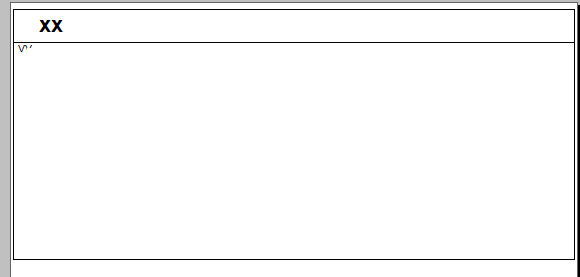

Since from 1991/1992 ( fw for clipper Rel. 14.4 - Momos)

I use : FiveWin for Harbour March-April 2024 - Harbour 3.2.0dev (harbour_bcc770_32_20240309) - Bcc7.70 - xMate ver. 1.15.3 - PellesC - mail: silvio[dot]falconi[at]gmail[dot]com
Posts: 6984
Joined: Fri Oct 07, 2005 07:07 PM
Re: nYoffset and nXoffset
Posted: Mon Jan 15, 2024 08:56 AM

Link in printer.prg and insert some msgInfo().

Try to find the differences.

Posts: 7318
Joined: Thu Oct 18, 2012 07:17 PM
Re: nYoffset and nXoffset
Posted: Mon Jan 15, 2024 09:00 AM
Otto wrote:Link in printer.prg and insert some msgInfo().
Try to find the differences.

I update the message see the last picture
Since from 1991/1992 ( fw for clipper Rel. 14.4 - Momos)

I use : FiveWin for Harbour March-April 2024 - Harbour 3.2.0dev (harbour_bcc770_32_20240309) - Bcc7.70 - xMate ver. 1.15.3 - PellesC - mail: silvio[dot]falconi[at]gmail[dot]com
Posts: 6984
Joined: Fri Oct 07, 2005 07:07 PM
Re: nYoffset and nXoffset
Posted: Mon Jan 15, 2024 09:12 AM

I do not see that method box supports: nXoffset or nYottset.

Look into printer.prg.

METHOD Box( nRow, nCol, nBottom, nRight, oPen ) INLINE ;

          Rectangle( ::hDCOut, nRow, nCol, nBottom, nRight,;

          If( oPen != nil, oPen:hPen, 0 ) )
Posts: 7318
Joined: Thu Oct 18, 2012 07:17 PM
Re: nYoffset and nXoffset
Posted: Mon Jan 15, 2024 09:47 AM
Otto wrote:I do not see that method box supports: nXoffset or nYottset.
Look into printer.prg.
METHOD Box( nRow, nCol, nBottom, nRight, oPen ) INLINE ;
Rectangle( ::hDCOut, nRow, nCol, nBottom, nRight,;
If( oPen != nil, oPen:hPen, 0 ) )
it's not the problem of oPrn:Box, but I think you have an old version of Tprinter ( printer.prg) , so now the Box method of Tprinter is
Code (fw): Select all Collapse
METHOD Box( nTop, nLeft, nBottom, nRight, anoPen, noBrush, aText, cUnits )
I need to Know the parameters when the user select a printer, I think .....

many values are changed when the user prints because a printer is selected that returns certain values and changes the values entered into the test
Since from 1991/1992 ( fw for clipper Rel. 14.4 - Momos)

I use : FiveWin for Harbour March-April 2024 - Harbour 3.2.0dev (harbour_bcc770_32_20240309) - Bcc7.70 - xMate ver. 1.15.3 - PellesC - mail: silvio[dot]falconi[at]gmail[dot]com
Posts: 7318
Joined: Thu Oct 18, 2012 07:17 PM
Re: nYoffset and nXoffset
Posted: Mon Jan 15, 2024 10:19 AM
I saw now on a oldest Tprinter class modified by Luis Krause

Vampire Path he fixed inverted values to ::nXOffset and ::nYOffset

probably fwhteannon modified these parameters taking into account Luis Krause's measures so the error in nxOffsett and nYOffset still remains
Since from 1991/1992 ( fw for clipper Rel. 14.4 - Momos)

I use : FiveWin for Harbour March-April 2024 - Harbour 3.2.0dev (harbour_bcc770_32_20240309) - Bcc7.70 - xMate ver. 1.15.3 - PellesC - mail: silvio[dot]falconi[at]gmail[dot]com
Posts: 7318
Joined: Thu Oct 18, 2012 07:17 PM
Re: nYoffset and nXoffset
Posted: Mon Jan 15, 2024 10:36 AM
TRy this

if you make

aOffset = PrnOffset( oPrn )

xbrowser aOffset

and then

? oPrn:nYoffset,oPrn:nXoffset

give you different values


here

aOffset = PrnOffset( oPrn ) give me 0,0
oPrn:nYoffset,oPrn:nXoffset give me 94,94

on class Tprinter the offset values are take from the function PrnOffset( oPrn ) line 419/421
Code (fw): Select all Collapse
 if ::hDC != 0
      aOffset    = PrnOffset( ::hDC )
      ::nXOffset = aOffset[ 1 ]
      ::nYOffset = aOffset[ 2 ]

If I add to project tPrinter class and add at line 434

? ::nXOffset,::nYOffset

give me 94,94

then on my test.prg

I make
? ::nXOffset,::nYOffset

and it give me 0,0

WHY ?
Since from 1991/1992 ( fw for clipper Rel. 14.4 - Momos)

I use : FiveWin for Harbour March-April 2024 - Harbour 3.2.0dev (harbour_bcc770_32_20240309) - Bcc7.70 - xMate ver. 1.15.3 - PellesC - mail: silvio[dot]falconi[at]gmail[dot]com
Posts: 7318
Joined: Thu Oct 18, 2012 07:17 PM
Re: nYoffset and nXoffset
Posted: Mon Jan 15, 2024 11:04 AM

what I want you to understand is that

if I print a Box here at school

I have to change the parameters of nXoffset and yOffset to 120,150 because I use the HP laserjet printer

you imagine that if my program is used in another school

with another printer that I don't know the parameters are wrong and the print comes off the sheet

I can't have any worries like that, the program should always work the same way

Since from 1991/1992 ( fw for clipper Rel. 14.4 - Momos)

I use : FiveWin for Harbour March-April 2024 - Harbour 3.2.0dev (harbour_bcc770_32_20240309) - Bcc7.70 - xMate ver. 1.15.3 - PellesC - mail: silvio[dot]falconi[at]gmail[dot]com
Posts: 6984
Joined: Fri Oct 07, 2005 07:07 PM
Re: nYoffset and nXoffset
Posted: Mon Jan 15, 2024 11:19 AM

I understand but don't have a solution.

Continue the discussion