

Dear friends,
I am working with XBROWSE and I wonder - is it possible to make the cols adjust to the available width.
This is my code...I use AUTOCOLS. So please also allow me a second question. Is there a way to know how many cols are present in the specific XBROWSE?
Right now I have a gap and your help would be greatly appreciated.
Kind regards and thank you already in advance
Ruth
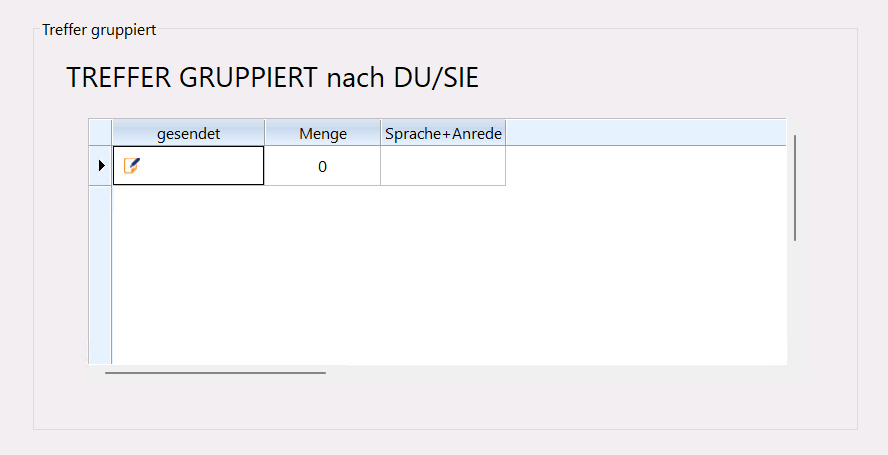
I am working with XBROWSE and I wonder - is it possible to make the cols adjust to the available width.
This is my code...I use AUTOCOLS. So please also allow me a second question. Is there a way to know how many cols are present in the specific XBROWSE?
Right now I have a gap and your help would be greatly appreciated.
Kind regards and thank you already in advance
Ruth
 REDEFINE XBROWSE oBrw2 ID 4009 ;
      HEADERS "", "gesendet", "Menge", "Sprache+Anrede" ;
      OF oDlg ;
      ARRAY aEmails AUTOCOLS


      oBrw2:nRowHeight := 40

      oBrw2:aCols[2]:AddResource( "OKKLEIN" )
      oBrw2:aCols[2]:AddResource( "TXTMIN" )
      oBrw2:aCols[2]:bBmpData := { || iif( aEmails[oBrw2:nArrayAt][2] = 1, 1, 2 ) }
      oBrw2:aCols[2]:bStrData := { || "" }
      oBrw2:aCols[1]:lHide    := .t.
    oBrw2:nColDividerStyle    := ;
        oBrw2:nRowDividerStyle := LINESTYLE_LIGHTGRAY
        oBrw2:nMarqueeStyle := MARQSTYLE_SOLIDCELL
        oBrw2:lDrawBorder := .t.
        oBrw2:nDataStrAligns := AL_CENTER

        oBrw2:bClrSel = { || { 7105644,10801663 } }