FiveTech Support Forums

FiveWin / Harbour / xBase community
Board index FiveWin for Harbour/xHarbour How to include hbCurl?
Posts: 6983
Joined: Fri Oct 07, 2005 07:07 PM
How to include hbCurl?
Posted: Sun Mar 03, 2024 12:06 AM

Hello friends,

How to include hbCurl? Is it working in xHarbour, too?

Best regards,

Otto
Posts: 3022
Joined: Fri Oct 07, 2005 01:45 PM
Re: How to include hbCurl?
Posted: Sun Mar 03, 2024 12:24 AM

Otto,

I include, in a .mak file, the following:

echo $(HBDIR)\lib\hbtipssl.lib >> msvc.tmp

echo $(HBDIR)\lib\hbcurl.lib >> msvc.tmp

echo $(HBDIR)\lib\libcurl.lib >> msvc.tmp

I do my builds with Harbor and MSVC

It works fine. Also include the libcurl.dll

It also works for 64 bit with those libraries and the 64 bit dll

Tim

Tim Stone
http://www.MasterLinkSoftware.com
http://www.autoshopwriter.com
timstone@masterlinksoftware.com
Using: FWH 23.10 with Harbour 3.2.0 / Microsoft Visual Studio Community 2022-24 32/64 bit
Posts: 6983
Joined: Fri Oct 07, 2005 07:07 PM
Re: How to include hbCurl?
Posted: Sun Mar 03, 2024 08:22 AM
Hello Tim,
thank you for your help.

While I was looking for a solution yesterday to make cUrl common in my desktop program, I then tried a solution with the command prompt and shellExecute. That works well.
What are the disadvantages of shellExec()? I have been using 7Zip in this way for years.

On the whole, the path with shellExEc() would seem more maintenance-friendly to me if you would otherwise have no issues or only have to deal with the firewall during the initial setup.

Best regards,
Otto
Code (fw): Select all Collapse
c:\curl-8.6.0_3-win64-mingw\bin\curl.exe -u username:password -k -F "fileToUpload=@c:\xxxx\tmpplan\planangebot.dbf" https://test.com/webservices/responderdbf.php
Posts: 44158
Joined: Thu Oct 06, 2005 05:47 PM
Re: How to include hbCurl?
Posted: Sun Mar 03, 2024 08:57 AM

Dear Otto,

> What are the disadvantages of shellExec()?

I guess the only problem is that the user does not have curl.exe installed or at the right path

regards, saludos

Antonio Linares
www.fivetechsoft.com
Posts: 9020
Joined: Thu Oct 06, 2005 08:17 PM
Re: How to include hbCurl?
Posted: Sun Mar 03, 2024 11:16 AM
Otto wrote:Hello friends,

How to include hbCurl? Is it working in xHarbour, too?

Best regards,
Otto
Hi Otto,

Yes, it is working with xHarbour too. You have to link hbcurl.lib and libcurl.lib. Then you must have libcurl.dll in the same folder of the EXE (or in the path, of course).
Posts: 58
Joined: Thu Oct 13, 2005 01:26 PM
Re: How to include hbCurl?
Posted: Wed Mar 06, 2024 05:33 AM
HI,
you can generate C code from the CURL command line
adding "--libcurl filename.c" to the end of the command line

below is an example:
curl http://example.com --libcurl example.c

look at the link
https://everything.curl.dev/libcurl/libcurl
Posts: 6983
Joined: Fri Oct 07, 2005 07:07 PM
Re: How to include hbCurl?
Posted: Thu Mar 07, 2024 07:15 PM
Hello friends,
Thank you for your help.
I have now solved it with the command prompt Exe.

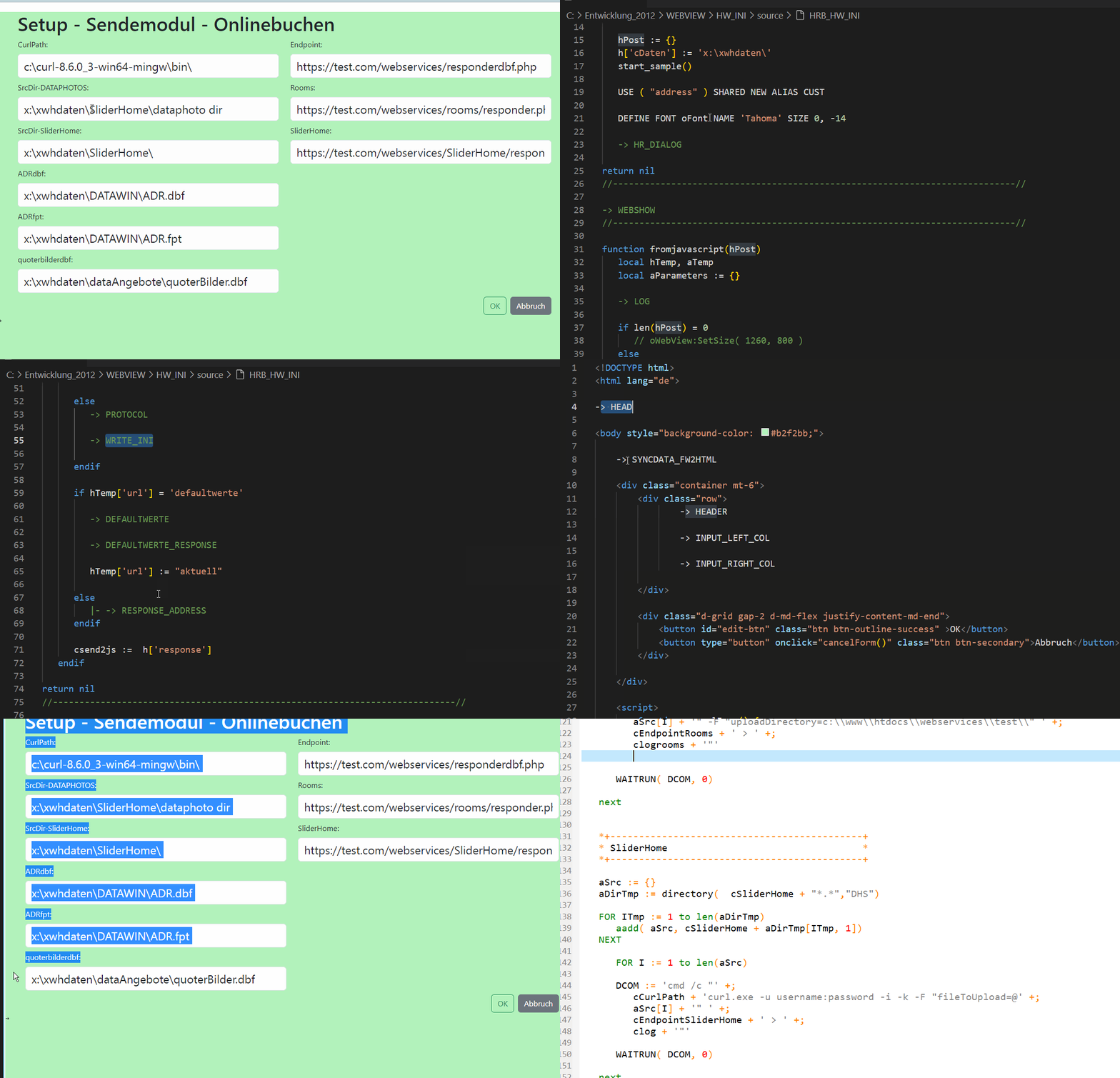
On this occasion, I started creating the setup program with webview2 and fivewin.

Fortunately, I had already made a patcher and preprocessor before ChatGPT.
Now, this is a very functional way to simplify the programs. Through modularization, one can have ChatGPT further develop parts of the program very effectively. This makes program creation very fast.

Best regards,
Otto


Posts: 1487
Joined: Tue Jun 14, 2016 07:51 AM
Re: How to include hbCurl?
Posted: Fri Mar 08, 2024 10:04 PM
TimStone wrote:Otto,

I include, in a .mak file, the following:
echo $(HBDIR)\lib\hbtipssl.lib >> msvc.tmp
echo $(HBDIR)\lib\hbcurl.lib >> msvc.tmp
echo $(HBDIR)\lib\libcurl.lib >> msvc.tmp

I do my builds with Harbor and MSVC

It works fine. Also include the libcurl.dll

It also works for 64 bit with those libraries and the 64 bit dll

Tim
Tim,

Are you using cUrl for reading API's ? By any change the API from Mailchimp ?

curl -sS "https://us8.api.mailchimp.com/3.0/ping" --user "anystring:cApi"

I want to read the result from this command insite FW. and give the command also from FW
Marc Venken

Using: FWH 23.08 with Harbour
Posts: 6983
Joined: Fri Oct 07, 2005 07:07 PM
Re: How to include hbCurl?
Posted: Fri Mar 08, 2024 10:41 PM
Marc, you can redirect to a file: clogrooms and then read with memoread.
Regards,
Otto
DCOM := 'cmd /c "' +;
cCurlPath + 'curl.exe -u username:password -i -k -F "fileToUpload=@' +;
aSrc + '" -F "uploadDirectory=' + cuploadDirectory + '" ' +;
cEndpointRooms + ' > ' +;
clogrooms + '"'

WAITRUN( DCOM, 0)
Posts: 1487
Joined: Tue Jun 14, 2016 07:51 AM
Re: How to include hbCurl?
Posted: Sat Mar 09, 2024 08:53 PM
Otto, Thanks for the sample.

I got it working now to read with cUrl...

Now digging into the hard part of getting all elements :D
Marc Venken

Using: FWH 23.08 with Harbour
Posts: 1487
Joined: Tue Jun 14, 2016 07:51 AM
Re: How to include hbCurl?
Posted: Tue Mar 19, 2024 10:13 PM
I can read several data with the API, but struggle with the one that can change a TAG (like a groupname) into Mailchimp.

This is working, and I get the tags from a email

DCOM := 'cmd /c curl -sS https://us8.api.mailchimp.com/3.0/lists/'+cLists+'/members/'+cSecure_Email+'/tags --user anystring:'+cApi+' > clogrooms.txt'

In order to add a Tag this should be executed, but I allways fale in passing the correct data

This is NOT working

DCOM := 'cmd /c curl -sS https://us8.api.mailchimp.com/3.0/lists/'+cLists+'/members/';
+cSecure_Email+'/tags --user anystring:';
+cApi+'-d tags:'+aTags+',is_syncing:false';
+' > clogrooms.txt'

and Mailchimp api says :

curl -X POST \
https://${dc}.api.mailchimp.com/3.0/lists/{list_id}/members/{subscriber_hash}/tags \
--user "anystring:${apikey}"' \
-d '{"tags":[],"is_syncing":false}'

By any change that somebody knows how to do it ?
Marc Venken

Using: FWH 23.08 with Harbour
Posts: 6983
Joined: Fri Oct 07, 2005 07:07 PM
Re: How to include hbCurl?
Posted: Wed Mar 20, 2024 04:59 AM
Marc, have yout tried the answer ChatGPT gives you?
Best regards,
Otto
It seems like you're trying to add tags to a member in a MailChimp list using the MailChimp API and curl in a command line environment. The issue appears to be with the way you're formatting the JSON data in your curl command. Let's break down the correct format and structure for your curl command to add tags to a member.

Here's the general format you need to follow based on Mailchimp's documentation:

```bash
curl -X POST \
https://${dc}.api.mailchimp.com/3.0/lists/{list_id}/members/{subscriber_hash}/tags \
--user "anystring:${apikey}" \
-d '{"tags": [{"name": "tagName", "status": "active"}], "is_syncing": false}'
```

Now, applying this format to your specific case, the command should look something like this:

```bash
DCOM := 'cmd /c curl -X POST https://us8.api.mailchimp.com/3.0/lists/' + cListID + '/members/' + cSecure_Email + '/tags --user "anystring:' + cApi + '" -d "{""tags"": [{""name"": ""' + aTags + '"", ""status"": ""active""}], ""is_syncing"": false}" > clogrooms.txt'
```

In this command, `cListID` should be replaced with your MailChimp list ID, `cSecure_Email` should be the subscriber's hashed email address, `cApi` is your API key, and `aTags` is the tag name you want to add. Note that we need to escape double quotes inside the JSON data by using `""`.

Make sure that `aTags` is properly formatted. If `aTags` is a variable containing the tag name, ensure that it doesn't have spaces or special characters that might break the JSON format.

If you have multiple tags to add, you would expand the `tags` array like so:

```json
"tags": [{"name": "tagName1", "status": "active"}, {"name": "tagName2", "status": "active"}]
```

Lastly, ensure that the email address is correctly hashed as per Mailchimp's requirements (using MD5 and in lowercase) when replacing `cSecure_Email`. If there are still issues, double-check the JSON payload for correct formatting and ensure that all required fields are provided accurately.
Posts: 1487
Joined: Tue Jun 14, 2016 07:51 AM
Re: How to include hbCurl?
Posted: Wed Mar 20, 2024 01:22 PM
I went in conversation with ChatGPT )))) I have to say... that guy has patience :D :D

But we didn't get the solution.

Last try was this :
Code (fw): Select all Collapse
*** Hard coded test tag)
   cTagName := "tag1"   // De naam van de tag
   cTagStatus := "active"  // De status van de tag

*** Constructie JSON-payload met de enkele tag

cJsonPayload := '"tags": { "name": "' + cTagName + '", "status": "' + cTagStatus + '" } , "is_syncing": false '

msginfo(cJsonPayload)

DCOM := 'cmd /c curl -sS https://us8.api.mailchimp.com/3.0/lists/' + cLists + '/members/' + cSecure_Email + '/tags --user anystring:' + cApi + ' -d ' + CHR(34) + cJsonPayload + CHR(34) + ' > clogrooms.txt'
Your request doesn't appear to be valid JSON:
Parse error on line 1:
tags: { name: tag1,
^
Expected one of: 'STRING', 'NUMBER', 'NULL', 'TRUE', 'FALSE', '{', '['
Marc Venken

Using: FWH 23.08 with Harbour
Posts: 6983
Joined: Fri Oct 07, 2005 07:07 PM
Re: How to include hbCurl?
Posted: Wed Mar 20, 2024 03:40 PM
Marc,
I think you need
tags: { name: "tag1",
Best regards,
Otto

Not tested:
Code (fw): Select all Collapse
cresponse  := "["
cresponse  += "{" + '"name":'   + '"' + 'name default'      + '",'
cresponse  += '"CurlPath":'         +  '"' + h['CurlPath']      + '",' 
cresponse  += '"test":'             +  '"' + 'test' + '" },'
cresponse := left( cresponse , len( cresponse )-1 ) + "]"

Continue the discussion