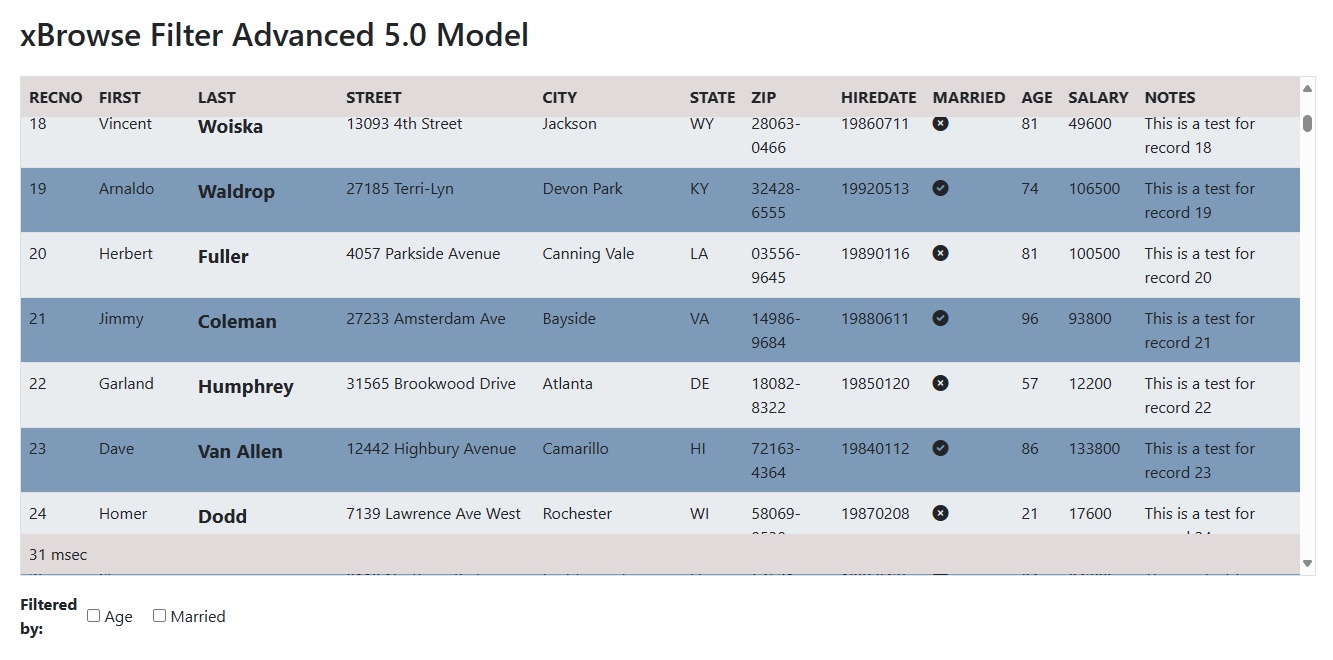
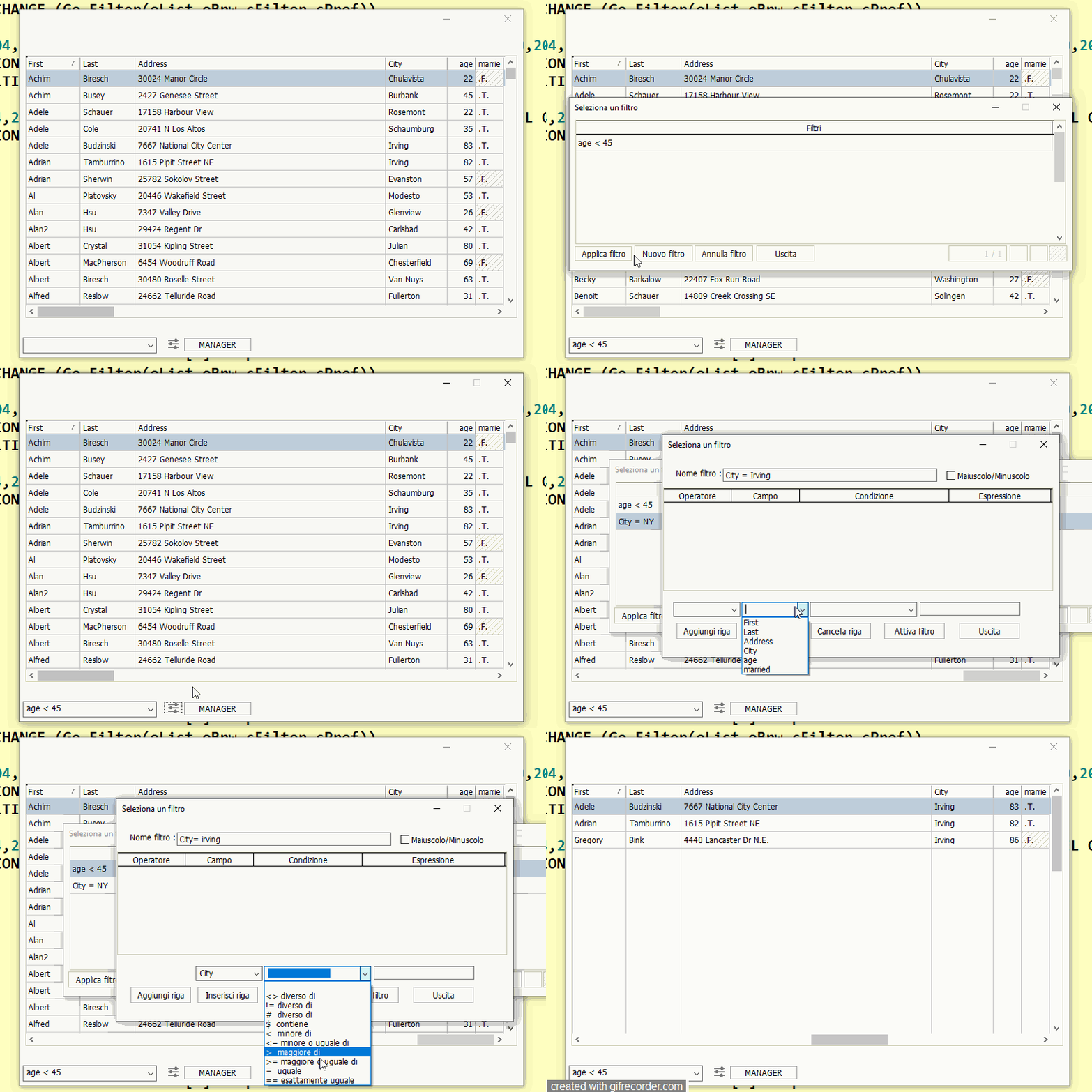
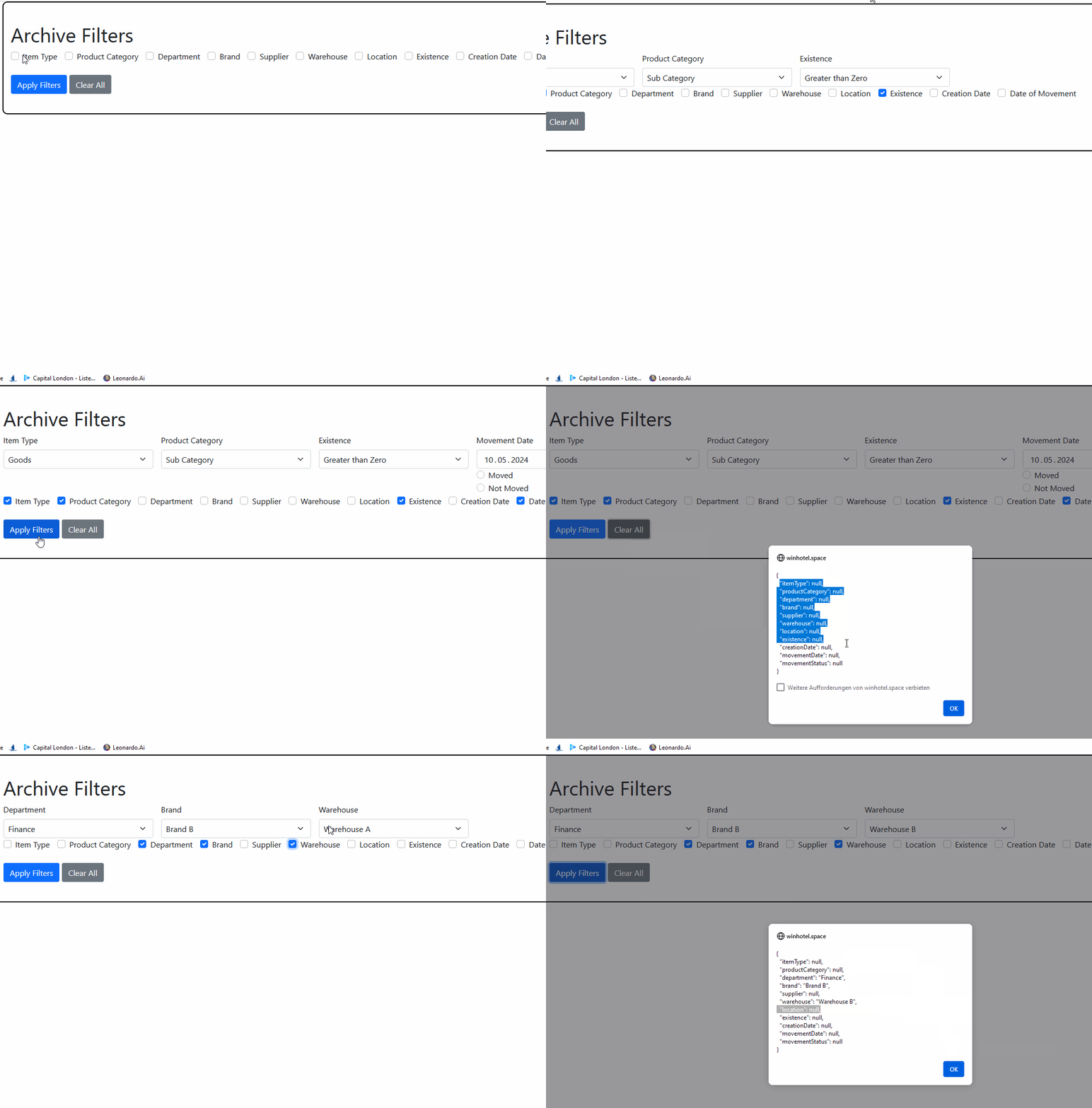
Silvio sent me an email with a very interesting approach to setting filter conditions.
I think this is really a good way to set extensive filters.
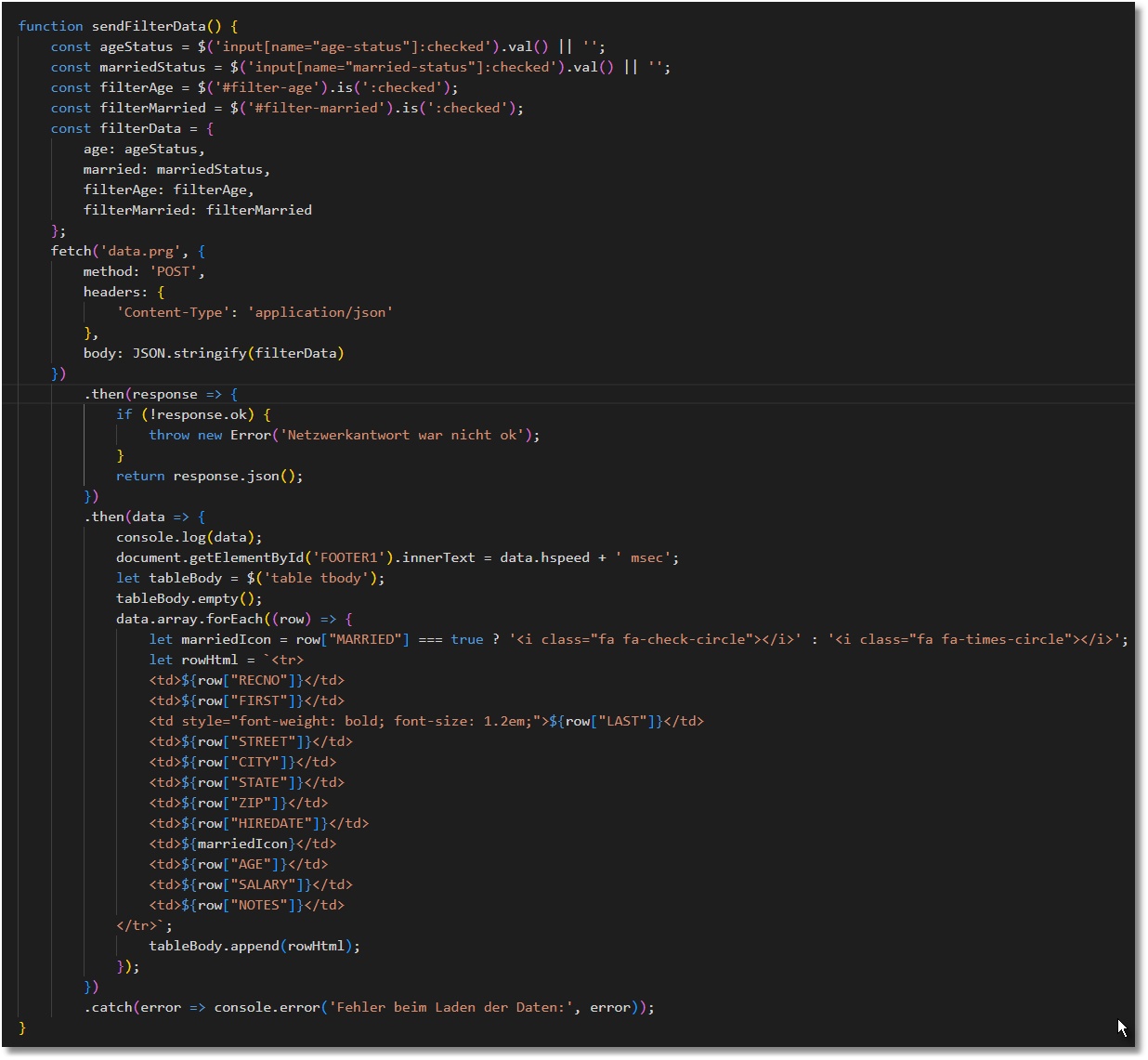
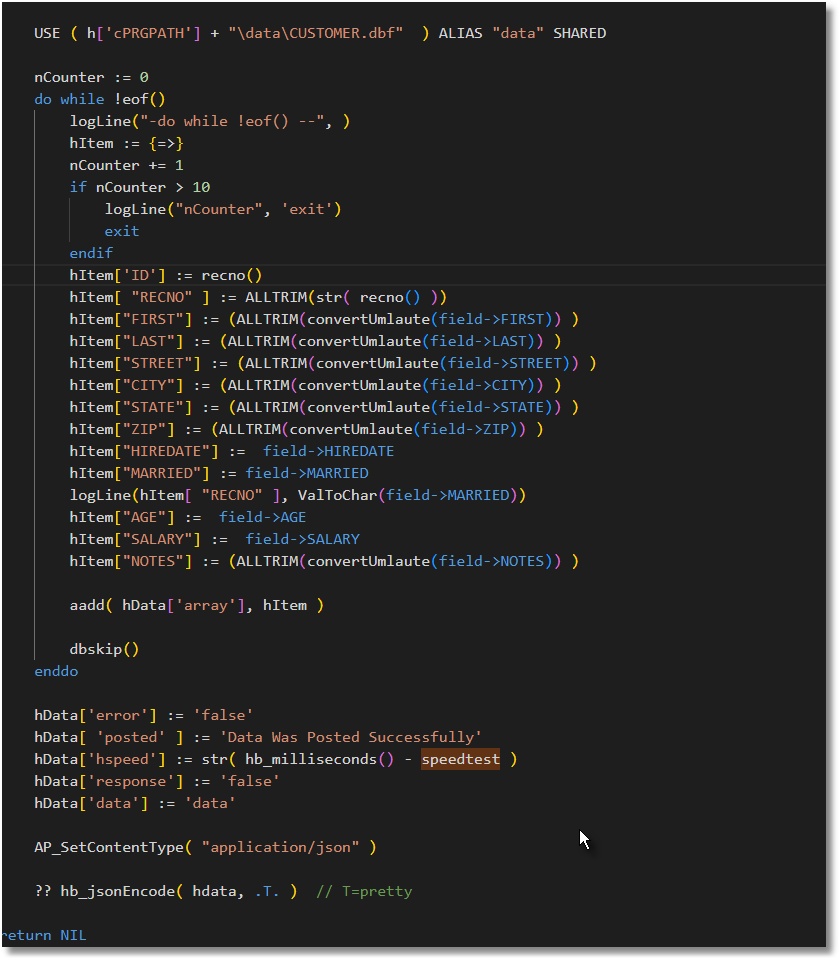
I coded this query for webview and mod harbour use.
Best regards,
Otto
<!DOCTYPE html>
<html lang="en">

<head>
    <meta charset="UTF-8">
    <title>Dynamic Filter Archive with Checkboxes</title>
    <link href="https://cdn.jsdelivr.net/npm/bootstrap@5.1.3/dist/css/bootstrap.min.css" rel="stylesheet">
    <script src="https://cdn.jsdelivr.net/npm/bootstrap@5.1.3/dist/js/bootstrap.bundle.min.js"></script>
    <script src="https://ajax.googleapis.com/ajax/libs/jquery/3.5.1/jquery.min.js"></script>
    <!-- Include Font Awesome -->
    <link rel="stylesheet" href="https://cdnjs.cloudflare.com/ajax/libs/font-awesome/6.0.0/css/all.min.css">
    <style>
        .checkbox-row {
            display: flex;
            flex-wrap: nowrap;
            gap: 10px;
        }

        .form-check {
            width: auto;
            margin-right: 5px;
        }

        .form-check .form-check-input {
            margin-right: 5px;
        }


        /* Add this to the <style> section */
            .container {
                border: 2px solid #000; /* Example: 2px solid black border */
                padding: 15px; /* Optional: Add padding for better visual separation */
                border-radius: 10px; /* Optional: Add rounded corners */
            }


            /* Set flex-grow to 0 so elements do not grow beyond their intrinsic size */
            #filtersContainer > div {
                flex: 0 0 auto;
                max-width: 300px; /* Optional: Adjust the max-width if needed */
            }

            /* Make the checkboxes visible and flexible */
            .checkbox-row {
                display: flex;
                flex-wrap: nowrap;
                gap: 10px;
            }

            .form-check {
                width: auto;
                margin-right: 5px;
            }

            .form-check .form-check-input {
                margin-right: 5px;
            }


        </style>
    </head>

    <body>
        <div class="container">
            <h1 class="mt-4">Archive Filters</h1>
            <div id="filtersContainer" class="d-flex flex-wrap gap-3">
                <div id="itemTypeSection" class="col-md-4 d-none">
                    <label for="itemTypeFilter" class="form-label">Item Type</label>
                    <select id="itemTypeFilter" class="form-select">
                        <option>All</option>
                        <option>Goods</option>
                        <option>Service</option>
                        <option>Bill of Materials</option>
                    </select>
                </div>

                <div id="productCategorySection" class="col-md-4 d-none">
                    <label for="productCategoryFilter" class="form-label">Product Category</label>
                    <select id="productCategoryFilter" class="form-select">
                        <option>Master Category</option>
                        <option>Sub Category</option>
                    </select>
                </div>

                <div id="departmentSection" class="col-md-4 d-none">
                    <label for="departmentFilter" class="form-label">Department</label>
                    <select id="departmentFilter" class="form-select">
                        <option>HR</option>
                        <option>Finance</option>
                        <option>IT</option>
                    </select>
                </div>

                <div id="brandSection" class="col-md-4 d-none">
                    <label for="brandFilter" class="form-label">Brand</label>
                    <select id="brandFilter" class="form-select">
                        <option>Brand A</option>
                        <option>Brand B</option>
                    </select>
                </div>

                <div id="supplierSection" class="col-md-4 d-none">
                    <label for="supplierFilter" class="form-label">Supplier</label>
                    <select id="supplierFilter" class="form-select">
                        <option>Supplier 1</option>
                        <option>Supplier 2</option>
                    </select>
                </div>

                <div id="warehouseSection" class="col-md-4 d-none">
                    <label for="warehouseFilter" class="form-label">Warehouse</label>
                    <select id="warehouseFilter" class="form-select">
                        <option>Warehouse A</option>
                        <option>Warehouse B</option>
                    </select>
                </div>

                <div id="locationSection" class="col-md-4 d-none">
                    <label for="locationFilter" class="form-label">Location</label>
                    <select id="locationFilter" class="form-select">
                        <option>Location A</option>
                        <option>Location B</option>
                    </select>
                </div>

                <div id="existenceSection" class="col-md-4 d-none">
                    <label for="existenceFilter" class="form-label">Existence</label>
                    <select id="existenceFilter" class="form-select">
                        <option>Greater than Zero</option>
                    </select>
                </div>

                <div id="creationDateSection" class="col-md-4 d-none">
                    <label for="creationDateFilter" class="form-label">Creation Date</label>
                    <input type="date" id="creationDateFilter" class="form-control">
                </div>

                <div id="movementDateSection" class="col-md-4 d-none">
                    <label for="movementDateFilter" class="form-label">Movement Date</label>
                    <input type="date" id="movementDateFilter" class="form-control">
                    <div class="form-check">
                        <input class="form-check-input" type="radio" name="movementRadio" id="movedRadio">
                        <label class="form-check-label" for="movedRadio">Moved</label>
                    </div>
                    <div class="form-check">
                        <input class="form-check-input" type="radio" name="movementRadio" id="notMovedRadio">
                        <label class="form-check-label" for="notMovedRadio">Not Moved</label>
                    </div>
                </div>


            </div>

            <div class="checkbox-row mb-4">
                <div class="form-check">
                    <input class="form-check-input" type="checkbox" id="toggleItemType">
                    <label class="form-check-label" for="toggleItemType">Item Type</label>
                </div>
                <div class="form-check">
                    <input class="form-check-input" type="checkbox" id="toggleProductCategory">
                    <label class="form-check-label" for="toggleProductCategory">Product Category</label>
                </div>
                <div class="form-check">
                    <input class="form-check-input" type="checkbox" id="toggleDepartment">
                    <label class="form-check-label" for="toggleDepartment">Department</label>
                </div>
                <div class="form-check">
                    <input class="form-check-input" type="checkbox" id="toggleBrand">
                    <label class="form-check-label" for="toggleBrand">Brand</label>
                </div>
                <div class="form-check">
                    <input class="form-check-input" type="checkbox" id="toggleSupplier">
                    <label class="form-check-label" for="toggleSupplier">Supplier</label>
                </div>
                <div class="form-check">
                    <input class="form-check-input" type="checkbox" id="toggleWarehouse">
                    <label class="form-check-label" for="toggleWarehouse">Warehouse</label>
                </div>
                <div class="form-check">
                    <input class="form-check-input" type="checkbox" id="toggleLocation">
                    <label class="form-check-label" for="toggleLocation">Location</label>
                </div>
                <div class="form-check">
                    <input class="form-check-input" type="checkbox" id="toggleExistence">
                    <label class="form-check-label" for="toggleExistence">Existence</label>
                </div>
                <div class="form-check">
                    <input class="form-check-input" type="checkbox" id="toggleCreationDate">
                    <label class="form-check-label" for="toggleCreationDate">Creation Date</label>
                </div>
                <div class="form-check">
                    <input class="form-check-input" type="checkbox" id="toggleDateMovement">
                    <label class="form-check-label" for="toggleDateMovement">Date of Movement</label>
                </div>
            </div>


            <div class="col-12 mt-3">
                <button type="button" id="applyFilters" class="btn btn-primary">Apply Filters</button>
                <button type="button" id="clearFilters" class="btn btn-secondary">Clear All</button>
            </div>

            <div id="result" class="mt-4">
                <!-- The filtered results will be displayed here -->
            </div>
        </div>

        <script>
            $(document).ready(function () {
                $('#toggleItemType').change(function () {
                    $('#itemTypeSection').toggleClass('d-none', !this.checked);
                });
                $('#toggleProductCategory').change(function () {
                    $('#productCategorySection').toggleClass('d-none', !this.checked);
                });
                $('#toggleDepartment').change(function () {
                    $('#departmentSection').toggleClass('d-none', !this.checked);
                });
                $('#toggleBrand').change(function () {
                    $('#brandSection').toggleClass('d-none', !this.checked);
                });
                $('#toggleSupplier').change(function () {
                    $('#supplierSection').toggleClass('d-none', !this.checked);
                });
                $('#toggleWarehouse').change(function () {
                    $('#warehouseSection').toggleClass('d-none', !this.checked);
                });
                $('#toggleLocation').change(function () {
                    $('#locationSection').toggleClass('d-none', !this.checked);
                });
                $('#toggleExistence').change(function () {
                    $('#existenceSection').toggleClass('d-none', !this.checked);
                });
                $('#toggleCreationDate').change(function () {
                    $('#creationDateSection').toggleClass('d-none', !this.checked);
                });
                $('#toggleDateMovement').change(function () {
                    $('#movementDateSection').toggleClass('d-none', !this.checked);
                });

                $('#applyFilters').click(function () {
                    let filters = {
                        itemType: $('#itemTypeSection').is(':visible') ? $('#itemTypeFilter').val() : null,
                        productCategory: $('#productCategorySection').is(':visible') ? $('#productCategoryFilter').val() : null,
                        department: $('#departmentSection').is(':visible') ? $('#departmentFilter').val() : null,
                        brand: $('#brandSection').is(':visible') ? $('#brandFilter').val() : null,
                        supplier: $('#supplierSection').is(':visible') ? $('#supplierFilter').val() : null,
                        warehouse: $('#warehouseSection').is(':visible') ? $('#warehouseFilter').val() : null,
                        location: $('#locationSection').is(':visible') ? $('#locationFilter').val() : null,
                        existence: $('#existenceSection').is(':visible') ? $('#existenceFilter').val() : null,
                        creationDate: $('#creationDateSection').is(':visible') ? $('#creationDateFilter').val() : null,
                        movementDate: $('#movementDateSection').is(':visible') ? $('#movementDateFilter').val() : null,
                        movementStatus: $('#movementDateSection').is(':visible') ? $('input[name="movementRadio"]:checked').next('label').text() : null
                    };
                    // Showing the values in an alert
                    alert(JSON.stringify(filters, null, 2) );
                    //     $('#result').html('<pre>' + JSON.stringify(filters, null, 2) + '</pre>');

                    // Logic to filter and display the data based on the filters
                    // This is where you would integrate with your data source to fetch and display the filtered data
                });
            });


            // Function to clear all filters
            function clearAllFilters() {
                // Explicitly handle the controlling checkboxes
                $('#toggleItemType, #toggleProductCategory, #toggleDepartment, #toggleBrand, #toggleSupplier, #toggleWarehouse, #toggleLocation, #toggleExistence, #toggleCreationDate, #toggleDateMovement')
                .prop('checked', false)
                .trigger('change'); // Trigger change to hide sections

                // Reset the values of all filter input fields and selects
                $('#filtersContainer select').each(function () {
                    $(this).prop('selectedIndex', 0); // Reset to first option
                });

                $('#filtersContainer input[type="radio"], #filtersContainer input[type="checkbox"]').not('[id^="toggle"]').each(function () {
                    $(this).prop('checked', false); // Clear checkboxes/radios that are not section toggles
                });

                $('#filtersContainer input[type="text"], #filtersContainer input[type="date"]').each(function () {
                    $(this).val(''); // Clear text and date inputs
                });

                // Hide all selection sections directly
                $('#filtersContainer > div').addClass('d-none');
            }

            // Event listener for the Clear All button
            $('#clearFilters').click(function () {
                clearAllFilters(); // Call the function to clear all filters
                $('#applyFilters').click(); // Trigger the Apply Filters button click
            });


        </script>

    </body>

    </html>