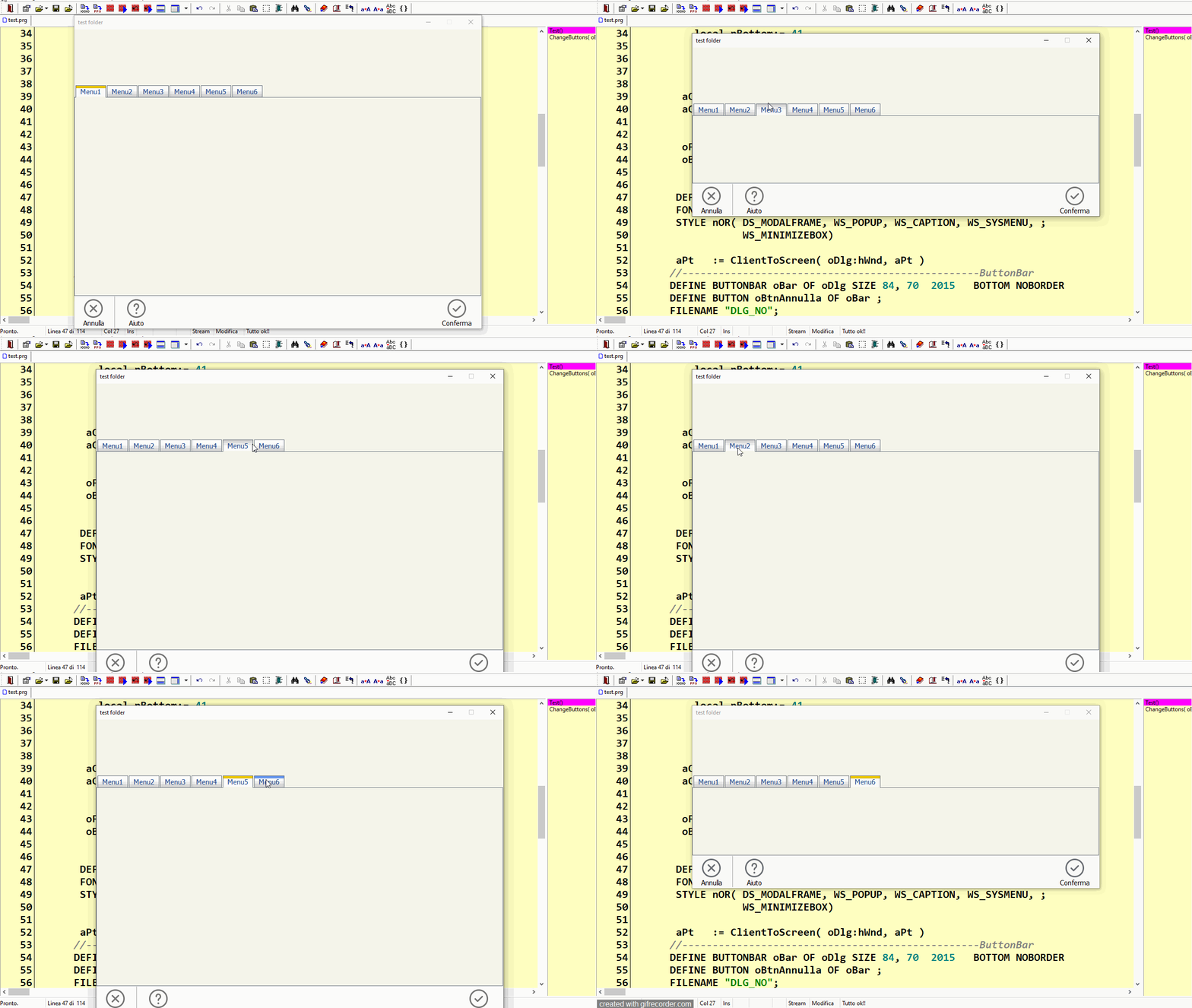
Hello friends,
I’ve consulted AI to gather insights, which are based on the collective opinions of numerous individuals.
Best regards,
Otto
Objective Recommendation for Dynamic Height Adjustment in New Development
Modern Aesthetics:
Dynamic height adjustment aligns with modern design principles, providing a sleek, adaptive, and user-friendly interface. This approach demonstrates that the application is responsive to content and user interaction, offering a more engaging experience.
User Experience:
Users benefit from a layout that adjusts to the content they are viewing. This reduces unnecessary scrolling and presents information in a cleaner, more organized manner. It can enhance the perceived sophistication of the application.
Implementation Considerations:
Smooth Transitions: Ensure smooth transitions between tabs to mitigate any flicker effect. Using CSS animations or JavaScript libraries can help create seamless transitions that enhance the overall user experience.
Performance: While dynamic height adjustment can be more resource-intensive, optimizing the code and using efficient programming practices can minimize performance impacts. Preloading content and using lazy loading strategies can also help maintain performance.
Fallbacks: Consider providing fallbacks for older devices or browsers that may not handle dynamic adjustments well. This ensures a wider audience can still have a good experience, even if it’s not the full dynamic experience.
Visual Consistency:
Minimize Empty Space: Set a minimum height for tabs to avoid excessive white space when switching to tabs with less content. This maintains a visually balanced interface.
Responsive Design: Ensure the layout is fully responsive, adapting not only to the content but also to different screen sizes and orientations. This is crucial for maintaining usability across various devices.
Best Practices:
User Testing: Conduct thorough user testing to gather feedback on the dynamic height adjustment. This helps identify any potential issues and ensures the feature meets user needs effectively.
Accessibility: Ensure that dynamic height adjustments do not negatively impact accessibility. Screen readers and other assistive technologies should still provide a smooth experience for users with disabilities.
Conclusion
For a new development, embracing dynamic height adjustment is recommended to achieve a modern and flexible design. By carefully considering implementation details, performance optimization, and
user feedback, you can create an application that is both visually appealing and highly functional. This approach aligns with contemporary design trends and user expectations, making your application stand out in a competitive market.