Primero creamos un ejemplo en C, con la ayuda de Claude, para asegurarnos de que es posible hacerlo y que el concepto funciona bien:
test.c
#include <windows.h>
#include <math.h>

#define CIRCLE_RADIUS 100
#define WINDOW_SIZE (CIRCLE_RADIUS * 2)

LRESULT CALLBACK WindowProc(HWND hwnd, UINT uMsg, WPARAM wParam, LPARAM lParam);
void CreateOpaqueCircle(HWND hwnd);
BOOL IsInsideCircle(int x, int y);

// Variables globales para el movimiento
BOOL isDragging = FALSE;
int dragOffsetX = 0;
int dragOffsetY = 0;

int WINAPI WinMain(HINSTANCE hInstance, HINSTANCE hPrevInstance, LPSTR lpCmdLine, int nCmdShow) {
    UNREFERENCED_PARAMETER(hPrevInstance);
    UNREFERENCED_PARAMETER(lpCmdLine);

    const char CLASS_NAME[] = "OpaqueCircularControl";

    WNDCLASS wc = {0};
    wc.lpfnWndProc = WindowProc;
    wc.hInstance = hInstance;
    wc.lpszClassName = CLASS_NAME;
    wc.hCursor = LoadCursor(NULL, IDC_ARROW);
    wc.style = CS_DBLCLKS;

    RegisterClass(&wc);

    HWND hwnd = CreateWindowEx(
        0,
        CLASS_NAME,
        "Opaque Circular Control",
        WS_POPUP | WS_VISIBLE,
        CW_USEDEFAULT, CW_USEDEFAULT, WINDOW_SIZE, WINDOW_SIZE,
        NULL,
        NULL,
        hInstance,
        NULL
    );

    if (hwnd == NULL) {
        return 0;
    }

    ShowWindow(hwnd, nCmdShow);
    UpdateWindow(hwnd);

    MSG msg = {0};
    while (GetMessage(&msg, NULL, 0, 0)) {
        TranslateMessage(&msg);
        DispatchMessage(&msg);
    }

    return 0;
}

LRESULT CALLBACK WindowProc(HWND hwnd, UINT uMsg, WPARAM wParam, LPARAM lParam) {
    switch (uMsg) {
        case WM_CREATE:
            CreateOpaqueCircle(hwnd);
            return 0;

        case WM_PAINT: {
            PAINTSTRUCT ps;
            HDC hdc = BeginPaint(hwnd, &ps);
            HBRUSH brush = CreateSolidBrush(RGB(255, 0, 0));
            SelectObject(hdc, brush);
            Ellipse(hdc, 0, 0, WINDOW_SIZE, WINDOW_SIZE);
            DeleteObject(brush);
            EndPaint(hwnd, &ps);
            return 0;
        }

        case WM_LBUTTONDOWN: {
            int xPos = LOWORD(lParam);
            int yPos = HIWORD(lParam);

            if (IsInsideCircle(xPos, yPos)) {
                isDragging = TRUE;
                dragOffsetX = xPos;
                dragOffsetY = yPos;
                SetCapture(hwnd);
            }
            return 0;
        }

        case WM_MOUSEMOVE: {
            if (isDragging) {
                int xPos = LOWORD(lParam);
                int yPos = HIWORD(lParam);

                RECT windowRect;
                GetWindowRect(hwnd, &windowRect);
                int newX = windowRect.left + (xPos - dragOffsetX);
                int newY = windowRect.top + (yPos - dragOffsetY);

                SetWindowPos(hwnd, NULL, newX, newY, 0, 0, SWP_NOSIZE | SWP_NOZORDER);
            }
            return 0;
        }

        case WM_LBUTTONUP: {
            if (isDragging) {
                isDragging = FALSE;
                ReleaseCapture();
            }
            return 0;
        }

        case WM_LBUTTONDBLCLK: {
            int xPos = LOWORD(lParam);
            int yPos = HIWORD(lParam);

            if (IsInsideCircle(xPos, yPos)) {
                MessageBox(hwnd, "¡Doble clic dentro del círculo!", "Acción", MB_OK);
            }
            return 0;
        }

        case WM_RBUTTONDOWN: {
            int xPos = LOWORD(lParam);
            int yPos = HIWORD(lParam);

            if (IsInsideCircle(xPos, yPos)) {
                DestroyWindow(hwnd);
            }
            return 0;
        }

        case WM_DESTROY:
            PostQuitMessage(0);
            return 0;
    }

    return DefWindowProc(hwnd, uMsg, wParam, lParam);
}

void CreateOpaqueCircle(HWND hwnd) {
    HRGN hRgn = CreateEllipticRgn(0, 0, WINDOW_SIZE, WINDOW_SIZE);
    SetWindowRgn(hwnd, hRgn, TRUE);
}

BOOL IsInsideCircle(int x, int y) {
    int centerX = CIRCLE_RADIUS;
    int centerY = CIRCLE_RADIUS;
    double distance = sqrt(pow(x - centerX, 2) + pow(y - centerY, 2));
    return distance <= CIRCLE_RADIUS;
}
Lo construimos con MSVC32 de esta forma:
cl /Fe"CircularControl.exe" /DWIN32 /D_WINDOWS /nologo /W4 /O2 test.c user32.lib gdi32.lib kernel32.lib /link /SUBSYSTEM:WINDOWS
Y funciona correctamente! :-)
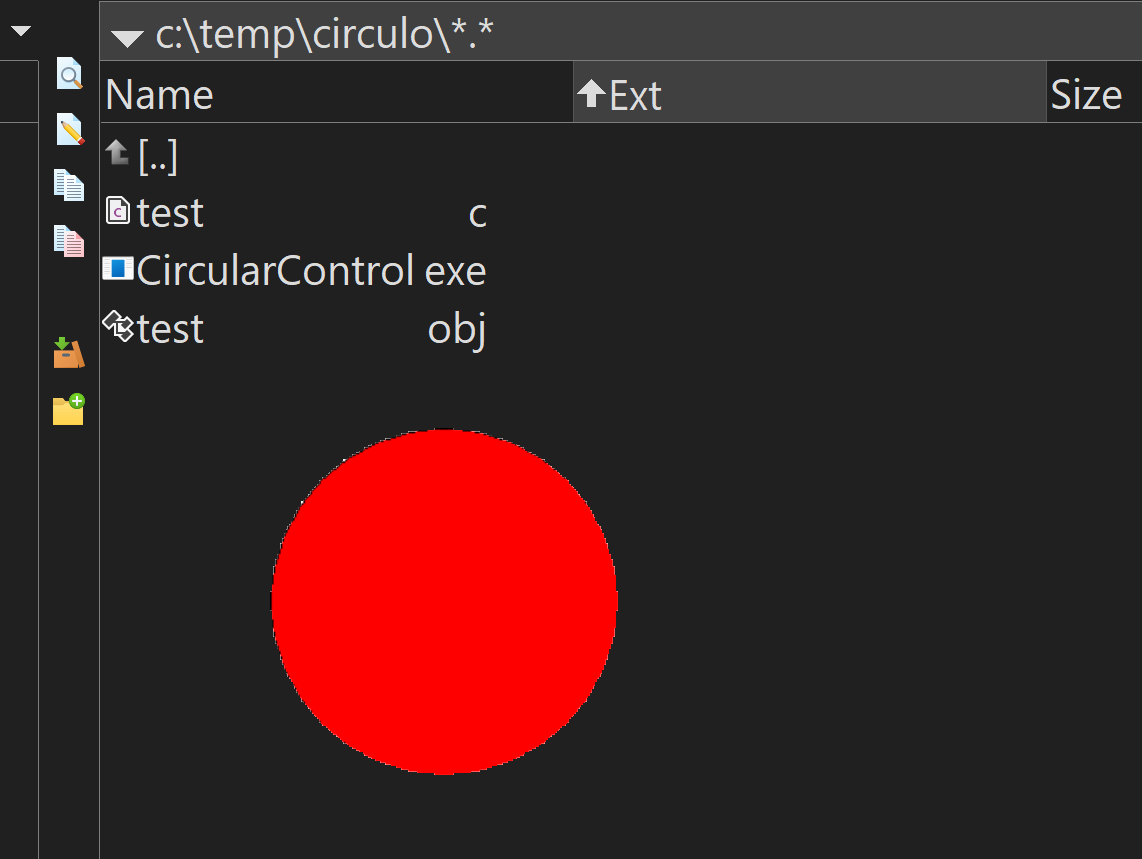
Sabiendo que funciona bien ahora se trata de implementar la clase en FWH...


