FiveTech Support Forums

FiveWin / Harbour / xBase community
Board index FiveWin for Harbour/xHarbour Incorrect Font Display
Posts: 1598
Joined: Fri Oct 07, 2005 05:56 PM
Re: Incorrect Font Display
Posted: Sun Dec 01, 2024 04:28 AM
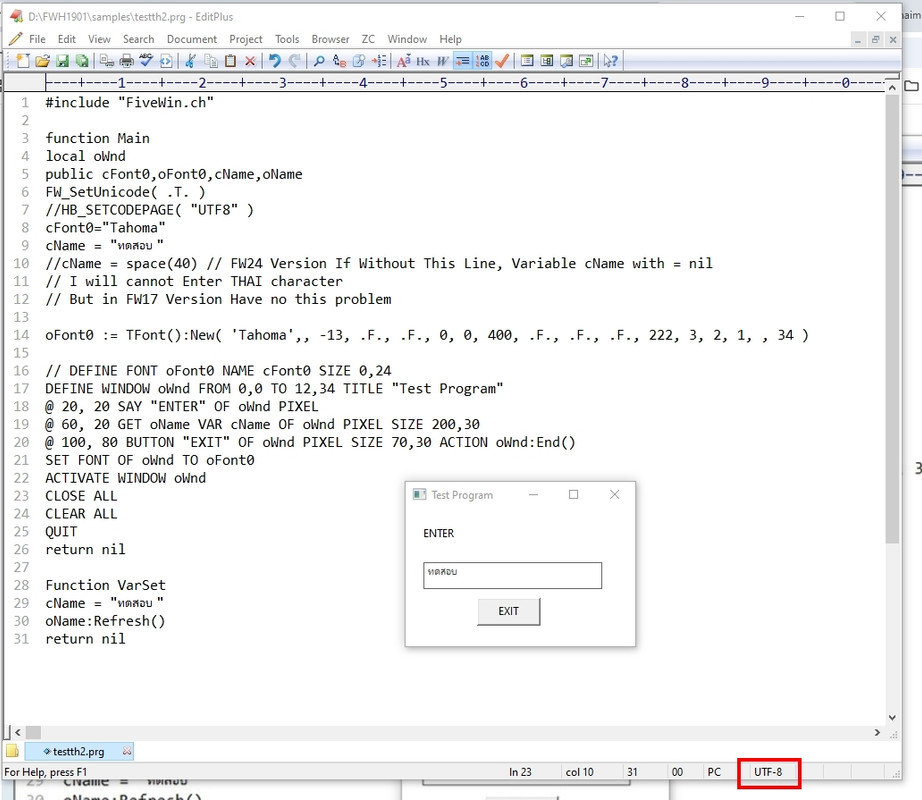
I just edit a little bit as picture.
Regards,

Dutch


FWH 2304 / xHarbour Simplex 1.2.3 / BCC73 / Pelles C / UEStudio

FWPPC 10.02 / Harbour for PPC (FTDN)

ADS V.9 / MySql / MariaDB

R&R 12 Infinity / Crystal Report XI R2

(Thailand)
Posts: 10733
Joined: Sun Nov 19, 2006 05:22 AM
Re: Incorrect Font Display
Posted: Sun Dec 01, 2024 05:23 PM
There is a real problem.
This is arising because the above 2 byte character combinations are being treated as a single UTF8 character but not as 2 ANSI characters
Please check this Harbour function
Code (fw): Select all Collapse
c := chr(202)+chr(161)  // check other combinations also
? hb_strisutf8( c ) // --> .T.

This is wrong. We should get .F.
Please check and confirm.
I am looking into how to fix the problem
Regards


G. N. Rao.

Hyderabad, India
Posts: 9020
Joined: Thu Oct 06, 2005 08:17 PM
Re: Incorrect Font Display
Posted: Sun Dec 01, 2024 08:12 PM

hb_isstrutf8() is not in any of the [x]Harbour libs.

Posts: 10733
Joined: Sun Nov 19, 2006 05:22 AM
Re: Incorrect Font Display
Posted: Mon Dec 02, 2024 12:00 AM
Enrico Maria Giordano wrote:hb_isstrutf8() is not in any of the [x]Harbour libs.

Sorry
Code (fw): Select all Collapse
hb_strisutf8
Regards


G. N. Rao.

Hyderabad, India
Posts: 1598
Joined: Fri Oct 07, 2005 05:56 PM
Re: Incorrect Font Display
Posted: Mon Dec 02, 2024 02:01 AM
Dear All,

Thai language in (TIS620) ascii table has not 2 bytes character. All character is represent 1 ascii code.

K.Surasak,
What is chr(202)+chr(161) represent for (which character in Thai) ?

nageswaragunupudi wrote:There is a real problem.
This is arising because the above 2 byte character combinations are being treated as a single UTF8 character but not as 2 ANSI characters
Please check this Harbour function
Code (fw): Select all Collapse
c := chr(202)+chr(161)  // check other combinations also
? hb_strisutf8( c ) // --> .T.

This is wrong. We should get .F.
Please check and confirm.
I am looking into how to fix the problem
Regards,

Dutch


FWH 2304 / xHarbour Simplex 1.2.3 / BCC73 / Pelles C / UEStudio

FWPPC 10.02 / Harbour for PPC (FTDN)

ADS V.9 / MySql / MariaDB

R&R 12 Infinity / Crystal Report XI R2

(Thailand)
Posts: 10733
Joined: Sun Nov 19, 2006 05:22 AM
Re: Incorrect Font Display
Posted: Mon Dec 02, 2024 04:00 AM
K.Surasak,
What is chr(202)+chr(161) represent for (which character in Thai) ?


Thai characters 202,161 are
ส, ก

Thai language in (TIS620) ascii table has not 2 bytes character. All character is represent 1 ascii code.


What is TIS620? Can you please enlighten me?
To the extent I know the Thai codepage in Windows is 874.
And yes, there are no 2 bytes characters.

Single byte character 202 is and
single byte character 161 is .
So the combination of these two characters should be displayed as สก
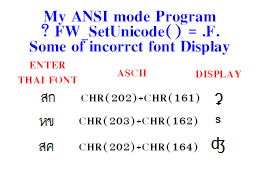
But the FWH version you have is displaying a totally different character. ʡ
This is because FWH is not recognizing สก as two individual single byte characters but as a 2-byte UTF8 character ʡ

We are in the process of resolving the issue, with kind support from both of you.
Regards


G. N. Rao.

Hyderabad, India
Posts: 1598
Joined: Fri Oct 07, 2005 05:56 PM
Re: Incorrect Font Display
Posted: Mon Dec 02, 2024 04:19 AM
Dear Master Rao,

TIS-620 is "Thai Industrial Standard", it uses standard ascii table for Thai characters.
Windows-874 is adapt and extended from TIS-620. It's almost the same, all use 1 byte character.
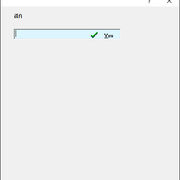
To show "สก", do not use FW_SetUniCode(). It can show correctly.
What is TIS620? Can you please enlighten me?
To the extent I know the Thai codepage in Windows is 874.
And yes, there are no 2 bytes characters.
Regards,

Dutch


FWH 2304 / xHarbour Simplex 1.2.3 / BCC73 / Pelles C / UEStudio

FWPPC 10.02 / Harbour for PPC (FTDN)

ADS V.9 / MySql / MariaDB

R&R 12 Infinity / Crystal Report XI R2

(Thailand)
Posts: 10733
Joined: Sun Nov 19, 2006 05:22 AM
Re: Incorrect Font Display
Posted: Mon Dec 02, 2024 05:03 AM

Thanks.
What is the FWH version you are using?

Regards


G. N. Rao.

Hyderabad, India
Posts: 1598
Joined: Fri Oct 07, 2005 05:56 PM
Re: Incorrect Font Display
Posted: Mon Dec 02, 2024 06:12 AM
Dear Master Rao,

I've used FW1901 and FWH2304 with BCC7.3.

FWH1901, booking program are still stuck Drag&Drop feature that I used to mention. Could you review on it, if you have got time please?
https://forums.fivetechsupport.com/viewtopic.php?f=3&t=43699&sid=52bbeb836b6795c373a27d02376aaa79
nageswaragunupudi wrote:Thanks.
What is the FWH version you are using?
Regards,

Dutch


FWH 2304 / xHarbour Simplex 1.2.3 / BCC73 / Pelles C / UEStudio

FWPPC 10.02 / Harbour for PPC (FTDN)

ADS V.9 / MySql / MariaDB

R&R 12 Infinity / Crystal Report XI R2

(Thailand)
Posts: 1598
Joined: Fri Oct 07, 2005 05:56 PM
Re: Incorrect Font Display
Posted: Tue Dec 03, 2024 09:03 AM
Dear Master Rao,

I've sent you via an email, 2 exe file build from FWH1901 and FWH2304. You can test by drag&drop above and bottom SAY balance. Cloud you check for me please?
nageswaragunupudi wrote:Thanks.
What is the FWH version you are using?
Regards,

Dutch


FWH 2304 / xHarbour Simplex 1.2.3 / BCC73 / Pelles C / UEStudio

FWPPC 10.02 / Harbour for PPC (FTDN)

ADS V.9 / MySql / MariaDB

R&R 12 Infinity / Crystal Report XI R2

(Thailand)
Posts: 10733
Joined: Sun Nov 19, 2006 05:22 AM
Re: Incorrect Font Display
Posted: Tue Dec 03, 2024 03:02 PM

Sure I will

Regards


G. N. Rao.

Hyderabad, India
Posts: 36
Joined: Fri Jul 20, 2007 01:30 PM
Re: Incorrect Font Display
Posted: Wed Dec 04, 2024 09:59 AM
Dear nageswaragunupudi,

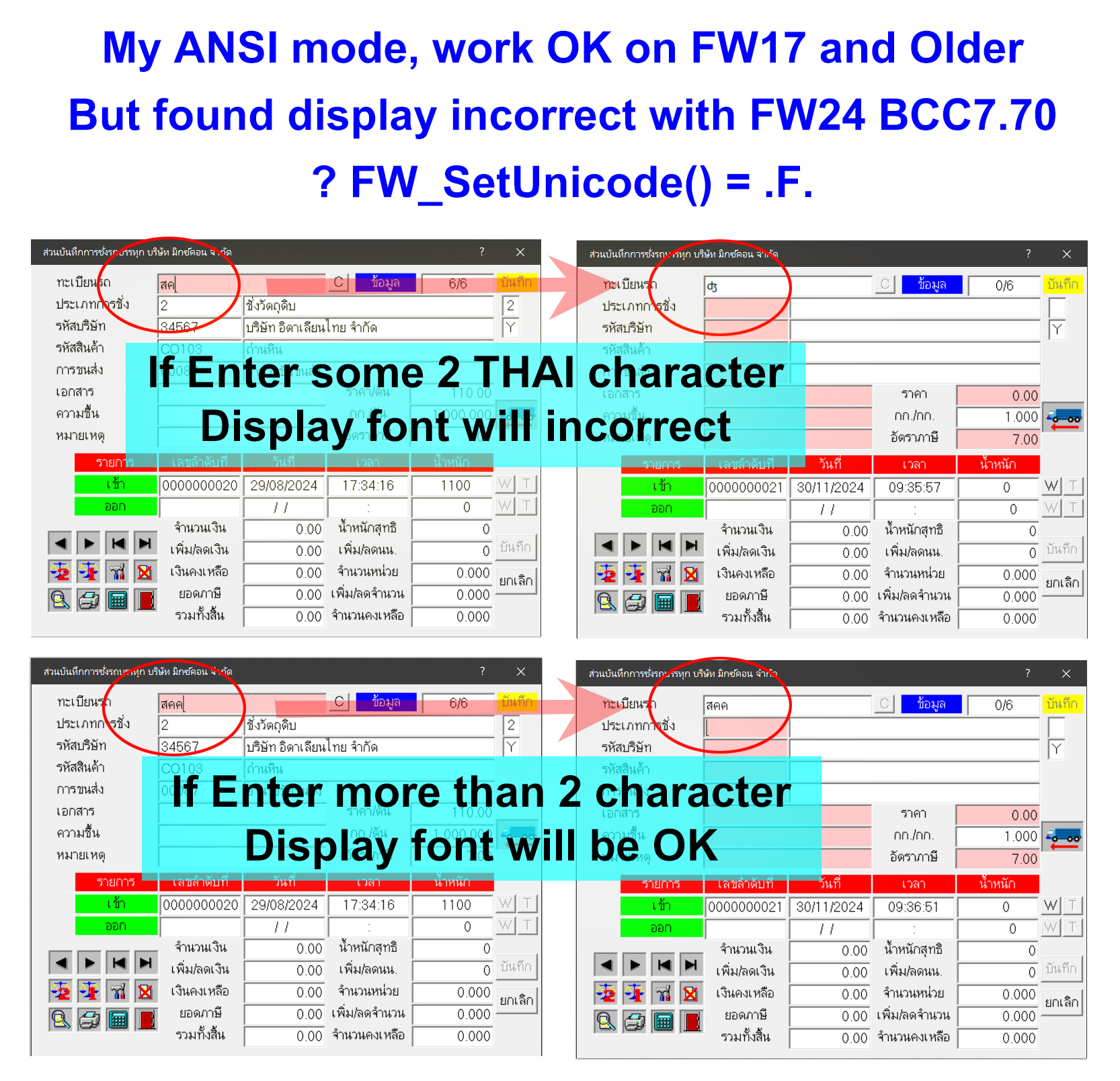
My ANSI Program work fine on FW17 and older, Just found this problem on FW24 with BCC7.70
In THAI character TIS-620 and Window 874 character in my sample cannot combine

Please see the picture at link below:

http://www.asic-net.com/temp/Font-1.jpg
http://www.asic-net.com/temp/Font-2.jpg
Posts: 10733
Joined: Sun Nov 19, 2006 05:22 AM
Re: Incorrect Font Display
Posted: Thu Dec 05, 2024 08:13 AM

Yes.

We did understand the issue soon after you posted this topic.

We also found out the source of the problem.

We are in the process of finding a solution.

Please give us a little time.

Regards


G. N. Rao.

Hyderabad, India
Posts: 1598
Joined: Fri Oct 07, 2005 05:56 PM
Re: Incorrect Font Display
Posted: Fri Dec 06, 2024 01:52 AM
Dear Surasak,

I test with FWH2304 without problem, do not define FW_SetUnicode() in your code. That's all, if you use ANSI.


testget2.prg
Code (fw): Select all Collapse
#Include "FiveWin.Ch"

Function Main()
   Local oDlg
   Local oGet, oSay, oFont
   local cVar := space( 10 )

   DEFINE FONT oFont NAME 'Tahoma' SIZE 0, -16

   DEFINE DIALOG oDlg from 0,0 to 400,400 pixel
   @  5,15 SAY oSay PROMPT chr(202)+chr(161) SIZE 40, 12 PIXEL OF oDlg FONT oFont
   @ 25,15 get oGet var cVar picture "@!"  bitmap "..\bitmaps\chkyes.bmp" action( msginfo( "action" ) );
   size 120,12 of oDlg pixel
   oGet:lAdjustBtn := .t.  

   ACTIVATE DIALOG oDlg 
 
 return nil
Surasak wrote:Dear nageswaragunupudi,

My ANSI Program work fine on FW17 and older, Just found this problem on FW24 with BCC7.70
In THAI character TIS-620 and Window 874 character in my sample cannot combine

Please see the picture at link below:

http://www.asic-net.com/temp/Font-1.jpg
http://www.asic-net.com/temp/Font-2.jpg
Regards,

Dutch


FWH 2304 / xHarbour Simplex 1.2.3 / BCC73 / Pelles C / UEStudio

FWPPC 10.02 / Harbour for PPC (FTDN)

ADS V.9 / MySql / MariaDB

R&R 12 Infinity / Crystal Report XI R2

(Thailand)
Posts: 1598
Joined: Fri Oct 07, 2005 05:56 PM
Re: Incorrect Font Display
Posted: Fri Dec 06, 2024 02:35 AM
Dear Master Rao,

This issue is FW_SetUnicode(.F.) is not the same behavier as ANSI (do not declare FW_SetUnicode).
nageswaragunupudi wrote:
K.Surasak,
What is chr(202)+chr(161) represent for (which character in Thai) ?
Thai characters 202,161 are
ส, ก
Thai language in (TIS620) ascii table has not 2 bytes character. All character is represent 1 ascii code.
What is TIS620? Can you please enlighten me?
To the extent I know the Thai codepage in Windows is 874.
And yes, there are no 2 bytes characters.

Single byte character 202 is and
single byte character 161 is .
So the combination of these two characters should be displayed as สก
But the FWH version you have is displaying a totally different character. ʡ
This is because FWH is not recognizing สก as two individual single byte characters but as a 2-byte UTF8 character ʡ

We are in the process of resolving the issue, with kind support from both of you.
Regards,

Dutch


FWH 2304 / xHarbour Simplex 1.2.3 / BCC73 / Pelles C / UEStudio

FWPPC 10.02 / Harbour for PPC (FTDN)

ADS V.9 / MySql / MariaDB

R&R 12 Infinity / Crystal Report XI R2

(Thailand)