FiveTech Support Forums

FiveWin / Harbour / xBase community
Board index FiveWin for Harbour/xHarbour New Image scroll class
Posts: 7318
Joined: Thu Oct 18, 2012 07:17 PM
New Image scroll class
Posted: Sun Apr 20, 2025 11:49 PM
From an old Otto's Idea

I created this class because every year at school we have graduation day and on the screen in the auditorium I had to display all the sponsors who help us organize the event every year. With this class I can do it easily without resorting to existing applications on the market.


The TScrollImg class is a custom control for FiveWin/Harbour that allows you to create a scrollable image gallery (banner) inside a Windows application. Images can be associated with URLs, allowing users to open websites with a click. The control is designed to be fluid, without flickering, and supports flexible configurations to adapt to different needs.

Main Features
  • Image scrolling: Images scroll horizontally (left or right) with a configurable speed.
    URL association: Each image can have an associated URL, which opens in the default browser with a click.
    Visual feedback: The cursor becomes a hand when it passes over an image with a valid URL.
    Customization: Supports background colors, borders, sizes and scroll modes.
    Backwards compatibility: Works with simple image arrays (without URLs) or with associated URLs.
    Optimization: Use double buffering to eliminate flickering during animation
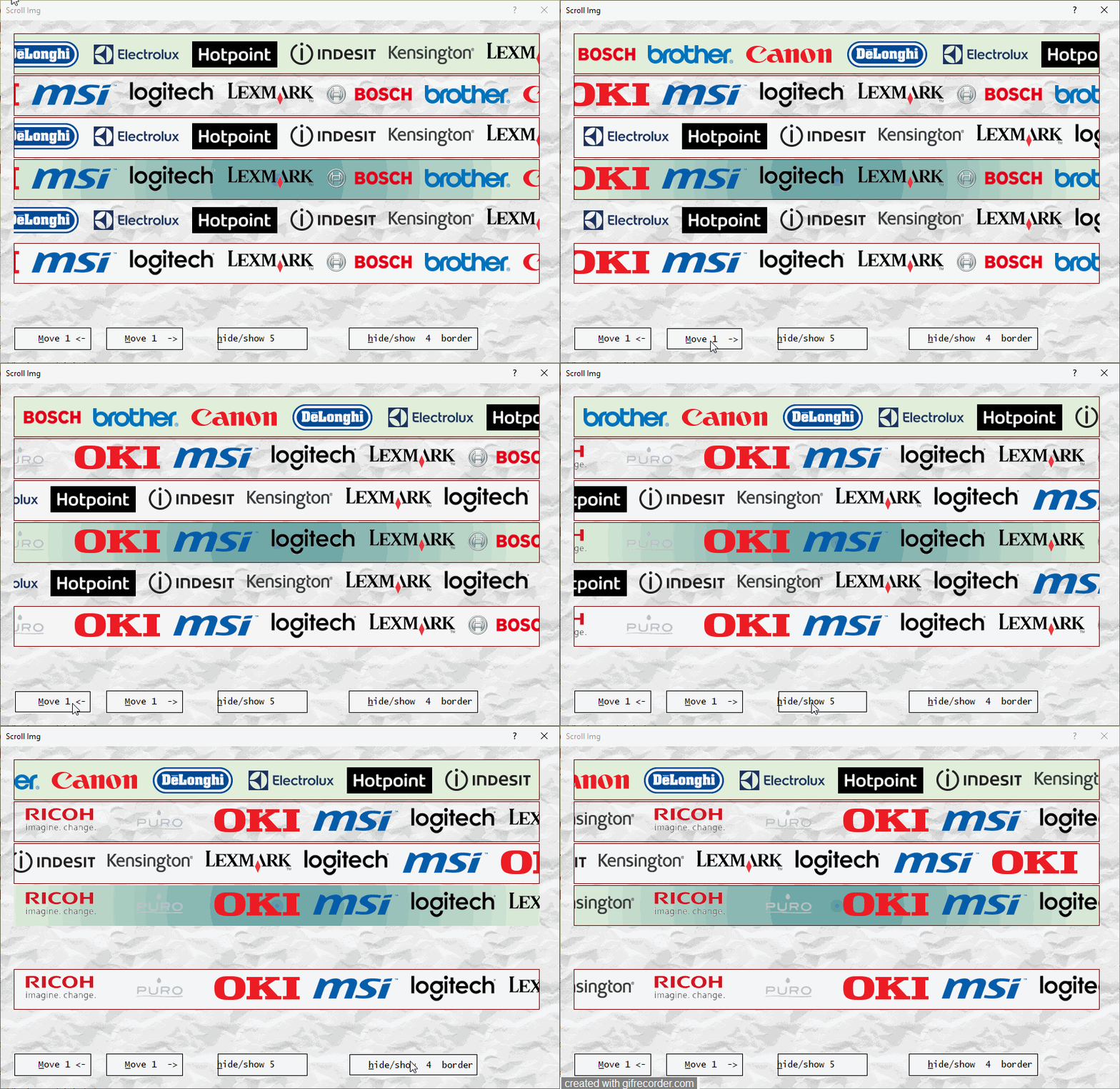
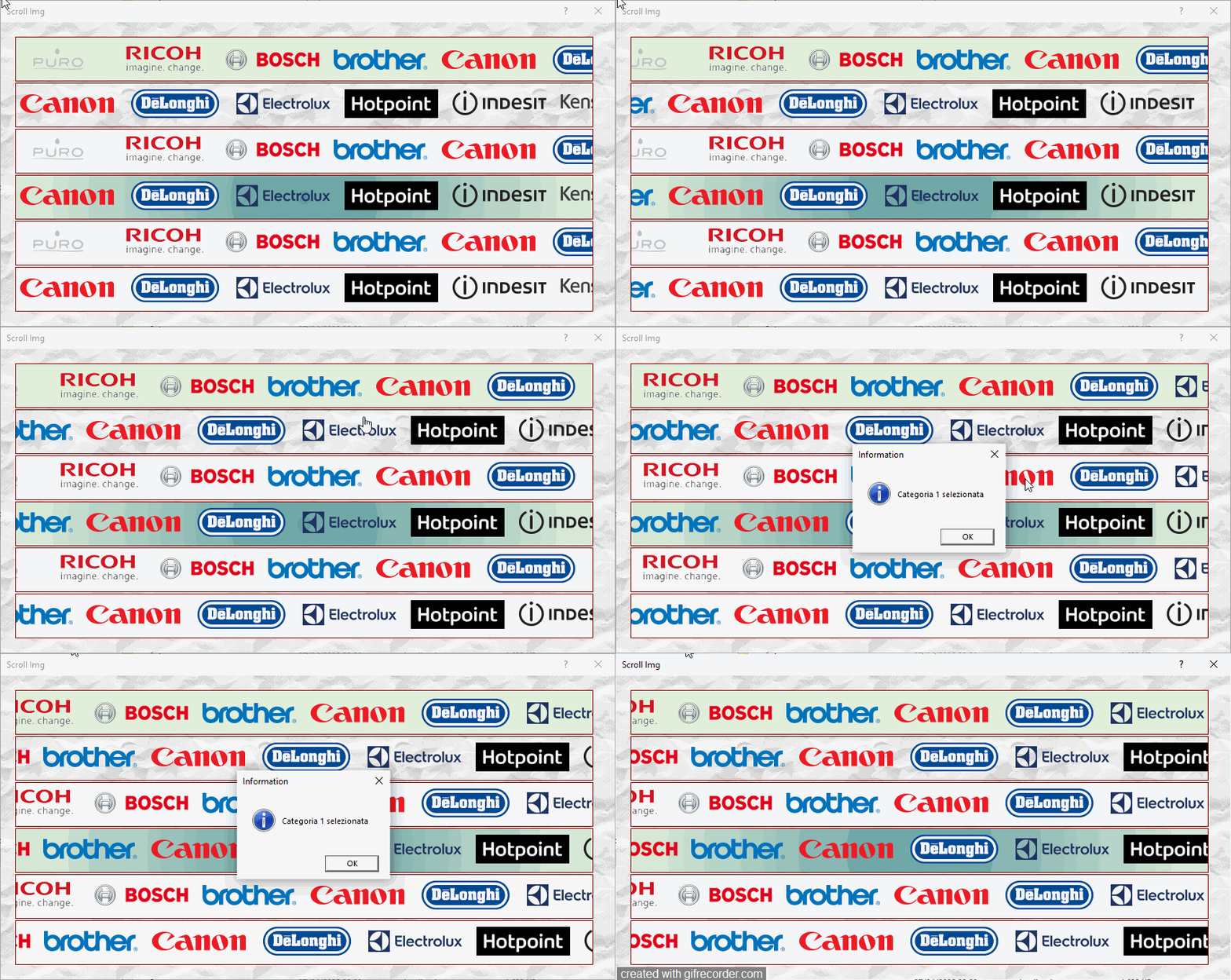
the example you see is a comprehensive test of all the features: transparent, with brush, without brush, with url and with codeblock. This example will be provided as an accessory.


Configure the aBanners Array
The aBanners array defines the images to display. It can be in 3 formats:

Simple (images only):
LOCAL aBanners := {"Bosch.png", "Brother.png", "Canon.png"}
In this case, the images scroll but are not clickable (no URL associated).

With URLs (images and links):
LOCAL aBanners := {{"Bosch.png", "www.bosch.it"}, {"Brother.png", "www.brother.it"}}
The images are clickable, and a click opens the URL in the browser.

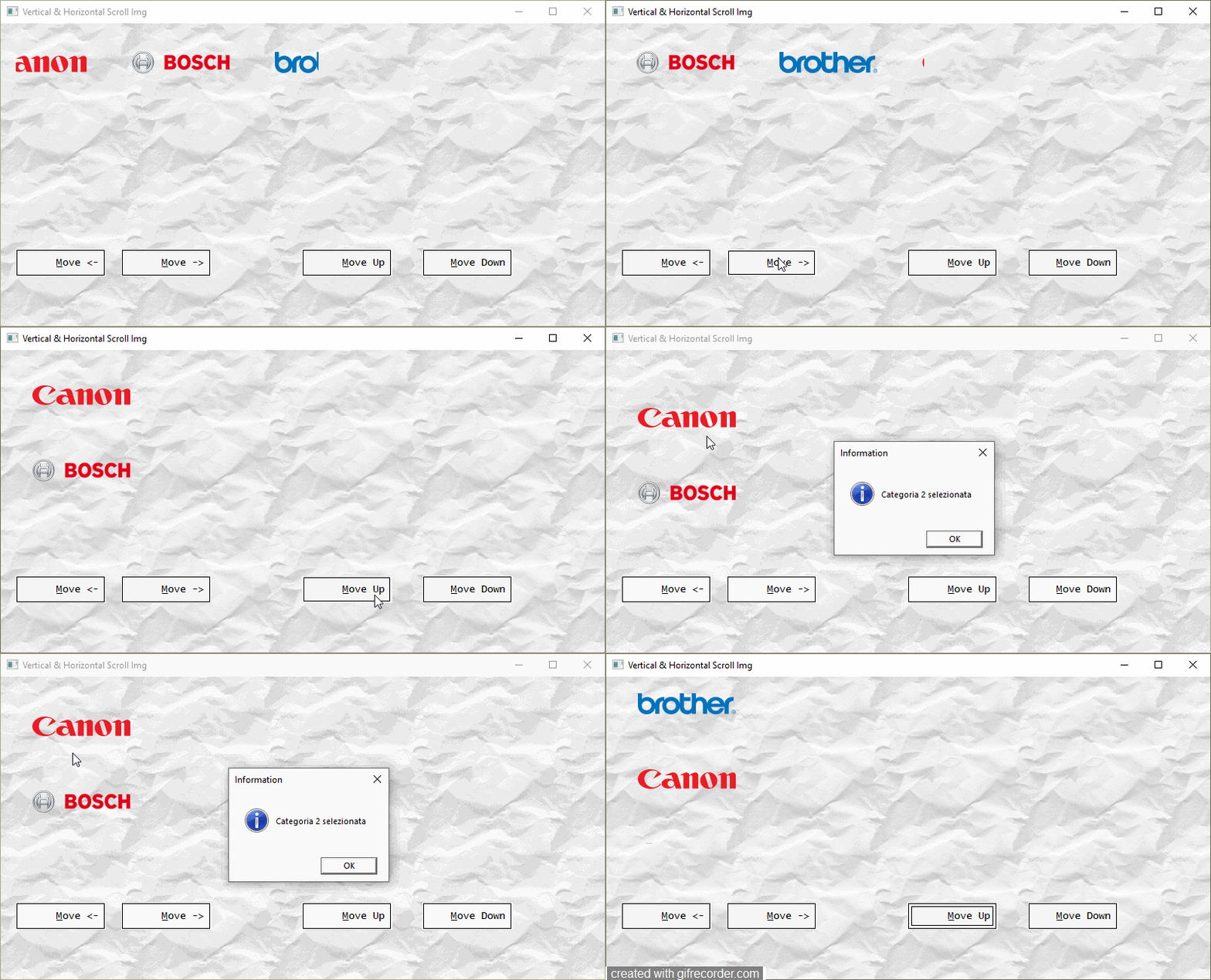
With codeblock (images and codeblock):
local aBanners := { ;
{ "Bosch.png", "www.bosch.it", .F. },;
{ "Brother.png", "www.brother.it", .F. },;
{ "Canon.png", {|| MsgInfo("select one category") }, .T. }}
The images are clickable, and a click eval the codeblock . w
We could then create a scroll of images of the categories and open an xbrowse with the products of that category

User Interaction
Scrolling: The images scroll automatically based on nMode and nSpeed.
Cursor: When the mouse hovers over an image with a URL, the cursor changes to a hand, indicating that it is clickable.
Click: Clicking an image with a URL opens the associated website in the default browser. or run a codeblock
the animation starts automatically but by means of a button you can change the direction, the speed, the space between the images

Usage
@ 10, 10 SCROLLIMG oScroll ;
      PATH cImagePath ;
      BANNERS aBanners ;
      SPEED 2 ;
      MODE 1 ;
      SIZE 300, 30 ;
      BORDER ;
      COLORBORDER nRGB(150,150,150) ;
      OF oDlg


I will send to Antonio.
Since from 1991/1992 ( fw for clipper Rel. 14.4 - Momos)

I use : FiveWin for Harbour March-April 2024 - Harbour 3.2.0dev (harbour_bcc770_32_20240309) - Bcc7.70 - xMate ver. 1.15.3 - PellesC - mail: silvio[dot]falconi[at]gmail[dot]com
Posts: 7318
Joined: Thu Oct 18, 2012 07:17 PM
Re: New Image scroll class
Posted: Fri Apr 25, 2025 08:49 PM

New release see above...

Since from 1991/1992 ( fw for clipper Rel. 14.4 - Momos)

I use : FiveWin for Harbour March-April 2024 - Harbour 3.2.0dev (harbour_bcc770_32_20240309) - Bcc7.70 - xMate ver. 1.15.3 - PellesC - mail: silvio[dot]falconi[at]gmail[dot]com
Posts: 866
Joined: Tue Oct 16, 2007 08:57 AM
Re: New Image scroll class
Posted: Sat Apr 26, 2025 04:32 PM
Silvio.Falconi wrote: From an old Otto's Idea

I created this class because every year at school we have graduation day and on the screen in the auditorium I had to display all the sponsors who help us organize the event every year. With this class I can do it easily without resorting to existing applications on the market.


The TScrollImg class is a custom control for FiveWin/Harbour that allows you to create a scrollable image gallery (banner) inside a Windows application. Images can be associated with URLs, allowing users to open websites with a click. The control is designed to be fluid, without flickering, and supports flexible configurations to adapt to different needs.

Main Features
  • Image scrolling: Images scroll horizontally (left or right) with a configurable speed.
    URL association: Each image can have an associated URL, which opens in the default browser with a click.
    Visual feedback: The cursor becomes a hand when it passes over an image with a valid URL.
    Customization: Supports background colors, borders, sizes and scroll modes.
    Backwards compatibility: Works with simple image arrays (without URLs) or with associated URLs.
    Optimization: Use double buffering to eliminate flickering during animation

Configure the aBanners Array
The aBanners array defines the images to display. It can be in two formats:

Simple (images only):
LOCAL aBanners := {"Bosch.png", "Brother.png", "Canon.png"}
In this case, the images scroll but are not clickable (no URL associated).

With URLs (images and links):
LOCAL aBanners := {{"Bosch.png", "www.bosch.it"}, {"Brother.png", "www.brother.it"}}
The images are clickable, and a click opens the URL in the browser.

User Interaction
Scrolling: The images scroll automatically based on nMode and nSpeed.
Cursor: When the mouse hovers over an image with a URL, the cursor changes to a hand, indicating that it is clickable.
Click: Clicking an image with a URL opens the associated website in the default browser.

Usage
@ 10, 10 SCROLLIMG oScroll ;
      PATH cImagePath ;
      BANNERS aBanners ;
      SPEED 2 ;
      MODE 1 ;
      SIZE 300, 30 ;
      BORDER ;


      COLORBORDER nRGB(150,150,150) ;
      OF oDlg


I will send to Antonio.
Dear Silvio,

Could you please make it REDEFINE command
ReDefine CROLLIMG oScroll ID 300 OF oDlg
.....
Best Regards,


Richard


Harbour 3.2.0dev (r2503251254) => Borland C++ v7.7 32bit

MySQL v8.0

Harbour 3.2.0dev (r2503251254) => Borland C++ v7.7 64bit
Posts: 7318
Joined: Thu Oct 18, 2012 07:17 PM
Re: New Image scroll class
Posted: Sun Apr 27, 2025 06:39 PM
No Problems.


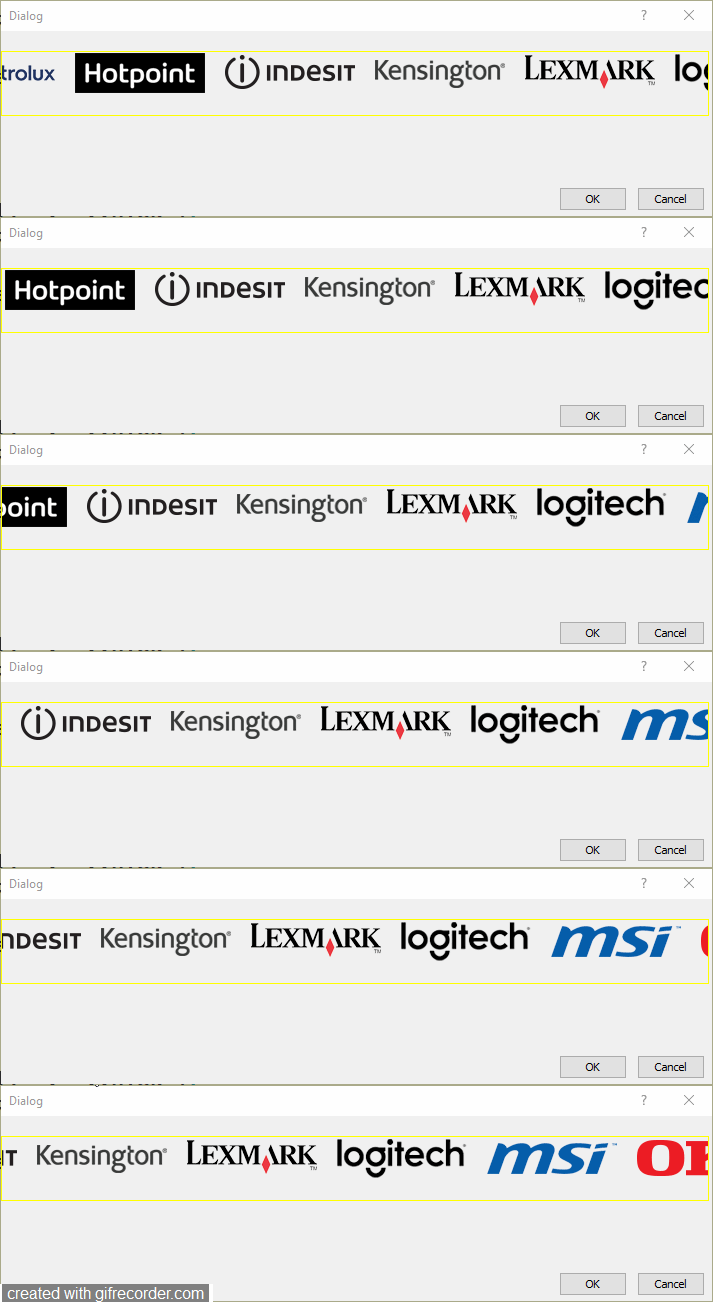
sample:
 
 
 #include "FiveWin.ch"
#include "scrollimg.ch"

function Main()

local oDlg, oScroll
local cImagePath    := cFilePath( GetModuleFileName( GetInstance() ) ) + "Bitmaps\"
local aBanners := { ;
      { "Bosch.png", "www.bosch.it" },;
      { "Brother.png", "www.brother.it" },;
      { "Canon.png", "www.canon.it" },;
      { "De-Longhi.png", "www.delonghi.com" },;
      { "ELECTROLUX-REX.png", "www.electrolux.it" },;
      { "HOTPOINT.png", "www.hotpoint.it" },;
      { "INDESIT.png", "www.indesit.it" },;
      { "KENSINGTON.png", "www.kensington.com" },;
      { "LEXMARK.png", "www.lexmark.com" },;
      { "LOGITECH.png", "www.logitech.com" },;
      { "MSI.png", "www.msi.com" },;
      { "OKI.png", "www.oki.com" },;
      { "PURO.png", "www.puro.it" },;
      { "RICOH.png", "www.ricoh.it" }}


   DEFINE DIALOG oDlg RESOURCE "Test"


REDEFINE SCROLLIMG oScroll ;
              ID 300 ;
              OF oDlg  ;
              PATH cImagePath ;
              BANNERS aBanners ;
              BORDER ;
              COLORBORDER CLR_YELLOW

  ACTIVATE DIALOG oDlg

return nil
Since from 1991/1992 ( fw for clipper Rel. 14.4 - Momos)

I use : FiveWin for Harbour March-April 2024 - Harbour 3.2.0dev (harbour_bcc770_32_20240309) - Bcc7.70 - xMate ver. 1.15.3 - PellesC - mail: silvio[dot]falconi[at]gmail[dot]com
Posts: 866
Joined: Tue Oct 16, 2007 08:57 AM
Re: New Image scroll class
Posted: Mon Apr 28, 2025 01:27 AM
Silvio.Falconi wrote: No Problems.


sample:
 
 
 #include "FiveWin.ch"
#include "scrollimg.ch"

function Main()

local oDlg, oScroll
local cImagePath    := cFilePath( GetModuleFileName( GetInstance() ) ) + "Bitmaps\"
local aBanners := { ;
      { "Bosch.png", "www.bosch.it" },;
      { "Brother.png", "www.brother.it" },;
      { "Canon.png", "www.canon.it" },;
      { "De-Longhi.png", "www.delonghi.com" },;
      { "ELECTROLUX-REX.png", "www.electrolux.it" },;
      { "HOTPOINT.png", "www.hotpoint.it" },;
      { "INDESIT.png", "www.indesit.it" },;
      { "KENSINGTON.png", "www.kensington.com" },;
      { "LEXMARK.png", "www.lexmark.com" },;
      { "LOGITECH.png", "www.logitech.com" },;
      { "MSI.png", "www.msi.com" },;
      { "OKI.png", "www.oki.com" },;
      { "PURO.png", "www.puro.it" },;
      { "RICOH.png", "www.ricoh.it" }}


   DEFINE DIALOG oDlg RESOURCE "Test"


REDEFINE SCROLLIMG oScroll ;
              ID 300 ;
              OF oDlg  ;
              PATH cImagePath ;
              BANNERS aBanners ;
              BORDER ;
              COLORBORDER CLR_YELLOW

  ACTIVATE DIALOG oDlg

return nil
Dear Silvio,

Good job.
May I set Frame function disable? Show or Hide ...
Best Regards,


Richard


Harbour 3.2.0dev (r2503251254) => Borland C++ v7.7 32bit

MySQL v8.0

Harbour 3.2.0dev (r2503251254) => Borland C++ v7.7 64bit
Posts: 7318
Joined: Thu Oct 18, 2012 07:17 PM
Re: New Image scroll class
Posted: Mon Apr 28, 2025 06:25 AM
richard-service wrote:
No Problems.


sample:
 
 
 #include "FiveWin.ch"
#include "scrollimg.ch"

function Main()

local oDlg, oScroll
local cImagePath    := cFilePath( GetModuleFileName( GetInstance() ) ) + "Bitmaps\"
local aBanners := { ;
      { "Bosch.png", "www.bosch.it" },;
      { "Brother.png", "www.brother.it" },;
      { "Canon.png", "www.canon.it" },;
      { "De-Longhi.png", "www.delonghi.com" },;
      { "ELECTROLUX-REX.png", "www.electrolux.it" },;
      { "HOTPOINT.png", "www.hotpoint.it" },;
      { "INDESIT.png", "www.indesit.it" },;
      { "KENSINGTON.png", "www.kensington.com" },;
      { "LEXMARK.png", "www.lexmark.com" },;
      { "LOGITECH.png", "www.logitech.com" },;
      { "MSI.png", "www.msi.com" },;
      { "OKI.png", "www.oki.com" },;
      { "PURO.png", "www.puro.it" },;
      { "RICOH.png", "www.ricoh.it" }}


   DEFINE DIALOG oDlg RESOURCE "Test"


REDEFINE SCROLLIMG oScroll ;
              ID 300 ;
              OF oDlg  ;
              PATH cImagePath ;
              BANNERS aBanners ;
              BORDER ;
              COLORBORDER CLR_YELLOW

  ACTIVATE DIALOG oDlg

return nil
Dear Silvio,

Good job.
May I set Frame function disable? Show or Hide ...
I'm really confused, I don't understand your question...

What do you mean by frame?

Do you means Border?
there is a data lBorder if it is false the border does not show

There is no "frame" in the TscrollImage class...

I'm surprised you say you are better than me...

It's an object control

What's the problem?

I've never seen you make requests like that to anyone else.


Send me your images I can build a sample test for U


Vertical up and down

Since from 1991/1992 ( fw for clipper Rel. 14.4 - Momos)

I use : FiveWin for Harbour March-April 2024 - Harbour 3.2.0dev (harbour_bcc770_32_20240309) - Bcc7.70 - xMate ver. 1.15.3 - PellesC - mail: silvio[dot]falconi[at]gmail[dot]com
Posts: 866
Joined: Tue Oct 16, 2007 08:57 AM
Re: New Image scroll class
Posted: Mon Apr 28, 2025 08:44 AM
Silvio.Falconi wrote:
No Problems.


sample:
 
 
 #include "FiveWin.ch"
#include "scrollimg.ch"

function Main()

local oDlg, oScroll
local cImagePath    := cFilePath( GetModuleFileName( GetInstance() ) ) + "Bitmaps\"
local aBanners := { ;
      { "Bosch.png", "www.bosch.it" },;
      { "Brother.png", "www.brother.it" },;
      { "Canon.png", "www.canon.it" },;
      { "De-Longhi.png", "www.delonghi.com" },;
      { "ELECTROLUX-REX.png", "www.electrolux.it" },;
      { "HOTPOINT.png", "www.hotpoint.it" },;
      { "INDESIT.png", "www.indesit.it" },;
      { "KENSINGTON.png", "www.kensington.com" },;
      { "LEXMARK.png", "www.lexmark.com" },;
      { "LOGITECH.png", "www.logitech.com" },;
      { "MSI.png", "www.msi.com" },;
      { "OKI.png", "www.oki.com" },;
      { "PURO.png", "www.puro.it" },;
      { "RICOH.png", "www.ricoh.it" }}


   DEFINE DIALOG oDlg RESOURCE "Test"


REDEFINE SCROLLIMG oScroll ;
              ID 300 ;
              OF oDlg  ;
              PATH cImagePath ;
              BANNERS aBanners ;
              BORDER ;
              COLORBORDER CLR_YELLOW

  ACTIVATE DIALOG oDlg

return nil
Dear Silvio,

Good job.
May I set Frame function disable? Show or Hide ...
I'm really confused, I don't understand your question...

What do you mean by frame?

Do you means Border?
there is a data lBorder if it is false the border does not show

There is no "frame" in the TscrollImage class...

I'm surprised you say you are better than me...

It's an object control

What's the problem?

I've never seen you make requests like that to anyone else.


Send me your images I can build a sample test for U


Vertical up and down

Yes, You do it Great...
Best Regards,


Richard


Harbour 3.2.0dev (r2503251254) => Borland C++ v7.7 32bit

MySQL v8.0

Harbour 3.2.0dev (r2503251254) => Borland C++ v7.7 64bit
Posts: 7318
Joined: Thu Oct 18, 2012 07:17 PM
Re: New Image scroll class
Posted: Mon Apr 28, 2025 12:41 PM

thank but I have problems with fade and up and down , these features will be there next time

Since from 1991/1992 ( fw for clipper Rel. 14.4 - Momos)

I use : FiveWin for Harbour March-April 2024 - Harbour 3.2.0dev (harbour_bcc770_32_20240309) - Bcc7.70 - xMate ver. 1.15.3 - PellesC - mail: silvio[dot]falconi[at]gmail[dot]com
Posts: 654
Joined: Fri Oct 21, 2005 05:54 AM
Re: New Image scroll class
Posted: Tue Apr 29, 2025 02:21 AM
Dear Silvio,

Thank for your your New Image Scrolling Class.
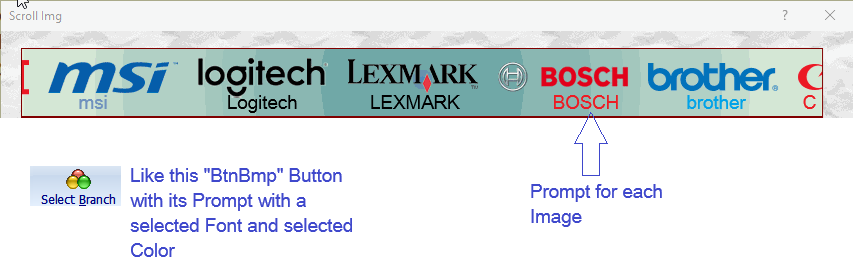
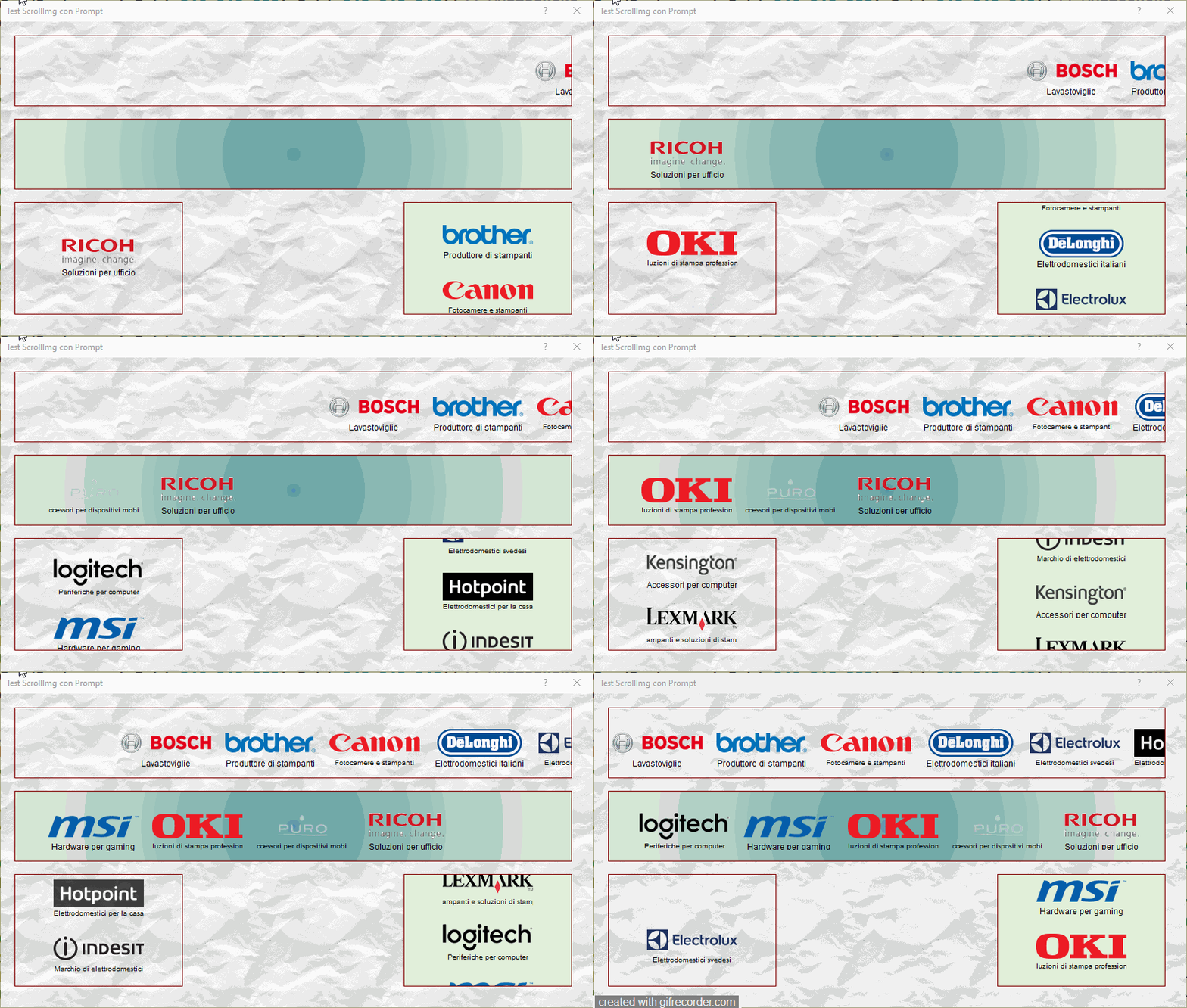
May I request you to please provide a prompt
attached to each Image as shown in the
followig picture ?


- Ramesh Babu P
Posts: 7318
Joined: Thu Oct 18, 2012 07:17 PM
Re: New Image scroll class
Posted: Tue Apr 29, 2025 12:13 PM
RAMESHBABU wrote: Dear Silvio,

Thank for your your New Image Scrolling Class.
May I request you to please provide a prompt
attached to each Image as shown in the
followig picture ?


- Ramesh Babu P

first release add also the tooltip
The length of the text must be equal to the width of the image

Since from 1991/1992 ( fw for clipper Rel. 14.4 - Momos)

I use : FiveWin for Harbour March-April 2024 - Harbour 3.2.0dev (harbour_bcc770_32_20240309) - Bcc7.70 - xMate ver. 1.15.3 - PellesC - mail: silvio[dot]falconi[at]gmail[dot]com
Posts: 654
Joined: Fri Oct 21, 2005 05:54 AM
Re: New Image scroll class
Posted: Wed Apr 30, 2025 01:53 AM
Dear Silvio,
first release add also the tooltip
The length of the text must be equal to the width of the image
Thank your very much for providing the text prompt and ToolTip. Its a nice
useful feature. :D

Regards,
- Ramesh Babu P
Posts: 7318
Joined: Thu Oct 18, 2012 07:17 PM
Re: New Image scroll class
Posted: Wed Apr 30, 2025 07:17 AM
RAMESHBABU wrote: Dear Silvio,
first release add also the tooltip
The length of the text must be equal to the width of the image
Thank your very much for providing the text prompt and ToolTip. Its a nice
useful feature. :D

Regards,
- Ramesh Babu P
I added the ability to change the font when the text is longer than the image width
when a cycle of images ends everything is reset and starts again from the beginning


in the video you will see a flickering but he assures you that in the original it is not perceptible
It's probably the GifScreenRecord application that creates this effect


then I could include these features:

1. Advanced animation effects
2. Speed ​​control via interface
3. Pause/resume with click or key
4. Text with visual effects
5. Manual navigation
6. Support for different image sizes
7. Progress indicator or counter
8. Support for video or dynamic content
9. Customizable themes or skins
10. State saving
11. making cappuccino with a brioche

Which could be useful?
Since from 1991/1992 ( fw for clipper Rel. 14.4 - Momos)

I use : FiveWin for Harbour March-April 2024 - Harbour 3.2.0dev (harbour_bcc770_32_20240309) - Bcc7.70 - xMate ver. 1.15.3 - PellesC - mail: silvio[dot]falconi[at]gmail[dot]com
Posts: 7318
Joined: Thu Oct 18, 2012 07:17 PM
Re: New Image scroll class
Posted: Wed Apr 30, 2025 08:55 AM
ok I add

1. Advanced animation effects ( shadow on image)
2. Speed ​​control via interface
3. Pause/resume with click or key
10. load and State saving

When I over on an Image the class make a zoom of the image

add the possibility to change speed of a animation by buttons or key ( space, + and - )

add load and save state of animation

sample of file .ini
[ScrollImg]
LeftImage01=    582.00
TopImage01=     31.00
LeftImage02=    732.00
TopImage02=     31.00
LeftImage03=    882.00
TopImage03=     31.00
LeftImage04=   1032.00
TopImage04=     31.00
LeftImage05=   1182.00
TopImage05=     31.00
LeftImage06=   1332.00
TopImage06=     31.00
LeftImage07=   1482.00
TopImage07=     31.00
LeftImage08=   1632.00
TopImage08=     31.00
LeftImage09=   1782.00
TopImage09=     31.00
LeftImage10=   1932.00
TopImage10=     31.00
LeftImage11=   2082.00
TopImage11=     31.00
LeftImage12=   2232.00
TopImage12=     31.00
LeftImage13=   2382.00
TopImage13=     31.00
LeftImage14=   2532.00
TopImage14=     31.00
Speed=  5.00
Paused=0
Running=1
CycleCounter=         0
Since from 1991/1992 ( fw for clipper Rel. 14.4 - Momos)

I use : FiveWin for Harbour March-April 2024 - Harbour 3.2.0dev (harbour_bcc770_32_20240309) - Bcc7.70 - xMate ver. 1.15.3 - PellesC - mail: silvio[dot]falconi[at]gmail[dot]com
Posts: 654
Joined: Fri Oct 21, 2005 05:54 AM
Re: New Image scroll class
Posted: Thu May 01, 2025 05:02 AM
Dear Silvio,

Nice additions to the Class. :D
My best regards,

-Ramesh Babu P
Posts: 7318
Joined: Thu Oct 18, 2012 07:17 PM
Re: New Image scroll class
Posted: Sat May 03, 2025 10:02 AM

Thanks.

Since from 1991/1992 ( fw for clipper Rel. 14.4 - Momos)

I use : FiveWin for Harbour March-April 2024 - Harbour 3.2.0dev (harbour_bcc770_32_20240309) - Bcc7.70 - xMate ver. 1.15.3 - PellesC - mail: silvio[dot]falconi[at]gmail[dot]com


Continue the discussion